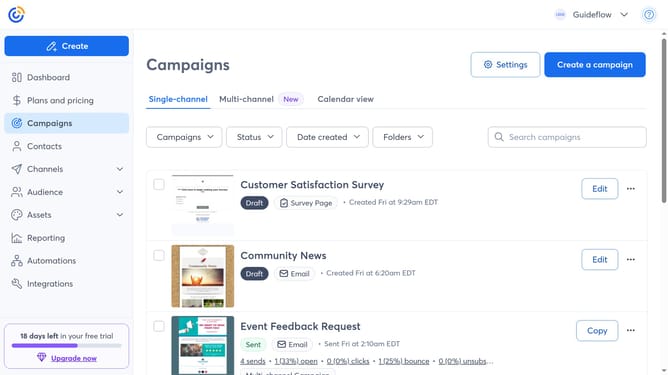
How to view only draft campaigns in Constant Contact
Here is how to view only draft campaigns in constant contact
- First click on the "Campaigns" in the left sidebar menu
- Next click on the "Status" dropdown filter in the top filter bar
- Then select "Draft" status option from the status dropdown menu
- The Campaigns list is now filtered to display only Drafts
Why should you view only draft campaigns in Constant Contact
Constant Contact is a powerful email marketing tool designed to streamline communication and drive engagement for businesses of all sizes.
Viewing only draft campaigns in Constant Contact allows users to efficiently organize and focus on campaigns that are still in progress. By isolating drafts, users can easily review and edit them without distraction, ensuring that every email is optimized before launch.
This feature boosts productivity and enhances campaign quality by allowing marketers to give undivided attention to crafting clear, compelling messages tailored to their audience.
Leveraging this functionality not only simplifies workflow management but also empowers teams to refine their marketing strategy with greater precision and confidence.