How to save a campaign as a template in Constant Contact
Here is how to save a campaign as a template in constant contact
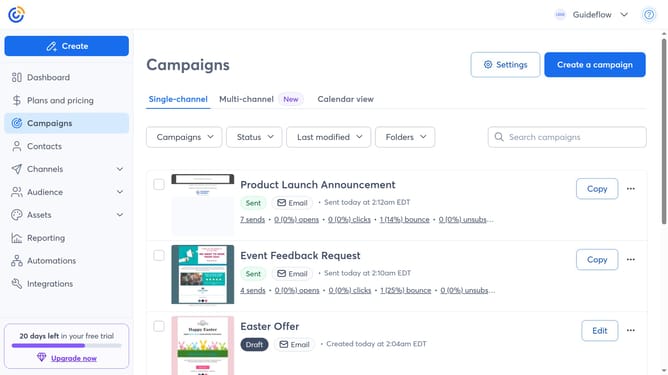
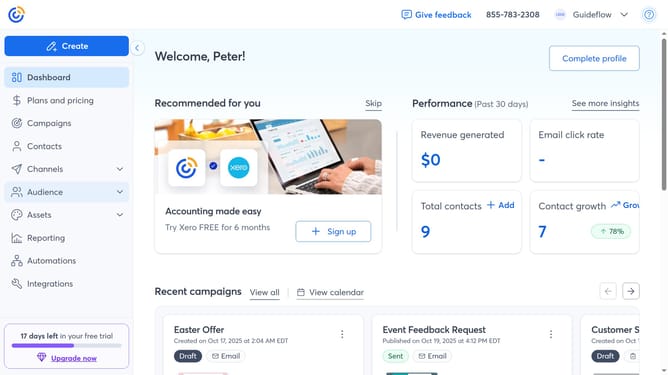
- First click on "Campaigns" in the left sidebar navigation menu
- Locate the campaign you want to save as a template
- Next click on the "More options" button (three dots menu) in the right corner of the campaign
- Then select "Save as template" from the dropdown menu
- Enter a name for your template in the template dialog that appears
- Finally click the "Save" button to confirm
Why should you save a campaign as a template in Constant Contact
Constant Contact is a powerful tool designed to streamline and enhance your email marketing efforts.
One standout feature is the ability to save a campaign as a template. This allows you to efficiently recreate consistent, branded emails without starting from scratch every time. By doing so, you ensure uniformity across all communications, which strengthens brand identity and saves valuable time.
Utilizing this feature not only enhances productivity but also enables you to focus on crafting impactful content, ultimately improving engagement and results in your marketing campaigns.
Last update