How to preview a campaign in Constant Contact
Here is how to preview a campaign in constant contact
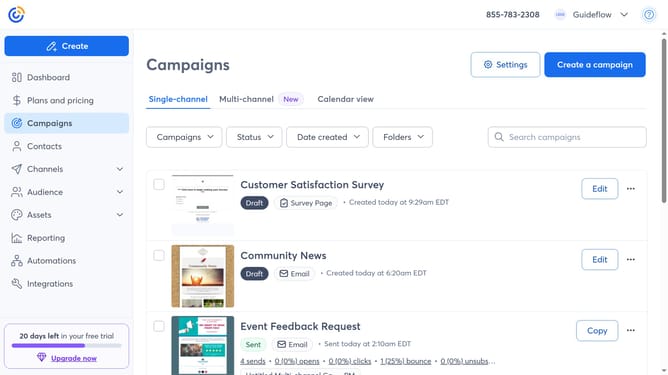
- First click on "Campaigns" in the left sidebar
- Find the campaign you want to preview from the campaign list
- Next click the "More options" menu (three dots) button next to the campaign
- Then click on the "Preview" option in the dropdown menu
- Finally a preview window opens, showing how the email or sms will appear to recipients
- You can switch between desktop and mobile previews
- Use “Send Test Email” to send a preview to your own address if needed
Why should you preview a campaign in Constant Contact
Constant Contact is a dynamic platform designed to streamline and enhance email marketing campaigns.
Previewing a campaign in Constant Contact allows users to visualize their email content as recipients would see it. This invaluable feature ensures that your campaign maintains professional aesthetics and messaging before it reaches your audience.
Using the preview functionality helps to catch potential errors and optimize layout and design. This step ultimately improves engagement rates and enhances the overall effectiveness of your marketing efforts.
Last update