How to publish your docs with private share links in Gitbook
Here is how to publish your docs with private share links in gitbook
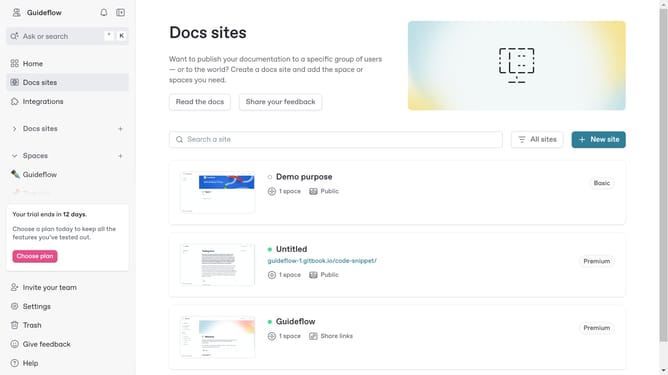
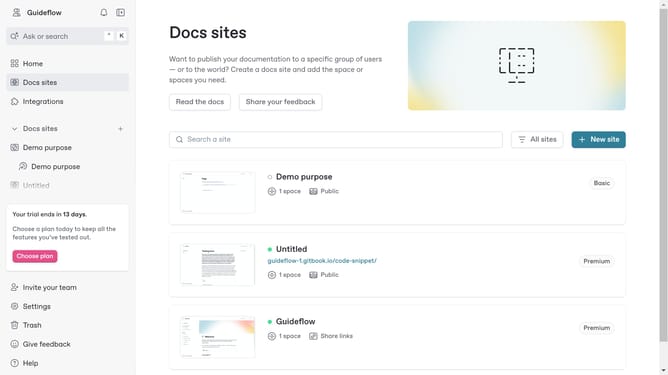
- First click on the site card in the main content area
- Then click on the "Settings" tab in the top navigation menu
- Next click on the "Audience" link in the left settings sidebar
- In the Audience settings section, click on the "Share links" option
- Then click the "Update audience" button at the bottom of the page
- Click on the "Create share link" button in the share links section
- In the modal window, click here to enter the name of your link
- Finally click the "Create" button to publish your link
Why should you publish your docs with private share links in Gitbook
GitBook is a collaborative platform designed for creating beautiful documentation.
One of its standout features is the ability to publish documentation with private share links. This allows users to share their docs securely with select individuals or teams.
Using private share links ensures that sensitive information remains accessible only to those with the granted access, enhancing security and confidentiality.
Furthermore, it promotes efficient collaboration by allowing specific stakeholders to review and provide feedback without exposing the content publicly.
Last update