How to delete a quote in a help center in Gitbook
Here is how to delete a quote in a help center in gitbook
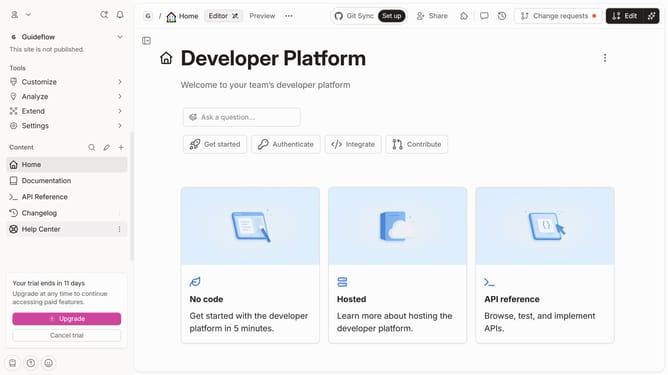
- First, in the left sidebar, click on "Help Center"
- Then, in the top header, click on the "Edit" button
- Next, click on the block options icon to reveal block options
- Then, from the dropdown menu, click on the "Delete" button
- Finally, in the top header, click on the "Merge" button
Why should you delete a quote in a help center in Gitbook
GitBook: your go-to platform for crafting and sharing comprehensive knowledge bases with ease.
In the realm of collaborative documentation, the ability to efficiently manage content is crucial. One of the beneficial features of GitBook is the smooth process of deleting a quote from your help center. This allows you to maintain only the most relevant and updated information for your readers.
Using this feature helps in keeping your knowledge base concise and free from outdated or unnecessary content. This ensures your audience always accesses streamlined and accurate information, enhancing their experience and understanding.
Last update