How to publish a dashboard in Zendesk Explore
Here is how to publish a dashboard in zendesk explore
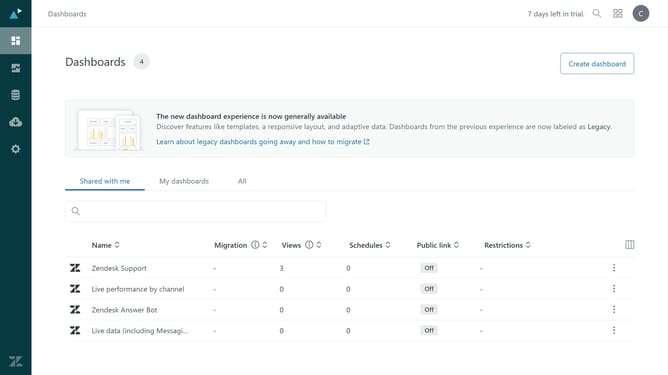
- First in Zendesk Explore, click on the "Dashboards" icon in the left sidebar
- Then click on the "My dashboards" tab in the dashboard view
- Next locate the dashboard you want to publish and click on it
- Click on the "Publish changes" button in the top toolbar
- Finally, click on the "Publish changes" button in the confirmation dialog
Why should you publish a dashboard in Zendesk Explore
Zendesk is a robust customer service platform designed to enhance customer interactions and streamline support operations.
Publishing a dashboard in Zendesk Explore allows you to share crucial business insights effortlessly within your organization. This feature transforms complex data sets into accessible visual formats, ensuring that everyone stays informed and aligned without needing deep technical expertise.
By utilizing dashboard publishing, teams gain enhanced visibility into performance metrics, making data-driven decisions more achievable and collaborative. It's a powerful way to ensure your organization operates cohesively towards shared goals.
Last update