How to move zaps to another folder in the free plan in Zapier
Here is how to move zaps to another folder in the free plan in zapier
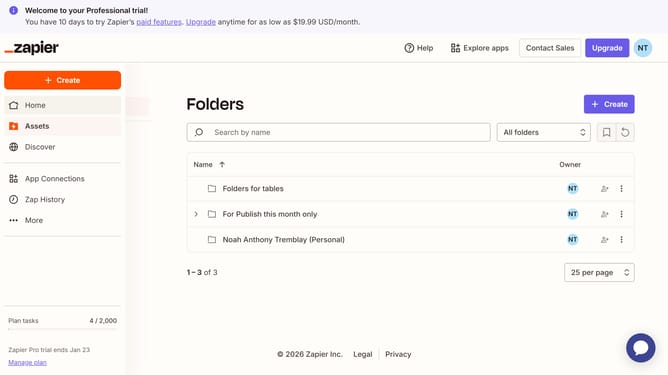
- First click on "Assets" link in the left sidebar
- Then click on the three dots icon next to the folder you want to move
- Next click on "Move to folder" option from the dropdown menu
- Then click on the new folder from the selection list
- Finally click on "Move to folder" button to confirm the action
Why should you move zaps to another folder in the free plan in Zapier
Zapier automates repetitive tasks between your favorite apps without coding, letting you focus on what truly matters.
When using Zapier's free plan, the ability to move Zaps to another folder offers a seamless way to organize your workflows efficiently.
This feature brings clarity to your dashboard, ensuring your Zaps are always easy to locate and manage, enhancing your productivity.
Leveraging this function means a tidier workspace, empowering you to streamline project management and boost your efficiency effortlessly.
Last update