How to invite users to a board using team invite link on Miro
Here is how to invite users to a board using team invite link on miro
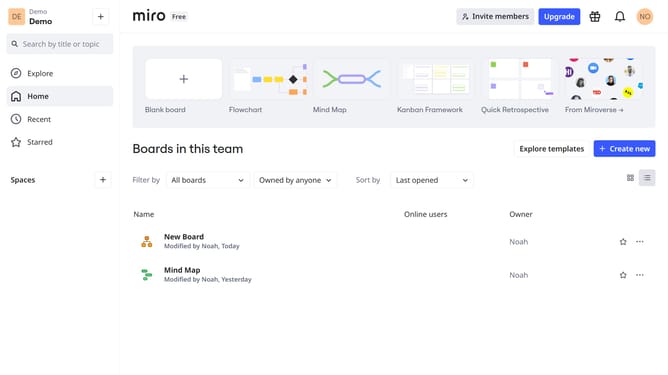
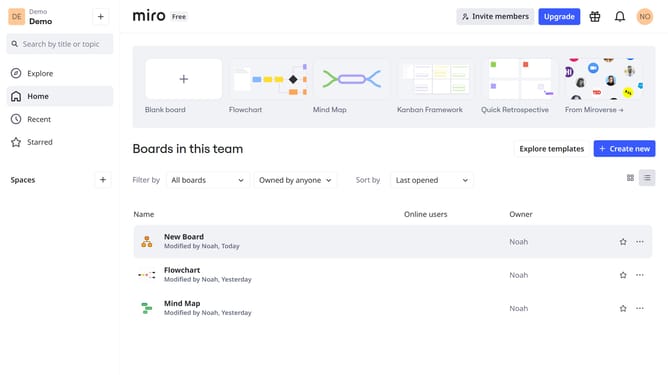
- First, go to your dashboard
- Then, find the board you want to share and click the three dots (...) next to it
- Click "Share" from the dropdown menu
- In the Share settings, locate the "Team invite link"
- Choose the permission level based on access needs
- Finally, click "Copy team invite link" to copy the link
- You can now share the link with the people you want to invite to your board
Why should you invite users to a board using team invite link on Miro
Miro is a dynamic online collaboration platform designed for innovative minds to visualize and work together seamlessly.
Inviting users to a board using a team invite link on Miro is a straightforward feature that significantly enhances collaborative efficiency.
This feature allows team members to join projects effortlessly by simply sharing a link, ensuring that the right people are always involved and contributing.
By utilizing the team invite link, you streamline communication, accelerate project timelines, and foster a collaborative environment that promotes creativity and productivity.
Last update