How to insert files in a help center in Gitbook
Here is how to insert files in a help center in gitbook
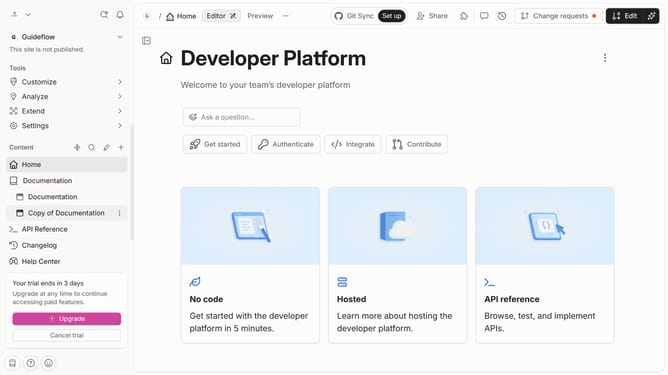
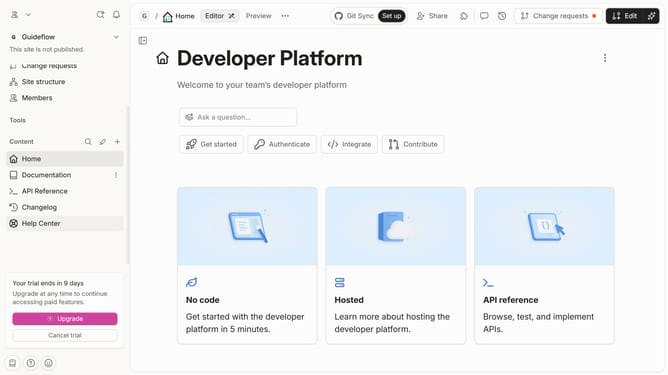
- First click on the "Help Center" item in the left sidebar
- Then click on the "Edit" button in the top menu
- Next, click on the plus icon to add a new block
- Then select "Insert files" from the "Advanced blocks" menu
- Next, click on the "Drop your files or browse" area to upload a file
- Finally click on the "Merge" button in the top menu.
Why should you insert files in a help center in Gitbook
Gitbook is a streamlined platform designed to document your work with clarity and ease.
Inserting files into a help center within Gitbook enhances user experience by providing direct access to essential resources. This feature allows teams to keep all necessary documents and files in one easily navigable space, simplifying the process for both creators and users.
Integrating files within the help center promotes a more organized workflow, ensuring that everyone involved stays informed and aligned. This functionality ultimately supports efficient communication and empowers teams with the tools they need.
Last update