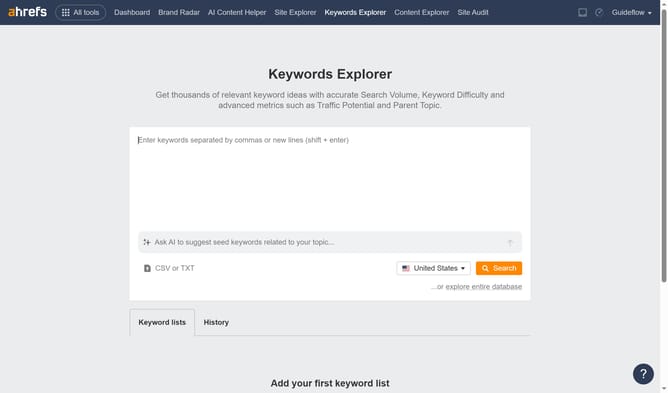
How to import keyword lists using Keywords Explorer in Ahrefs
Here is how to import keyword lists using keywords explorer in ahrefs
- First click on the "Keywords Explorer" option in the top navigation menu
- Then click on "CSV or TXT" button in the input options area to upload your file
- Finally click on the "Search" button in the right side of the interface after entering your keywords
Why should you import keyword lists using Keywords Explorer in Ahrefs
Ahrefs is a powerful toolset designed to boost your search engine optimization efforts through comprehensive data analysis.
Importing keyword lists using Keywords Explorer in Ahrefs is a valuable feature that streamlines your SEO workflow by allowing you to manage and analyze vast arrays of keywords efficiently.
This feature offers a more organized approach to keyword research, enhancing your ability to prioritize and focus on high-impact keywords, ultimately optimizing your strategy for better search results.
Last update