How to find dofollow inbound links in Ahrefs
Here is how to find dofollow inbound links in ahrefs
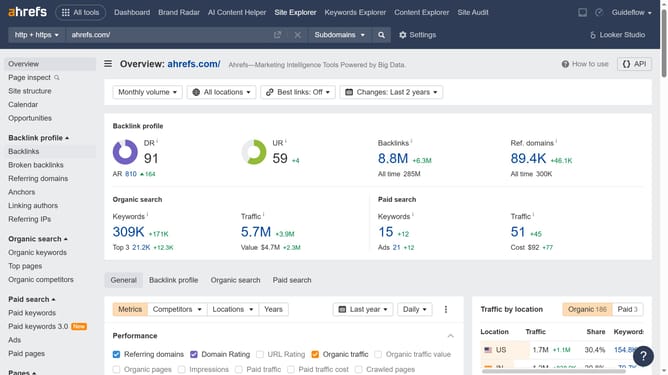
- First click on "Site Explorer" in the top navigation menu
- In the search bar, click the domain input field to enter a URL
- Click the "Search" button to analyze the URL
- In the left sidebar, click on the "Backlinks" option under "Backlink profile" section
- Click the "Dofollow" button located at the filter panel
- Finally click on "Show results" button to apply the new filter
Why should you find dofollow inbound links in Ahrefs
Ahrefs is a powerful tool that helps you enhance your website's visibility by offering robust SEO analytics.
One of its key features is the ability to find dofollow inbound links, crucial for boosting your site's authority and search engine ranking. These links are essential because they tell search engines to pass equity from the source site to yours, enriching your site's credibility.
By easily identifying these links via Ahrefs, you can better understand your link profile and refine your strategies to maximize SEO benefits efficiently.
Last update