How to identify referring domains with broken links in Ahrefs
Here is how to identify referring domains with broken links in ahrefs
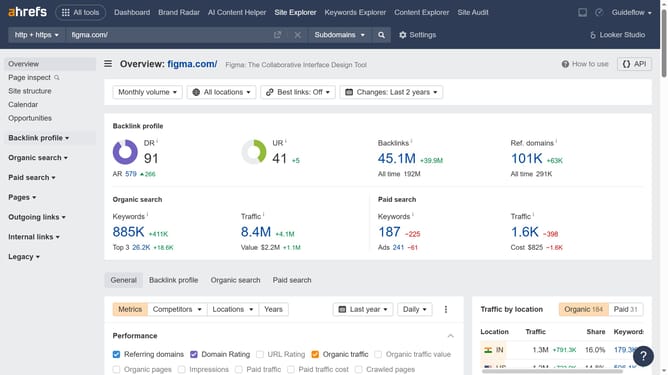
- Click on "Site Explorer" in the top navigation menu
- Enter the domain in the URL search field on the Site Explorer page
- Click the "Search" button to analyze the domain
- Click on "Referring domains" in the left sidebar menu
- Click on the "Lost" filter tab in the results section
- Click on "Status" dropdown filter in the table header
- Choose either "Link removed" or "Broken redirect" to view the broken backlinks in the referring domains
Why should you identify referring domains with broken links in Ahrefs
Ahrefs is a powerful tool that helps you optimize your website's performance by providing comprehensive SEO insights.
One of its standout features is the ability to identify referring domains with broken links. By using this feature, you can pinpoint where your backlinks may be losing value due to broken paths.
This insight is crucial, as it allows you to maintain the integrity of your backlink profile, ensuring that valuable link juice flows smoothly to your site, ultimately enhancing your SEO efforts.
Last update