How to group records in a view in Airtable
Here is how to group records in a view in airtable
- First, navigate to a base and open the table where the view is located
- Next, open the view sidebar and select the view where you want to group records
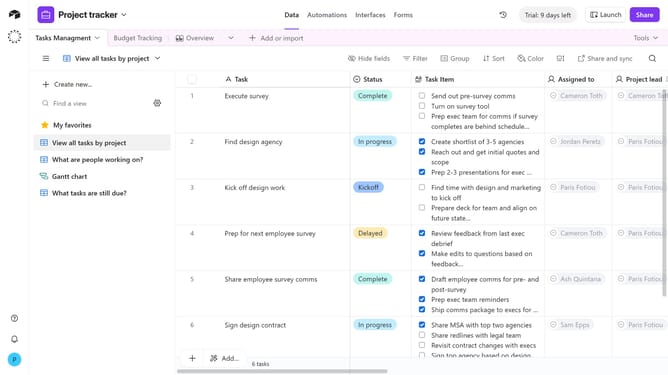
- Click on "Group" button in the toolbar
- Click on "See all fields" option in the grouping dropdown menu
- Then choose the field you want to group by from the list of available fields
- Next click on the sort direction dropdown
- Finally choose your preferred sort direction from the menu
- The records will now be grouped based on the selected field. Click “Add subgroup” to create multiple levels of grouping if needed
Why should you group records in a view in Airtable
Airtable is a versatile platform for organizing data with the simplicity of a spreadsheet but the power of a database.
Grouping records in a view within Airtable allows users to categorize information efficiently, offering clarity and reducing clutter. It empowers you to see related data side by side, making it easier to identify patterns, trends, and insights at a glance.
This feature enhances productivity by streamlining workflows and enabling smarter decision-making, ensuring that every team can stay organized and in sync across their projects.
Last update