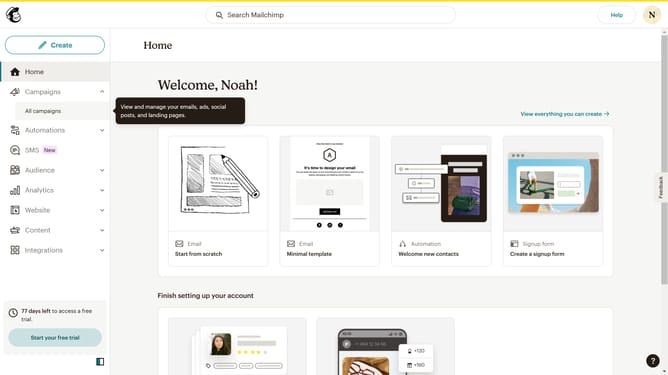
How to filter campaigns to landing page in Mailchimp
Here is how to filter campaigns to landing page in mailchimp
- First click on the "Campaign" button in the left sidebar navigation menu
- Then click on the "Type" dropdown filter in the campaign list header
- Finally select "Landing page" option from the Type dropdown menu
Why should you filter campaigns to landing page in Mailchimp
Mailchimp is a versatile platform designed for smarter email marketing and audience management.
One of its powerful features is the ability to filter campaigns by landing page, allowing marketers to refine their strategies and target audiences with precision.
This functionality enables users to track the performance of specific landing pages and understand which campaigns drive the most engagement or conversions.
By seamlessly integrating campaigns and landing pages, Mailchimp helps businesses optimize outreach efforts and amplify their marketing campaigns.
Last update