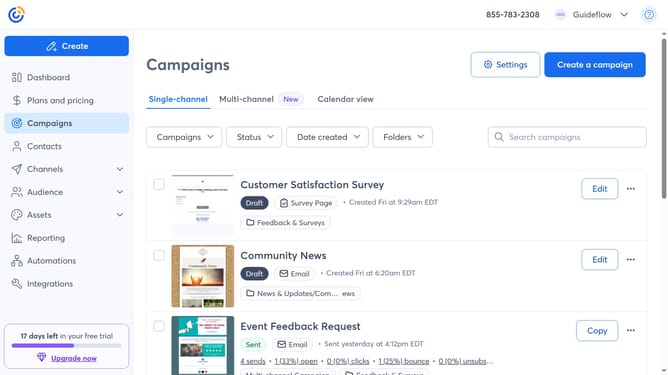
How to filter campaigns by deleted status in Constant Contact
Here is how to filter campaigns by deleted status in constant contact
- First click on "Campaigns" in the left sidebar menu
- Next click on the "Status" dropdown filter in the top filter bar
- Then select the "Deleted" option from the Status dropdown menu
- The campaigns list will now display all your deleted campaigns and you can restore any campaign as needed
Why should you filter campaigns by deleted status in Constant Contact
Constant Contact is a powerful tool for managing and enhancing your email marketing campaigns.
With the ability to filter campaigns by deleted status, users can streamline their workflow by easily identifying and managing archived projects. This feature allows for quick access to recover, review, or permanently remove deleted campaigns, saving valuable time and effort.
Utilizing this option ensures that users maintain an organized workspace and make informed decisions backed by clear visibility of campaign history.
Last update