How to delete a campaign folder in Constant Contact
Here is how to delete a campaign folder in constant contact
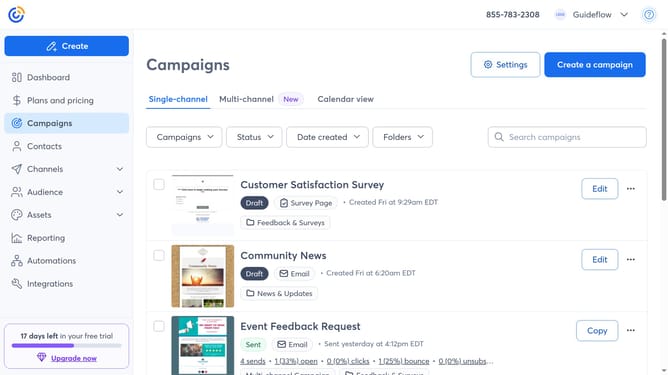
- First navigate to "Campaigns" from the left sidebar
- Next click the "Folders" dropdown button in the top filter bar
- Click on "Manage folders" option in the folders menu
- Find the folder you want to delete in the folders list
- Click the more options menu (three dots) button next to the folder
- Then click on the "Delete" option in the dropdown menu
- Finally click on the "Delete" button in the confirmation dialog
Why should you delete a campaign folder in Constant Contact
Constant Contact is a premier digital marketing platform designed to empower businesses with effective email marketing solutions.
Managing your campaign folders is a breeze, allowing you to delete unnecessary or outdated folders with ease. This feature streamlines your workspace, ensuring that only relevant campaigns are at your fingertips.
Eliminating unused folders enhances organization, reduces clutter, and increases efficiency when accessing important data. Keeping your campaign dashboard tidy helps focus efforts on current and impactful marketing initiatives.
Last update