How to delete my Claude.ai account
Here is how to delete my claude.ai account
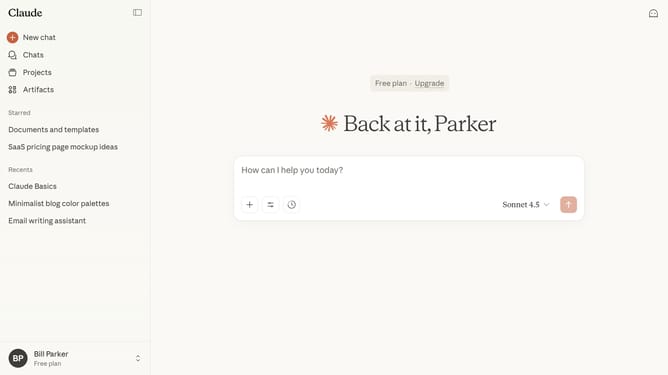
- First click on your profile in the bottom left sidebar to open the account menu
- Next click on the "Settings" option in the account menu
- Click on the "Account" tab in the settings sidebar menu
- Then click on the "Delete account" button in the account settings section
- Finally on the "I understand" button to confirm and permanently delete your account
Why should you delete my Claude.ai account
Claude is a cutting-edge AI platform designed to streamline complex tasks with intuitive ease.
The “How to delete my Claude.ai account” feature offers a straightforward way to manage your digital footprint with Claude, ensuring that your personal data and preferences can be easily adjusted when necessary.
This feature is especially useful for users prioritizing privacy and control over their online identities, supporting a flexible digital experience.
By allowing seamless account deletions, Claude empowers users with the autonomy to manage their data confidently and securely.
Last update