How to delete help center description in Gitbook
Here is how to delete help center description in gitbook
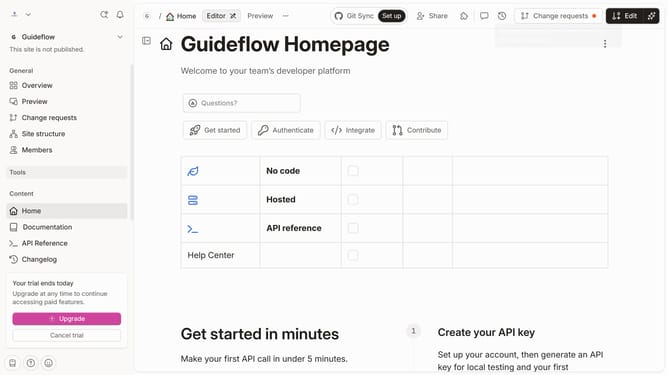
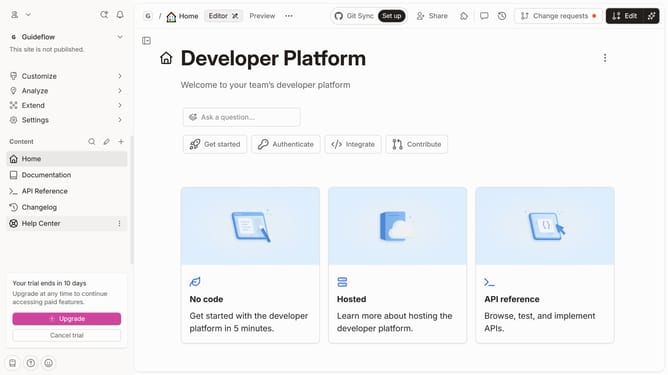
- First, click on "Help Center" in the left sidebar
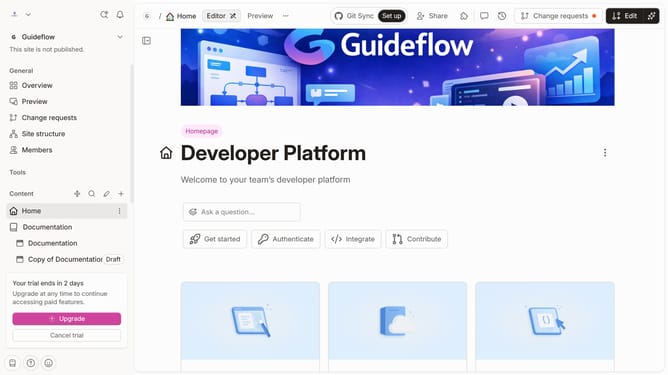
- Then, click on the "Edit" button in the top menu
- Next, click on the "four dots" icon to open block options
- Then, select the "Delete" option from the dropdown menu
- Finally, click on the "Merge" button in the top right corner
Why should you delete help center description in Gitbook
Gitbook is a dynamic platform designed to effortlessly create and organize documentation for any team or project.
One useful feature of Gitbook is its ability to manage and refine content, including the option to delete help center descriptions. This feature is essential for maintaining up-to-date and relevant information, ensuring users access only the most pertinent details.
Updating or removing outdated descriptions enhances the user experience, eliminates clutter, and reflects the most recent and accurate information available to those seeking help or guidance within the platform.
Last update