How to add more tag in homepage in Gitbook
Here is how to add more tag in homepage in gitbook
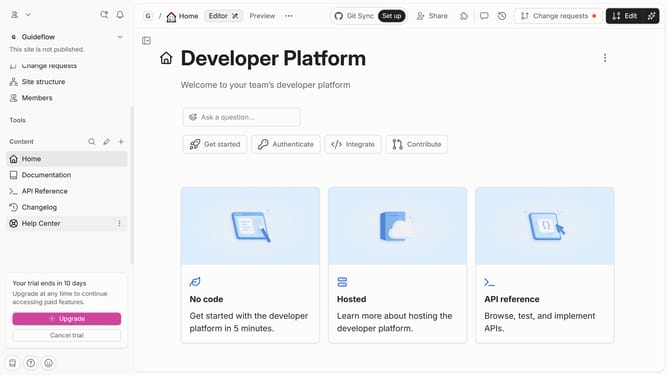
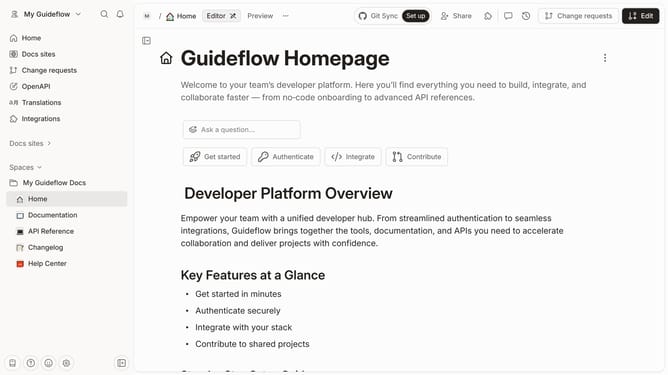
- First click on the three dots icon in the content sidebar
- Then click on the "Edit" button in the top menu
- Then click on the plus icon to add a tag
- Then click on the "Create or select tags" area and enter your tag name
- Next click on the "+ Add " button
- Then select a color swatch for your tag
- Next click on the "Create" button
- Finally click on the "Merge" button in the top menu
Why should you add more tag in homepage in Gitbook
GitBook streamlines documentation and knowledge management for teams and developers, enhancing collaboration and productivity.
Adding the 'more' tag on the homepage in GitBook is a subtle yet powerful tool to manage content visibility. It enables you to prioritize key information by offering a concise preview, inviting deeper exploration upon interactive engagement.
This approach optimizes user experience, as it prevents information overload and enhances the navigation flow. Furthermore, it empowers content creators to highlight essential segments, ensuring the most relevant data is accessible at a glance.
Last update