How to create a workflow using templates in HubSpot
Here is how to create a workflow using templates in hubspot
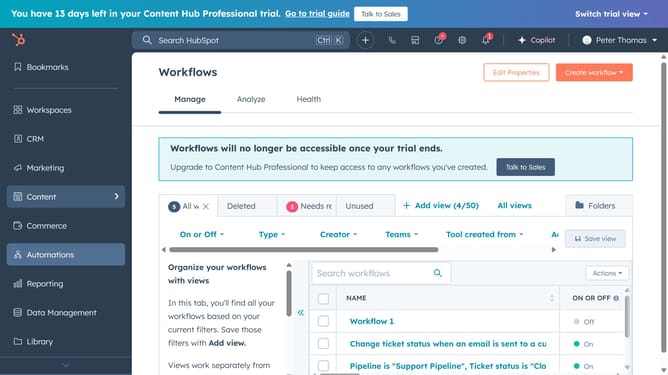
- First, click on "Automations" in the left sidebar menu
- Then click on "Workflows" in the dropdown menu under Automations
- Next, click on the "Create workflow" button in the top right corner
- Then select the "From template" option
- Choose the template that matches your workflow goal in the template library
- Then click the "Preview" button to review a template's details
- Once you've selected your template, click the Use template button to start using it
Why should you create a workflow using templates in HubSpot
HubSpot is a comprehensive platform designed to streamline marketing, sales, and customer service processes.
Creating a workflow using templates in HubSpot simplifies the automation of repetitive tasks, enhancing efficiency and consistency in operations.
By leveraging these templates, users can swiftly set up workflows that are tailored to their specific needs without starting from scratch, saving time and reducing errors.
This feature is an asset for businesses aiming to optimize their operations, allowing teams to focus on strategic tasks rather than routine ones.
Last update