How to create a view on Linear
Here is how to create a view on linear
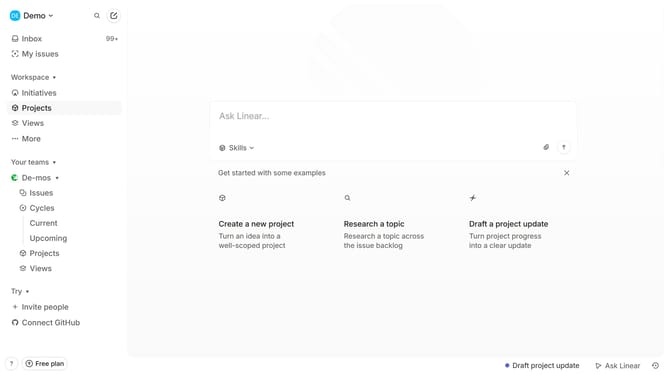
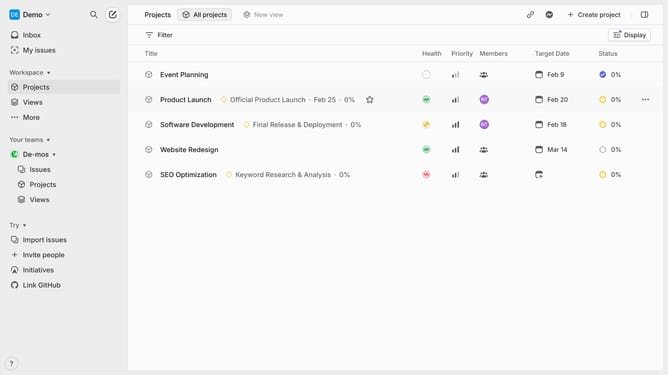
- First, navigate to your workspace and click "Projects" in the left sidebar
- Then click on the "New view" button in the top menu bar to create a new view
- Start configuring your view, you can add a filter
- Choose the filter you want to add to your view
- Next, provide a title and a brief description for your view
- Click on "Display" in the top-right corner to access and adjust the grouping and ordering as neeeded
- Once you've made your adjustments, click "Save Changes" to save your new view
- Your view has been successfully created and is now ready to use.
Why should you create a view on Linear
Linear is a streamlined project management tool designed to boost team productivity and efficiency.
Creating a view on Linear allows you to tailor your workspace to match your unique workflow, offering a customized perspective on tasks and projects.
By crafting your personalized view, you can focus on specific tasks or priorities, ensuring that your team stays on track and aligned.
Using this feature enhances efficiency by filtering out distractions, helping teams maintain clarity and focus on their objectives.
Last update