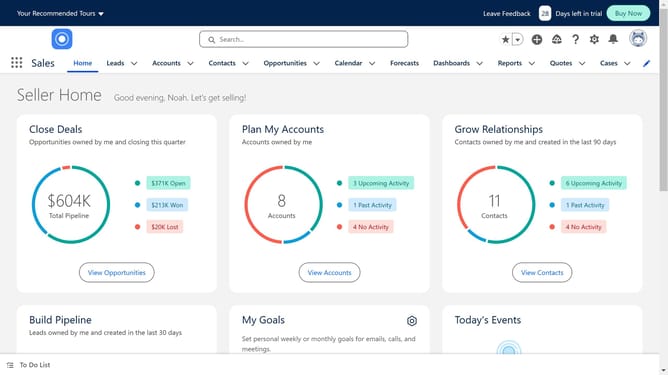
How to create a Salesforce app
Here is how to create a salesforce app
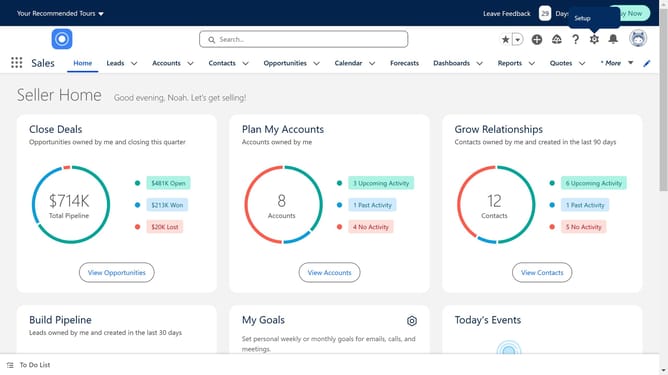
- First click on the "Settings" gear icon in the top menu bar
- Then click on "Setup" in the dropdown menu
- Next click on the "Quick Find" search box in the left sidebar and type "app builder"
- Next click on "Lightning App Builder" in the search results
- Then click on the "New" button in the Lightning Pages section
- Next click on "App Page" in the template selection window
- Then click on "Next" to proceed
- Give a name for the app
- Then click "Next" to continue
- Select a layout
- Then click "Done" to select the template
- Next select "Desktop" from the form factor dropdown menu
- Select the medium to visualise your app
- Create your app interface by simply dragging and dropping components to design the layout
- Then click "Save" in the top right corner
- Next click "Activate" in the Page Saved dialog
- Assign the app to specific user profiles or permission sets
- Finally click "Save" in the Activation dialog
Why should you create a Salesforce app
Salesforce is a leading cloud-based platform designed to streamline business processes and enhance customer relationships.
Creating a Salesforce app allows businesses to customize and optimize their operations, tailoring solutions to meet specific needs.
With this feature, organizations can seamlessly integrate various functions, improving efficiency and productivity.
Utilizing these apps can elevate user experience, providing valuable insights and fostering growth through informed decision-making.
Last update