How to see how many Salesforce licenses you have
Here is how to see how many salesforce licenses you have
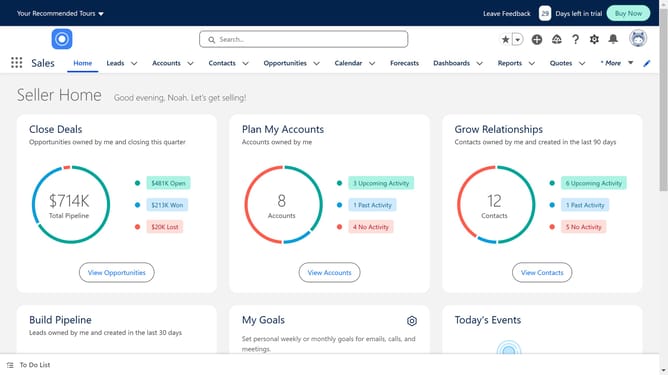
- First click the gear icon in the top menu to access the Setup menu
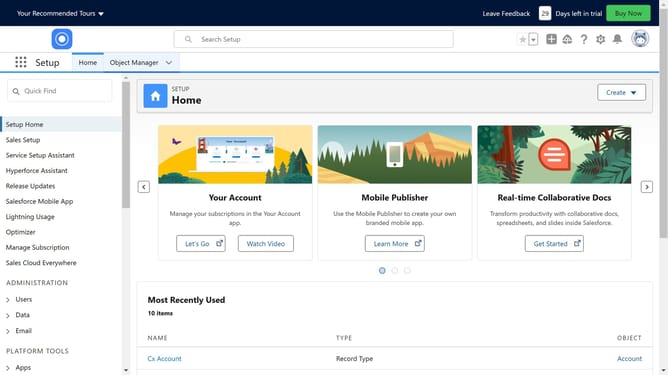
- Then click on "Setup" in the dropdown menu
- Next click on "Company Settings" in the left sidebar menu
- Then click on "Company Information" under the Company Settings section
- You will be able to see how many licenses you have under "User License"
- You can also find "Permission Set Licenses" here displaying various user permissions
- If you scroll down further, you will also see your "Feature Licences" showing available feature entitlements
Why should you see how many Salesforce licenses you have
Salesforce is a leading platform designed to streamline customer relationship management for businesses worldwide.
Easily accessing the number of Salesforce licenses in use is a key feature that empowers administrators to efficiently manage resources. This functionality provides a quick snapshot of how licenses are being used across the organization, aiding in optimal planning and budgeting.
Knowing the status of your Salesforce licenses ensures you maximize your investment by aligning your needs with available resources. This understanding promotes informed decision-making and enhances operational efficiency.
Last update