How to create a group chat in Microsoft Teams
Here is how to create a group chat in microsoft teams
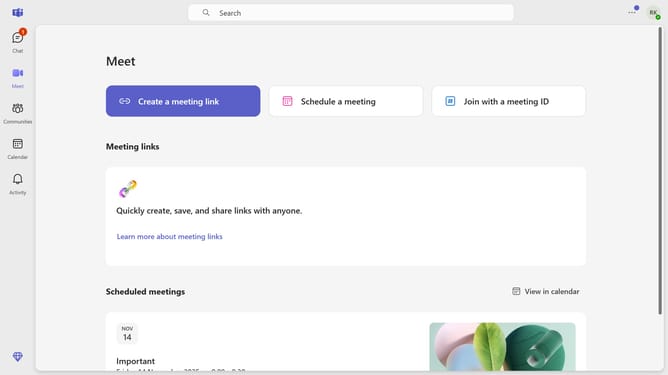
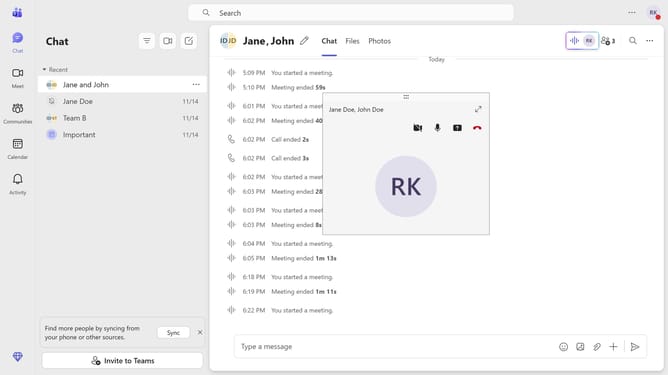
- First click on the "Chat" button in the top right corner of the interface
- Click on the "New chat" button in the chat panel
- Click the arrow-down button in the top-left corner of the chat
- Click the the group name field at the top and type in your desired name for your group chat
- Click the recipient field and type in the name, email or phone number of the participants you want to add
- Then click the message input field at the bottom and type in your message
- Finally click the "Send" button (arrow icon) to send the message
Why should you create a group chat in Microsoft Teams
Microsoft Teams is a versatile platform designed to facilitate seamless collaboration in the workplace.
The group chat feature empowers users to quickly bring together multiple team members for instant, focused communication. By consolidating conversations into one thread, it enhances clarity and ensures everyone stays on the same page.
Engaging in group chats not only accelerates decision-making processes but also fosters a sense of community, making teamwork more efficient and enjoyable.
Last update