How to create a docs site in Gitbook
Here is how to create a docs site in gitbook
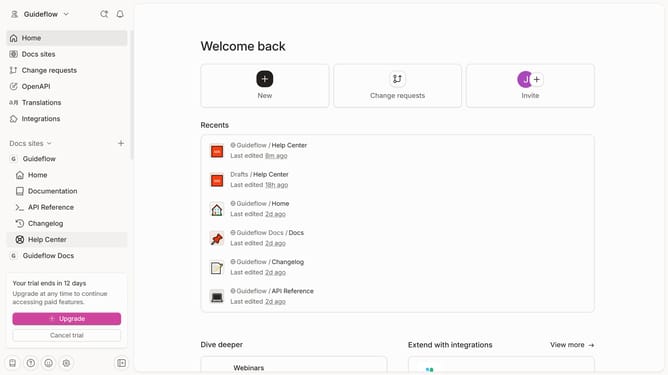
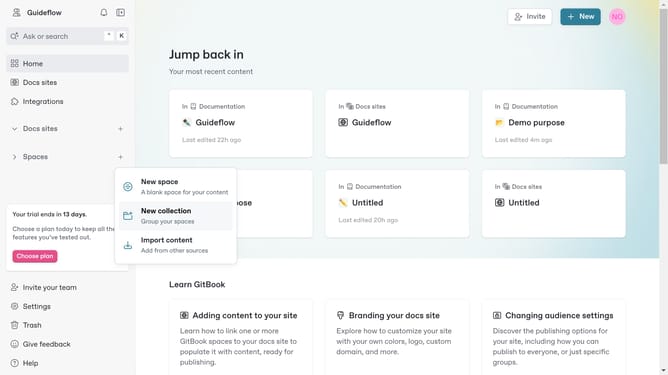
- First click on the "New" button in the top navigation bar
- Then select "New docs site" option from the dropdown menu
- Click in the input field to name your site
- Click the "Next step" button after entering the name of the site
- Review the content options section and click on the option you want to use
- Click the "Next step" button to proceed with the content of choice
- Next choose a feature for your site
- After choosing, click the "Next step" button
- Finally click the "Create site" to publish your site
Why should you create a docs site in Gitbook
Gitbook is a cutting-edge platform designed for seamless documentation creation and collaboration.
Creating a docs site in Gitbook means harnessing intuitive tools to effortlessly structure and present information. The platform's features support clear, organized layouts that enhance reader comprehension and engagement.
By choosing Gitbook, you'll enjoy the benefits of real-time collaboration and easy version control, making managing updates a breeze. This fosters a collaborative environment while ensuring your documentation remains current and reliable.
Last update