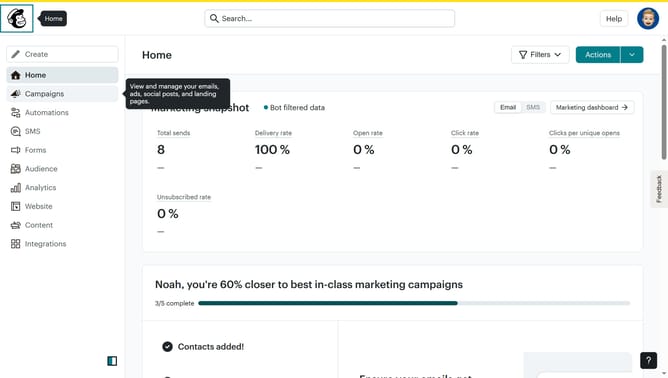
How to change filter campaigns to ad in Mailchimp
Here is how to change filter campaigns to ad in mailchimp
- First click on the "Campaign" button in the left sidebar navigation menu
- Then click on the "Type" dropdown filter in the campaign list header
- Finally select "Ad" option from the Type dropdown menu
Why should you change filter campaigns to ad in Mailchimp
Mailchimp is a leading platform designed to help businesses manage their email marketing campaigns effortlessly.
One of Mailchimp’s versatile features is its ability to change filter campaigns to ads, allowing users to seamlessly transition their strategies from email-centric to ad-focused approaches.
This feature is particularly beneficial as it offers flexibility, enabling marketers to adapt to various audience needs and improve engagement rates.
By leveraging this feature, businesses can optimize their marketing efforts, ensuring they reach the right audience at the right time with the right message.
Last update