How to manage paragraph alignment in an email campaign in Mailchimp
Here is how to manage paragraph alignment in an email campaign in mailchimp
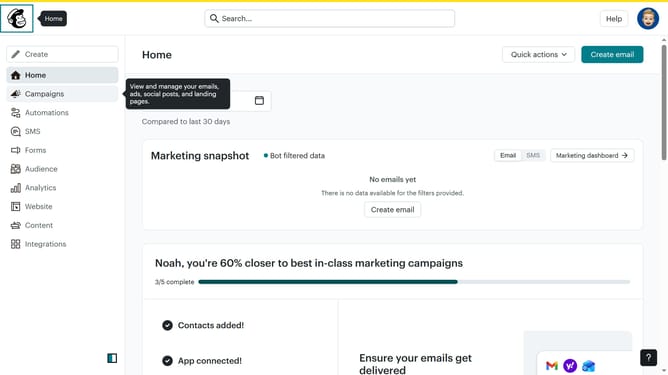
- First click on "Home" item in the left sidebar
- Then click on "Edit" button
- Then click on "Edit design" button at the bottom
- Then click on "Styles" item in the left sidebar
- Then click on "Text" item in the left sidebar
- Finally click on a alignment button in the text formatting options
Why should you manage paragraph alignment in an email campaign in Mailchimp
Mailchimp is a versatile platform designed to simplify email marketing for businesses and individuals.
Understanding how to manage paragraph alignment in your Mailchimp email campaigns can enhance readability and presentation.
Aligning paragraphs effectively ensures that your content is organized and easy for subscribers to read, which can significantly improve user engagement.
Additionally, it creates a visually appealing layout that can strengthen your brand’s professionalism and ensure your message is communicated clearly.
Last update