How to change filter campaigns to emails in Mailchimp
Here is how to change filter campaigns to emails in mailchimp
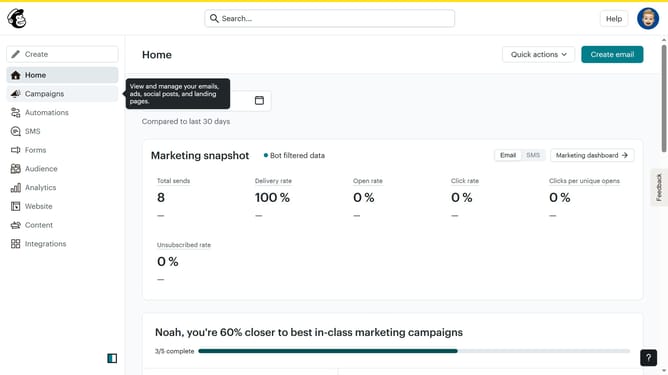
- First click on the "Campaign" button in the left sidebar navigation menu
- Then click on the "Type" dropdown filter in the campaign list header
- Finally select "Email" option from the Type dropdown menu
Why should you change filter campaigns to emails in Mailchimp
Mailchimp stands as a powerful email marketing platform that enhances communication with your audience.
Switching filter campaigns to emails in Mailchimp helps to personalize marketing efforts by allowing more precise targeting.
This feature empowers users to engage their audience with relevant content, improving open rates and fostering stronger customer relationships.
By refining campaigns through email filters, businesses can enhance their outreach strategies and achieve more effective communication.
Last update