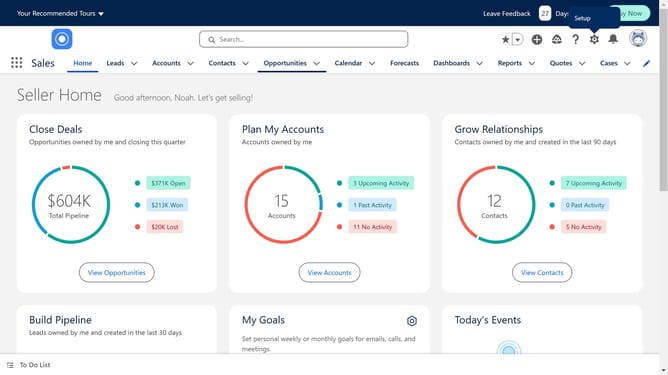
How to add an IP address in Salesforce
Here is how to add an ip address in salesforce
- First click on the "Settings" icon in the top menu bar
- Then click on the "Setup" option in the settings dropdown menu
- Next click on "Security" in the left sidebar menu
- Then click on "Network Access" in the security settings submenu
- Next click on the "New" button in the Trusted IP Ranges section
- Enter the required IP range information in the form with start IP address, end IP address and description
- Finally click on the "Save" button at the bottom of the form to save the new trusted IP range
Why should you add an IP address in Salesforce
Salesforce is a leading customer relationship management platform designed to enhance business efficiency and client engagement.
Adding an IP address in Salesforce is a crucial feature that allows you to strengthen security and control by specifying trusted networks.
By doing so, organizations can protect sensitive data by restricting access to only authenticated users and networks, thereby reducing unauthorized entries.
This feature enhances trust, reduces security risks, and promotes a secure work environment for businesses of all sizes.
Last update