How to connect Braze with Salesforce
Here is how to connect braze with salesforce
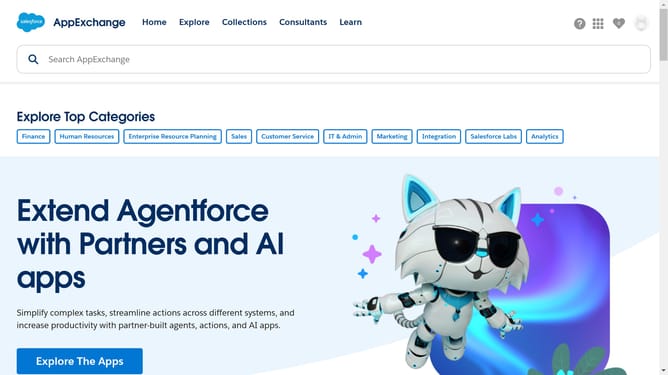
- First click in the search box at the top of the AppExchange page
- Type "Braze" into the search box
- Click the suggested search term "Braze" from the dropdown menu
- Click on the "Salesforce to Braze Connector" app listing in the search results
- Click the "Try It Free" button on the app details page
- Click the option "Try in your sandbox" in the trial type selection screen
- Click the "Continue to Installation" button at the bottom of the page
- Click the "Log In & Install" button to proceed with installation
- Click the "Use Custom Domain" link on the login page
- Click in the custom domain input field
- Enter your custom domain click the "Continue" button after entering the domain
- Type in your installation key and choose installation method
- Finally click the "Install" button in the installation options dialog
Why should you connect Braze with Salesforce
Salesforce is the world's leading customer relationship management (CRM) platform, designed to help businesses transform their customer interactions.
Connecting Braze with Salesforce enhances your marketing automation by seamlessly syncing customer data across both platforms. This integration allows teams to access real-time insights, helping them create more impactful, personalized marketing campaigns.
Utilizing the combined power of Braze and Salesforce can lead to improved customer engagement and increased team efficiency, keeping businesses ahead of the competition.
Last update