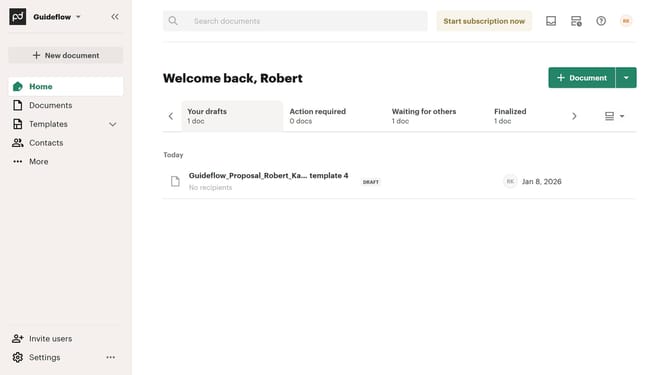
How to add a document in PandaDoc
Here is how to add a document in pandadoc
- First click on the "Document" button in the top right area of the header to create a new document
- Then click on the "Select file" button in the upload document area to choose a file from your computer
- Next enter the recipient's email address, first name, and last name in the recipient information fields on the "Add document recipients" page
- Then click on the "Continue" button at the bottom right of the recipient form to proceed to the next step
- Next click on the "Send" dropdown button in the top toolbar to open the send options menu
- Then select "Email / Text (SMS)" option from the send document via dropdown menu
- Next review and edit the document name in the "Document name" field on the "Review recipients" page
- Then click on the "Continue" button at the bottom right of the review recipients page to proceed to the send document step
- Finally click on the "Send document" button at the bottom right of the send document page to send the document to the recipient
Why should you add a document in PandaDoc
PandaDoc is an intuitive platform designed for seamless document management and efficient digital transactions.
Adding a document in PandaDoc is remarkably straightforward and optimized for productivity. This feature ensures users can easily upload necessary files to create, manage, and send proposals, quotes, and contracts efficiently.
Using this feature saves time and enhances collaboration by centralizing documents in one platform, supporting quicker client responses and faster workflow completion. It strengthens team coordination and elevates client interactions by providing a smoother document exchange process.
Last update