How to show template folder tree in PandaDoc
Here is how to show template folder tree in pandadoc
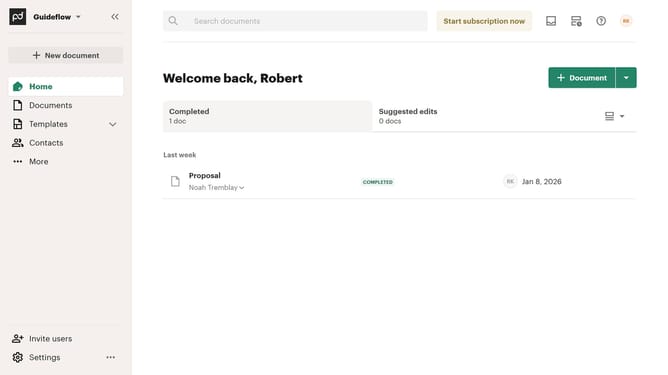
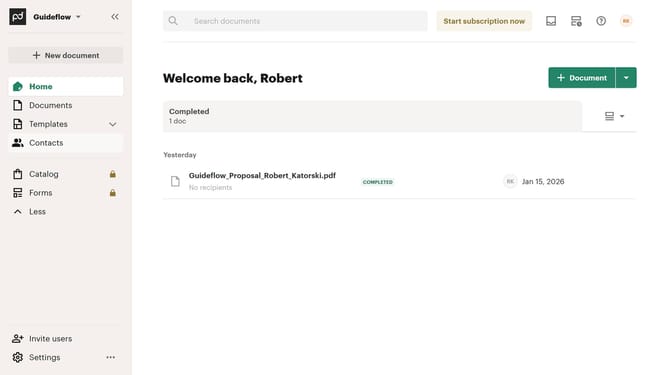
- First click on the dropdown arrow next to "Templates" in the left sidebar to expand the Templates section
- Then click on "My templates" option in the expanded Templates submenu in the left sidebar
- Next click on the view options dropdown button (list/grid toggle) in the top right corner of the templates page
- Finally click on "Show folder tree" option in the dropdown menu to display the folder structure
Why should you show template folder tree in PandaDoc
PandaDoc is a streamlined document management software designed to simplify your workflow.
The template folder tree feature in PandaDoc allows users to effectively organize templates, providing clear visibility and easy access. This functionality enables teams to maintain consistency by quickly locating and utilizing predefined templates, which fosters efficiency and ensures brand coherence.
By displaying templates hierarchically, PandaDoc empowers users to declutter their workspace and focus on what truly matters: transforming productivity into tangible results.
Last update