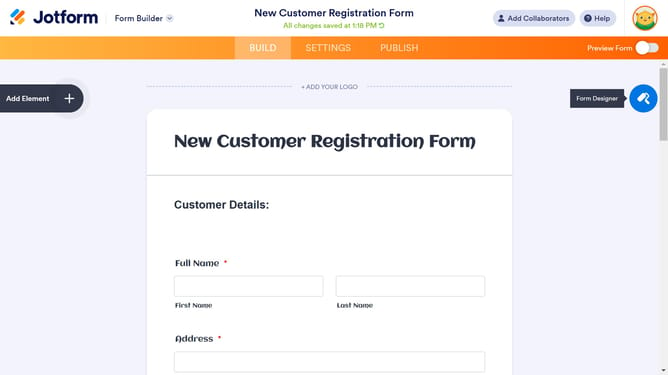
How to access and use advanced designer on Jotform
Here is how to access and use advanced designer on jotform
- First click on the "Edit Form" button in the form header
- Then click on the "Design" icon in the right toolbar
- Next click on the "ADVANCED DESIGNER" button in the Form Designer panel
- You’ll find several options that allow you to customize the appearance of your form in the Design tab
- In the CSS tab, you can input or encode your custom CSS codes to further personalize your form’s design
- Click on the "Save changes" icon in the left sidebar
- Finally click on the "Close" icon in the top left corner to exit the designer
Why should you access and use advanced designer on Jotform
Jotform is an intuitive platform that empowers users to create forms with ease and efficiency.
The advanced designer on Jotform offers users the ability to deeply customize their forms, adding a touch of uniqueness and professionalism to their presentations.
Accessing the advanced designer allows for a tailored experience, making forms not only functional but visually appealing and aligned with personal or brand aesthetics.
This feature enhances user engagement, providing a seamless, visually delightful experience for both creators and respondents.
Last update