Last updated: October 2026
XML starts out manageable. A few exported files, some hand-built transformations, a path-based query that one engineer understands. Then the document volume grows. Schema validation becomes inconsistent. Integration partners start sending malformed payloads. Suddenly, finding a specific nested element across ten thousand records requires a bespoke script that only runs on Tuesdays.
That pattern shows up repeatedly in regulated data workflows, content repositories, standards-based integrations, and product configuration systems. The XML database market reflects this persistent demand: According to Valuates Reports (2025), the global XML databases software market is projected to grow from $329 million in 2024 to $486.9 million by 2030, at a 6.8% CAGR.
Before comparing products, though, the more important question is architectural: Does your team actually need a native XML engine, or would XML support inside your existing relational database lower the total maintenance cost? The answer changes everything about which product fits.
What's inside
This guide is for product managers and architects evaluating XML storage for document-centric applications, integration pipelines, regulated records, or content workflows. Products were selected based on:
- XQuery and XPath query support
- Storage architecture (native XML versus XML-enabled relational or multi-model)
- Current product status and community or enterprise support
- Relevance to document-heavy production workloads
TL;DR
- Best overall native XML database: BaseX, for teams that need XQuery, full-text support, and an open-source engine without a large operational footprint
- Best for XML-first web applications: eXist-db, for document-centric application development and digital archives
- Best for enterprise multi-model workloads: MarkLogic, for organizations handling XML alongside JSON, RDF, and geospatial data
- Best for existing relational stacks: IBM Db2, Oracle Database, PostgreSQL, or Microsoft SQL Server, depending on your installed platform
- Best for embedded XML scenarios: Berkeley DB XML, with a lifecycle validation step before any new commitment
- Best for studying native XML fundamentals: Sedna, with a maintenance assessment required before production use
What is an XML database?
An XML database is a database system that stores, indexes, and queries XML documents while preserving their hierarchical structure, document order, and element relationships.
Native XML databases versus XML-enabled databases
The distinction matters more than most product comparisons acknowledge.
Native XML databases treat XML as the primary logical data model. They store documents as trees, not rows. XQuery and XPath are first-class citizens, and indexes can target specific paths, element values, or full-text content within document nodes.
XML-enabled databases are relational or multi-model systems that add XML capabilities through a dedicated column type, XML functions, or SQL/XML extensions. The core storage model remains relational.
Two other storage approaches appear in older architectures:
- CLOB storage: XML saved as text in a character large object column. Retrieval works; structural querying does not.
- Schema shredding: XML elements mapped into relational tables. Works for stable formats, but adds mapping work and complicates migrations.
According to DB-Engines data reported by ElectroIQ (2025), 61.9% of native XML database management systems were open-source licensed as of September 2025, which reflects the weight of tools like BaseX, eXist-db, and Sedna in the category.
Key capabilities to look for
- XQuery and XPath processing
- XML indexing by path, value, and full text
- XML Schema validation
- Update and transaction support
- REST or HTTP API access
- JSON and relational interoperability
- Backup, replication, and access controls
XML databases versus JSON and relational alternatives
| Storage model | Best for | Query approach | Main tradeoff |
|---|---|---|---|
| Native XML database | XML-first document repositories | XQuery and XPath | Specialized skills, smaller talent pool |
| XML-enabled relational database | Teams already on a mature enterprise stack | SQL plus XML functions | XML feature depth varies by vendor |
| XML stored as text | Archival retrieval only | Text retrieval | Weak structural querying |
| Schema shredding | Stable XML formats with reporting requirements | SQL | High mapping and migration cost |
| JSON document database | JSON-first API applications | Document query languages | XML semantics require conversion |
XML holds its ground when document order, mixed content, namespaces, schemas, or standards-based interchange matter. JSON and relational platforms tend to be stronger when the application primarily serves JSON APIs or SQL-centered analytics.
When to use XML databases
Store document-centric records with deep hierarchy
Publishing systems, technical documentation, scholarly archives, regulated document collections, and product catalogs with nested metadata are all situations where flattening a document into rows introduces structural loss. Native XML models preserve mixed content, ordered elements, and complex namespace hierarchies without a mapping layer.
Query and transform XML at the structure level
When the engineering work involves finding a specific path across many documents, pulling sub-tree fragments, or producing transformed output from existing records, XQuery and XPath reduce the amount of custom code needed. That matters for release cadence: Structural queries lower the opportunity cost of adding new document views or integration requirements.
Keep XML inside an existing enterprise data platform
A relational or multi-model database can be the lower-risk choice when the organization already runs a mature operational stack and XML is one format among several. Shared governance, skills, backup processes, and access controls all reduce the overhead of introducing a separate XML-first system.
XML database comparison
The table below covers two distinct categories: Native XML databases and platforms with XML support. Evaluate them separately. The best fit depends on whether XML is the primary data model for your product or an interoperability requirement alongside other data types.
| # | Product | Best for | Key differentiator | Pricing | G2 rating |
|---|---|---|---|---|---|
| 1 | BaseX | Lightweight native XML workloads | XQuery 4.0 processor with full-text search | Open source | 3.7/5 |
| 2 | eXist-db | XML-first app development | Native XML database plus application platform | Open source (LGPL) | 3.5/5 |
| 3 | MarkLogic | Enterprise multi-model data | XML, JSON, RDF, geospatial, and binary in one platform | Contact for pricing | 4.3/5 |
| 4 | IBM Db2 | SQL plus XML in one enterprise system | XML type and SQL/XML inside a mature relational platform | Free tier; from $630/month | 4.1/5 |
| 5 | Oracle Database | Oracle-centered enterprise stacks | XMLType, SQL/XML, and enterprise database controls | Usage-based; free developer options | Not verified |
| 6 | PostgreSQL | Open-source relational with XML support | XML type and XPath functions alongside JSON and SQL | Open source | 4.4/5 |
| 7 | Microsoft SQL Server | Microsoft and Azure data environments | XML data type, XQuery in T-SQL, primary and secondary XML indexes | Free Express; Standard from $989/server | 4.4/5 |
| 8 | InterSystems IRIS | Regulated enterprise application platforms | Multi-model data with XML interoperability and FHIR support | Contact for pricing | 4.6/5 |
| 9 | Berkeley DB XML | Embedded XML storage in application runtimes | In-process XQuery and ACID transactions, no separate server | From $900/processor license | 4.4/5 |
| 10 | Sedna | Evaluating native XML architecture | Native XML with XQuery, full-text indexing, and ACID transactions | Open source (Apache 2.0) | Not verified |
Pricing and ratings verified October 2026 from vendor pricing pages and G2 listings.
Best XML databases for 2026
1. BaseX
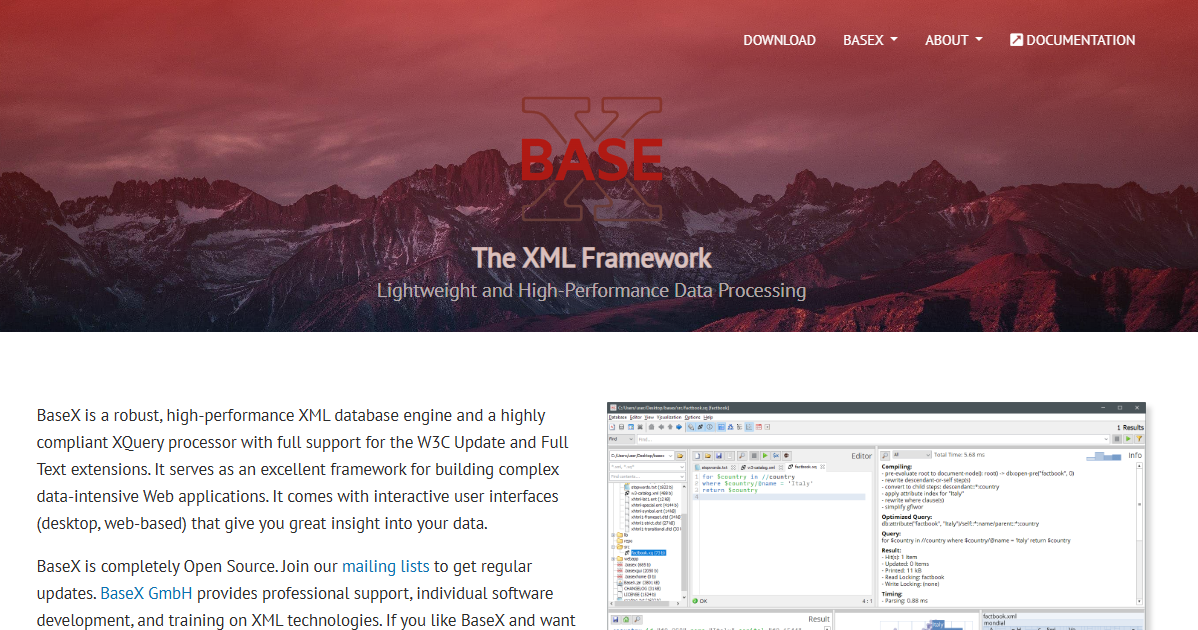
BaseX is a lightweight, high-performance XML database and XQuery 4.0 processor. It stores, queries, and processes XML, HTML, JSON, CSV, and binary resources in a single engine. Teams building XML-centric services, content repositories, or standards-driven integrations often reach for BaseX because it combines document storage with a standards-compliant query processor in one open-source package.
Best for: Developers and technical teams building XML-centric databases, query systems, or document-search applications.
Key features
- XQuery 4.0 with full-text search and update support
- Client/server architecture with REST, RESTXQ, and WebDAV services
- Graphical interface with interactive visualization and query editing
- W3C XUpdate support for structured document modifications
- Open-source under the 3-clause BSD license
Why choose BaseX: BaseX is a strong fit for teams where XQuery is a core requirement, not an afterthought. It avoids the operational overhead of a full enterprise platform while delivering standards-compliant XML processing.
BaseX pricing: BaseX is free and open source under the BSD license. Commercial support and development services are available from BaseX GmbH.
G2 rating: 3.7/5 (verified October 2026).
2. eXist-db
eXist-db is an open-source native XML database and application platform for XQuery-based applications. It goes beyond query processing: Teams can install packaged applications directly inside the database, build browser-based tools, and deploy XML-first web services without a separate application server. Digital humanities projects, scholarly archives, and publishing workflows use it heavily.
Best for: Organizations building XML-first applications that need a database and application development environment in one platform.
Key features
- Schema-less native XML and binary storage
- Lucene-based full-text indexing
- Browser-based IDE with syntax coloring and error checking
- XForms and REST Web API support
- Application packaging and deployment inside the database
Why choose eXist-db: It suits product groups that need to build, host, and evolve document-centric applications while keeping the source document structure intact. The application server built into the database reduces deployment complexity for XQuery-heavy projects.
eXist-db pricing: The core software is free under the LGPL. Paid support, consulting, training, and application development services are available from service providers on request.
G2 rating: 3.5/5 (verified October 2026).
3. MarkLogic
MarkLogic is an enterprise-grade data platform with native support for XML, JSON, RDF triples, geospatial data, and large binaries. Its Universal Index covers all document types simultaneously, which means full-text search runs across heterogeneous data without separate indexing pipelines. The platform is a fit for organizations where XML lives alongside semantic data, complex entity resolution, or large-scale content operations.
Best for: Large enterprises managing XML alongside other data types under strict governance, performance, and availability requirements.
Key features
- Multi-model storage: XML, JSON, RDF, geospatial, and binary
- Built-in full-text search with Universal Index
- ACID transactions and enterprise security controls
- High availability and disaster recovery
- Flexible on-premises, virtualized, and cloud deployment
Why choose MarkLogic: The multi-model architecture is the core argument. When XML cannot be isolated from the rest of the data architecture, MarkLogic avoids the overhead of maintaining separate stores for each format.
MarkLogic pricing: MarkLogic uses sales-led enterprise pricing. Contact MarkLogic for current cloud, license, and support terms.
G2 rating: 4.3/5 (verified October 2026).
4. IBM Db2
IBM Db2 is a relational database platform with integrated XML capabilities for teams that need SQL, transactions, governance, and XML in one operational system. Its XML data type stores documents natively and SQL/XML extensions let teams query XML alongside conventional relational data. IBM-standardized organizations frequently choose Db2 when XML is significant but does not justify a separate platform.
Best for: Enterprise teams that want XML support without introducing a separate XML-first database into the stack.
Key features
- XML data type with native storage
- SQL/XML querying
- AI-powered query optimization and autonomous operations
- Hybrid-cloud deployment across on-premises, IaaS, PaaS, and SaaS
- Built-in security, encryption, auditing, and access controls
Why choose IBM Db2: Stack consolidation is the primary argument. Db2 reduces the new-platform overhead for IBM-standardized organizations, provided the XML query depth meets product requirements before committing to a purely XML-first experience.
IBM Db2 pricing: A perpetual free tier is available. The Performance SaaS plan on IBM Cloud starts at $630/month, billed hourly.
G2 rating: 4.1/5 (verified October 2026).
5. Oracle Database
Oracle Database is an enterprise relational and multi-model platform with long-standing XML capabilities through its XML DB component. XMLType storage, SQL/XML, XML Schema registration, and XML indexing let teams query and manage XML within the same environment they use for core business systems, reporting, and security governance.
Best for: Organizations already operating Oracle Database for core business systems or regulated data workloads.
Key features
- XMLType storage with binary or object-relational options
- SQL/XML support and XQuery processing
- XML Schema registration and validation
- XML indexing options
- Integrated enterprise security and high-availability controls
Why choose Oracle Database: The key cost is not software licensing alone. It is the avoided cost of introducing a parallel XML platform when Oracle already owns the system-of-record layer. For Oracle shops, keeping XML in-house reduces integration complexity and shared ownership questions.
Oracle Database pricing: Oracle offers free developer options and paid editions through Base Database Service, priced on a consumption basis (ECPU or OCPU per hour plus storage). License Included and BYOL models are both available. Contact Oracle for numeric unit pricing.
6. PostgreSQL
PostgreSQL is an open-source object-relational database with an XML data type and XML functions. It is not a native XML database, but it can handle XML as one format among several when the product already runs on PostgreSQL for transactional data. Teams consolidating around PostgreSQL avoid a separate XML engine by querying XML through XPath functions alongside JSON, arrays, and range types in the same database.
Best for: Product teams that need basic to moderate XML storage and querying within an existing PostgreSQL architecture.
Key features
- XML data type with schema validation
- XPath query functions built into the engine
- JSONB, arrays, and multiversion concurrency control
- Extensible data types, functions, and index methods
- Broad open-source ecosystem with managed hosting options
Why choose PostgreSQL: It is a consolidation choice. PostgreSQL avoids a separate database for XML when teams need relational data, JSON support, and XML handling inside one familiar platform. Native XML tools deserve stronger consideration when structural XML querying drives the product itself.
PostgreSQL pricing: PostgreSQL is free and open source. Managed hosting costs depend on the provider, compute size, storage, backup policy, and high-availability configuration.
G2 rating: 4.4/5 (verified October 2026).
7. Microsoft SQL Server
Microsoft SQL Server supports XML through a dedicated XML data type, XQuery methods in T-SQL, and a two-level XML indexing system (primary and secondary indexes). Organizations running SQL Server for core data operations can store and query XML without introducing a separate database, which matters when the data team already supports SQL Server and the Azure ecosystem.
Best for: Microsoft-centric organizations that need XML data support inside established SQL Server workloads.
Key features
- Native XML data type
- XQuery methods callable from T-SQL
- Primary XML indexes and selective secondary XML indexes
- High availability and disaster recovery capabilities
- Azure and Microsoft Fabric integration
Why choose Microsoft SQL Server: Shared operational ownership is the main benefit. A PM can keep XML in the platform the database team already manages, provided XML index performance and query ergonomics are validated with representative documents before a production commitment.
Microsoft SQL Server pricing: Developer and Express editions are free downloads. SQL Server 2025 Standard edition starts at $989 per server or $230 per CAL, and the per-core Standard pack is $3,945 for two cores. Enterprise is $15,123 for a two-core pack. Azure SQL and managed deployment costs vary by edition, cores, and cloud capacity.
G2 rating: 4.4/5 (verified October 2026).
8. InterSystems IRIS
InterSystems IRIS is a multi-model data platform for high-performance, AI-enabled enterprise applications. Its XML interoperability tools support standards-based exchange across HL7, FHIR, CDA, DICOM, and X12, making it particularly relevant in healthcare and regulated industries where XML is an interoperability format rather than the primary data model. Object and SQL data access sit alongside the XML layer in one operational system.
Best for: Enterprise and regulated organizations that need XML interchange as part of a broader application data platform with high-availability requirements.
Key features
- Multimodel transactional and analytical data management
- XML interoperability tools with HL7, FHIR, and CDA support
- Embedded analytics, machine learning, and NLP capabilities
- Object and SQL data access
- High-availability deployment options
Why choose InterSystems IRIS: IRIS is a platform decision, not an XML database decision. It fits when XML is part of an interoperability strategy, especially where operational uptime and integration governance matter as much as query depth.
InterSystems IRIS pricing: Community and commercial editions are available. Contact InterSystems for developer, cloud, and enterprise pricing.
G2 rating: 4.6/5 (verified October 2026).
9. Berkeley DB XML
Berkeley DB XML is an embeddable XML database engine that runs in-process with no separate database server. Applications store and query XML documents using XQuery and XPath without the network overhead of a client-server architecture. It integrates directly with the Berkeley DB engine, which provides ACID transactions, concurrent access, and replication at the storage layer.
Best for: Developers building embedded applications that need transactional XML storage close to the application runtime.
Key features
- Embeddable, in-process operation with no separate server
- XQuery and XPath support
- Whole-document or node-level storage
- Flexible XML indexing options
- ACID transactions, concurrent access, and replication
Why choose Berkeley DB XML: Architecture fit determines the choice. Embedded XML storage inside an application footprint avoids the complexity of a separately managed database service. Before committing, validate product lifecycle, current licensing terms, and Oracle's support roadmap for this product line.
Berkeley DB XML pricing: Oracle's price list shows processor-license pricing: Data Store at $900, Concurrent Data Store at $1,800, Transactional Data Store at $5,800, and High Availability at $13,800. Verify current terms with Oracle before purchase.
G2 rating: 4.4/5 (verified October 2026, based on the Berkeley DB 12c G2 listing).
10. Sedna
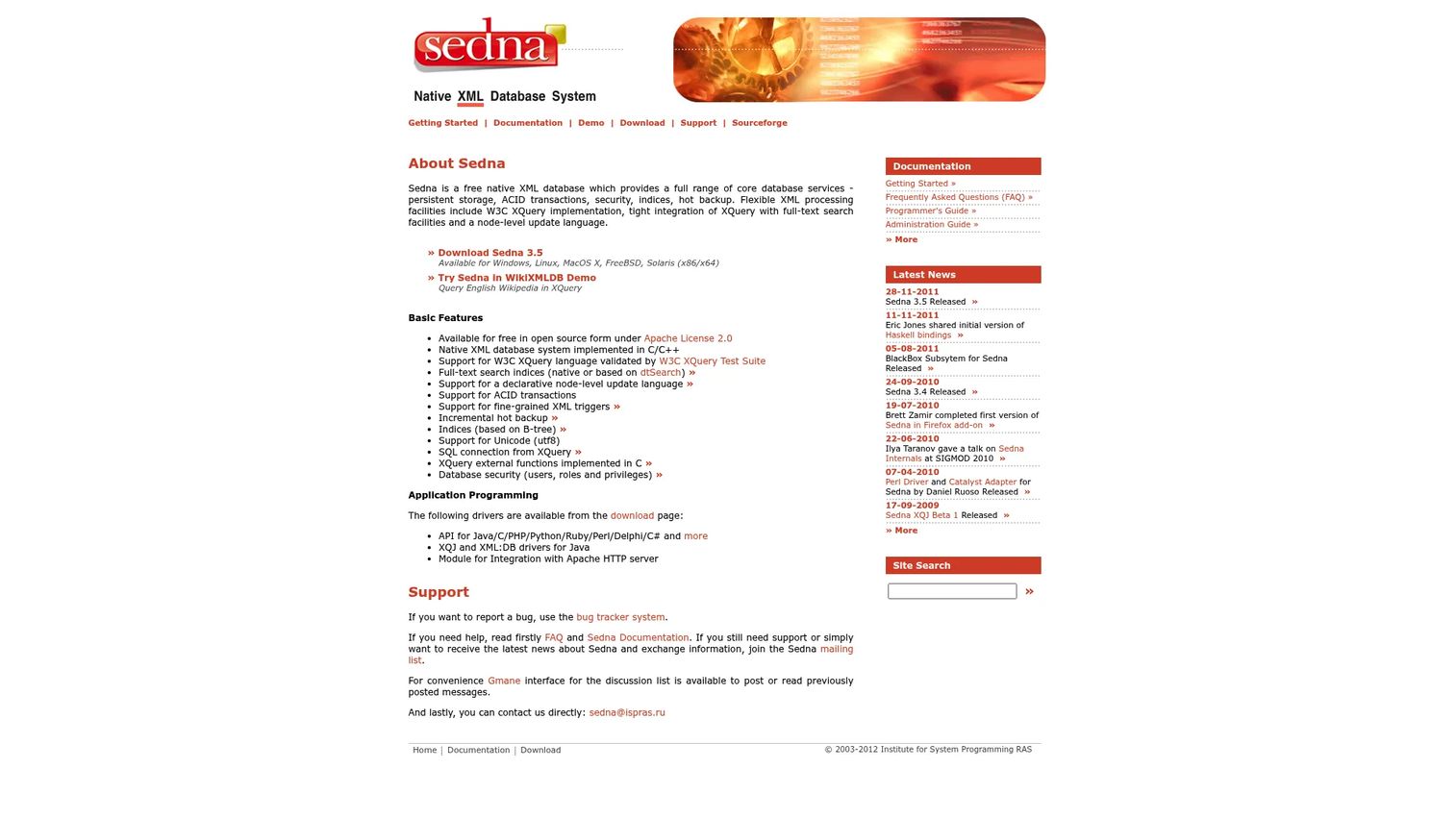
Sedna is a free native XML database built in C/C++ with a classic set of XML database capabilities: Persistent storage, ACID transactions, W3C XQuery, full-text search indexes, fine-grained XML triggers, incremental hot backup, and database security with users, roles, and privileges. It supports APIs for multiple programming languages including Java.
Best for: Teams evaluating the architecture of native XML storage or maintaining systems built around established XML database patterns.
Key features
- Native XML storage implemented in C/C++
- W3C XQuery with full-text search indexes
- ACID transactions and incremental hot backup
- Fine-grained XML triggers
- APIs for Java and other programming languages
Why choose Sedna: Sedna is a useful reference point for classic native XML functionality. Its open-source availability makes it accessible for evaluation. Before any new production deployment, assess release activity, security update cadence, community momentum, and available operational support.
Sedna pricing: Free and open source under the Apache License 2.0.
Considerations when choosing an XML database
Native XML model versus XML support inside your existing stack
Start with the workload. If the product's core operations run on XQuery, document order, mixed content, and XML Schema, test native XML tools against realistic documents first. If XML arrives through integrations while the core product runs on relational data, XML features in an existing platform create less new operational overhead. The wrong choice in either direction increases engineering opportunity cost over the product's lifetime.
Query patterns and indexing strategy
Bring representative XML documents and realistic queries into the evaluation. Test deep path queries, full-text search, high-volume imports, and document updates. A feature checklist is insufficient. XML performance depends heavily on document shape, index configuration, and query structure, so surrogate benchmarks rarely predict production behavior.
Schema governance and validation
Clarify whether XML Schema is a strict product requirement, a partner integration constraint, or an optional quality-control mechanism. Schema flexibility can speed early development, but ungoverned document structure creates migration costs as the data grows. Teams supporting regulated records often need schema enforcement from the start.
Operations, backup, and release ownership
Identify who owns upgrades, backup verification, access controls, and incident response before selecting a platform. A technically capable database becomes expensive to maintain when only one engineer understands its query language or deployment model. The right ownership model must exist before the production go-live.
Interoperability and long-term architecture
Evaluate how the database connects with current APIs, ETL jobs, reporting tools, and application frameworks. If XML must coexist with JSON records, binary assets, or relational tables, multi-model platforms reduce the number of separate systems engineering must maintain. Evaluate integration depth, not just protocol support.
| Evaluation question | Why it matters |
|---|---|
| Is XML the system of record? | Determines native versus XML-enabled fit |
| Which XPath or XQuery operations are critical? | Determines query-engine requirements |
| Do documents require XML Schema validation? | Affects governance and platform selection |
| Which team owns operations? | Prevents support gaps after launch |
| What must integrate with the database? | Prevents isolated XML storage decisions |
Conclusion
The first decision is not "which XML database is best?" It is "does XML need to be the primary data model, or is it one format the existing stack must handle?"
BaseX and eXist-db are strong starting points for XML-first, document-centric applications where XQuery is central to the product. MarkLogic fits organizations that need XML alongside JSON, RDF, and geospatial data under enterprise governance. IBM Db2, Oracle Database, PostgreSQL, and Microsoft SQL Server each serve teams that already operate those platforms and need XML alongside conventional relational workloads. InterSystems IRIS is worth evaluating where XML is an interoperability format inside a regulated, high-availability application environment.
Berkeley DB XML and Sedna both require lifecycle validation before any new production commitment. The technical fit may exist, but the vendor roadmap, support model, and hiring market are part of the decision.
The most useful next step is a proof of concept. Use representative XML documents, actual XPath or XQuery patterns, a planned indexing strategy, and a named operations owner. A database that handles your documents well in testing, with a clear support path, will cost less to maintain through every subsequent release than the technically superior option nobody on the team can operate.
Start your journey with Guideflow today!
FAQs
An XML database is a database management system that stores, indexes, and queries XML documents while preserving their hierarchical structure, element relationships, document order, and metadata. It treats the XML document, not a table row, as the fundamental unit of storage. Native XML databases use XML as their primary data model; XML-enabled databases add XML capabilities to an existing relational or multi-model engine.
A native XML database uses XML as its core logical model and typically provides deep XQuery and XPath support with path-based and full-text indexes. An XML-enabled database is a relational or multi-model system that adds an XML column type, XML functions, or SQL/XML extensions. The underlying storage model in the second case remains relational, which affects both query depth and structural querying performance on complex documents.
Yes. Publishing systems, archival repositories, regulated document workflows, enterprise integrations, standards-based data exchange, and XML-first content applications all continue to rely on XML databases. JSON dominates many modern API workloads, but it does not replace XML where namespaces, schema enforcement, mixed content, ordered elements, or document-centric interchange standards matter. The market is projected to reach $486.9 million by 2030, according to Valuates Reports (2025).
Native XML systems are the most direct choice when XQuery is central to the application. BaseX implements XQuery 4.0 with full-text and update extensions. eXist-db provides a full XQuery development environment with application packaging. MarkLogic supports XQuery alongside its multi-model architecture. Sedna covers W3C XQuery for teams assessing native XML fundamentals. Evaluate each against your specific query patterns, update requirements, and deployment constraints before deciding.
PostgreSQL includes a built-in XML data type and XPath-related functions. It can handle XML storage and basic structural querying within an existing PostgreSQL application, particularly when XML is one format alongside JSON or relational data. For workloads where XQuery, complex path indexing, or document-order queries drive the application, a native XML database will cover more ground.
Neither format is universally better. XML is strong for structured documents with namespaces, schema requirements, ordered content, mixed text and element nodes, and complex standards-based interchange. JSON is more convenient for modern web APIs and JavaScript-heavy stacks. The decision depends on the document structure your application handles, the standards your integration partners require, and the query capabilities the platform provides for each format.
Text storage can work for archival retrieval or low-complexity use cases where documents are only read back whole. If the application needs structural querying, schema validation, path-based indexing, or partial document updates, text storage creates significant gaps. An XML-aware storage type or a dedicated XML database handles those requirements without custom parsing code in the application layer.
Run a proof of concept with real document sizes, realistic XPath or XQuery expressions, expected update patterns, index configurations, concurrent access requirements, and backup or recovery tests. Generic benchmarks rarely predict production behavior for XML workloads because performance depends heavily on document shape and query structure. Establish a baseline for query latency, import throughput, and index build time using your own data before making a platform commitment.