You published the new territory map on a Friday. By Monday, two reps were working the same account, three complained their quota jumped with no new pipeline, and one asked why a strategic logo landed in a peer's book. Sound familiar?
Territory plans break when they live in spreadsheets. A single column shift ripples into overlap, coverage gaps, and rep morale problems that take weeks to unwind. The plan looked balanced in the file. It fell apart the moment it hit the field.
The category is growing fast because the pain is real. The global territory planning software market reached USD 2.13 billion in 2024 and is forecast to hit USD 6.56 billion by 2033 at a 13.7% CAGR, according to Dataintelo (2024). Software adoption is accelerating because manual planning stops scaling the moment headcount, accounts, or regions change.
The right tool treats territory planning as an operating system for coverage, fairness, and change management, not just a colored map. This guide compares seven options so you can shortlist based on stack fit, planning depth, and rollout speed.
What's inside
This guide is for RevOps, Sales Ops, and sales leaders who own territory design and want to move off spreadsheets. Here is how we picked the tools and what you will get.
- Coverage and balancing: how each tool balances by revenue, accounts, or workload
- Scenario modeling: how well you can test changes before publishing to the field
- Integrations: CRM sync, BI connections, and planning stack fit
- Governance and usability: approvals, versioning, and how easy the tool is to maintain
You will also get a comparison table, tool-by-tool breakdowns, a buyer's checklist, and FAQs.
TL;DR
Short on time? Here is the quick read on each territory management software pick.
- Best for enterprise connected planning: Anaplan, for teams linking territory, quota, and finance in one model.
- Best for Salesforce-native orgs: Salesforce, when your data and reps already live in Sales Cloud.
- Best for map-first territory balancing: eSpatial, for visual white space coverage and workload equalization.
- Best for SAP environments: SAP Territory and Quota, for AI-based optimization tied to quota planning.
- Best for broad planning teams: Workday Adaptive Planning, when sales planning sits inside finance and workforce.
- Best for direct sales mapping: Maptive, for ZIP, county, and drive-time territory building.
- Best for lower-friction business maps: MapBusinessOnline, for practical, fast territory mapping.
What is territory planning software
Territory planning software helps sales and GTM teams design, balance, assign, and optimize sales territories using account data, geography, quota, and workload inputs. It replaces spreadsheet planning with a system that keeps assignments fair, coverage tight, and changes auditable.
The category overlaps with sales territory mapping software and territory management software, but the core job is the same: turn account and geography data into balanced, assignable territories that hold up when the field executes them.
Key capabilities to expect from modern territory planning tools:
- Territory design and assignment: carve regions by geography, industry, segment, or named accounts
- Territory balancing: equalize by revenue, account count, or rep workload
- Scenario planning: run what-if models before you publish changes
- CRM and data sync: pull account data in, push assignments back out
- Quota planning and alignment: tie territory potential to fair, attainable quotas
- Coverage and overlap analysis: surface white space coverage and duplicate assignments
The stronger tools also add governance: version control, approval workflows, and audit trails. That matters because territory assignment is a political process, not just a math problem. When leaders can see who changed what and why, the plan survives contact with the field.
Buyers researching sales territory optimization software usually land here after a spreadsheet redesign went sideways. The shift is from a one-time carving exercise to a repeatable, governed process that ops can rerun every time the business changes.
When to use territory planning software
Not every team needs dedicated software on day one. Here are the moments when it earns its place in the stack.
Rebalance territories after headcount or market changes
You hired six reps, lost two, and expanded into a new region. Now the old map is wrong everywhere. Doing that rebalance in a spreadsheet means hours of manual reassignment and no way to check fairness at a glance. Territory planning software recalculates balance across revenue, accounts, and workload in minutes, so you can react to change instead of dreading it.
Reduce overlap and coverage gaps
Two reps working the same logo is wasted effort. An untouched cluster of high-fit accounts is lost pipeline. Software surfaces both: it maps white space coverage, flags duplicate assignments, and shows where potential sits idle. You stop guessing which accounts fall through the cracks and start fixing coverage on purpose.
Model territory scenarios before launch
The worst time to discover a plan is unfair is after reps see it. Scenario planning lets you build two or three territory options, compare them on balance and coverage, and pick the strongest before anything ships. Leaders review the tradeoffs, sign off, and publish once. No field surprises, no mid-quarter redo.
Comparison table
The seven tools below differ by depth, ecosystem, and planning style. Some are enterprise connected-planning platforms that link territory to quota and finance. Others are map-first tools built for visual carving and route work. A few sit inside a broader CRM or finance suite you may already own. Match the pick to your stack and the depth of modeling you actually need.
| # | Product | Best for | Key differentiator | Pricing | G2 rating |
|---|---|---|---|---|---|
| 1 | Anaplan | Enterprise connected planning | Links territory, quota, and finance in one model | Contact sales | 4.6/5 |
| 2 | Salesforce | Salesforce-native orgs | Map-based planning inside Sales Cloud | From $25/user/mo | 4.4/5 |
| 3 | eSpatial | Map-first balancing | Visual territory optimization and route planning | From $1,495/yr | 4.3/5 |
| 4 | SAP Territory and Quota | SAP environments | AI-based optimization tied to quota planning | From USD 32/record/mo | 4.4/5 |
| 5 | Workday Adaptive Planning | Broad planning teams | Territory planning inside FP&A and workforce | Quote-based | 4.3/5 |
| 6 | Maptive | Direct sales mapping | ZIP, county, and drive-time territory building | From $250/45 days | 4.7/5 |
| 7 | MapBusinessOnline | Lower-friction business maps | Hierarchical territories and routing | From $250 | 4.5/5 |
Best territory planning software for 2026
Here is the tool-by-tool breakdown, with what each does well and who it fits.
1. Anaplan

Anaplan is a connected planning platform where territory design lives alongside quota, revenue, and finance models. Instead of carving territories in isolation, you plan them inside the same system that runs your sales and financial planning. That connection is why large enterprise teams pick it for territory and quota work at scale.
Best for: Large organizations that need territory, quota, and revenue planning connected in one model.
Key strengths
- AI-driven scenario planning and analysis
- Purpose-built planning applications
- Deterministic calculation engine
- Data orchestration and integrations
- Role-based agents and collaboration
Why choose Anaplan: If your territory plan needs to feed directly into quota setting and revenue forecasting, Anaplan removes the disconnect between those models. It fits enterprise RevOps teams that treat territory as one layer of a broader connected planning discipline, not a standalone exercise.
Anaplan pricing: Public pricing is not listed on Anaplan's site. Plans are contact-based, so you work with sales to scope by users and modules.
2. Salesforce
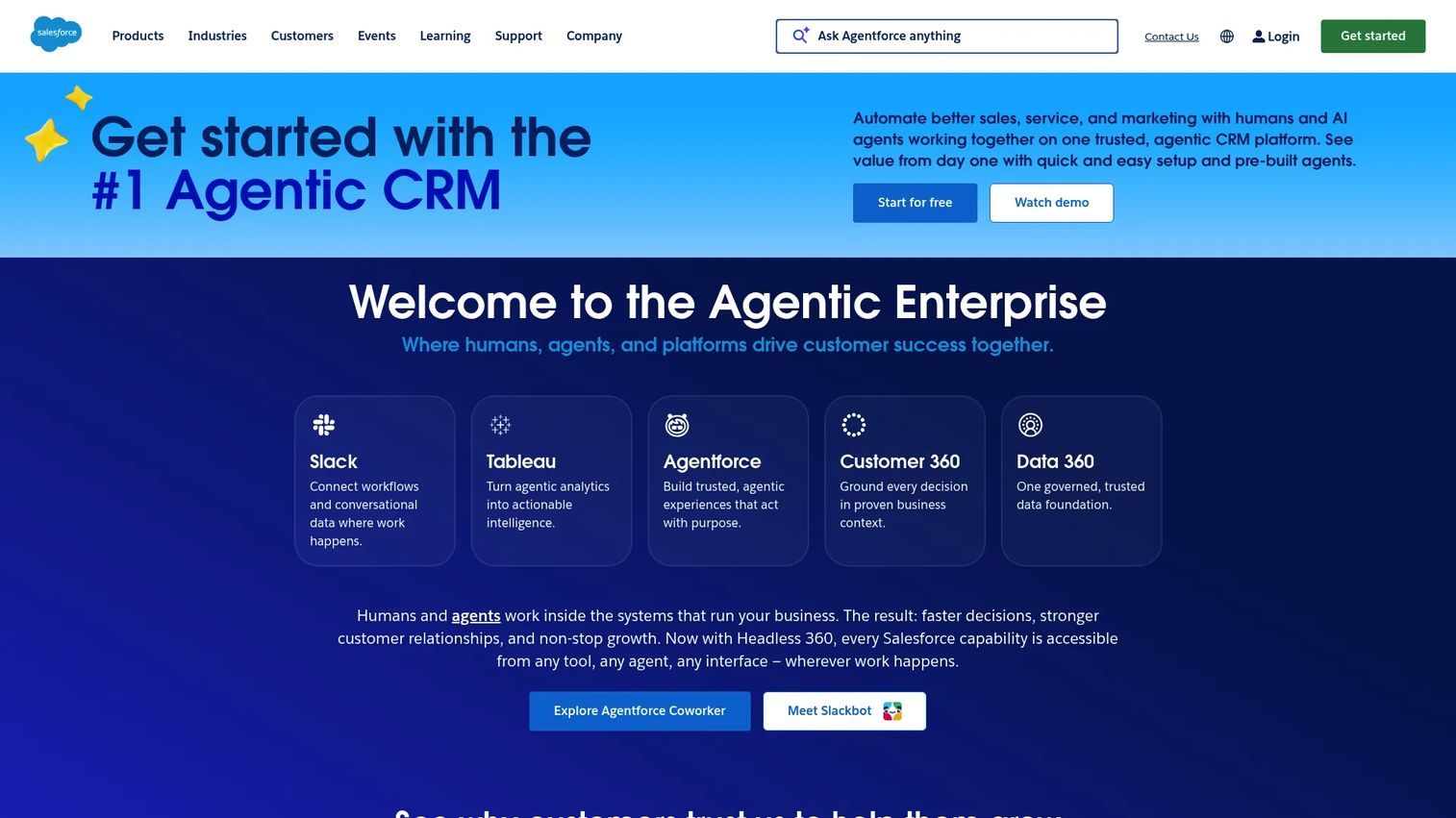
Salesforce brings territory planning into the CRM where your reps already work. With map-based planning tools built on Sales Cloud, you can visualize accounts, build territory models, and publish assignments back to the records reps see every day. For Salesforce-centric orgs, that native fit removes the sync headaches of a separate planning tool.
Best for: Teams whose account data and reps already live inside Salesforce Sales Cloud.
Key strengths
- Lead, account, contact, and opportunity management
- Workflow automation and sales pipeline tools
- Map-based territory visualization
- AI-powered CRM and app platform
Why choose Salesforce: When your CRM is the system of record, planning territories inside it keeps assignments and account data in one place. Reps see changes without a second login, and ops avoids reconciling two sources of truth.
Salesforce pricing: Sales plans start with a free suite at $0 per user per month, then Starter Suite at $25, Pro Suite at $100, Enterprise at $175, and Unlimited at $350 per user per month.
3. eSpatial

eSpatial is business mapping and territory optimization software built for visual planning. You design territories on a map, balance them by workload or value, and equalize coverage to cut overlap. Sales ops teams reach for it when they want to see territory balance rather than infer it from spreadsheet columns.
Best for: Sales ops teams that want visual territory management and route optimization.
Key strengths
- Heat mapping
- Territory design and optimization
- Workload equalization
- Route planning
Why choose eSpatial: If your territory problem is fundamentally geographic, seeing it on a map beats reading it in a grid. eSpatial suits teams that need to spot white space coverage and overlap visually, then rebalance without exporting to another tool.
eSpatial pricing: Three annual plans: Mapping Pro at $1,495, Professional Territory Manager at $7,995, and Advanced Territory Manager at $14,995 per year. A 7-day free trial is available.
4. SAP Territory and Quota
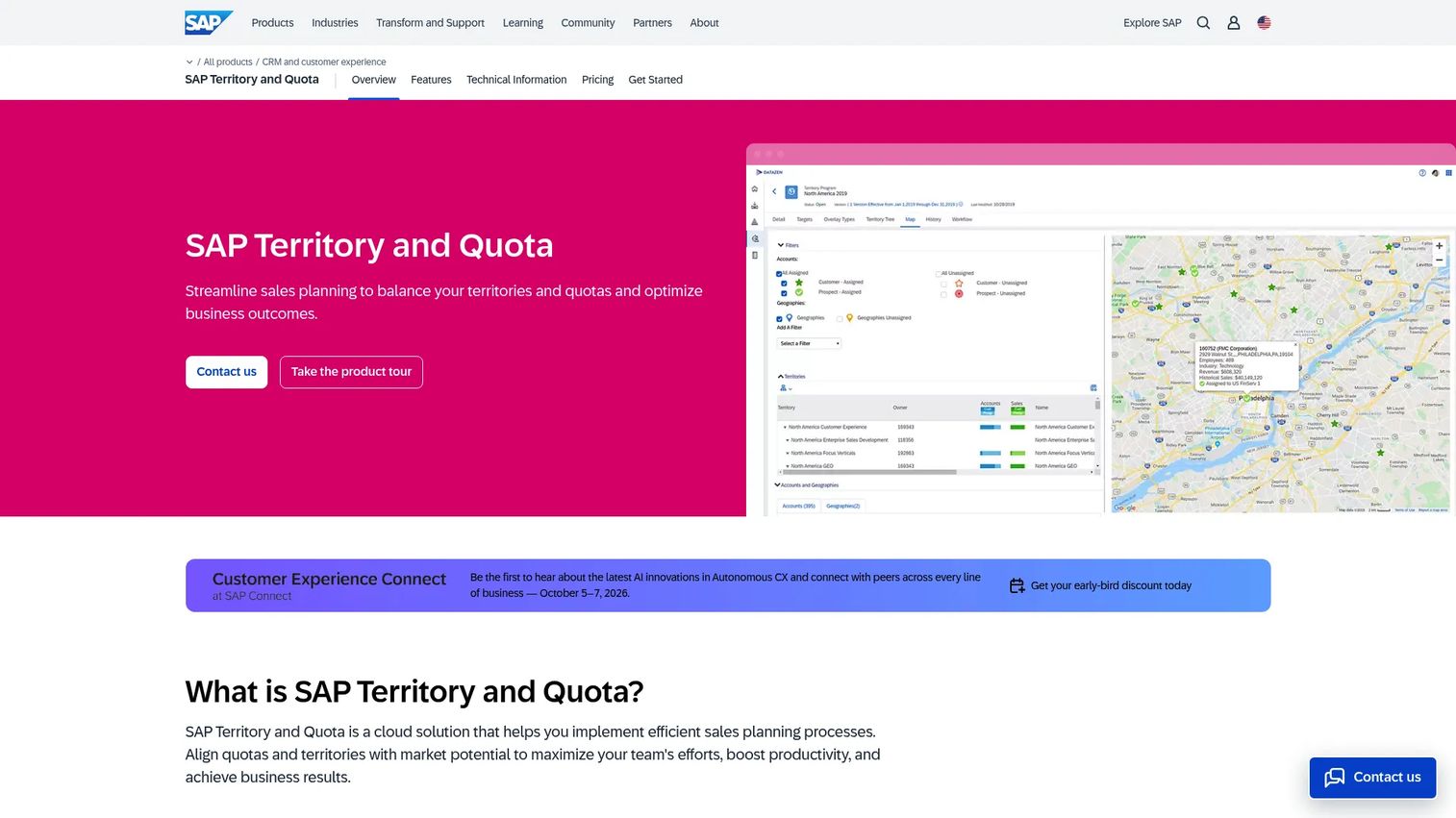
SAP Territory and Quota is cloud sales planning software that pairs territory optimization with quota planning and analytics. It uses AI to balance and optimize territories, adds geospatial insight, and links directly to predictive quota planning. For teams standardized on SAP, it keeps sales planning inside a familiar environment.
Best for: Enterprise sales operations teams managing territories and quotas in an SAP-oriented stack.
Key strengths
- AI-based territory optimization and balancing
- Geospatial insight and visualization
- Predictive quota planning and analysis
Why choose SAP Territory and Quota: The tight coupling of territory design and quota distribution is the draw. If you already run SAP and want optimization plus quota planning in one place, this avoids bolting a separate planning tool onto your environment.
SAP Territory and Quota pricing: Public pricing starts at USD 32.00 per record per month, with a minimum of 1,000 records. A cloud test and demo tenant is included for partners with a three-month minimum contract.
5. Workday Adaptive Planning
Workday Adaptive Planning puts territory planning inside a broader FP&A and planning platform. You get sales territory planning with rule-based account segmentation and geographic, industry, or segment-based carving, all within a system that also handles finance and workforce planning. That makes it a fit for organizations planning across multiple functions at once.
Best for: Sales operations teams that need balanced territory design alongside finance and workforce planning.
Key strengths
- Sales territory planning with rule-based account segmentation
- Geographic, industry, and segment-based carving
- Unlimited versions and what-if scenarios
- Connects with any ERP or GL
- Active dashboards and process management
Why choose Workday Adaptive Planning: If sales planning already sits inside your finance planning stack, keeping territory design there avoids a data handoff. Unlimited what-if scenarios make it strong for scenario planning across the wider business, not just the sales org.
Workday Adaptive Planning pricing: Pricing is quote-based, so you scope it with Workday directly. A 30-day free trial is available.
6. Maptive
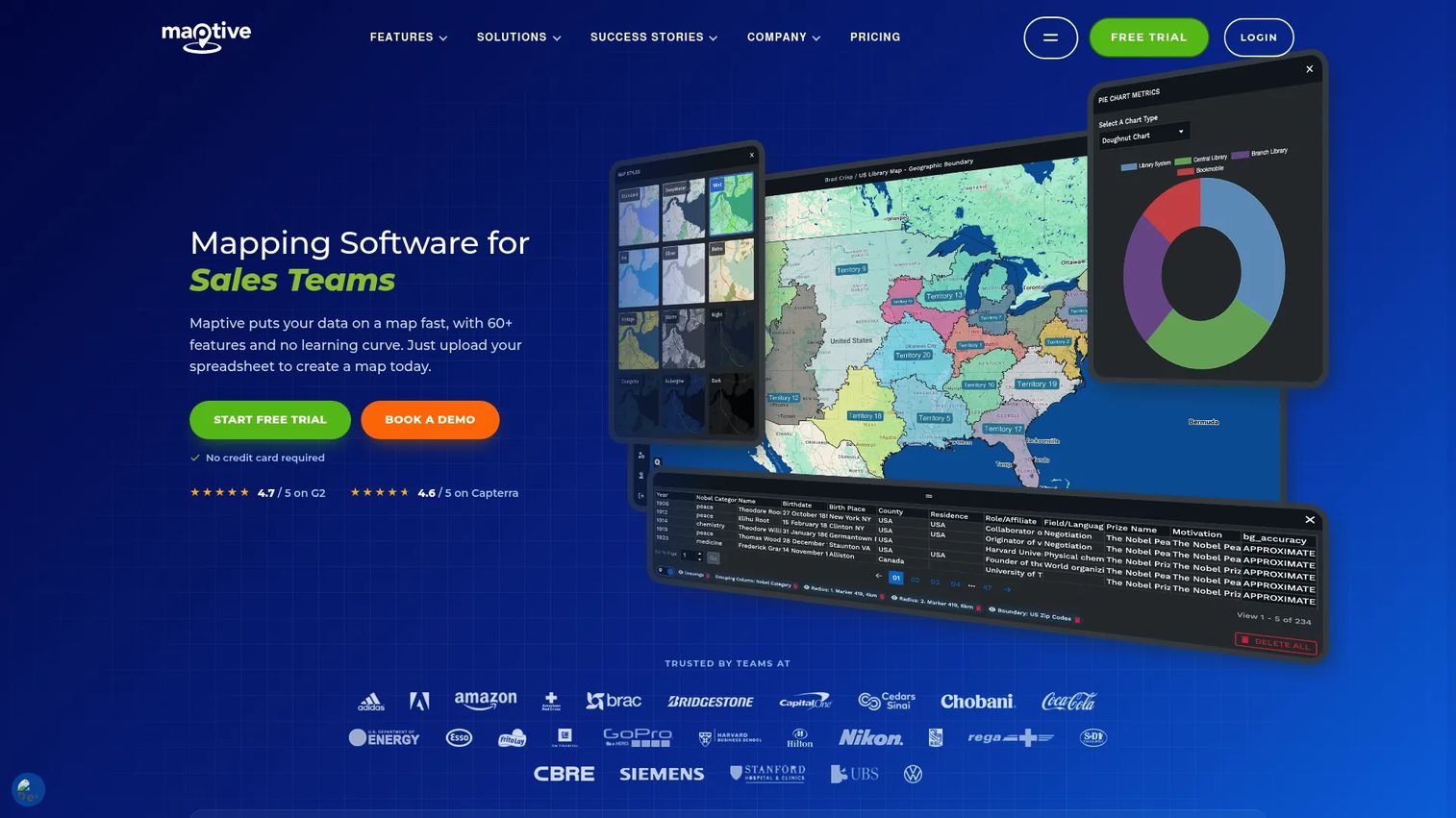
Maptive turns spreadsheet or CRM data into interactive maps for territory building and route work. You can build territories by ZIP code, county, or drive-time area, fix overlap, sync from CRM, and run what-if tests visually. Every plan includes the full toolset, so mapping teams get territory and route features together.
Best for: Visual, map-first teams that plan territories from spreadsheet or CRM data.
Key strengths
- Territory and analysis tools
- Data visualization and heat mapping
- Drive-time and ZIP or county territory building
- Routing, distance, and sharing or export
Why choose Maptive: For direct sales and field teams, drive-time and geographic carving matter more than deep quota modeling. Maptive fits teams that want fast, visual territory building with CRM sync and route optimization in one place.
Maptive pricing: A 45 Day Pass is $250. Pro is $1,250 per year or $110 per month, Team is $2,500 per year or $220 per month, and Enterprise is custom. Every plan includes all 60-plus mapping tools.
7. MapBusinessOnline
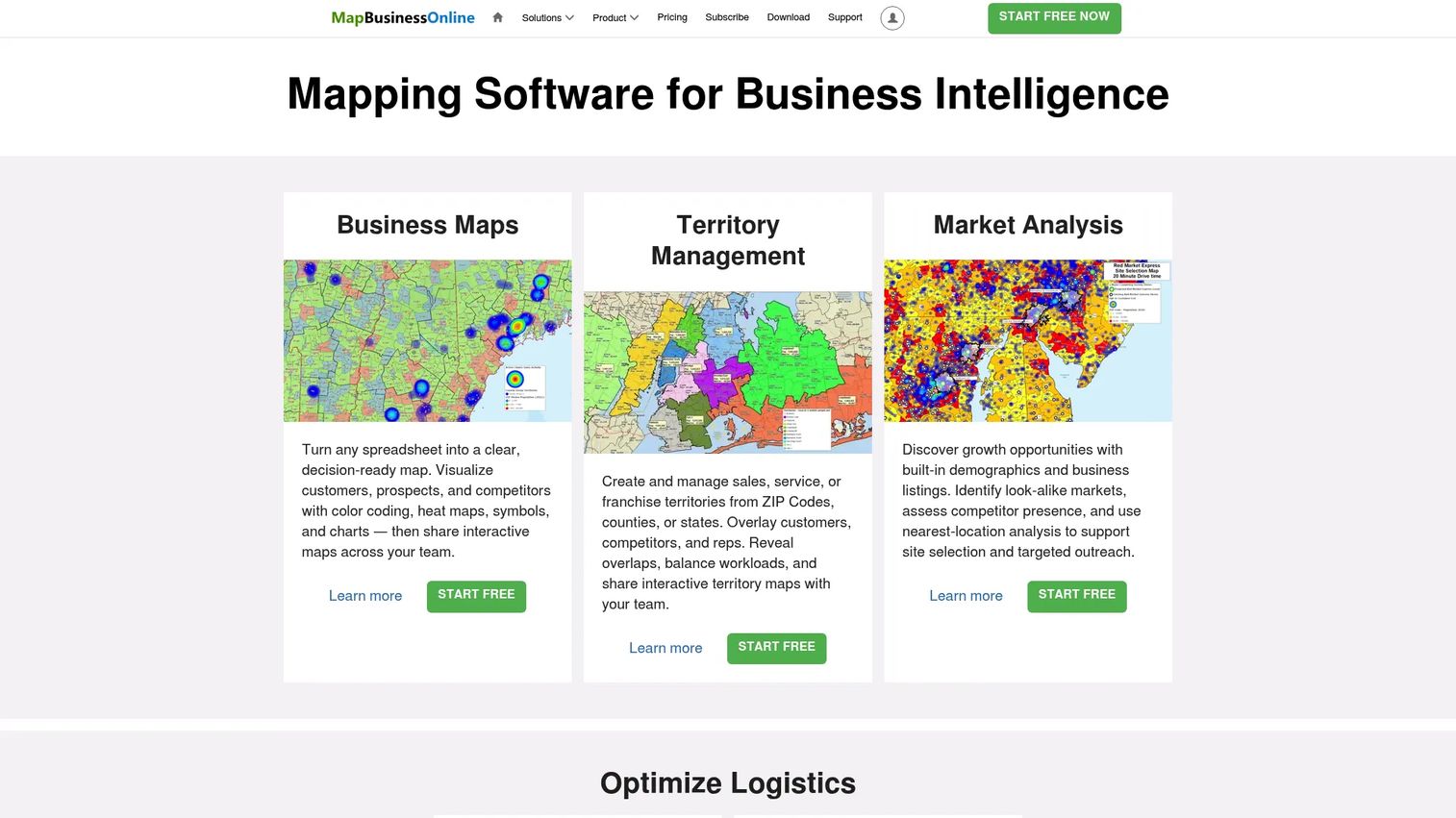
MapBusinessOnline is cloud-based business mapping software for territory management, routing, and market analysis. It builds business maps with heat maps, radius maps, and ZIP code maps, supports hierarchical territories, and adds optimized vehicle routing with drive-time analysis. It fits teams that want practical mapping without heavy setup.
Best for: Businesses needing map-based territory, routing, and market analysis tools with lower friction.
Key strengths
- Business maps with heat, radius, and ZIP code layers
- Territory management and hierarchical territories
- Optimized vehicle routing and drive-time analysis
Why choose MapBusinessOnline: When you need hierarchical territory mapping and routing without an enterprise rollout, this is a straightforward pick. It suits smaller teams that want a working business map fast rather than a full planning platform.
MapBusinessOnline pricing: Starter is $250, Standard is $500, and Pro is $900, each with USA map data. A free trial is available, and every plan includes the Windows, macOS, and Map Viewer apps.
Considerations
Before you commit to any territory planning tool, run through this checklist. The right pick depends as much on your data and process as on the feature list.
Data quality and CRM readiness
Territory planning is only as good as the account data feeding it. Dirty records, duplicate accounts, and missing revenue fields will produce unbalanced territories no matter how strong the tool. Audit your CRM before you plan, and confirm the tool's CRM integration can sync the fields you carve on.
Scenario modeling depth
The value of software is testing changes before they hit the field. Check how many scenarios you can build, how easily you compare them on balance and coverage, and whether leaders can review options side by side. Deeper scenario planning means fewer mid-quarter redos.
Governance and approval workflows
Territory assignment is political. Look for version control, approval steps, and audit trails that show who changed what and why. Without governance, a good plan still triggers disputes the first time a rep questions an assignment.
Integration fit
Map the tool against your stack: CRM, BI, and any finance or planning platform you already run. A tool that syncs cleanly with your systems of record saves ops from reconciling two sources of truth every planning cycle.
Adoption and maintainability
The best sales territory management software is the one your ops team can actually keep current. If updating the plan takes a specialist and a week, it will go stale. Favor tools your team can rerun every time headcount, accounts, or regions change.
Conclusion
Territory planning stopped being a once-a-year spreadsheet exercise. It is now a repeatable, governed process for keeping coverage tight, assignments fair, and change management calm.
Match the tool to your stack and planning depth. Anaplan fits enterprise teams connecting territory, quota, and finance. Salesforce is the natural pick when your data lives in Sales Cloud. eSpatial and Maptive lead for visual, map-first balancing, while MapBusinessOnline keeps mapping lightweight. SAP Territory and Quota suits SAP-standardized orgs, and Workday Adaptive Planning fits teams planning across finance, sales, and workforce.
Shortlist two or three, run your real account data through a trial, and test the scenario modeling and CRM sync against your actual workflow. The tool that survives a live rebalance, not a demo, is the one to buy.
FAQs
Territory planning software helps sales and GTM teams design, balance, assign, and optimize sales territories using account data, geography, quota, and workload inputs. It replaces spreadsheet planning with a system that keeps coverage tight, assignments fair, and changes auditable. Most tools add scenario modeling, CRM integration, and governance so plans survive real-world execution.
Territory mapping software focuses on the visual and geographic layer: drawing regions, plotting accounts, and planning routes on a map. Territory planning software goes further, adding balancing logic, quota alignment, scenario modeling, and governance. Many tools do both, but if your core need is quota and workload balance rather than geography, prioritize planning depth over mapping features.
Fair balancing means equalizing territories on the dimensions that matter to your business, usually revenue potential, account count, or rep workload. Start with clean account data, pick your balancing criteria, then use the software to distribute accounts so no rep carries an outsized or thin book. Scenario planning lets you test two or three options and compare balance before publishing.
Yes. Most territory management software offers CRM integration with Salesforce, either native or through a connector, so you can pull account data in and push assignments back to Sales Cloud. Salesforce's own map-based planning tools run inside the CRM directly. Always confirm the specific fields and objects a tool syncs before you buy.
Build territories from account data (revenue, industry, segment, named accounts), geography (ZIP, county, region, drive-time), and workload signals (open pipeline, account count, service load). Add quota and historical performance data if you plan to tie territory potential to quota planning. Clean, complete data is the single biggest factor in whether the resulting plan holds up.
Most teams review territories at the start of each fiscal year and rebalance whenever headcount, market, or product changes make the current map wrong. Growing teams may rebalance quarterly. The advantage of software over spreadsheets is that rerunning the plan takes minutes, so you can adjust as the business shifts instead of waiting for an annual redesign.
It can be, though smaller teams should weigh cost against complexity. Map-first tools like Maptive and MapBusinessOnline offer lower-friction entry points for teams that mostly need geographic carving and routing. Larger enterprise platforms make more sense once you are balancing many reps across revenue, quota, and multiple regions at once.
Scenario planning lets you model several territory options and compare them on balance and coverage before committing to one. It is how leaders catch an unfair or gap-ridden plan before reps ever see it. Strong scenario modeling turns territory design from a risky one-shot publish into a reviewed, sign-off-and-ship process that avoids mid-quarter surprises.