



You open the laptop to write chapter nine. First you dig through a Google Doc for the character's eye color. Then a Notes app for the timeline. Then a folder of half-named files to remember where chapter eight actually ended.
Twenty minutes gone. Zero words written.
Most writers think the problem is discipline. It isn't. It's fragmentation. Your story lives in six places, and every writing session starts with reassembly instead of writing. The global creative writing software market hit USD 1.49B in 2024, per DataIntelo (2024), and the reason is simple: A plain word processor was never built to hold a novel's moving parts.
The right story writing software does more than store words. It keeps chapters, scenes, research, and character notes in one place, lets you draft offline when you want deep focus, and exports clean when you're done. This guide is about picking the one that fits how you actually write.
What's inside
This guide is for authors, novelists, and story writers comparing writing apps for a book or series. It covers seven story writing tools across the workflow stages that matter, plus honest tradeoffs on where each one fits.
We chose tools on four criteria:
- Workflow coverage: How well it handles drafting, planning, or formatting (or all three)
- Offline writing: Whether you can write without a browser or connection
- Export support: Clean output to Word, PDF, ePub, and Kindle
- Pricing and free trial: What it costs, and whether you can test before you commit
Every price and rating here was checked against the vendor's live pricing page and current G2 listing.
TL;DR
Here's the short version, sorted by how you write:
- Best overall for heavy organization: Scrivener, the deepest binder-and-research setup for long-form work
- Best for cloud-based writing with goals: Novlr, browser-first drafting with streaks and analytics
- Best all-in-one drafting and formatting: Atticus, one app to write and prep for publishing
- Best for collaborative manuscript work: Reedsy Studio, free core writing with strong export
- Best writing software for authors on Apple: Ulysses, focused markdown editing across Mac, iPad, and iPhone
- Best for visual story planning: Dabble and Plottr, plot grids and timelines before you draft
No single tool wins every category. Match the tool to your stage, not to a feature checklist.
What is story writing software
Story writing software is a tool built to help writers draft, organize, and export long-form fiction or narrative projects in one workspace. Unlike a general word processor, it treats a manuscript as a structured project of scenes, chapters, and supporting notes rather than one long file.
Most book writing software shares a common set of capabilities. Here's what defines the category:
- Manuscript organization: A binder, folder, or board structure that holds an entire project
- Scene and chapter management: Reorder, split, and merge sections without copy-paste chaos
- Research notes: A place to store reference material, images, and links beside the draft
- Worldbuilding notes: Character sheets, locations, and lore kept alongside the manuscript
- Offline writing: Local drafting so you can work without a connection
- Export formats: Clean output to Word, PDF, ePub, and Kindle for sharing or publishing
- Collaboration: Shared editing, comments, or read-only previews for co-writers and editors
The category splits into three jobs. Drafting tools focus on getting words down fast. Plotting tools help you outline structure before you write a scene. Formatting tools turn a finished draft into a print-ready or ebook file. Some tools cover one stage well. A few try to cover the whole stack.
Cloud adoption is reshaping the space. In the adjacent screen and script writing software market, 66.34% of the market was cloud-based in 2024, per Mordor Intelligence (2025). That shift matters for writers who move between a desktop, a tablet, and a laptop, because sync and offline behavior increasingly decide which tool actually fits a real writing week.
When to use story writing software
Write a book from scattered ideas
You need one home when a project outgrows a single document. Chapters, scenes, character details, and stray research notes stop fitting neatly in a folder of files. Book writing software gives you a binder or board that holds all of it, so you stop hunting and start writing.
Draft offline without distraction
Deep work needs a clean interface and no browser tabs whispering for attention. Offline writing lets you draft on a train, a plane, or a café with bad wifi, without losing a word. A distraction-free mode strips the screen down to the sentence in front of you, which is where the actual writing happens.
Export a manuscript for sharing or publishing
Formatting matters the moment someone else needs to read your work. A beta reader wants a clean PDF. An agent wants a Word doc. A retailer wants ePub or Kindle. Good software handles export to Word, PDF, ePub, and Kindle without you rebuilding the layout by hand every time.
Comparison table
Seven story writing tools, sorted by relevance to long-form fiction, with Scrivener first. Pricing and G2 ratings were verified against each vendor's live pricing page and current G2 listing.
| # | Product | Best for | Key differentiator | Pricing | G2 rating |
|---|---|---|---|---|---|
| 1 | Scrivener | Heavy organization | Binder, corkboard, and research storage in one project | From US$23.99, one-time | 4.5 |
| 2 | Novlr | Cloud writing with goals | Browser drafting plus streaks and analytics | Free, paid from $8/mo | N/A |
| 3 | Atticus | Drafting plus formatting | Write and format a book in one app | $147, one-time | 3.0 |
| 4 | Reedsy Studio | Free browser writing | Free core writing with strong export | Free, paid from $4.99/mo | 4.8 |
| 5 | Ulysses | Apple-focused writers | Markdown editing synced across Apple devices | From $39.99/yr | 4.6 |
| 6 | Dabble | All-in-one plotting | Plot grid planning with drag-and-drop | From $19/mo | 4.3 |
| 7 | Plottr | Visual story planning | Timeline outlining and series bibles | From $150, lifetime | 4.8 |
Best 7 story writing software for 2026
1. Scrivener
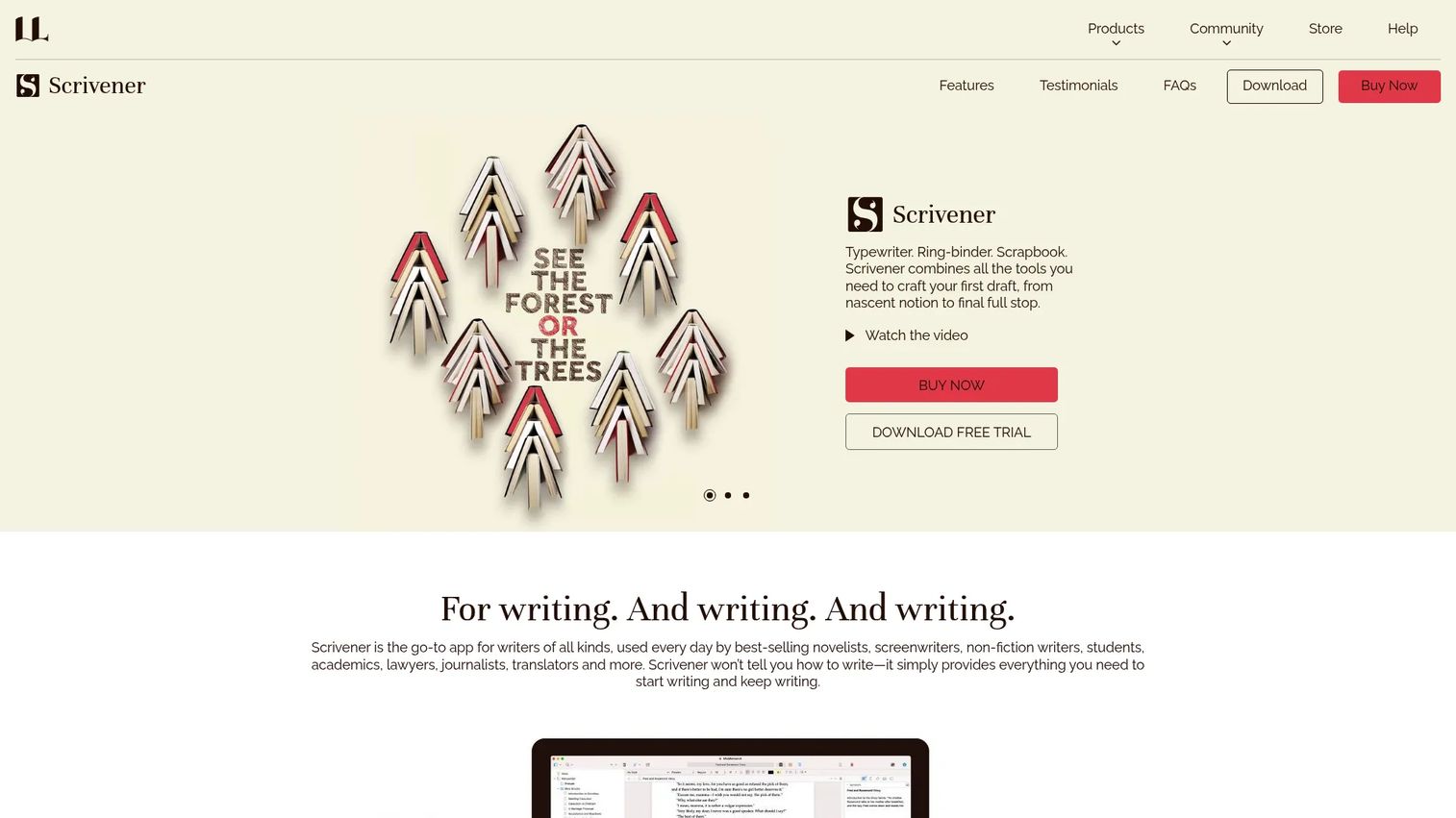
Scrivener is the reference point for serious manuscript organization. Its binder holds every chapter, scene, and research file in one project, while the corkboard and outliner let you rearrange structure by dragging index cards. You can store reference material beside the draft and write in a distraction-free composition mode when you want to shut out everything else.
Best for: Novelists, screenwriters, and thesis writers juggling complex, long-form projects with heavy notes.
Key features
- Binder-style project organization
- Corkboard and outliner for restructuring
- Research storage beside the manuscript
- Distraction-free composition mode
- Export to Word, PDF, Final Draft, and plain text
Why choose Scrivener: Pick it when your project has too many moving parts for a word processor and you want deep control over structure. The tradeoff is a real learning curve, so budget an afternoon before it clicks.
Scrivener pricing: The iOS and iPadOS app is a one-time US$23.99. Windows and Mac licenses plus a cross-platform bundle are sold separately as one-time purchases, and a free trial is available.
On G2, Scrivener holds a 4.5 out of 5 rating.
2. Novlr
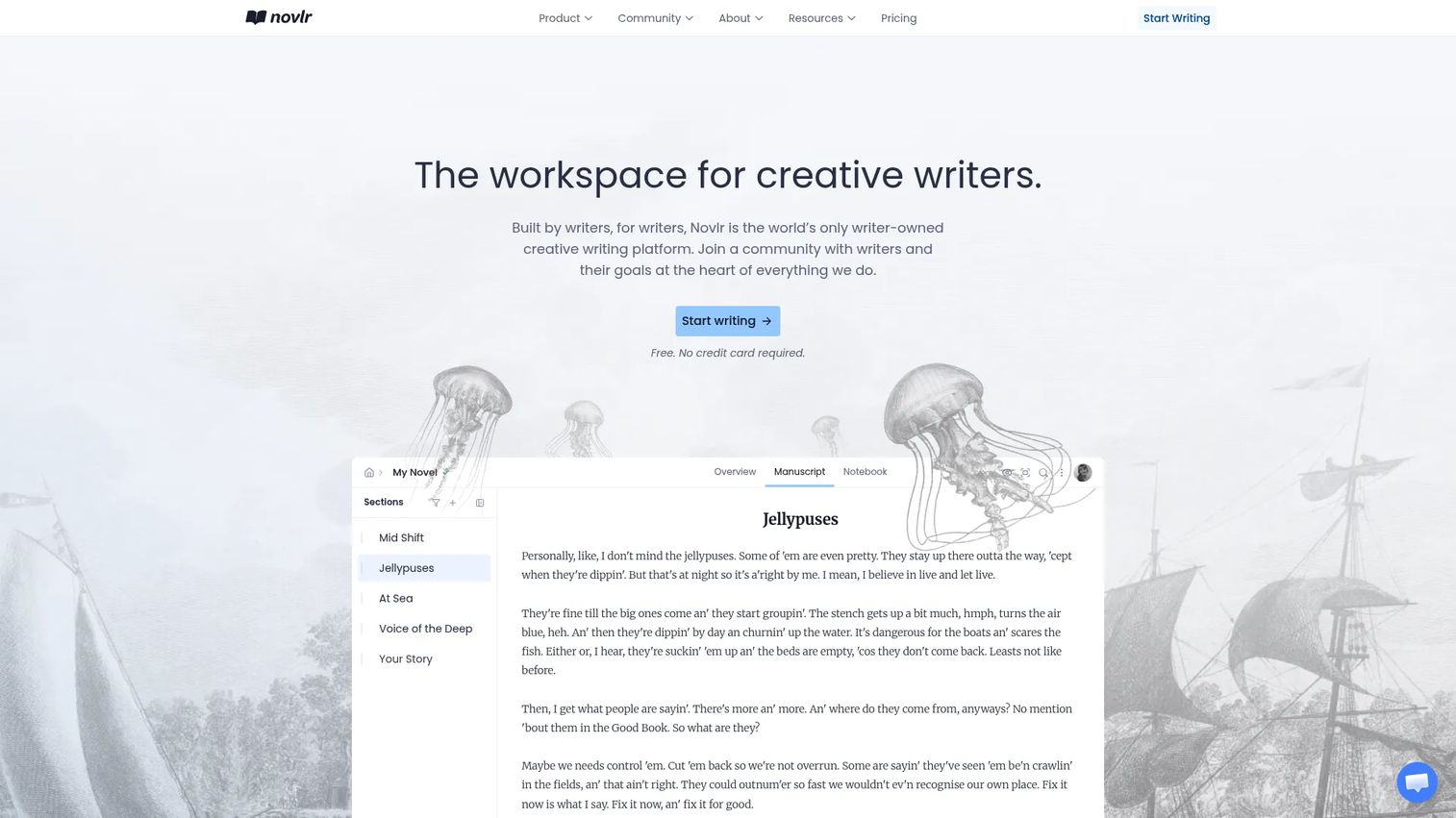
Novlr is a writer-owned platform built around a clean, browser-based drafting studio that syncs across devices. It layers habit tools on top of the writing space, with goals, streaks, and analytics that track your output over time. Notes, comments, backups, and even author website tools sit alongside the manuscript, so novel writing software doubles as a light author hub.
Best for: Individual fiction writers who want an online workspace with habit tracking and room to grow.
Key features
- Distraction-free studio with cross-device sync
- Goals, streaks, and writing analytics
- Notes and manuscript organization
- Author websites and comments
- Export and backups
Why choose Novlr: Choose it when momentum is your problem and you want streaks and goals nudging you back to the page. It's cloud-first, so heavy offline drafters should test sync behavior before committing.
Novlr pricing: A free plan covers the basics. Starter runs $8/month and Studio $16/month, both billed yearly, with a $499 one-time Lifetime Studio option.
Novlr does not have a verified G2 rating at this time.
3. Atticus
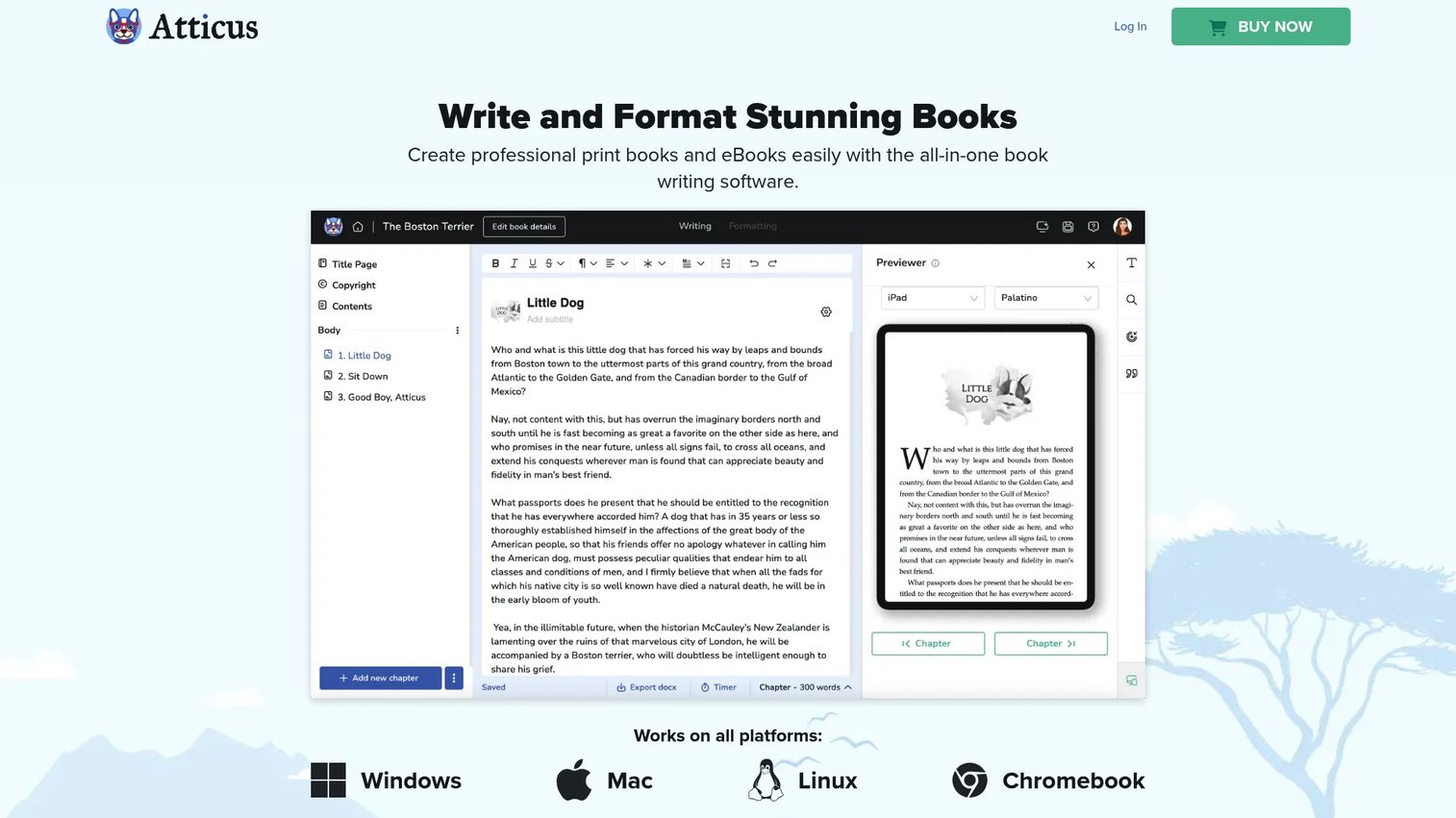
Atticus collapses two steps into one: You draft the manuscript and format the finished book in the same app. You write and edit in the browser, drag chapters into order, set writing goals, then apply customizable templates and themes to produce print and ebook files. That means one tool takes you from first sentence to export-ready output.
Best for: Authors who want to write, format, and export a book without adding a second formatting tool.
Key features
- In-browser manuscript writing and editing
- Chapter drag-and-drop reordering
- Writing goals and progress tracking
- Customizable formatting templates and themes
- Export to print and ebook files
Why choose Atticus: Pick it when you'd rather pay once and skip stitching a drafting app to a separate formatter. The tradeoff shows in reviews, where the editor experience divides opinion, so trial the writing side before you rely on it.
Atticus pricing: A one-time $147 with no monthly fees and a 30-day money-back guarantee.
On G2, Atticus currently holds a 3.0 out of 5 rating.
4. Reedsy Studio
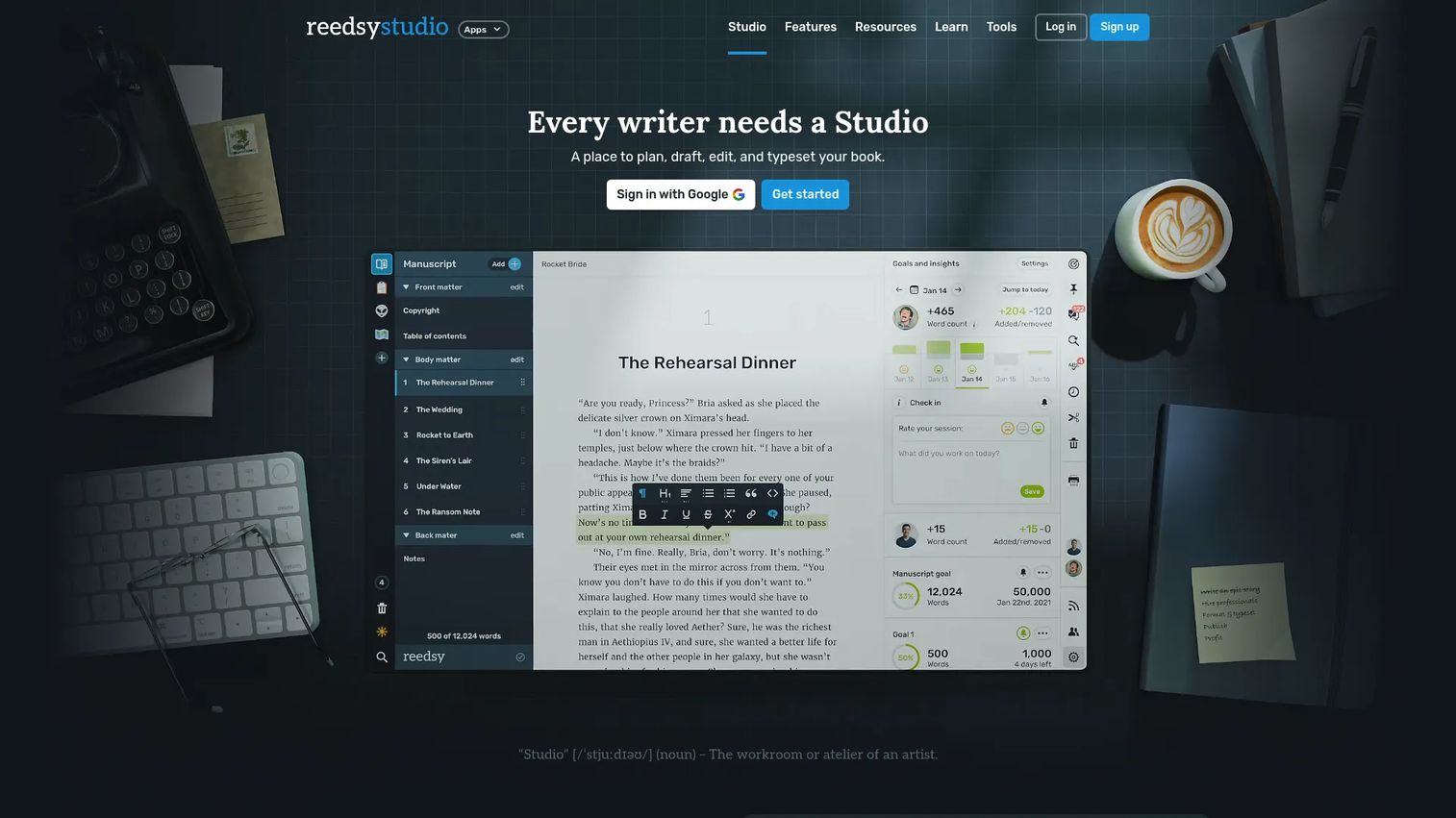
Reedsy Studio gives you a free, browser-based space to plan, write, edit, and format a book. Boards hold notes for characters, research, locations, and worldbuilding beside the draft, and the core writing and formatting features cost nothing. When a manuscript is ready, you export clean PDF and EPUB files for beta readers or retailers.
Best for: Authors who want a free, capable book drafting and formatting tool with optional upgrades.
Key features
- Free plan, write, edit, and format
- Boards for characters, research, and worldbuilding
- Outlining tools
- Export to PDF and EPUB
- Shared review for editors
Why choose Reedsy Studio: Choose it when you want a zero-cost starting point that still exports professional files. Premium tiers add advanced stats, custom goals, and outlining if you outgrow the free version.
Reedsy Studio pricing: Core writing and formatting are free. Paid plans start at $4.99/month for Craft, with an Outline plan at $7.99/month.
On G2, Reedsy holds a 4.8 out of 5 rating.
5. Ulysses
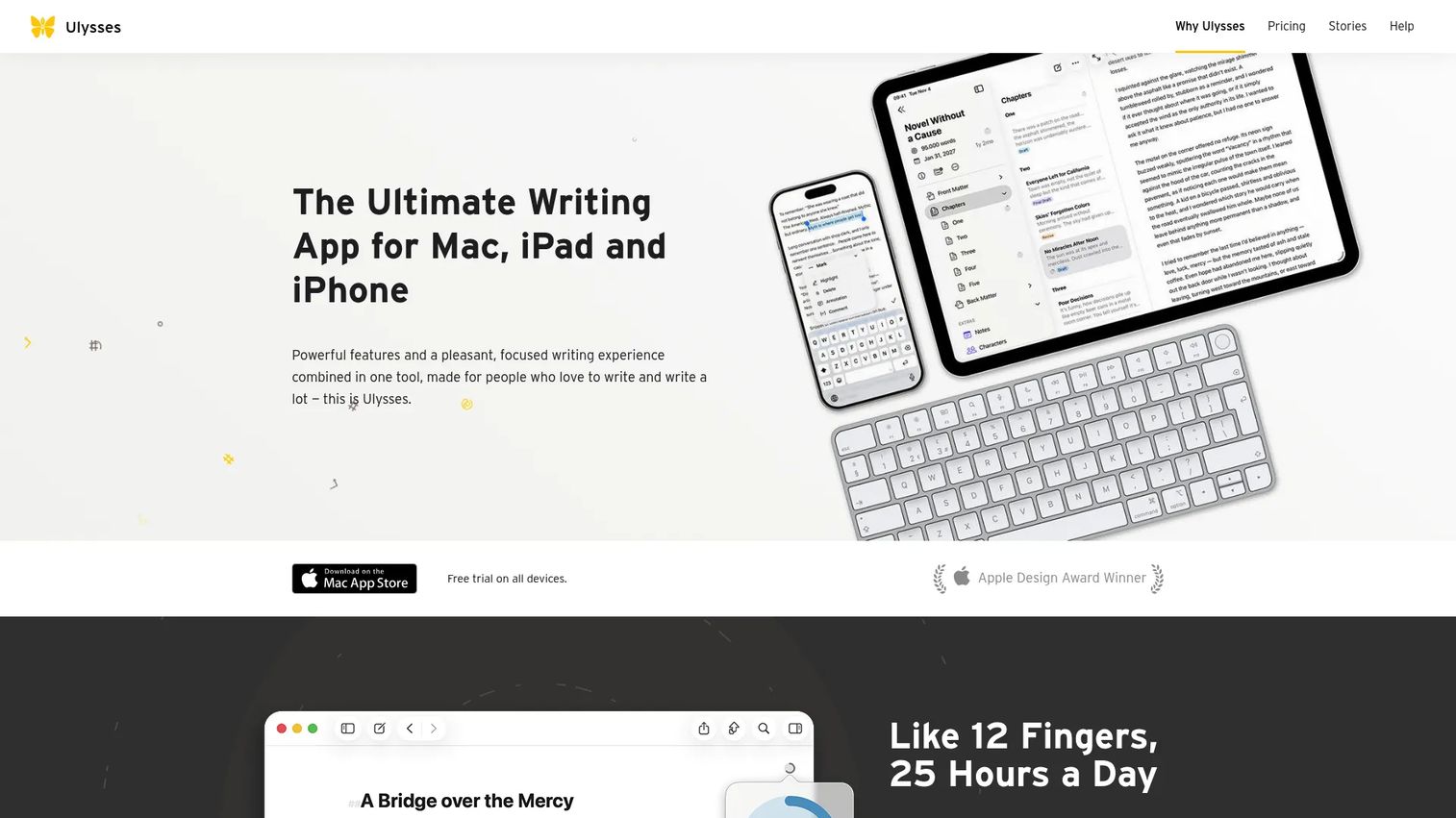
Ulysses is a focused writing app for Mac, iPad, and iPhone that keeps you in a distraction-free, markup-based editor. A unified library organizes projects and groups, so every piece of writing lives in one searchable place across your Apple devices. A built-in proofreader and export to PDF, Word, ePub, HTML, and blog platforms round out the workflow.
Best for: Apple-only writers who want a clean long-form workspace that syncs across their devices.
Key features
- Distraction-free markdown editor
- Unified library with project groups
- Sync across Mac, iPad, and iPhone
- Built-in proofreader
- Export to PDF, Word, ePub, and HTML
Why choose Ulysses: Pick it when you live inside Apple's devices and want a quiet, text-first environment over a feature-heavy binder. Windows and Android users are out, since it's Apple-only.
Ulysses pricing: Subscriptions run $5.99/month or $39.99/year, each with a 7-day free trial, plus a discounted student plan.
On G2, Ulysses holds a 4.6 out of 5 rating.
6. Dabble
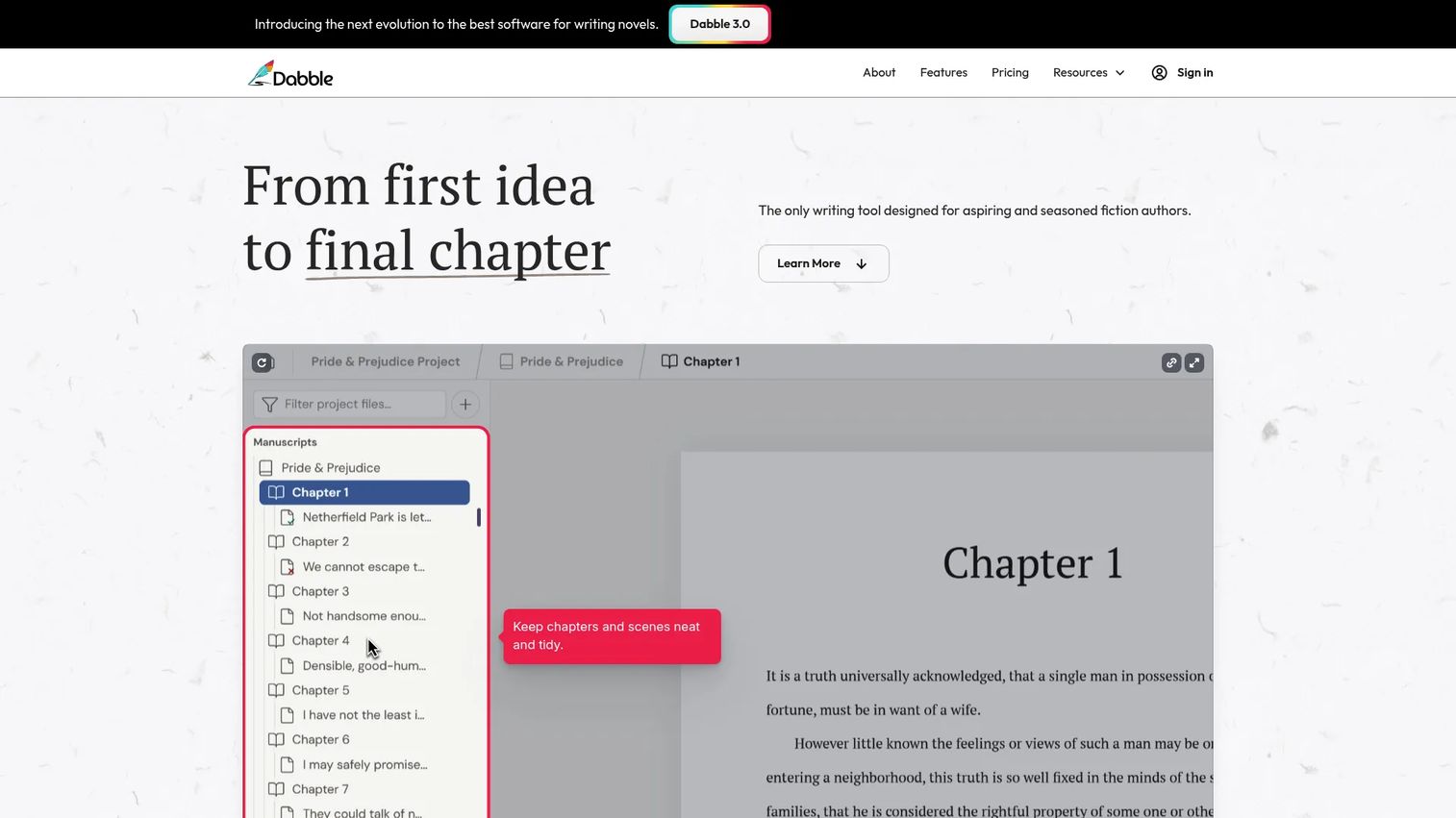
Dabble pairs plotting and drafting in one workspace built for novelists. Its plot grid lets you map story beats visually, then drag story elements into place as the shape of the book emerges. Cloud sync and backups keep the manuscript current across devices, with story notes and a clean manuscript view for the actual writing.
Best for: Novelists who want an all-in-one plotting and drafting space without heavy setup.
Key features
- Drag-and-drop story elements
- Plot grids for story beats
- Cloud sync and backups
- Story notes beside the draft
- Manuscript view for focused writing
Why choose Dabble: Choose it when you want plotting and drafting together but find Scrivener's depth more than you need. It leans lighter on manuscript organization, so power organizers may miss the granular control.
Dabble pricing: Monthly plans are Writer at $19, Author at $29, and Bestseller at $49, with annual savings and a $699 one-time Lifetime Author option. A 14-day free trial needs no credit card.
On G2, Dabble holds a 4.3 out of 5 rating.
7. Plottr
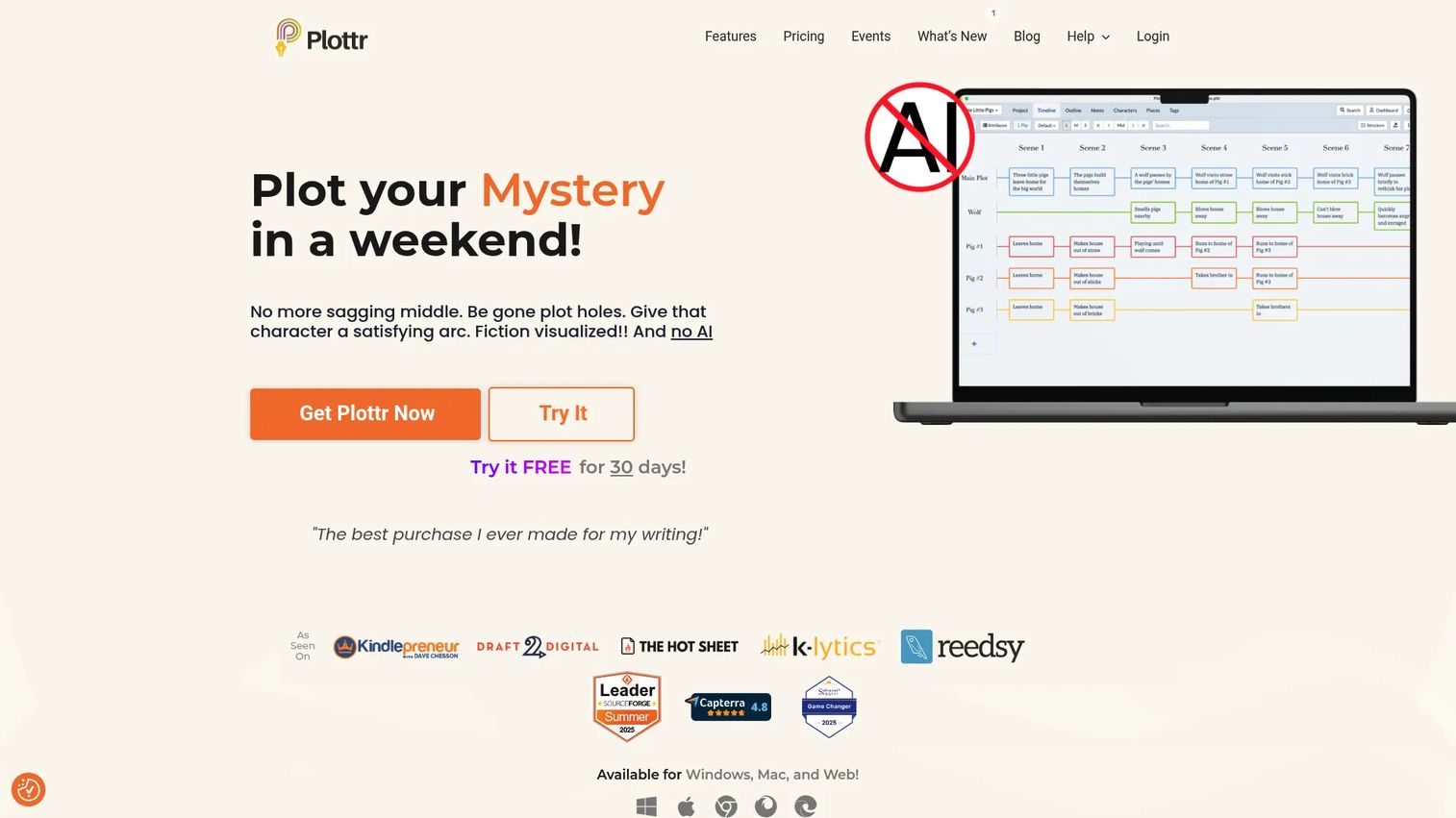
Plottr is built for writers who plan before they draft. Visual timelines and drag-and-drop scene cards let you see the whole structure at a glance, while story bibles track characters, places, notes, and tags. More than 30 plot and scene templates plus series planning make it strong for writers managing several connected books.
Best for: Planners and series writers who want visual structure and a series bible before drafting.
Key features
- Visual timelines and scene cards
- Story bibles for characters and places
- 30+ plot and scene templates
- Series planning across books
- Offline desktop use
Why choose Plottr: Pick it when outlining is where you win or lose a book, especially across a series. It's an outliner more than a drafting home, so many writers pair it with a separate writing app.
Plottr pricing: Plans start at $150 lifetime for Plottr, with Pro at $599 and Pro + Community at $649. Annual and monthly billing are also available, from $60/year or $9.99/month.
On G2, Plottr holds a 4.8 out of 5 rating.
Considerations
Before you commit, run each tool through these five checks. The same logic you'd apply to any stack decision works here: Match the tool to the job, and confirm it earns its place before you move your whole manuscript in.
Workflow fit
Decide which stage you're solving first: Drafting, outlining, formatting, or the whole run. Scrivener and Dabble cover drafting and planning, Atticus and Reedsy Studio reach into formatting, and Plottr specializes in outlining. Buying a formatting tool when you need a plotting tool wastes both money and momentum.
Offline access
If you draft on the move or distrust browser dependence, confirm the tool writes offline and syncs cleanly afterward. Scrivener, Ulysses, and Plottr run as desktop apps with local files, while cloud-first tools like Novlr and Reedsy Studio lean on a connection. Test how each behaves when the wifi drops mid-scene.
Collaboration
Co-writing, editor feedback, and read-only previews matter for some authors and not at all for others. Reedsy Studio and Novlr support shared review, which suits writers working with an editor or partner. A solo novelist can skip this entirely and save on tiers built around it.
Export and portability
Your manuscript should move cleanly into Word, PDF, ePub, or Kindle without a manual rebuild. Check which formats each tool exports and whether the output actually looks finished. Portability also protects you if you switch tools later, so favor apps that don't trap your work.
Pricing model
Weigh a one-time purchase against a subscription against a free tier. Scrivener, Atticus, and Plottr sell perpetual licenses, Novlr and Dabble run monthly or annual plans, and Reedsy Studio starts free. Match the model to how long you'll use the tool and how predictable you want the cost.
Conclusion
Story writing software isn't a single category, it's three jobs wearing one label. Get the match right and you stop losing writing sessions to reassembly.
For heavy manuscript organization, Scrivener remains the deepest option, provided you invest in the learning curve. If you want cloud-based book writing software with goals and streaks pulling you back to the page, Novlr fits. Writers who want to draft and format in one app should look at Atticus, while Reedsy Studio is the strongest free starting point with clean PDF and EPUB export. Apple loyalists get a quiet, focused workspace in Ulysses. And if planning is where your books live or die, Dabble and Plottr give you visual structure before the first sentence.
Your next step is simple. Name the stage that's slowing you down right now, drafting, plotting, or formatting, then trial the one tool above that owns that stage. Most offer a free version or trial, so you can test the fit against a real chapter before you commit your whole manuscript, and confirm clean export to Word, PDF, ePub, or Kindle before you rely on it.
FAQs
There's no universal winner, it depends on what slows you down. Scrivener wins for deep organization, Ulysses for a distraction-free Apple workspace, and Atticus for writing plus formatting in one app. Pick based on whether you value structure, simplicity, or publishing prep.
It's worth it if you'll actually use the binder, corkboard, and research storage. First-time authors writing a simple, linear draft may find the learning curve slows them more than it helps. If your project has many scenes and heavy notes, the structure pays off fast.
Yes, and plenty of authors do. Google Docs handles simple drafting, comments, and sharing well. It struggles with large-scale story organization, since a novel spread across chapters, scenes, and character notes outgrows a single document quickly.
Scrivener, Plottr, and Dabble are the planning-heavy choices. Scrivener's binder and corkboard handle scene-level structure inside the manuscript. Plottr and Dabble add visual plot grids and timelines for mapping the story before you draft.
Scrivener, Ulysses, and Plottr run as desktop apps with local files, so they work without a connection. Atticus and cloud-first tools like Novlr and Reedsy Studio lean on the browser, though some cache work and sync later. Confirm the sync behavior before you draft on a plane.
Reedsy Studio offers free core writing and formatting with PDF and EPUB export. Novlr has a free plan for browser-based drafting with basic tools. Which fits depends on whether you want free formatting or free habit tracking.
Use Word for agents and editors who want to leave tracked changes. Use PDF for beta readers and a fixed, shareable layout. Use ePub or Kindle when you're publishing to retailers, since those are the ebook formats storefronts expect.
It matters if you co-write, work with an editor, or need read-only previews for feedback. Tools like Reedsy Studio and Novlr support shared review for those workflows. A solo author drafting alone can safely ignore it and pick on organization and export instead.










