A lead comes in on Tuesday. Your rep opens one tool to model the roof, exports the layout, pastes numbers into a second tool to build the proposal, then re-keys the customer details into a third to schedule the site visit. By the time the quote lands, it is Thursday. The prospect already signed with a competitor who sent a proposal in forty minutes.
That gap between lead and quote is where most solar deals die. The global solar software market is projected to hit USD 2.4B in 2026 and grow at an 18% CAGR, according to SurgePV (2026), which tells you two things: buyers have more choices than ever, and the tools are getting fast enough that slow quoting is now a competitive liability, not an inconvenience. Solar installers were the largest end-user segment of the solar design software market in 2025 at 42.8% of demand, per Market Intelo (2025), so vendors are building specifically for the installer motion.
The right solar installer software collapses design, proposal, and handoff into one flow. Good solar design software gets the roof and production numbers right the first time. Good solar sales software turns those numbers into a proposal a homeowner understands. And the platforms that win in 2026 connect the two so a rep never re-enters the same address twice. This guide ranks seven platforms on the metrics that actually move revenue: quote speed, design accuracy, workflow coverage, integrations, and proof.
What's inside
This guide is built for solar company owners, installers, sales managers, and ops leaders comparing a real shortlist, not browsing the category cold. We selected platforms on five criteria: quote speed from lead to proposal, design and production accuracy, how much of the installer workflow the tool covers, integration strength with CRM and financing, and verifiable proof through reviews and adoption. The list includes both design-first tools built for engineering precision and end-to-end platforms that run the full job from lead capture to install handoff. Each entry lists what it does best, who it fits, and verified pricing where a vendor publishes it.
TL;DR
- Best all-in-one with a free core: OpenSolar covers design, sales, and project management at no cost for the core app, which is why it scales across teams fast.
- Best for design depth and premium workflow: Aurora Solar leads on modeling accuracy and full lifecycle coverage, with public per-user pricing.
- Best for speed plus operational control: Pylon pairs fast proposal generation with sales and workflow tools.
- Best for technical and utility-scale planning: RatedPower is the pick for engineering teams designing large PV and storage systems.
- Best free ecosystem option: SolarEdge Designer is free web-based PV design, strongest for teams already in the SolarEdge hardware ecosystem.
- Best pragmatic proposal and permitting tool: SolarGraf bundles design, proposals, and automated permitting with clear annual pricing.
What is solar installer software?
Solar installer software is a category of solar software that helps installation companies design PV systems, generate customer proposals, manage sales, and coordinate the workflow from lead to completed install. It replaces the patchwork of spreadsheets, CAD tools, and separate CRMs that slow quoting and introduce errors between handoffs.
Most platforms combine several modules. The depth of each module is what separates a design-first tool from an end-to-end solar design and proposal platform.
- Design: 3D roof modeling, shading analysis, panel layout, and production estimates. This is the core of any solar engineering software and the source of every downstream number.
- Proposal: Customer-facing quotes with savings estimates, financing options, and system specs. Strong solar proposal software turns raw design output into something a homeowner signs.
- Sales and CRM: Lead tracking, pipeline stages, and follow-up. A built-in solar installer CRM keeps deals from stalling between touches.
- Financing: Loan, lease, and PPA options presented inside the quote so reps close without leaving the tool.
- Project workflow: Permitting, procurement, scheduling, and install tracking. This is where solar project management software earns its place.
- Integrations: CRM sync, financing partners, and field apps that keep data moving without re-entry.
Teams use these modules to shorten quote speed, standardize output across reps, and reduce the coordination cost of moving a job from signed contract to powered-on system. The best solar design software gets the physics right; the best solar quote software gets the deal moving.
When to use solar installer software
Speed up quoting without losing accuracy
When inbound leads pile up and reps take days to return a proposal, you are losing deals to whoever quotes first. The right tool models the roof, pulls production numbers, and generates a branded proposal in one sitting. That matters most for high-volume residential teams where the first accurate quote often wins. Fewer manual steps means fewer transcription errors and faster sales velocity.
Standardize design across reps and installers
When five reps produce five different-looking proposals with inconsistent assumptions, your close rate becomes a coin flip. Standardized templates and locked design defaults mean every quote reflects the same pricing logic, the same production methodology, and the same brand. Repeatability here reduces errors, protects margin, and makes new-rep ramp faster. It also gives ops a clean audit trail when a design gets questioned later.
Connect sales to install handoff
When deals close cleanly but jobs stall in the shop, the problem is post-sale coordination, not sales. Platforms that carry design data straight into permitting, procurement, and scheduling cut the missed details that cause project churn. A solar installer CRM that feeds the project workflow means the crew never re-measures a roof the designer already modeled. That continuity is where end-to-end platforms pull ahead of design-only tools.
Comparison table
Here are the seven platforms side by side. Use it to shortlist, then read the full sections for fit. Ratings are from G2 where a verified listing exists.
| # | Product | Intent | Key use case | Pricing | G2 rating |
|---|---|---|---|---|---|
| 1 | OpenSolar | End-to-end, free core | All-in-one design, sales, and project management | Free core; paid API/connectors | 4.8/5 |
| 2 | Aurora Solar | Premium end-to-end | High-accuracy design and full lifecycle proposals | From $159/user/mo | 4.7/5 |
| 3 | Pylon | Speed plus operations | Fast proposals with sales and workflow tools | From $59/seat/mo | 4.7/5 |
| 4 | RatedPower | Technical planning | Utility-scale PV and storage engineering | Talk to sales | 4.4/5 |
| 5 | SolarEdge Designer | Ecosystem design | Free PV design in the SolarEdge ecosystem | Free | Not listed |
| 6 | SolarGraf | Pragmatic proposals | Design, proposals, and automated permitting | From $2,799/yr | 4.4/5 |
| 7 | HelioScope | Technical design | PV design, shading, and production modeling | Contact for pricing | 4.5/5 |
1. OpenSolar
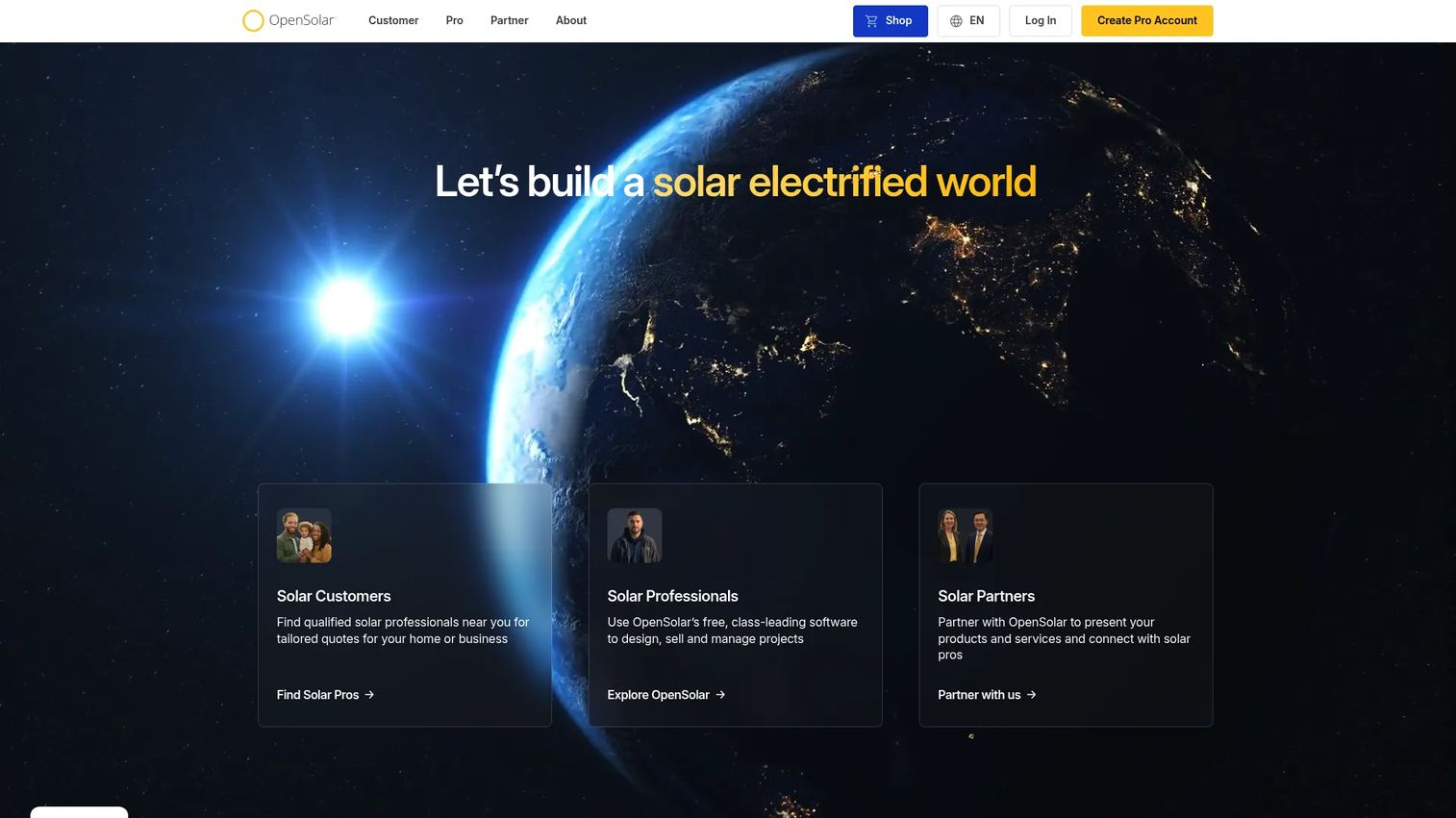
OpenSolar is free solar design, sales, and project-management software with paid API and connector add-ons. It gives installers 3D design, interactive proposals with financing options, and CRM plus workflow tools in one platform, with the core app carrying no license fee. That pricing model is why it spreads across teams quickly: there is no seat math to justify before a rep can start quoting.
Best for: Solar installers who want an all-in-one design and sales platform with a genuinely free core product.
Key strengths
- 3D solar design: Model the roof, run shading, and generate production estimates inside the platform.
- Interactive proposals with financing: Present savings, system specs, and loan or lease options in a quote the homeowner explores.
- CRM, pricing, and workflow tools: Track leads, set pricing rules, and move jobs through the pipeline without a second system.
Why choose OpenSolar: The free core removes the biggest adoption barrier in solar sales software, which matters most when you are onboarding new reps or scaling a team fast. You get design-to-proposal coverage without a per-seat cost, and you only pay when you need API access or geo-specific connectors. For a growing installer watching cash, that tradeoff is hard to beat.
OpenSolar pricing: The core OpenSolar app is free with no per-user license fee. Paid add-ons include API Access, billed as a per-project fee after a trial, and Connectors, billed as a flat monthly subscription with geo-specific pricing. Exact add-on amounts are not published, so confirm connector pricing for your region during evaluation. There is a free tier by design, since the core product is the free tier.
2. Aurora Solar
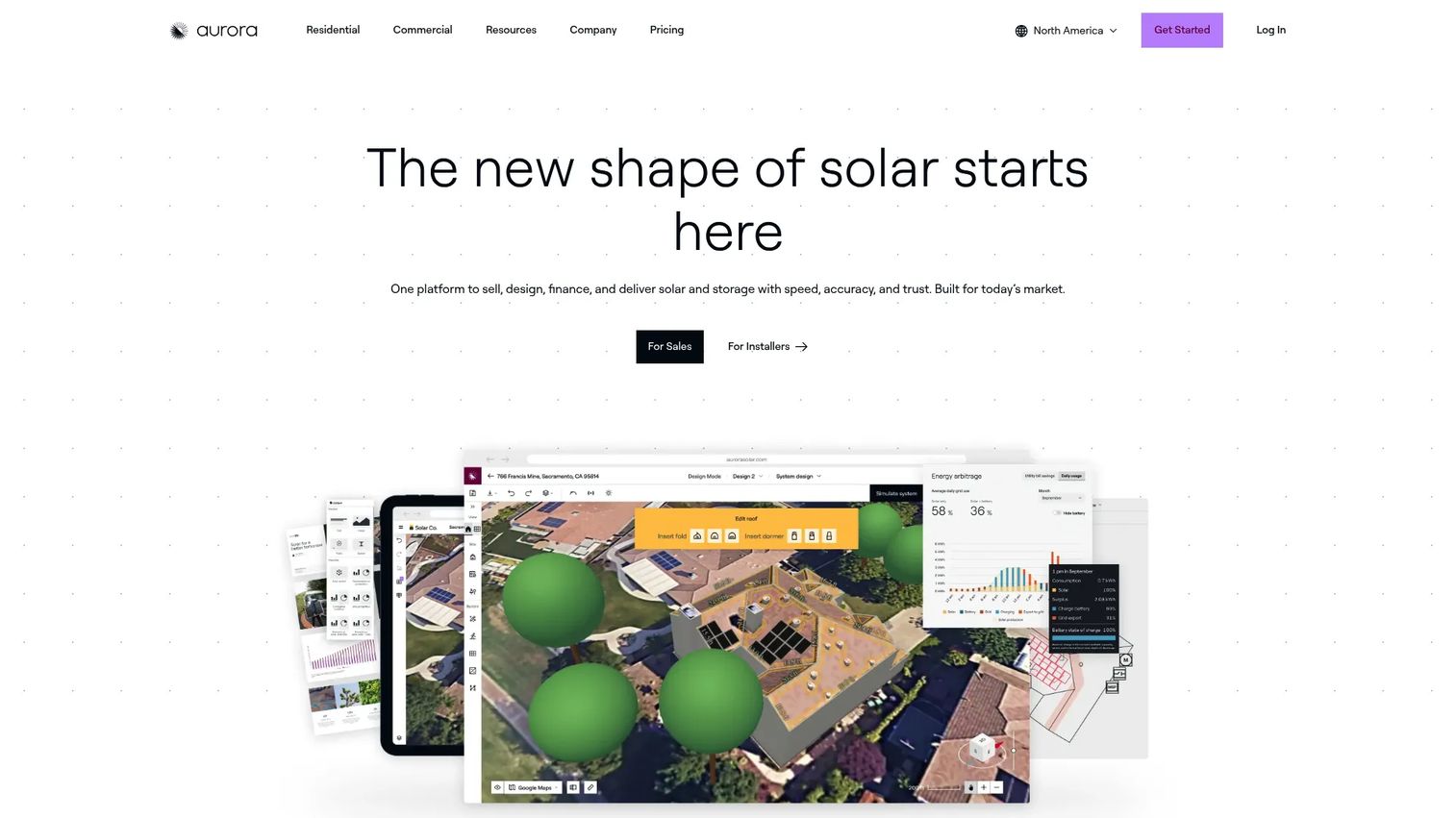
Aurora Solar is solar design, sales, and proposal software built around design accuracy. It uses LIDAR-assisted modeling and irradiance analysis to produce production numbers installers can defend, then wraps them in tablet-friendly proposals reps present at the kitchen table. For teams that treat design precision as a competitive edge, Aurora is the reference point.
Best for: Solar companies that want high-accuracy design, sales, and proposal workflows in one premium platform.
Key strengths
- Industry-leading design accuracy: Tight modeling reduces re-designs and production disputes after the sale.
- LIDAR-assisted modeling: Remote roof capture and shading analysis without a truck roll for every quote.
- Tablet-friendly sales proposals: Reps present interactive proposals on-site that homeowners can follow in real time.
Why choose Aurora Solar: If your close rate depends on presenting numbers a homeowner trusts, Aurora's accuracy and proposal polish justify the premium. It fits teams that would rather pay per user for depth than assemble a cheaper stack from parts. The public pricing also makes it easy to model cost as you add reps, which is rare in this category.
Aurora Solar pricing: Aurora publishes per-user pricing. The Basic plan starts at $159/user/month and Premium at $259/user/month, both billed monthly, with annual billing discounts shown on the pricing page. Enterprise is custom per project through sales. There is no free tier, though the self-serve Basic and Premium plans let you start without a sales call.
3. Pylon
Pylon pairs fast proposal generation with sales and workflow tooling, aimed at teams that want quote speed without losing operational control. The value is in bridging the sales motion and the job flow so a proposal that closes carries its data forward instead of being re-entered downstream. For installers where reps and ops share one system, that continuity is the point.
Best for: Solar teams that want fast proposals plus enough workflow control to manage the deal after it closes.
Key strengths
- Fast proposal generation: Turn design inputs into a customer-ready quote quickly, which lifts sales velocity on inbound leads.
- Sales and workflow tools: Manage the pipeline and coordinate the job from one place rather than two disconnected systems.
- Operational continuity: Data captured at quote carries into the workflow, cutting re-entry between sales and install.
Why choose Pylon: Pylon fits teams that feel the friction between a fast sale and a messy handoff. Rather than optimizing only the quote or only the project, it aims at both, which suits installers who want one operational spine. If your bottleneck is the gap between "signed" and "scheduled," that combined focus is worth evaluating.
Pylon pricing: Public first-party pricing was not readable during this review. G2 lists reviewer-visible tiers: Starter at $59/seat/month, Professional at $89/seat/month, and Enterprise at $139/seat/month. Treat these as third-party figures and confirm current pricing and any free tier directly with Pylon before you buy.
4. RatedPower
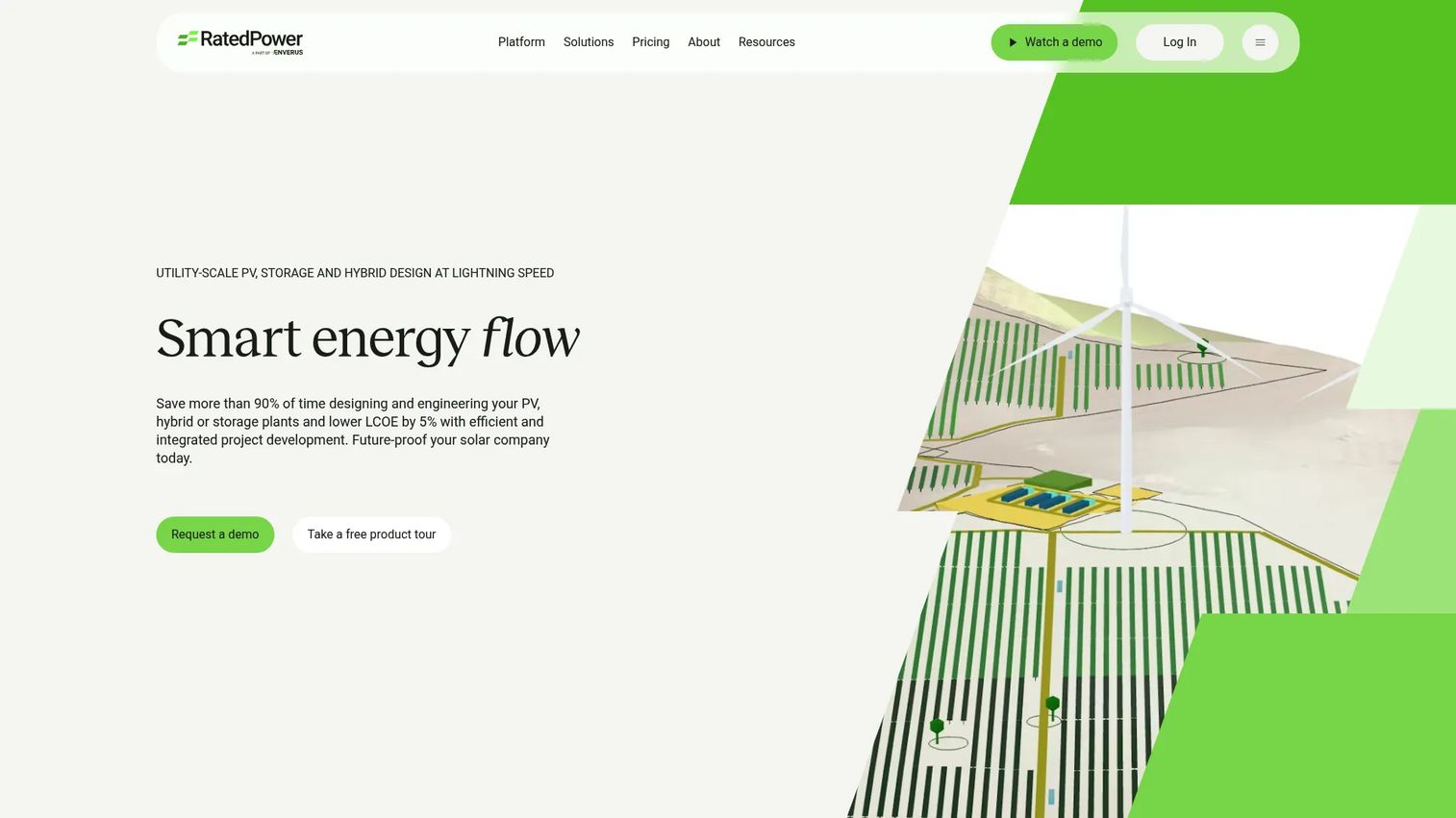
RatedPower is solar and BESS design software for utility-scale projects. It is the most technical tool on this list, built for developers and engineering teams running PV layout, storage and hybrid design, interconnection, energy yield assessment, and financial analysis on large systems. This is solar engineering software first, not a residential proposal tool.
Best for: Utility-scale solar developers and engineering teams needing early-stage prospecting through detailed PV and BESS design.
Key strengths
- PV design and layout modeling: Automated layout and modeling for large ground-mount and hybrid systems.
- Storage, hybrid, and interconnection design: Design battery and interconnection alongside PV in one engineering environment.
- Financial analysis and yield assessment: Run energy yield and financial models to validate a site before commitment.
Why choose RatedPower: If your work is utility-scale rather than rooftop residential, RatedPower operates at the engineering depth that consumer-focused solar design software does not target. It fits technical buyers who need site analysis, yield modeling, and interconnection in a structured planning workflow. For a residential installer, it is more tool than the job needs; for a developer, it is the right depth.
RatedPower pricing: RatedPower lists three plans, Basic, Advanced, and Enterprise, all on contact-sales pricing with no public numeric prices shown. Expect to scope a quote around your project volume and team size. Confirm whether a trial is available when you talk to sales.
5. SolarEdge Designer
SolarEdge Designer is free web-based PV design software from SolarEdge. It offers AI-assisted 3D modeling with roof detection, irradiance and shading analysis, and automatic electrical design including stringing, DC cabling, and proposals. The catch and the appeal is the same: it is purpose-built for the SolarEdge hardware ecosystem.
Best for: Solar installers and EPCs who already work in the SolarEdge ecosystem and need free, hardware-specific design and proposal tools.
Key strengths
- AI-assisted 3D modeling: Automatic roof detection speeds the design step for standard rooftop jobs.
- Irradiance and shading analysis: Layout accuracy for rooftop systems without extra modeling tools.
- Automatic electrical design: Stringing, DC cabling, and proposal generation tuned to SolarEdge components.
Why choose SolarEdge Designer: If you install SolarEdge inverters and optimizers, this is free design and proposal software that speaks your hardware natively. The electrical design output maps directly to the components you are already specifying, which removes a translation step. Teams committed to another hardware ecosystem will get less from it, but for SolarEdge shops it is a clear, no-cost fit.
SolarEdge Designer pricing: SolarEdge Designer is free, with no license or subscription fees. It is included in the broader SolarEdge software ecosystem. There is no paid tier to weigh, which makes evaluation simple: the cost is your time to learn it, not a line item.
6. SolarGraf
SolarGraf is all-in-one solar software for design, proposals, and permitting. It combines interactive proposals, shading tools, and automated permitting, which puts a real solar permit workflow inside the same tool reps use to quote. For installers who lose days to permit paperwork, folding that step into the platform is the differentiator.
Best for: Solar installers and sales teams needing design, proposal, and permitting workflows in one pragmatic platform.
Key strengths
- Interactive proposals: Customer-facing quotes that present system and savings detail clearly.
- Shading tools: Site-level shading analysis to keep production estimates honest.
- Automated permitting: Generate permit-ready documentation inside the platform, cutting a common bottleneck.
Why choose SolarGraf: SolarGraf earns its place for teams whose real drag is the permit stage, not the design stage. Bundling automated permitting with proposal and design means fewer tools and fewer handoffs before a job can start. The clear annual pricing also makes it straightforward to budget, which suits ops leaders who want predictable cost.
SolarGraf pricing: SolarGraf publishes annual pricing. Starter is $2,799/year, Small Business is $4,799/year, Teams is $6,399/year, and Enterprise is $12,999/year. All plans include core features. Enterprise includes public API access at no extra cost, while other plans can add API access for $4,000 annually. No free tier is shown on the pricing page.
7. HelioScope
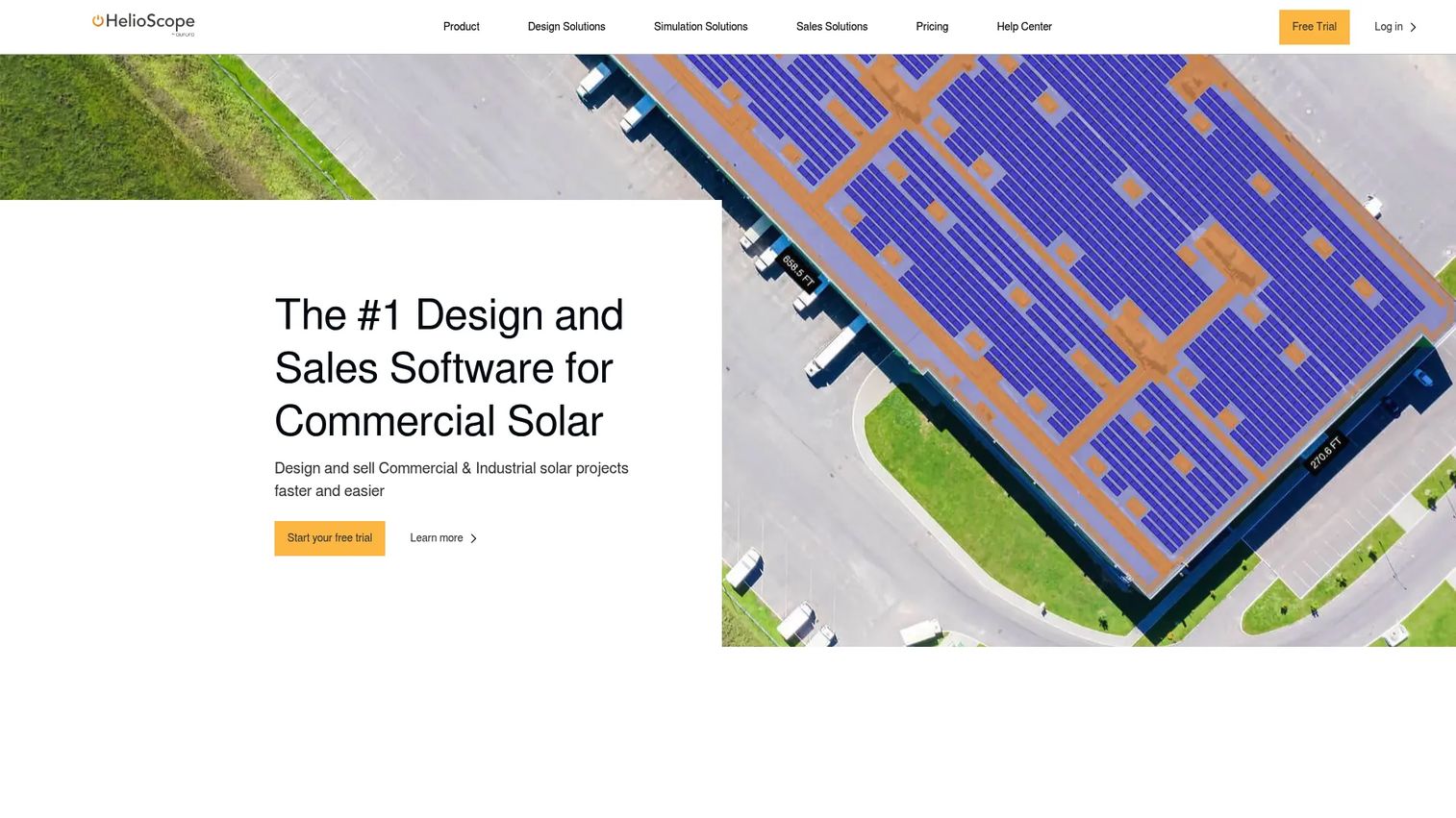
HelioScope is web-based solar design and sales software built for design precision. Its 3D design engine, energy yield simulation, and financial calculator make it a strong technical choice for teams that want defensible production modeling. This is solar design software for people who care about the numbers behind the proposal, not just the proposal itself.
Best for: Solar teams needing detailed PV design, shading analysis, and production modeling.
Key strengths
- 3D solar design engine: Detailed system modeling for accurate layout and stringing.
- Energy yield simulation: Production modeling reps can defend when a customer questions the estimate.
- Financial calculator and proposal tools: Turn engineering output into a customer-facing quote with savings math.
Why choose HelioScope: HelioScope fits teams that treat production accuracy as non-negotiable and want simulation depth beyond a basic proposal builder. The Pro tier adds LIDAR, customizable reports, P90 analysis, Independent Tilt, and Similar Obstruction Detection for more demanding design work. If your differentiator is a modeling answer you can stand behind, HelioScope is built for that.
HelioScope pricing: HelioScope lists Basic, Pro, and Enterprise plans. Basic monthly includes one user seat and 10 projects; Basic annual includes one seat and 120 projects. Pro adds premium features like LIDAR, customizable reports, a financial calculator, P90, Independent Tilt, and Similar Obstruction Detection. Enterprise is quoted through sales. Public numeric prices are not shown, so confirm current rates and trial access directly with HelioScope.
Considerations
Before you commit, run every shortlisted tool through this checklist. The best pick depends on where your workflow actually breaks, not on which vendor has the slickest homepage.
Design accuracy: Look at the data sources and modeling depth. Does it use LIDAR or satellite imagery, how does it handle shading, and can you defend the production numbers when a homeowner or financier questions them? Inaccurate design output creates disputes and re-designs that eat margin.
Proposal speed: Time the path from lead to a finished, branded quote. If a rep cannot go from address to proposal in one sitting, quote speed will cost you deals to faster competitors. This is where solar quote software either helps or hurts.
Workflow coverage: Decide whether you need design and proposal only, or full coverage through permitting, procurement, and install. A design-first tool paired with a separate solar project management software stack is fine if the integrations are clean; an end-to-end platform is simpler if it fits.
Integrations: Check CRM sync, financing partners, and field apps. A solar installer CRM that does not talk to your design tool forces re-entry, which is exactly the friction you are trying to remove. Solar workflow automation only works when data moves without hands.
Proof and credibility: Weigh user reviews, case studies, adoption scale, and uptime. A 4.8/5 with thousands of installs tells you more than a feature list.
Implementation effort: Estimate setup time, onboarding, and adoption risk across the team. A free tool nobody adopts costs more than a paid tool everyone uses.
Conclusion
There is no single best solar installer software; there is the best fit for how your team wins deals. If you want broad, low-friction adoption with no per-seat cost, OpenSolar leads on the free all-in-one model. If design accuracy is your competitive edge and you will pay for depth, Aurora Solar is the premium end-to-end pick with public per-user pricing. For speed married to operational control, Pylon bridges the sale and the job flow.
On the technical end, RatedPower is the choice for utility-scale engineering, and HelioScope is the strong pick for defensible residential production modeling. SolarEdge Designer is the obvious free option for SolarEdge hardware shops, and SolarGraf earns its spot when the permit stage is your real bottleneck.
Start by naming the one place your workflow breaks: slow quotes, inconsistent designs, or messy handoffs. Then shortlist the two solar installer tools that fix that specific gap, run a real quote through each, and measure the time from lead to proposal. The tool that shortens that clock the most, without sacrificing accuracy, is the one that will pay for itself first.
FAQs
Solar installer software is a category of solar software that helps installation companies design PV systems, generate customer proposals, manage sales pipelines, and coordinate the workflow from lead to completed install. Some tools focus on design and proposals only, while end-to-end platforms add CRM, financing, permitting, and project management so a single system runs the whole job.
The core features are 3D roof modeling, shading and irradiance analysis, and production estimates you can defend. Beyond design, installers should weigh proposal quality, financing options inside the quote, and how cleanly the design data flows into the rest of the workflow. Accuracy matters most because every downstream number and every customer trust decision depends on it.
For fast proposals, look at tools built around quote speed. OpenSolar generates interactive proposals from its free core, Pylon centers on fast proposal generation paired with workflow tools, and Aurora Solar produces tablet-friendly proposals reps present on-site. The best solar quote software for you is whichever gets a rep from address to branded quote in one sitting.
If deals stall between touches or reps lose track of follow-ups, a built-in solar installer CRM is worth prioritizing. A CRM inside the same tool that handles design and proposals means lead data, quotes, and pipeline stages live together, which reduces re-entry and missed handoffs. If you already run a strong standalone CRM, prioritize clean integration instead.
Solar design software handles the technical front end: roof modeling, shading, layout, and production estimates that feed the proposal. Solar project management software handles the back end after the sale: permitting, procurement, scheduling, and install tracking. End-to-end platforms combine both, while design-first tools cover only the front and rely on integrations to pass work downstream.
Small teams usually want low upfront cost and fast adoption. OpenSolar is a strong starting point because its core app is free with no per-seat fee, and SolarEdge Designer is free for teams working in the SolarEdge hardware ecosystem. If you need permitting bundled in and can budget annually, SolarGraf's Starter tier is a pragmatic paid option.
Normalize the pricing model first, since tools charge differently. Some, like Aurora Solar and Pylon, price per user or seat per month, while others, like SolarGraf, publish flat annual tiers, and RatedPower and HelioScope quote through sales. Factor in free options like OpenSolar and SolarEdge Designer, then compare total cost against how much of your workflow each tool actually covers before deciding.