A pump truck is idling at a property, the driver needs the last service date, and the office is digging through a paper folder to find it. Meanwhile the invoice from yesterday's job still hasn't gone out, dispatch is texting the crew a new address, and the compliance manifest is sitting half-filled in a glovebox. That is the daily reality when scheduling, dispatch, billing, and field records live in four disconnected tools.
Septic contractors run a business that is unusually record-heavy and unusually rural. Service happens at fixed properties over years, not one-off gigs. Manifest reports and compliance paperwork follow every pump-out. Crews work in cell-signal dead zones. General field service software often ignores those realities, and general accounting software ignores the field entirely. The result is a stack that fights the work instead of moving it.
The market backing this problem is real. The U.S. septic, drain, and sewer cleaning services market is estimated at $8.1 billion in 2026 across roughly 7,756 businesses, according to IBISWorld data cited by Service Business Academy. That is a large, fragmented industry where the right septic business software separates the operators who scale from the ones who stay owner-dependent.
This guide ranks seven tools worth evaluating in 2026. Some are septic-native. Some are broad field service platforms that fit septic operations well. Each entry tells you where it wins, so you can match a tool to your operating model instead of the other way around.
What's inside
This is a ranked shortlist of septic service software for owners and operations managers choosing a system in 2026. We evaluated tools on five things that actually matter to a septic business: septic-specific workflow fit (property history, manifests, forms), field usability including offline mobile access, billing and accounting workflow like invoicing and QuickBooks integration, compliance and reporting support, and practical implementation. The list covers both septic-native tools built for the vertical and broader field service platforms that adapt well to septic contractor software needs. Pricing and ratings reflect current published sources.
TL;DR
- Best overall for septic-native operations: Septic Management Solutions
- Best all-in-one for larger service businesses: ServiceTitan
- Best for enterprise data and compliance workflows: SAFE Software
- Best for design and mapping use cases: NewSeptic
- Best for growing small teams: Jobber
- Best for ease of use and field scheduling: Housecall Pro
- Best for flexible, configurable field service workflows: FieldPulse
The right pick depends on one question: do you need septic-native depth, or broad field service breadth with septic use bolted on? Start with Septic Management Solutions if your operation lives and dies by property history, manifests, and compliance.
What is septic software?
Septic software is a category of septic service management software that helps septic and onsite wastewater contractors schedule jobs, dispatch crews, track property service history, collect payments, and manage compliance reporting from a single system. It sits at the intersection of field service management and vertical-specific record keeping.
The strongest tools in the category share a common set of capabilities. Not every platform does all of them, and that is exactly where the buying decision lives.
- Scheduling and dispatch: assign jobs to crews, manage the calendar, and route trucks efficiently across rural service areas.
- Route management: sequence multiple stops per day to cut windshield time and fuel cost.
- Property history: keep a permanent record of every service, photo, form, and PDF tied to the physical address, not just the customer.
- Mobile access and offline mode: let field crews view job details, fill forms, and capture signatures without a stable cell connection.
- Billing and invoicing: turn completed jobs into invoices fast, support estimates, and collect payment in the field.
- Compliance and manifest reporting: generate the manifest reports and regulatory documentation septic work requires.
- QuickBooks integration: sync invoices and payments to accounting without double entry.
- GPS tracking and customer portal: monitor fleet location and give customers self-serve access to history and payments.
The smart septic monitoring segment, a related but distinct market, is growing fast. MarketIntelo pegs its software revenue at roughly $0.14 billion in 2025, expanding at a 14.3% CAGR. That tells you where the vertical is heading: more data, more automation, more reason to run operations on a real system.
When to use septic software
Not every septic business needs the same tool. Pattern-match your situation to one of these before you scan the list.
Run a septic business with recurring service routes
If you pump tanks on a schedule and service the same properties year after year, recurring job support and route optimization are the features that pay for themselves. Septic scheduling software that sequences stops geographically and auto-generates the next service date removes the manual calendar work that eats an office manager's morning. The more trucks you run, the more this compounds.
Track property history and field records
Septic work is property-centric. The tank, the drainfield, the last pump date, and the inspection photos belong to the address, not just whoever paid last time. Septic field service software that stores photos, custom forms, PDFs, and full service history against each property reduces repeat mistakes and speeds up every return visit. When a crew rolls up, they should already know what they are dealing with.
Collect payments and manage accounting faster
Back-office friction is where margin leaks. Septic billing software that turns a completed job into an invoice on the spot, supports estimates, and pushes clean data into QuickBooks cuts the lag between work done and cash collected. If your team still re-keys invoices into accounting by hand, that is the first workflow to fix.
Comparison table
Here is how the seven tools compare at a glance. Ratings reflect current published G2 sources where available; pricing reflects each vendor's published or quoted structure.
| # | Product | Intent | Key use case | Pricing | G2 rating |
|---|---|---|---|---|---|
| 1 | Septic Management Solutions | Septic-native operations | Scheduling, dispatch, forms, invoicing, compliance | From CA$49/mo | Not listed |
| 2 | ServiceTitan | All-in-one field service | Dispatch, call booking, invoicing, pricebook | Request pricing | 4.5/5 |
| 3 | SAFE Software | Enterprise data workflows | ETL, data transformation, workflow automation | Custom | 4.6/5 |
| 4 | NewSeptic | Design and mapping | Septic design, drawing, cost estimates | Free trial | Not listed |
| 5 | Jobber | Growing small teams | Scheduling, quoting, invoicing, client comms | From $29/mo | 4.6/5 |
| 6 | Housecall Pro | Ease of use | Scheduling, dispatch, payments, mobile app | From $59/mo | 4.3/5 |
| 7 | FieldPulse | Configurable workflows | Scheduling, estimates, invoicing, field ops | Custom | 4.7/5 |
1. Septic Management Solutions
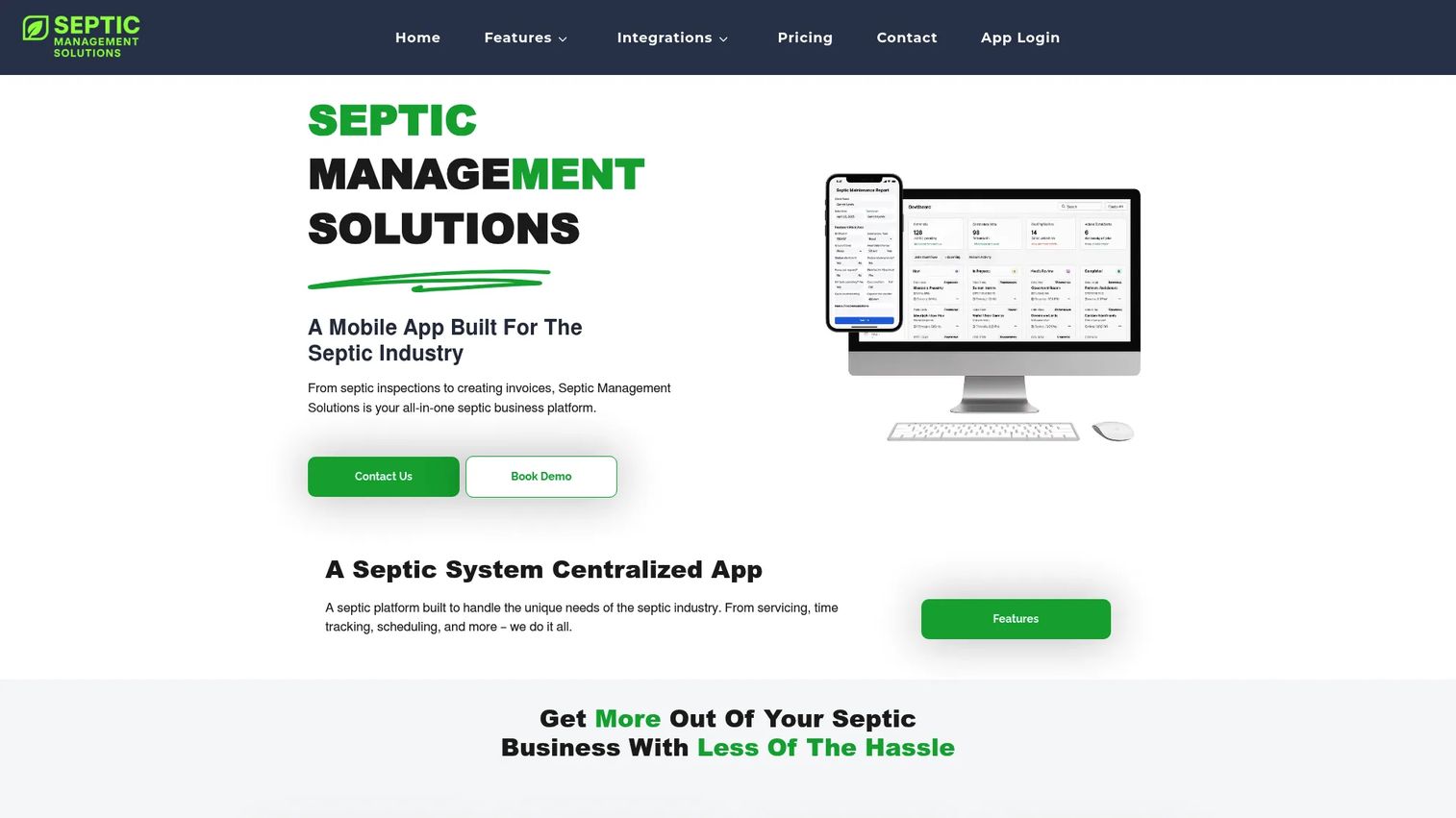
Septic Management Solutions is cloud-based software built specifically for the septic industry, covering scheduling, dispatching, invoicing, digital forms, and compliance tracking in one system. Where generic field service tools treat septic as an afterthought, this one is designed around the vertical's record-keeping and regulatory realities. That is the whole reason it leads this list.
Best for: Septic contractors who want industry-specific workflow, property history, and compliance support rather than a general-purpose field service platform.
Key strengths
- Job scheduling and dispatching: Assign work to crews and manage the calendar with septic service patterns in mind, not generic appointments.
- Digital forms and invoicing: Capture the custom forms septic work requires in the field, then convert completed jobs into invoices without re-entry.
- Lifecycle tracking, GPS, and analytics: Follow each property's full service history, track fleet location, and pull operational reports for compliance and planning.
Why choose Septic Management Solutions: If your operation is defined by property-centric history, manifest and compliance documentation, and recurring pump-out schedules, a septic-native tool removes the workarounds you would otherwise build on top of a generic platform. It fits the contractor who wants the software to already understand the job.
Septic Management Solutions pricing: Four user-based plans are published in CAD: Solo at CA$49/month, Team at CA$149/month, Growth at CA$349/month, and Business at CA$497/month, all billed monthly. QuickBooks Online and custom integrations add CA$100/month, and onboarding is free. There is no free tier. Prices are in Canadian dollars, so factor conversion into your budget.
2. ServiceTitan

ServiceTitan is cloud software for residential and commercial contractors, built as an all-in-one platform spanning CRM, dispatching, call booking, estimates, invoicing, and a mobile pricebook. It is the heavier-duty option on this list, aimed at larger operations that want depth across the entire office-to-field workflow. ServiceTitan publishes a septic-specific landing page, but the platform itself is broad rather than septic-native.
Best for: Larger septic and multi-trade service businesses that need enterprise-grade dispatch, marketing, and accounting depth in one system.
Key strengths
- Dispatching and scheduling: Manage high job volume across multiple crews with capacity-aware dispatch and real-time board updates.
- Call booking and invoicing: Capture inbound calls, book jobs, and move straight to invoicing inside one connected flow.
- Pricebook and mobile estimates: Give field techs a structured pricebook and the ability to build estimates on-site with consistent pricing.
Why choose ServiceTitan: If you run a large operation, or septic is one line inside a broader home services business, the platform's breadth and reporting depth justify the weight. Smaller shops may find it more than they need, which is exactly why septic-native tools exist alongside it.
ServiceTitan pricing: ServiceTitan uses per-technician pricing across Starter, Essentials, and The Works plans. The public page shows request-pricing only, so you will need a quote scoped to your team size and modules. There is no published starting figure.
3. SAFE Software
SAFE Software is the maker of FME, an enterprise data integration platform for data transformation and workflow automation. It is not a field scheduling tool. It earns a place here for septic-adjacent organizations, particularly environmental health agencies and larger operators, that need to move, transform, and automate data across systems, including compliance and permitting datasets tied to onsite wastewater.
Best for: Organizations and agencies that need enterprise-grade ETL and data automation to connect septic records, GIS, and compliance systems.
Key strengths
- No-code data integration and transformation: Build data workflows that connect disparate systems without heavy custom development.
- Unlimited connections and web users: Scale data pipelines across many sources and stakeholders.
- Flexible deployment: Run on-premises, in the cloud, or hybrid to match agency or enterprise IT requirements.
Why choose SAFE Software: Choose FME when your challenge is data, not dispatch. Health departments and large operators that manage permitting, mapping, and compliance data across multiple systems use it to automate what would otherwise be manual reconciliation. It complements a field tool rather than replacing one.
SAFE Software pricing: SAFE does not publish list prices and directs buyers to contact sales for tailored pricing. It offers a free four-month FME Form license for students and free licenses for some nonprofit and education cases. Annual maintenance is included for the first year. G2 rates the FME platform 4.6/5.
4. NewSeptic
NewSeptic is land and septic planning software focused on system design, mapping, estimating, and project management, delivered through its LandPlan product. It sits in a different subcategory from the field-ops tools on this list. Rather than running your daily service routes, it helps you design systems and plan projects before the work begins.
Best for: Contractors, designers, and landowners doing onsite wastewater and septic system planning rather than recurring service dispatch.
Key strengths
- Custom septic drawing tools: Draft site-specific septic system layouts and plans.
- Septic design calculators: Run the sizing and design calculations septic system planning requires.
- Cost estimates and price book: Build project cost estimates against a structured price book.
Why choose NewSeptic: If your work is design-first, permitting, sizing, and drawing new systems, a full field service suite is the wrong tool. NewSeptic focuses on the planning stage, and pairs naturally with a separate operations platform once systems are installed and need ongoing service.
NewSeptic pricing: NewSeptic offers a one-week free trial of its Pro Planner subscription. Public numeric pricing was not visible on its first-party pages, so request a quote to scope your plan.
5. Jobber
Jobber is field service management software for home and commercial service businesses, covering scheduling, dispatch, online booking, quoting, invoicing, payments, and client management. It is not septic-specific, but its clean design and fast adoption make it a practical fit for small to mid-sized septic operations that want a system running in days, not months.
Best for: Small to mid-sized septic businesses that want one easy-to-adopt system for quoting, scheduling, invoicing, and client communication.
Key strengths
- Scheduling and dispatch: Manage the calendar, assign jobs, and keep crews moving with a straightforward board.
- Online booking and request forms: Let customers request service online and cut phone tag from the intake process.
- Invoicing, payments, and client management: Send invoices, collect payments, and keep customer records organized in one place.
Why choose Jobber: For a growing septic shop, Jobber's real advantage is speed to value. It is easy to learn, quick to roll out, and covers the core quote-schedule-invoice loop without overwhelming a small office. You trade septic-native depth for simplicity, which is the right trade for many teams starting out.
Jobber pricing: Jobber publishes four editions billed monthly: Core at $29/mo, Connect at $89/mo, Grow at $149/mo, and Plus at $499/mo. A 14-day free trial is available on the Grow plan, and annual billing options are offered. G2 rates Jobber 4.6/5.
6. Housecall Pro
Housecall Pro is field service management software for home service businesses, covering scheduling, dispatch, estimates, invoicing, customer messaging, a mobile app, and in-field payment collection. Like Jobber, it is a general field service platform rather than a septic-native one, and it wins on balance: solid core workflow paired with genuinely approachable software.
Best for: Home service SMBs, including septic operations, that want scheduling, invoicing, payments, and dispatch in one easy platform.
Key strengths
- Online booking: Let customers schedule service without a phone call.
- Invoicing and payments: Turn jobs into invoices and collect payment, including in the field via the mobile app.
- Scheduling and dispatching: Manage the day's jobs and route crews from a single view.
Why choose Housecall Pro: Housecall Pro fits septic operations that do not need deep industry specialization but want reliable scheduling, mobile field mobility, and fast payment collection. If your priority is getting a capable system your whole team will actually use, its ease of use is the draw.
Housecall Pro pricing: Housecall Pro publishes three plans billed annually in USD: Basic at $59/mo, Essentials at $149/mo, and Max at $299/mo. A 14-day free trial is available with no credit card required. Prices exclude sales tax. G2 rates Housecall Pro 4.3/5.
7. FieldPulse
FieldPulse is field service management software covering scheduling, dispatch, customer management, estimates, invoicing, and field operations. It leans configurable, with seat-based access split between full-access office users and field-only crews. That flexibility makes it a good fit for septic contractors whose workflows are still evolving.
Best for: Small to mid-sized septic and field service businesses that need configurable scheduling and tight office-to-field workflow management.
Key strengths
- Scheduling and dispatch: Coordinate the calendar and assign jobs across office and field roles.
- Customer management: Keep customer and property records organized alongside job data.
- Estimates and invoices: Build estimates and convert them into invoices as jobs close.
Why choose FieldPulse: FieldPulse suits septic teams that want room to shape the software around their process rather than adopt a rigid template. As your workflows grow and change, its configurability and split seat model give you flexibility without forcing every user onto a full-price seat.
FieldPulse pricing: FieldPulse uses seat-based pricing with full-access and field-only seats, quoted per business rather than published as a public number. Contact FieldPulse for a scoped quote. G2 rates FieldPulse 4.7/5.
Considerations before you buy
Before you commit, run the shortlist against these criteria. They are the factors that separate a tool that fits septic work from one that fights it.
Septic-native workflow versus general field service
Decide honestly whether you need property history, manifest reports, and compliance documentation built in, or whether a broad field service platform covers your needs. Septic-native tools like Septic Management Solutions remove workarounds; general platforms like Jobber and Housecall Pro trade that depth for ease and speed.
Offline mobile access for rural work
Your crews work where cell signal is unreliable. Confirm the mobile app functions offline, syncing forms, photos, and signatures once a connection returns. If a tool cannot capture field data without a live connection, it will slow rural jobs down.
Billing and QuickBooks integration
Look at how invoices flow from a completed job to your accounting system. A clean QuickBooks integration eliminates double entry, while estimates and in-field payment collection shorten the gap between work and cash. Some tools charge extra for the accounting sync, so price it in.
Compliance and manifest reporting
Septic work generates regulatory paperwork. Verify the software can produce the manifest reports and compliance documentation your jurisdiction requires, and that it stores that history against each property permanently.
Route management and recurring jobs
If you run pump-out routes, confirm the tool sequences stops geographically and supports recurring job scheduling. Route management and auto-generated service dates are where multi-truck operations recover real hours every week.
Conclusion
The right septic software depends entirely on how you operate. If your business is defined by property history, manifests, and compliance, start with Septic Management Solutions, which is built for exactly those septic-native realities. If you run a large or multi-trade operation and want depth across dispatch, marketing, and accounting, ServiceTitan is the heavier all-in-one. For data-heavy agencies and enterprise operators, SAFE Software handles integration and automation that field tools do not.
Design-first users should look at NewSeptic for planning and drawing. Growing small teams that want fast adoption will do well with Jobber or Housecall Pro, and contractors who want to shape the software around an evolving process should evaluate FieldPulse.
The decision comes down to one fork: septic-native depth or broad field service breadth. Map your daily reality, rural routes, property records, compliance load, and accounting flow, to that fork, and the shortlist narrows quickly.
Start your journey with Guideflow today! If you build software and want prospects to experience it through a guided, self-serve interactive demo instead of a static pitch, Guideflow lets you capture your product and share a clickable walkthrough in minutes.
FAQs
Septic software is septic service management software that helps septic and onsite wastewater contractors schedule jobs, dispatch crews, track property service history, invoice customers, and manage compliance reporting from a single system. It combines field service management with the vertical-specific record keeping septic work requires, such as manifest reports and permanent property history.
Prioritize scheduling and dispatch, route management for pump-out routes, property-centric service history, offline mobile access, billing with QuickBooks integration, and compliance or manifest reporting. Septic-native tools bundle these together, while general field service platforms may cover the core scheduling and billing but need workarounds for compliance documentation.
Yes, for most operations. Septic crews frequently work in rural areas with unreliable cell coverage, so a mobile app that captures forms, photos, and signatures offline and syncs later prevents lost field data. Confirm offline mode explicitly before buying, since not every field service tool handles it well.
Yes. Most septic billing software turns completed jobs into invoices, supports estimates, and collects payment in the field. The important detail is accounting flow: look for a QuickBooks integration that syncs invoices and payments automatically so your office is not re-keying data by hand.
They overlap but are not identical. General field service software handles scheduling, dispatch, and invoicing well across many trades. Septic-specific software adds vertical depth like property history tied to the physical address, manifest and compliance reporting, and workflows built around recurring pump-out service. Larger or specialized operations usually feel the difference.
Compliance and manifest reporting come first, since septic work is heavily regulated and generates required documentation per job. Beyond that, property history reports, route and dispatch analytics, and revenue reporting help operators plan capacity and prove regulatory adherence. Confirm the tool stores this history permanently against each property.
Many tools do, though it varies by platform and tier. Septic Management Solutions offers QuickBooks Online as a paid add-on, and general platforms like Jobber and Housecall Pro include accounting sync in their plans. Verify whether the integration is native, one-way or two-way, and whether it costs extra before committing.
For septic pumping software with property history, recurring routes, and compliance built in, Septic Management Solutions is the strongest septic-native pick. Pumping operations that want simpler, faster adoption often do well with Jobber or Housecall Pro, while larger multi-truck fleets may prefer ServiceTitan's dispatch and reporting depth. Match the choice to your route volume and compliance load.