Your lines back up at 5 PM. Two cashiers call in sick. A shopper with three items waits behind someone running a full weekly haul.
You know the fix is self-checkout. What you don't know is which system will actually work with the hardware you already own, the POS you already run, and the reporting your operations team already depends on.
That gap matters. 86% of US adults have used self-checkout, and 53% of Gen Z and millennial shoppers now prefer it over traditional registers, according to Morning Consult and NCR Voyix (2024). The demand is settled. The buying decision is not.
Most vendor pages sell you a feature list. They rarely tell you where a system fits, where it strains an existing stack, or how it handles centralized management across ten stores versus one. That is the part that decides whether a rollout succeeds or stalls in month three.
This guide compares seven self checkout software platforms by the factors that break deployments: hardware compatibility, POS integration, deployment model, centralized control, and reporting visibility. If you are modernizing checkout in retail, restaurants, or multi-location stores, you will finish with a shortlist that matches your operational reality.
What's inside
This guide is for retail operators, IT and operations leaders, and product managers evaluating a self service checkout system for stores, restaurants, or multi-location retail. We chose the seven platforms below on four criteria:
- Hardware compatibility: works with scanners, payment terminals, and existing lane equipment
- POS integration: connects cleanly to your point-of-sale and back-office data
- Deployment fit: matches single-store, multi-location, or enterprise scale
- Centralized management and reporting: gives operations one place to configure, monitor, and report
Each entry covers who it fits, key strengths, pricing where public, and practical deployment notes.
TL;DR
- Best for multi-location cloud control: Erply self-checkout POS, with centralized device, promotion, and inventory management.
- Best for enterprise unified commerce: Flooid Self-Checkout, with hardware-agnostic lanes and convertible lane support.
- Best for restaurants and fast casual: Square Kiosk, an iPad-based self-ordering station that syncs to your POS in real time.
- Best for POS and ERP integration: LS Central, where checkout, inventory, and back office run on one database.
- Best for large-scale grocery and retail: NCR Voyix, Toshiba, and Diebold Nixdorf, built for high-throughput enterprise self-checkout.
What is self checkout software?
Self checkout software is the application layer that lets shoppers scan, bag, and pay for items on their own, without a cashier operating the register. It runs on a self checkout kiosk or lane, connects to your POS and inventory systems, and handles the transaction from first scan to receipt.
A modern self service checkout software platform typically includes:
- Scanning and item lookup: barcode, RFID, and manual product search
- Payment processing: card, contactless, mobile wallet, and in some cases cash
- POS and inventory sync: real-time deduction of stock and price updates
- Loss prevention: weight checks, computer vision, and attendant alerts
- Centralized management: remote configuration of devices, promotions, and users across locations
- Reporting and analytics: lane utilization, transaction speed, and sales data
The category spans two form factors that buyers often confuse. A self checkout POS is a full point-of-sale system configured for self-service, handling both the transaction and the back-office logic. A dedicated self checkout kiosk is a purpose-built terminal, often part of a broader retail checkout software suite, that focuses on the shopper-facing flow and routes data back to a central system.
The distinction matters for store operations automation. If you already run a POS, you want checkout software that layers onto it. If you are starting fresh or replacing aging lanes, a full self-checkout POS or enterprise kiosk platform may fit better. Either way, the system's value comes from what happens behind the scan: inventory visibility, labor savings, and queue reduction that shows up in your daily numbers.
When to use self checkout software
Not every store needs the same deployment. Match the system to the problem.
Reduce queues in high-traffic stores
If baskets are small and traffic is spiky, self-checkout absorbs the load. Research from Future Market Insights (2026) shows 60 to 70% of grocery shoppers in developed markets prefer self-checkout for baskets under 15 items. Convenience, grocery, and quick-service formats see the fastest queue reduction here.
Free up labor for higher-value work
Self-checkout does not eliminate staff. It redeploys them. One attendant can oversee four to six lanes, freeing cashiers for restocking, customer help, or fresh-food prep. For thin-margin operations, that labor savings compounds fast.
Standardize checkout across many locations
Multi-location retail lives or dies on consistency. Centralized management lets you push a promotion, a price change, or a device setting to every store from one console. Without it, each location drifts, and reporting turns into a reconciliation project.
Self checkout software comparison
The table below ranks the seven platforms by how they fit common retail checkout software buying scenarios. Use it to narrow to two or three, then read the full sections for hardware compatibility and POS integration detail.
| # | Product | Best for | Key differentiation | Pricing | G2 rating |
|---|---|---|---|---|---|
| 1 | Erply self-checkout POS | Multi-location cloud control | Cloud management of devices, inventory, and promotions | From $1,000/mo | 3.4/5 |
| 2 | Flooid Self-Checkout | Enterprise unified commerce | Hardware-agnostic convertible lanes | Custom pricing | Not listed |
| 3 | Square Kiosk | Restaurants and fast casual | iPad self-ordering synced to POS | Hardware $149; software from $30/mo per device | Not listed |
| 4 | LS Central | POS and ERP integration | One database for checkout and back office | Custom pricing | Not listed |
| 5 | NCR Voyix Self-Checkout | Enterprise grocery and retail | Centralized config with API-first integration | Custom pricing | 4.0/5 |
| 6 | Toshiba Self-Checkout | Configurable enterprise lanes | ELERA-managed config with computer vision | Custom pricing | Not listed |
| 7 | Diebold Nixdorf Self-Checkout | Enterprise self-service at scale | Open APIs with stationary and mobile options | Custom pricing | Not listed |
Best self checkout software for 2026
Below are the seven platforms in detail. Each section covers who it fits, key strengths, pricing where public, and what to check before you deploy.
1. Erply self-checkout POS
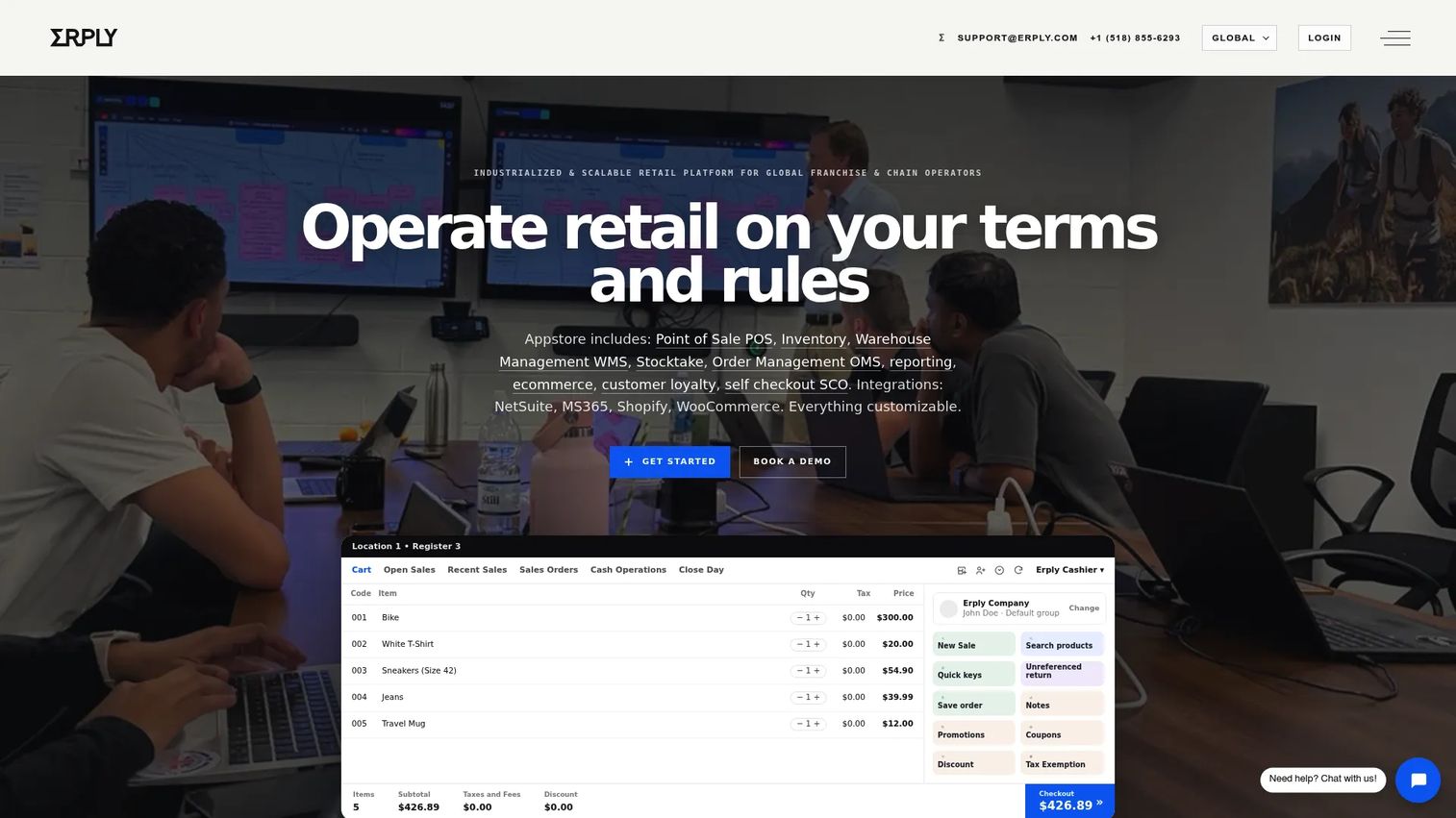
Erply is a cloud-based self-checkout POS built for retailers that run more than one location and want a single console to control them. It handles the transaction and the back office in one system, so device settings, inventory, and promotions stay consistent across stores. The self-checkout front end sits on top of Erply's broader retail POS, which means your checkout data and your stock data are never out of sync.
Best for: Multi-location retailers that want self-checkout with centralized cloud control.
Key strengths
- Fast product search and product updates at checkout
- Supports scanners, RFID tags, and multiple payment options
- Cloud control for stores, devices, users, and promotions
Erply's RFID checkout support stands out for apparel and specialty retail, where tagging entire baskets speeds scanning. The cloud model means a price change or a new promotion pushes to every lane without a store visit, which is where multi-location operators feel the labor savings.
Why choose Erply: If you run a chain and want checkout, inventory, and device management in one cloud system rather than stitching a kiosk onto a separate POS, Erply keeps the stack tight. It fits operators who value centralized management over a single-store, hardware-first setup.
Erply pricing: Core plans start at $1,000/month for Growth, $5,000/month for Chain, and $25,000/month for Enterprise/Franchise. Every plan includes a secure sandbox, and the self-checkout page offers a 60-day free trial.
2. Flooid Self-Checkout
Flooid is an enterprise self-checkout platform built around unified commerce, where self-service checkout is one part of a broader retail operations system. Its defining feature is hardware and OS flexibility: the software runs across different device makers and operating systems, so you are not locked into one vendor's lanes. That matters for retailers with a mixed hardware estate they do not want to rip out.
Best for: Retailers seeking enterprise self-checkout integrated into a broader unified commerce platform.
Key strengths
- Hardware agnostic across device makers and operating systems
- Convertible Lane support that switches between staffed and self-service
- Cash-free self-checkout options
The Convertible Lane concept is Flooid's answer to spiky traffic. A single lane runs as a staffed register during rush and flips to self-checkout when staff are thin, which improves lane utilization without adding floor space. Because the software is hardware-agnostic, it slots into existing store infrastructure rather than dictating it.
Why choose Flooid: If you run enterprise retail and want centralized checkout operations across mixed hardware and multiple lane types, Flooid's unified commerce approach fits. It suits teams that treat checkout as one layer of a larger operations platform, not a standalone kiosk purchase.
Flooid pricing: Flooid does not publish public pricing. The self-checkout page directs buyers to contact sales for a quote based on scope and deployment.
3. Square Kiosk
Square Kiosk is Square's iPad-based self-ordering station, built for restaurants and other in-person businesses that want customers to place their own orders. It runs the Square Kiosk app on supported iPads, syncs menu changes instantly, and routes orders to the POS and kitchen display in real time. For quick-service and fast-casual operators already on Square, it drops into the existing stack with minimal setup.
Best for: Quick-service or fast-casual businesses that want customer self-ordering on an iPad-based kiosk.
Key strengths
- Self-serve ordering station with the Square Kiosk app
- Instant menu updates and real-time sales data sync
- Compatible with supported iPad models and multiple mounting options
The hardware-first design keeps the buying decision simple: you choose an iPad, a mount, and the software subscription. Menu updates and sales data sync across every device, so a price change at one kiosk reflects everywhere. Store layout matters here, since kiosks need counter or floor space and a clear path to the pickup point.
Why choose Square Kiosk: If you run a restaurant on Square and want self-ordering without a heavy integration project, this is the shortest path. It fits food-service formats better than large grocery or apparel retail, where a full self-checkout POS covers more ground.
Square Kiosk pricing: Kiosk hardware is $149 one-time. The software requires a Square subscription: $30/month per device with Square Premium or $50/month per device with Square Plus. A 30-day trial is available for new customers.
4. LS Central
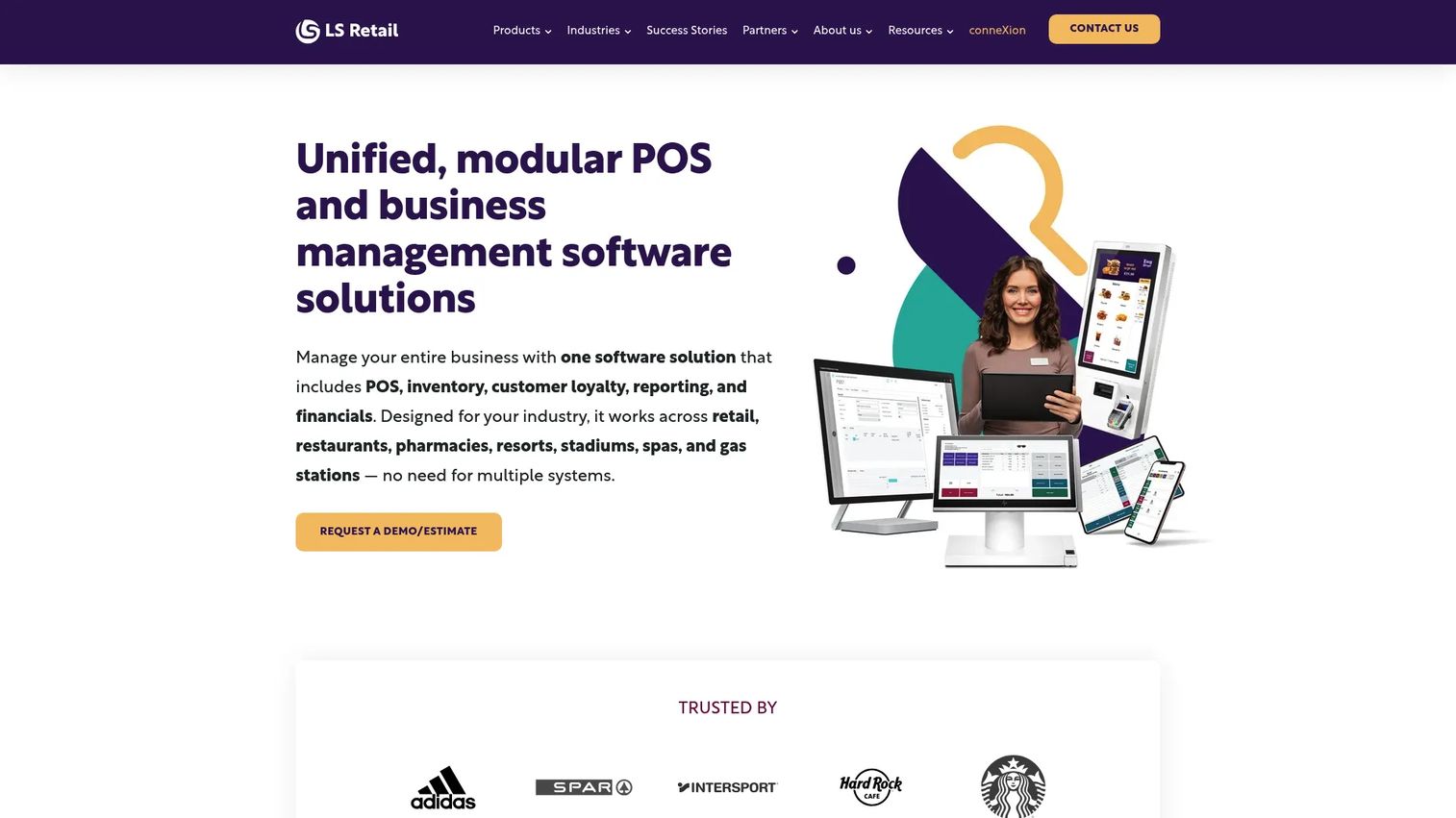
LS Central is a unified retail and hospitality platform from LS Retail that runs POS, inventory, and back office on a single database. Self-checkout is one module within it, alongside self-scanning on mobile. The pitch is data consistency: because checkout and ERP share one system, inventory visibility is real-time and there is no reconciliation between a separate kiosk and your books.
Best for: Mid-market and enterprise retailers or hospitality operators needing a unified POS and back-office platform.
Key strengths
- Point of sale and retail operations in one platform
- Inventory, loyalty, and self-checkout on one database
- Modular support for retail, restaurant, and hospitality
The one-database model is LS Central's core advantage. Every scan updates stock immediately, so buyers, store managers, and finance see the same numbers. Scan-and-go on mobile lets shoppers skip the lane entirely, scanning items as they shop and paying on their phone, which extends self-service beyond the fixed kiosk.
Why choose LS Central: If you already run or plan to run LS Central for retail operations, adding self-checkout keeps everything on one system with unified data. It fits operators who prioritize consistency across POS, inventory, and ERP over a standalone kiosk deployment.
LS Central pricing: LS Retail does not publish public pricing on its site. Product pages describe licensing options and direct buyers to contact sales or a partner for a quote.
5. NCR Voyix Self-Checkout
NCR Voyix builds enterprise self-checkout software and hardware for grocery and large-format retail, with a focus on configurable, accessible checkout and centralized control. The platform is API-first, so it integrates into existing retail systems rather than forcing a full replacement. For chains running dozens or hundreds of lanes, the centralized configuration and brand control keep every store consistent.
Best for: Retailers needing enterprise self-checkout with centralized control and flexible store deployment.
Key strengths
- Intuitive self-checkout experience with usability and accessibility best practices
- Centralized configuration and brand control across locations
- API-first integrations and remote management of interventions
Remote management of interventions is a practical win for high-volume stores. When a lane flags an issue, staff can resolve or monitor it from a central point rather than walking to each terminal. The API-first design means NCR Voyix connects to your POS, loyalty, and inventory systems without bespoke middleware for every integration.
Why choose NCR Voyix: If you run enterprise grocery or retail and need high checkout throughput with centralized management, NCR Voyix is built for that scale. It fits large deployments where consistency and remote control matter more than a lightweight single-store setup.
NCR Voyix pricing: NCR Voyix does not display public pricing. The site directs buyers to get in touch for a quote based on deployment scope. On G2, the product carries a 4.0/5 rating.
6. Toshiba Self-Checkout
Toshiba Self-Checkout is Toshiba Commerce's self-service front end, delivered through configurable hardware and software options and managed through the ELERA platform. It targets retailers that want dependable self-service lanes with centralized configuration and modern loss-prevention technology. The computer vision and AI features help catch scanning errors and shrink at the lane, a growing priority for high-volume stores.
Best for: Retailers needing an enterprise self-checkout system with configurable hardware and software options.
Key strengths
- Centralized configuration and management via ELERA admin
- Computer vision and AI technology for loss prevention
- Flexible payment options including cards, contactless, and biometric payments
ELERA is the centralized management layer that ties Toshiba's lanes together, letting operations configure and monitor terminals across stores from one place. The flexible payment support, including biometric options, gives retailers room to match local shopper preferences. Hardware and software options can be tuned to the store format, from compact urban lanes to full grocery front ends.
Why choose Toshiba: If you want a proven retail hardware and software combination with strong loss-prevention technology and centralized management, Toshiba fits enterprise stores that need dependable self-service lanes. It suits operators who value hardware depth alongside software configurability.
Toshiba Self-Checkout pricing: Toshiba does not publish public pricing. Product pages describe capabilities and invite buyers to contact sales for a quote based on hardware and software scope.
7. Diebold Nixdorf Self-Checkout
Diebold Nixdorf provides retail self-service software, systems, and managed services for checkout automation at enterprise scale. Its software is modular and built on open APIs, so retailers can deploy stationary lanes, mobile self-service, or both, and connect them to existing systems. The AI features target the operational pain points that matter most in grocery: shrink reduction, age verification, and fresh produce recognition.
Best for: Retailers needing enterprise self-checkout software and systems.
Key strengths
- Open APIs and modular self-service software
- Stationary and mobile self-service options
- AI features for shrink reduction, age verification, and fresh produce recognition
Fresh produce recognition solves a real friction point, since produce lookup is one of the slowest steps at any self-checkout. Age verification handled at the lane reduces the need for constant attendant intervention on restricted items. The mix of stationary and mobile options lets retailers match the format to store layout and shopper behavior, and the open APIs keep the software connected to POS and inventory.
Why choose Diebold Nixdorf: If you run enterprise retail or grocery and want a full self-service system with managed services and grocery-specific AI, Diebold Nixdorf covers the depth. It fits large operators who want hardware, software, and support from one vendor.
Diebold Nixdorf pricing: Diebold Nixdorf does not publish public pricing. Product pages detail capabilities and direct buyers to contact sales for a scoped quote.
Considerations before you buy
The right system depends on your stack, your store format, and your operations model. Run through this checklist before you commit.
Hardware compatibility
Confirm the software runs on the scanners, payment terminals, and lane hardware you already own, or budget for replacement. Hardware-agnostic platforms like Flooid reduce lock-in, while iPad-based systems like Square Kiosk fix your hardware choice. Match the form factor to your store layout and traffic.
POS integration
Your checkout software has to talk to your point-of-sale and back-office systems. Check whether integration is native, API-first, or requires middleware. Systems built on one database, like LS Central, avoid reconciliation entirely; API-first platforms like NCR Voyix connect to existing POS without a full replacement.
Centralized management
For multi-location retail, centralized management is not optional. Verify you can push price changes, promotions, and device settings to every store from one console, and monitor lane status remotely. This is where labor savings and consistency actually come from.
Reporting and inventory visibility
Ask what the reporting and analytics surface: lane utilization, transaction speed, sales by store, and real-time inventory. Reporting depth decides whether you can prove the rollout paid off. Real-time inventory visibility prevents the stock drift that erodes trust in your numbers.
Loss prevention
Evaluate weight checks, computer vision, and attendant-alert workflows. Toshiba and Diebold Nixdorf lead here with AI-based scanning and produce recognition. The goal is catching shrink without slowing the shopper or forcing constant intervention.
Conclusion
The best self checkout software for your store depends less on feature counts and more on fit.
For multi-location chains that want cloud control of devices, inventory, and promotions from one console, Erply self-checkout POS is the tightest match. Enterprise retailers with mixed hardware and spiky traffic should look at Flooid for its hardware-agnostic convertible lanes. Restaurants and fast-casual operators already on Square get the shortest path to self-ordering with Square Kiosk.
If your priority is one database for checkout, inventory, and ERP, LS Central keeps your data consistent end to end. And for large-scale grocery and retail that need high throughput, centralized configuration, and grocery-specific AI, NCR Voyix, Toshiba, and Diebold Nixdorf all deliver enterprise depth.
Your next step: shortlist two or three based on your hardware, your POS, and your store count. Then request a hands-on evaluation with your own products loaded, so you see real scan speeds and reporting before you sign. The system that fits your existing stack wins, not the one with the longest feature list.
FAQs
Self checkout software is the application that lets shoppers scan, bag, and pay for items without a cashier operating the register. It runs on a kiosk or lane, connects to your POS and inventory, and manages the transaction from first scan to receipt. Modern systems add loss prevention, centralized management, and reporting on top of the core checkout flow.
At minimum you need a display, a barcode scanner, and a payment terminal, plus a bagging area with weight sensors in most retail setups. Some platforms are hardware-agnostic and run on your existing equipment, while others, like Square Kiosk, require specific devices such as supported iPads. Confirm hardware compatibility against your current lane equipment before you buy.
POS integration happens one of three ways: native (the checkout is part of the POS), API-first (the software connects through documented APIs), or middleware (a connector bridges the two). Systems built on one database, like LS Central, treat checkout and POS as the same system, so data never needs reconciling. API-first platforms like NCR Voyix connect to an existing POS without replacing it.
A self checkout POS is a full point-of-sale system configured for self-service, handling both the transaction and the back-office logic. A self checkout kiosk is a purpose-built terminal focused on the shopper-facing flow, routing data to a central system. In practice, a POS-based approach fits retailers wanting one system; a kiosk fits those layering self-service onto existing infrastructure.
Often, yes. Hardware-agnostic platforms like Flooid are designed to run across different device makers and operating systems, so you can reuse much of your current equipment. Others fix the hardware, so check each vendor's supported-device list before assuming compatibility. Reusing hardware where possible is the fastest way to control rollout cost.
Loss prevention combines several layers: weight verification that flags mismatches between scanned and bagged items, computer vision that watches for missed scans, and attendant alerts that route exceptions to staff. Vendors like Toshiba and Diebold Nixdorf add AI-based scanning and produce recognition to catch shrink. The aim is stopping loss without slowing honest shoppers or forcing constant intervention.
Self-ordering kiosks fit restaurants well, especially quick-service and fast-casual. Square Kiosk, for example, is built for iPad-based self-ordering that routes to the kitchen display. Salons and appointment-based businesses see less benefit from checkout kiosks specifically, since their transaction volume and flow differ from retail, though a general POS with self-service payment can still apply.
Ask what metrics the system surfaces and how quickly. Strong reporting covers lane utilization, transaction speed, sales by store, and real-time inventory deduction. Real-time inventory visibility matters most for multi-location retailers, since delayed stock updates create reconciliation work and erode trust in the numbers. Request a live look at the reporting dashboard during evaluation, not just a screenshot.