



Pick the wrong sampler and you feel it every session. You wanted to chop a loop and rearrange it fast, but you bought a full instrument workstation that buries the fast stuff under menus. Or you wanted deep library architecture and ended up with a lightweight loop slicer that stops where your ideas start.
"Sampler software" is not one category. It covers loop slicers, drum samplers, full instrument workstations, creative sample editors, and hybrid synth-sampler tools. Each one is built for a different way of working, and the fit matters more than the feature count.
The global sampler/looper apps segment is growing at an 11.7% CAGR, per Fortune Business Insights (2025). More tools means more chances to buy the wrong one. This guide sorts eight sampler plugins by workflow, so you can match the tool to how you actually make music instead of guessing from a marketing page.
What's inside
This guide is for producers, beatmakers, and sound designers deciding which sampler VST fits their workflow in 2026. It covers eight tools across every major sampler type, from fast loop chopping to full library instruments.
We picked and sorted each tool on four criteria:
- Workflow speed: How fast you go from raw audio to a playable, arranged idea
- DAW compatibility: VST, AU, and AAX support across the major hosts
- Creative depth: Modulation, layering, effects, and sound-design range
- Category fit: Whether it's a loop slicer, drum sampler, workstation, or hybrid
No banned brands, no filler. Each entry lists verified pricing and what the tool is genuinely good at.
TL;DR
- Best for fast chopping and stem separation: Serato Sample, with real-time stem splits and up to 32 cue pads
- Best sampler plugin for full instrument libraries: Native Instruments Kontakt 8, the deepest sampling platform here
- Best for sound design depth: Steinberg HALion 7, with six synthesis types on top of its sample engine
- Best for vintage tone shaping: TAL-Sampler, with vintage DAC modes and analog-modeled character
- Best for budget-conscious producers: Waves CR8 Creative Sampler, starting at $34.99 with 2,500 samples included
- Best for drum design and one-shots: Klevgrand OneShot 2, a drum sampler with a motion engine for evolving textures
What is sampler software?
Sampler software is a plugin or standalone tool that loads audio, then lets you chop, pitch, stretch, layer, and trigger it as a playable instrument inside your DAW. Some call it a soft sampler or software sampler. The category spans several distinct tool types, and the difference decides which one belongs in your setup.
- Sample players: Play back pre-built libraries as instruments, with limited editing
- Drum samplers: Load one-shots into pads or kits for beat programming
- Loop slicers: Chop loops into segments you can rearrange and re-trigger
- Full sampler workstations: Deep architecture for building multi-layer sampled instruments
- Hybrid synth-sampler tools: Combine sample playback with synthesis and heavy modulation
A VST sampler covers most of these jobs through a small set of core capabilities:
- Chopping and slicing: Split audio into segments by transient, grid, or manual markers
- Pitch shifting and time stretching: Change pitch and tempo without re-recording
- Cue points and pad triggering: Map slices to pads or keys for live re-arrangement
- Library management: Scan, tag, and browse your own samples by key, BPM, or instrument
- MIDI and DAW integration: Play, sequence, and automate the sampler from your host
The right sampler VST depends on the work. A loop slicer built for fast beatmaking and a full workstation built for orchestral libraries both count as sampler software, but you would not swap one for the other. Sorting by workflow first, then by ecosystem and DAW compatibility, is how you avoid buying the wrong tool twice.
When to use sampler software
Build beats from chopped audio
Load a loop, chop it by transient or grid, and rearrange the slices across pads. This is the core beatmaking use case for a drum sampler or loop slicer. You find a phrase, cut it, and reorder it into something new in minutes. Fast cue-point workflows matter most here, because speed is the whole point.
Turn recordings into playable instruments
Record a vocal texture, a field recording, or a one-off synth patch, then map it across the keyboard as a real instrument. A full sampler workstation stretches and loops that sound so it plays in tune across octaves. This is how custom kits and signature sounds get built, without hunting for a preset that already exists.
Speed up sound design and arrangement
Modulation, layering, and built-in effects move you from a raw sample to a finished part faster than manual audio editing. Instead of cutting and fading by hand, you shape the sound at the source. For arrangement, triggering slices live lets you audition ideas in real time and commit to what works.
Sampler software comparison
Here is every tool in this guide, sorted by relevance to producers choosing a sampler plugin in 2026. Pricing reflects each vendor's current listing. Ratings come from G2 where a verified product listing exists; several of these tools are niche audio plugins without an active G2 profile, so that column reads "Not rated" rather than guessing.
| # | Product | Best for | Key differentiator | Pricing | G2 rating |
|---|---|---|---|---|---|
| 1 | TAL-Sampler | Vintage-style sound design | Vintage DAC modes and analog character | Paid plugin, see below | 5.0 |
| 2 | Serato Sample | Fast chopping and stems | Real-time stem separation | $129 one-time | Not rated |
| 3 | Native Instruments Kontakt 8 | Full instrument libraries | Deepest sampling platform | $299 one-time | Not rated |
| 4 | LANDR Sampler | Library-driven beatmaking | Scans and plays your own samples | $99 lifetime | Not rated |
| 5 | Steinberg HALion 7 | Sound design depth | Six synthesis types plus sampling | $349.99 one-time | Not rated |
| 6 | Waves CR8 Creative Sampler | Budget-conscious producers | 2,500 samples included | $34.99 one-time | 4.6 |
| 7 | AIR Structure 2 | Built-in library sampling | 37GB+ multi-timbral library | Paid, see below | Not rated |
| 8 | Klevgrand OneShot 2 | Drum design and one-shots | Motion engine for evolving sounds | $199.99 one-time | Not rated |
Best 8 tools for sampler software in 2026
1. TAL-Sampler
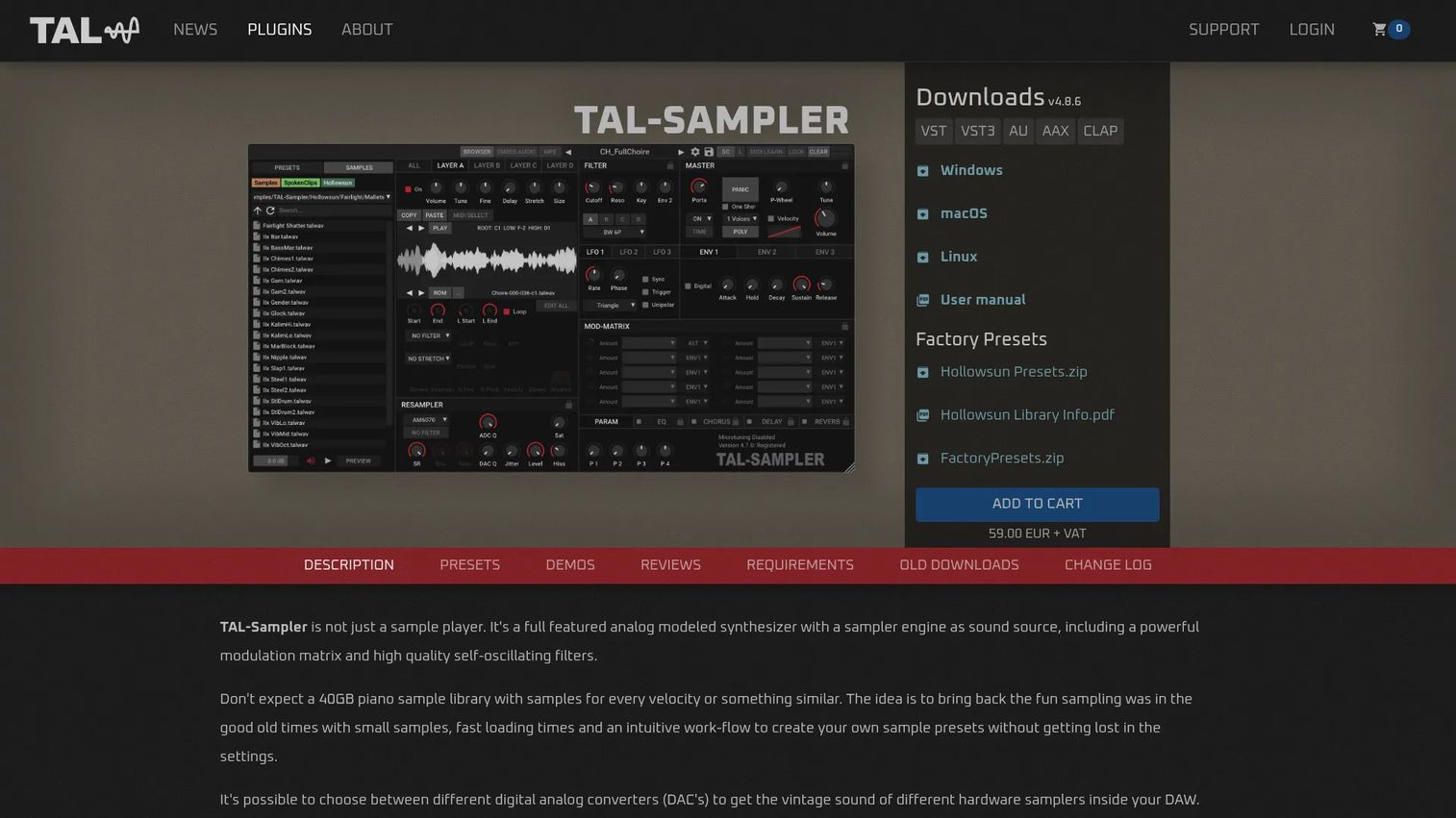
TAL-Sampler is a hybrid sampler plugin from TAL Software that pairs sample playback with analog-modeled character. It leans into vintage tone: Emulated DAC modes recreate the grit of classic hardware samplers, and self-resonating filters push sounds well past clean playback. If you want a sampler that colors the audio rather than reproducing it flatly, this is the angle.
Best for: Producers doing vintage-flavored sound design who want a sampler that shapes tone, not just plays it back.
Key features
- Vintage DAC modes: Emulated bit and sample-rate character
- Four sample layers per instrument
- Mod matrix with flexible routing
- Self-resonating analog-modeled filters
- Runs as VST, AU, and AAX
Why choose TAL-Sampler: Pick it when tone is the point. It suits producers who chase the character of old hardware samplers and want that grit inside a modern DAW workflow.
TAL-Sampler pricing: TAL Software sells TAL-Sampler as a paid perpetual plugin from its own store, with a fully functional demo you can run before buying. Check the product page for the current one-time price in your region.
TAL-Sampler carries a 5.0 rating on G2, though the listing sits under a general sampler seller profile rather than a dedicated product page, so treat it as directional.
2. Serato Sample
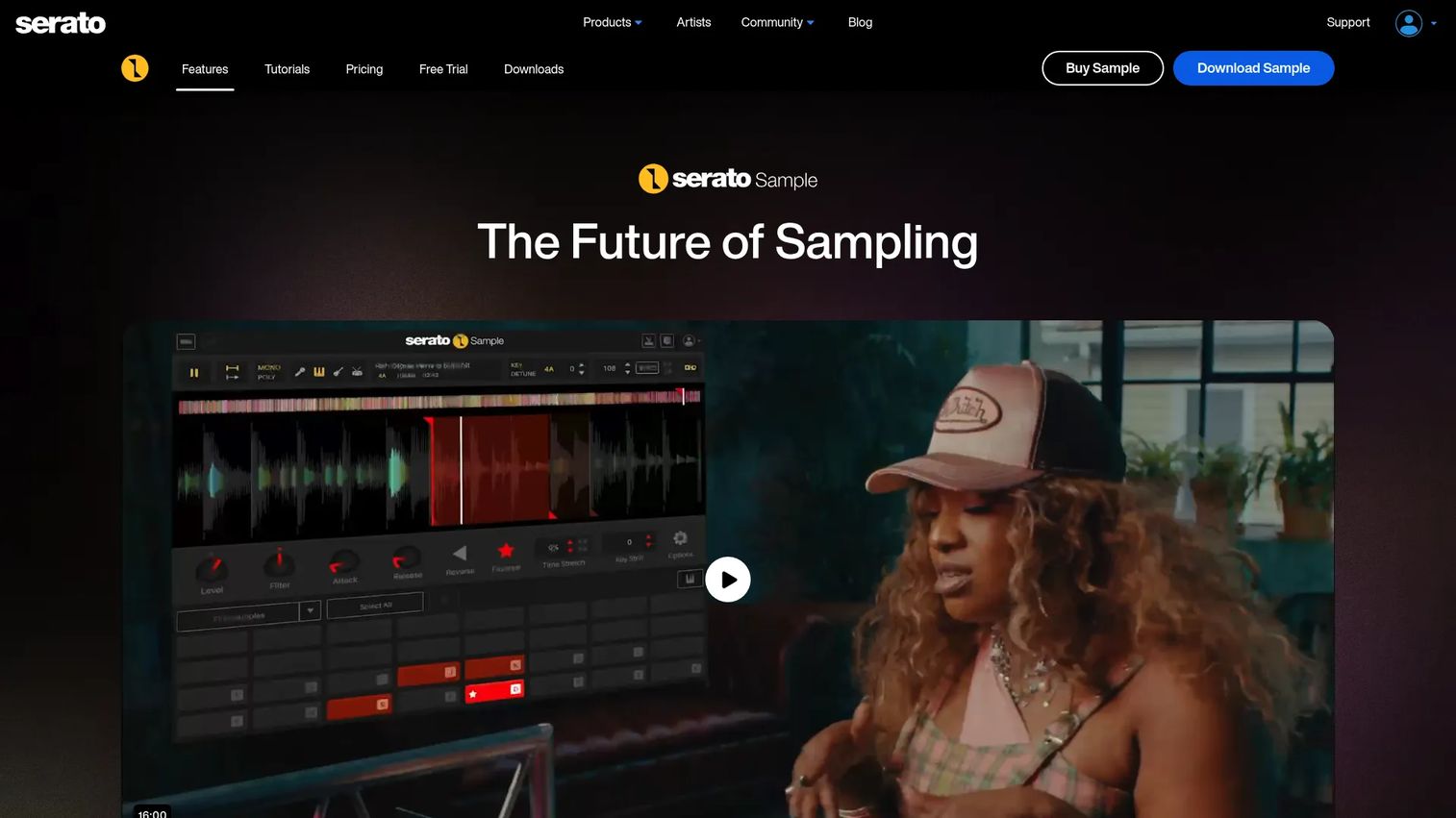
Serato Sample is the fast-chopping specialist in this list. It drops into your DAW as a plugin and turns any audio into playable slices across pads, with real-time stem separation that splits a track into vocals, drums, and instrumentation on the fly. For beatmakers who live on cue points, this is the tool built for that motion.
Best for: Producers who chop loops fast and want stem separation without leaving the DAW.
Key features
- Real-time stem separation
- Up to 32 cue points and pads
- BPM and key sync
- Pitch shift and time stretch
- Runs as VST, AU, and AAX
Why choose Serato Sample: It's the clearest pick for speed. If your workflow is find, chop, rearrange, and you want stems on top, nothing else here matches the cue-point flow.
Serato Sample pricing: Buy Serato Sample outright for $129 USD, or subscribe to Producer Suite at $9.99 USD per month, which bundles Sample with Serato Studio, Hex FX, and the sound packs. No free tier, but a trial is available on the site.
Serato Sample does not carry a current verified G2 product rating, so this list marks it as not rated rather than sourcing a number that cannot be confirmed.
3. Native Instruments Kontakt 8
Native Instruments Kontakt 8 is the deepest sampling platform on this list. It plays thousands of third-party libraries, and it's the backbone most commercial sample libraries are built on. Beyond playback, Kontakt 8 adds performance tools and a new sound-design layer, so it works for composers scoring to picture and producers building custom instruments alike.
Best for: Composers and producers who need a full sampler platform and access to the widest instrument library ecosystem.
Key features
- Tools: Chords, Phrases, and Patterns
- Leap loop and sample performance system
- Conflux sound-design instrument
- Expanded wavetable, FM, and ring-mod
- Runs as VST, AU, and AAX
Why choose Kontakt 8: Choose it when library depth and compatibility outrank speed. It's the standard platform for professional sample libraries, so buying in means buying into a broad catalog.
Native Instruments Kontakt 8 pricing: Kontakt 8 costs $299.00 USD as a one-time purchase from Native Instruments. Eligible existing users qualify for loyalty pricing from $99.00.
Kontakt 8 does not have a verified current G2 product rating, so it appears as not rated here rather than carrying an unverified figure.
4. LANDR Sampler
LANDR Sampler solves a different problem: The pile of samples you already own but never use. It scans your local folders, tags everything by instrument, genre, key, and BPM, then lets you play and slice those sounds like an instrument. If your sample library is a mess, this turns it into something you can actually browse and perform.
Best for: Producers sitting on large local sample libraries who want to organize and play them inside the DAW.
Key features
- Scans and tags local sample folders
- Sorts by instrument, genre, key, and BPM
- Chromatic playback and slicing
- Sample swapping mid-project
- Built-in FX and sequencing
Why choose LANDR Sampler: Pick it if finding sounds is your bottleneck. It's lightweight and library-first, built for producers who want speed from their own collection rather than a huge preset bank.
LANDR Sampler pricing: Buy a lifetime license for $99 USD, or get it bundled with a LANDR Studio subscription starting at $8.25 per month.
LANDR Sampler has no verified current G2 product rating, so it stays marked as not rated in this list.
5. Steinberg HALion 7
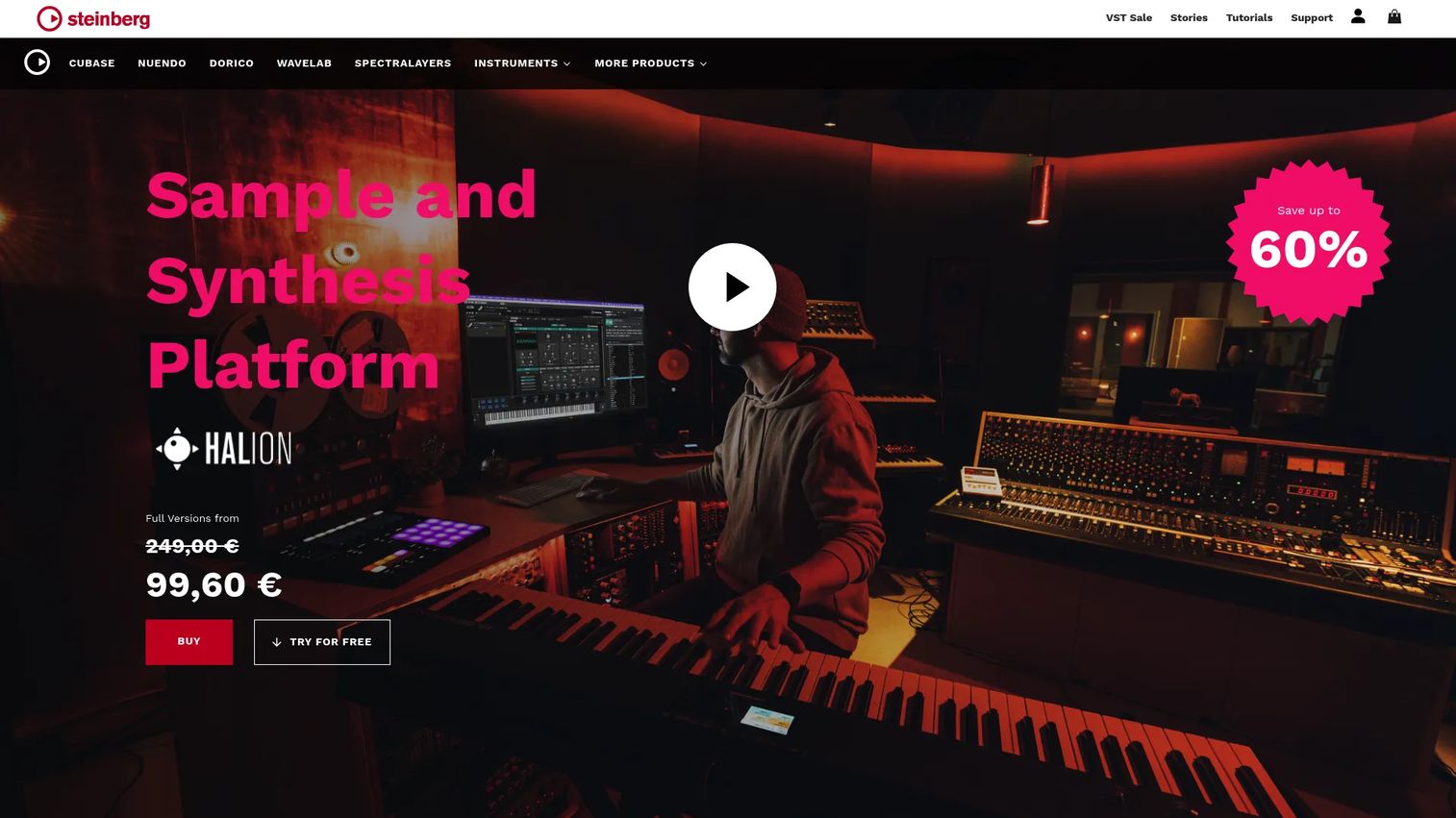
Steinberg HALion 7 blurs the line between sampler and synth. Its sample engine sits alongside six synthesis types, from wavetable to granular to spectral, so a single instrument can layer recorded audio with generated sound. Add scripting and modulation tools, and it becomes a workstation for building instruments from scratch, not just playing them.
Best for: Sound designers and producers who want a sampler and a deep synth in one workstation.
Key features
- Six synthesis types including FM and granular
- High-performance sample engine
- Scripting and modulation tools
- Large built-in content library
- Runs as VST, AU, and AAX
Why choose HALion 7: Choose it when sound design range matters as much as sampling. The synthesis depth means you can build sounds most sample-only tools can't reach.
Steinberg HALion 7 pricing: HALion 7 is $349.99 USD as a one-time purchase. Steinberg also offers HALion Sonic 7 free, and a HALion Sonic 7 Collection bundle at $249.99 USD.
HALion 7 has no verified current G2 product rating, so it appears as not rated rather than showing a number that can't be sourced.
6. Waves CR8 Creative Sampler
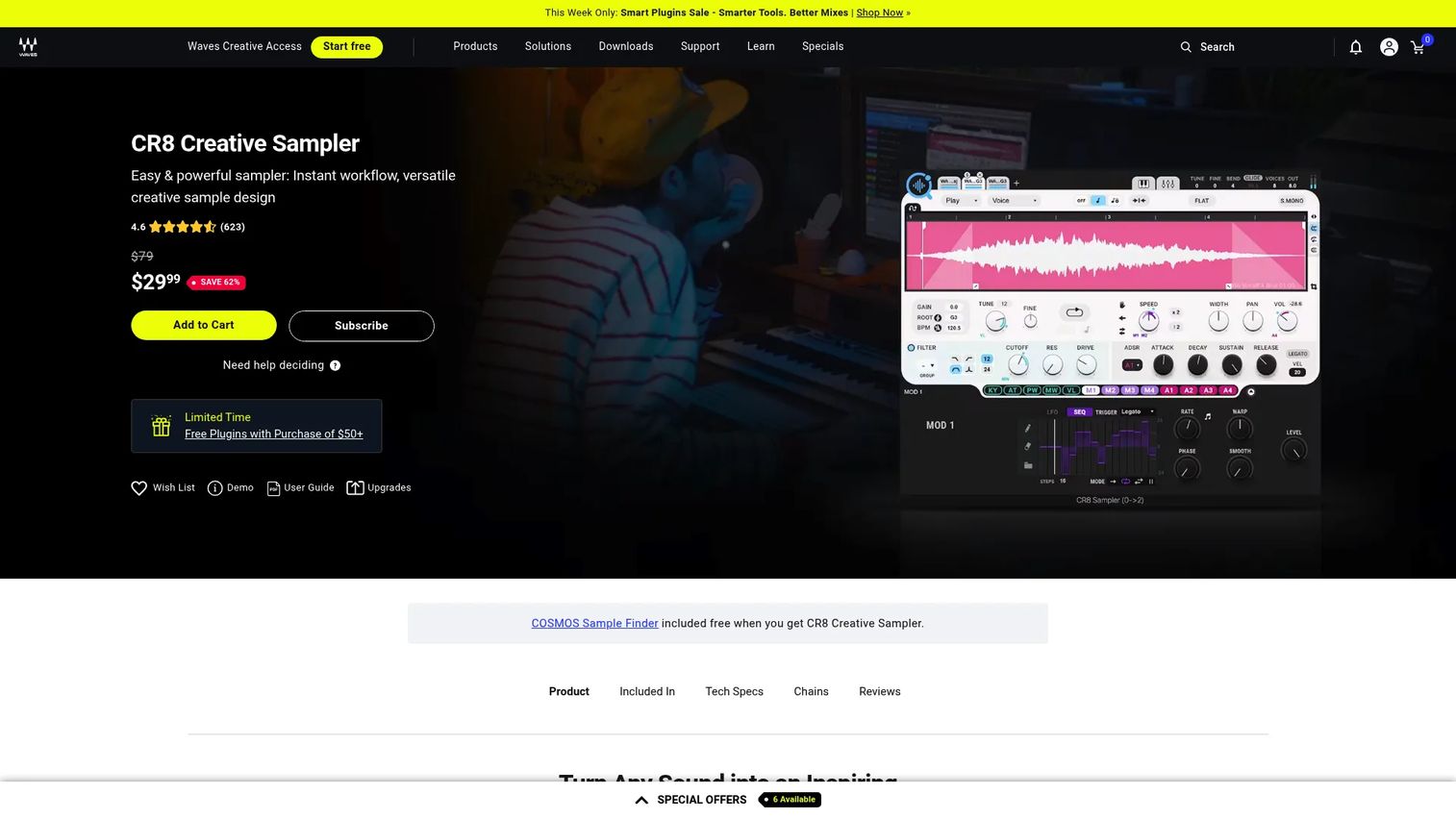
Waves CR8 Creative Sampler is the fast, affordable entry point here. Drop in audio, layer up to eight samples, and shape them with drag-and-drop modulation. It ships with 2,500 royalty-free samples and 800 presets, so you can make sound the minute it loads. Integration with the COSMOS Sample Finder speeds up hunting for the right hit.
Best for: Producers who want quick sampling and layering without a steep price or learning curve.
Key features
- Up to 8 sample layers
- Five stretching algorithms
- Drag-and-drop modulation
- COSMOS Sample Finder integration
- 2,500 samples and 800 presets included
Why choose CR8 Creative Sampler: Pick it for value and speed. At its price, with content bundled in, it's the low-risk way to add a capable sampler to your setup.
Waves CR8 Creative Sampler pricing: CR8 sells for $34.99 USD on sale against a $79 MSRP, as a one-time perpetual license. It's also included in Waves subscription plans.
Waves CR8 Creative Sampler holds a 4.6 out of 5 rating on G2, the strongest verified score among the dedicated sampler plugins in this list.
7. AIR Structure 2
AIR Structure 2 is a multi-timbral sampler built around its own content. A 128-level engine lets you stack instruments, and a 37GB-plus sample library ships with it, so you start with sound rather than an empty shell. A built-in editor and multi-effects mean you shape and process without adding another plugin.
Best for: Producers who want a sampler that arrives with a large library and a full editing environment.
Key features
- 128-level multi-timbral engine
- 37GB+ built-in sample library
- Integrated sample editor
- Multi-effects processing
- Runs as VST, AU, and AAX
Why choose AIR Structure 2: Choose it if you want a self-contained sampler with sounds ready to go. It suits producers who prefer one instrument with a deep library over stitching together separate tools.
AIR Structure 2 pricing: AIR Music Tech sells Structure 2 as a paid plugin, and it also appears bundled in AIR subscription plans. Check the Structure 2 product page for the current standalone price.
AIR Structure 2 has no verified current G2 product rating, so it stays marked as not rated here.
8. Klevgrand OneShot 2
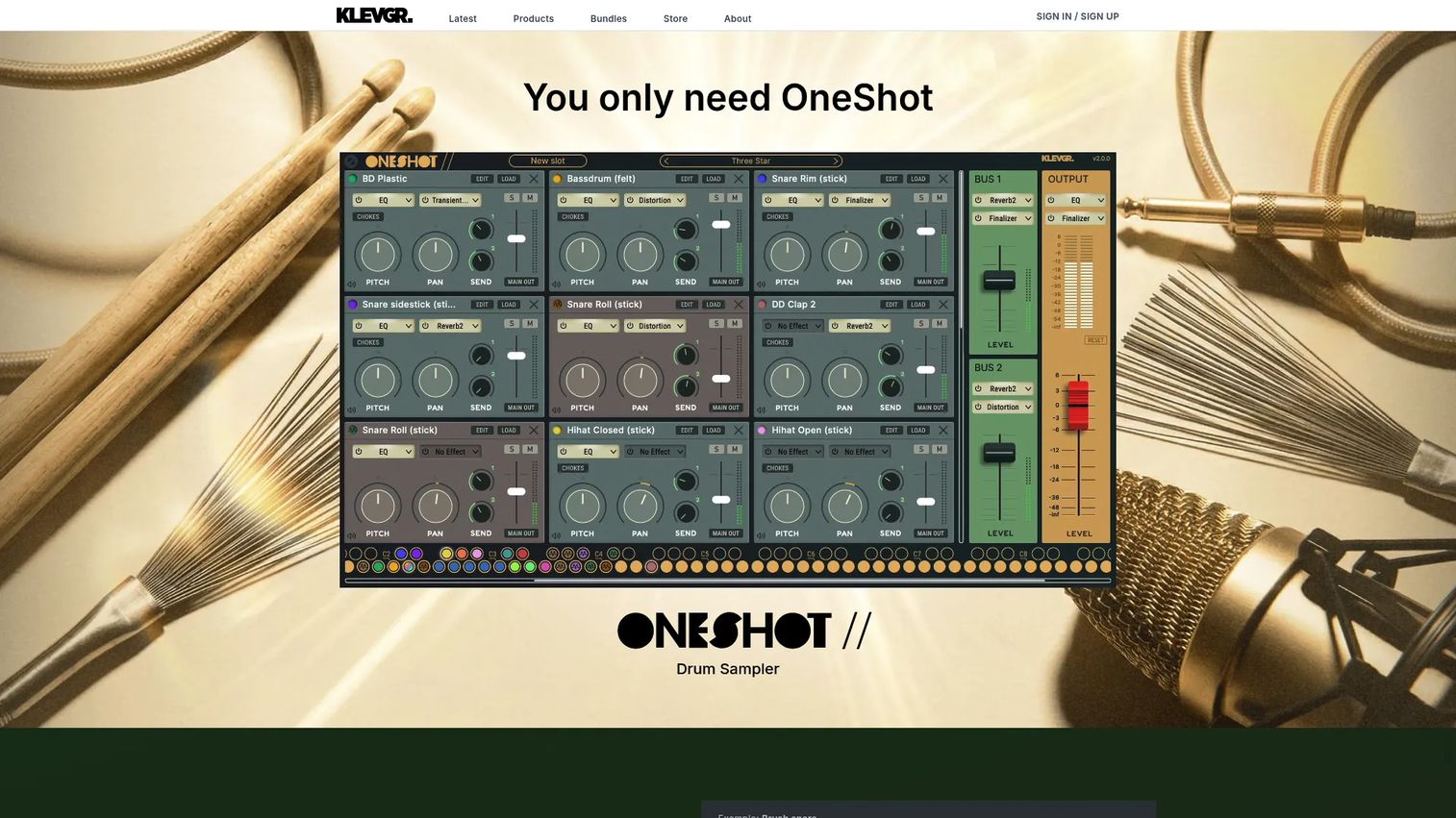
Klevgrand OneShot 2 is the drum sampler of the group, and its motion engine is the standout. Beyond static one-shots, it generates evolving rhythmic phrases and moving textures, so percussion breathes instead of repeating flat. With 780-plus sounds and 20,000-plus samples, plus multi-output routing and a 24-slot mixer, it's built for detailed kit design.
Best for: Producers building acoustic or electronic drum kits who want percussion with movement.
Key features
- Motion engine for evolving phrases
- 780+ sounds, 20,000+ samples
- Multi-output routing
- Built-in effects and 24-slot mixer
- Free iPhone companion app
Why choose OneShot 2: Pick it for drum design specifically. The motion engine gives kits a living quality that flat one-shot players can't match.
Klevgrand OneShot 2 pricing: OneShot 2 is $199.99 USD as a standalone plugin, and the iPhone companion app is free. Klevgrand also offers a free demo that inserts audio dropouts until you buy.
Klevgrand OneShot 2 has no verified current G2 product rating, so it appears as not rated in this comparison.
Considerations
Before you buy, run the same check you'd run on any tool that has to earn its place in your setup within the first project.
DAW compatibility
Confirm the sampler runs as VST, AU, or AAX in your host before anything else. Most of these tools cover all three, but formats and OS support shift between versions. A plugin that won't load in your DAW is a non-starter, so verify against your exact setup.
Workflow speed
Match the tool to your pace. A loop slicer built for fast chopping and a full workstation are different animals, and the wrong one adds friction to every session. If you make beats fast, prioritize cue points and slicing over deep architecture you'll never open.
Library depth
Decide whether you need a huge instrument ecosystem or just a way to play your own sounds. Kontakt 8 opens the widest catalog of third-party libraries, while a tool like LANDR Sampler focuses on organizing what you already own. Pick based on where your sounds actually come from.
Creative depth
Look at modulation, layering, and synthesis range if sound design is the goal. HALion 7 and TAL-Sampler reach further than playback-focused tools, which matters if you're building signature sounds rather than triggering existing ones.
MIDI and controller support
Check how the sampler maps to pads and keys, especially for live re-arrangement. Cue-point tools like Serato Sample are built around pad triggering, so controller fit changes the daily experience. Confirm your hardware plays well before committing.
Conclusion
The best sampler plugin is the one that matches how you work, not the one with the longest feature list. Sort by workflow first.
For fast chopping and stem separation, Serato Sample is the clearest pick. For full instrument libraries and the widest ecosystem, Native Instruments Kontakt 8 is the standard. Steinberg HALion 7 goes deepest on sound design, TAL-Sampler owns vintage tone, and Klevgrand OneShot 2 is the drum design specialist. On a tight budget, Waves CR8 Creative Sampler starts at $34.99 with samples included.
Your next step: Name your primary use case, then buy the tool built for it. If you chop loops, get a chopping tool. If you build libraries, get a workstation. Most of these offer a demo, so test the workflow before you commit real money.
Start your journey with Guideflow today!
FAQs
A sampler lets you load, edit, chop, pitch, and shape your own audio into playable instruments. A sample player mostly triggers pre-built libraries with limited editing. If you want to build sounds from your own recordings, you need a sampler, not just a player.
Most DAWs include a basic stock sampler, but dedicated plugins go further on chopping, stem separation, modulation, and library management. If your built-in tool slows you down or lacks a specific workflow, a sampler VST is worth adding. Match the plugin to the job your DAW can't do well.
Serato Sample is built for fast loop chopping, with up to 32 cue pads and real-time stem separation. It turns any loop into playable slices quickly and syncs to your project's BPM and key. For beatmakers who work by cutting and rearranging, it's the strongest fit here.
Klevgrand OneShot 2 is the drum-focused pick, with 780-plus sounds and a motion engine that makes percussion evolve rather than repeat flat. Its multi-output routing and built-in mixer suit detailed kit design. For static one-shots inside a kit, Waves CR8 also handles drum layering at a lower price.
Mostly yes. "Sampler software" is the broad term, and "VST sampler" refers to one that runs in the VST plugin format inside a DAW. A soft sampler can also run as AU or AAX depending on your host. The core function is the same across formats.
Confirm DAW and plugin format compatibility first, then match the tool to your workflow: Chopping, library playback, or sound design. Check whether it includes samples or expects you to bring your own. A free demo, which most of these offer, tells you more than any feature list.
Yes, and some tools go deep on it. Steinberg HALion 7 pairs sampling with six synthesis types, and TAL-Sampler adds analog-modeled character and modulation. These reach well past simple playback, so you can build original sounds rather than trigger existing ones.
Yes. Sampler plugins map slices, pads, and keys to MIDI, so you can trigger and re-arrange sounds from a controller. Cue-point tools like Serato Sample are built around pad triggering specifically. Check the controller mapping before you buy if live performance is part of your workflow.










