You have a sprint scheduled, a client delivery due next month, and three engineers already at capacity. The question is not whether demand will exceed supply. It is when, and which team feels it first.
Most resource problems are not surprises in hindsight. Someone knew the pipeline was filling up. They just did not have a system that connected incoming demand to available capacity before the deadline arrived. The result: Missed deliverables, overloaded teams, and margin leakage on projects that looked profitable in scope.
The professional services automation market tells the same story at scale. According to Grand View Research (2025), the global PSA software market was valued at USD 12.40 billion in 2024 and is projected to reach USD 40.25 billion by 2033, growing at a CAGR of 14.7%. That growth is driven by organizations realizing that spreadsheet-based planning cannot keep pace with the complexity of running multiple projects with shared, specialized teams.
Resource forecasting software gives teams the visibility to plan staffing before bottlenecks form, not after.
What's inside
This guide is for product managers, PMO leads, and operations teams evaluating planning software for 2026. The shortlist covers seven tools, selected based on the following criteria:
- Forecasting depth: Does the tool predict demand, capacity, and utilization, or just schedule existing work?
- Allocation logic: Does it support role-based, skills-based, or project-level assignment?
- Reporting and exports: Can the data flow downstream into BI tools and systems of record?
- Maintainability: How much upkeep does the system need, and who owns it?
TL;DR
- Best for enterprise resource forecasting: Kantata, purpose-built for professional services teams that need utilization tracking and financial visibility
- Best for demand intelligence and enterprise planning: Saviom, with multidimensional forecasting across pipeline, skills, capacity, and financials
- Best for dynamic scheduling across complex projects: Epicflow, strong on cross-project workload balancing and what-if analysis
- Best for teams already in the Adobe ecosystem: Adobe Workfront, with governed work management and resource reporting
- Best for forecasting plus AI-assisted project planning: Forecast, combining resource and financial planning in one platform
- Best for visual scheduling with utilization awareness: Resource Guru, transparent pricing and fast setup for smaller teams
- Best for intuitive capacity and margin tracking: Float, visual planning with project margin tracking built in
What is resource forecasting software
Resource forecasting software is a category of planning tools that helps organizations predict future demand for people, skills, and capacity, then match that demand to availability before work begins.
Unlike basic scheduling tools, which assign people to confirmed work, forecasting software works from pipeline and project data to model what is coming. Teams can identify gaps before they become emergencies, rebalance workloads across projects, and connect staffing decisions to financial outcomes.
Core capabilities to look for:
- Capacity planning: Understand how much work your team can absorb across a given period
- Workload balancing: Identify who is overbooked and who has slack, at the role or individual level
- Skills-based allocation: Match work requirements to the right people based on competency, certification, or seniority
- Utilization forecasting: Track billable versus non-billable time and model future utilization rates
- Scenario planning: Model what-if situations before committing to a staffing or scheduling decision
- Reporting and exports: Surface forecasting data in dashboards, scheduled exports, or downstream BI integrations
Resource forecasting software sits at the intersection of project management, workforce planning, and financial management. The strongest tools connect all three, so delivery decisions carry visibility into cost and margin impact. Cloud-based deployment now accounts for 69.3% of PSA implementations, per Mordor Intelligence (2026), which means most modern forecasting tools are built to integrate with existing CRMs, ERPs, and project tracking systems rather than operate in isolation.
When to use resource forecasting software
Plan staffing before demand hits
When work comes in from a pipeline rather than a fixed calendar, scheduling alone cannot protect you. Forecasting software pulls in anticipated demand from CRM or intake systems and models it against team capacity weeks or months out. That gives ops leaders and PMs time to make staffing decisions proactively, before teams are already overcommitted.
Balance workloads across teams and projects
One team is running at 120% utilization while another has 30% slack. Without cross-project visibility, neither manager knows. Forecasting tools surface that imbalance in real time, so work can be redistributed by role, skill, or project priority before deadlines slip.
Protect utilization and profitability
For services firms and delivery-heavy product teams, utilization is a margin lever. Forecasting software tracks billable hours against targets, flags bench risk when projects close, and helps managers make decisions about hiring or reassignment based on financial impact, not just gut feel.
Resource forecasting software comparison
The table below covers all seven tools sorted by relevance to the resource forecasting use case. Pricing reflects verified data from each vendor's pricing page as of August 2026. G2 ratings are from each tool's current G2 listing.
| # | Product | Best for | Key differentiator | Pricing | G2 rating |
|---|---|---|---|---|---|
| 1 | Kantata | Enterprise professional services | PSA platform with utilization and financial forecasting | Custom pricing | N/A |
| 2 | Saviom | Large-org demand intelligence | Multidimensional forecasting across pipeline, skills, and financials | Custom pricing | 4.0/5 |
| 3 | Epicflow | Multi-project resource management | AI-driven workload balancing and what-if analysis | From €22.50/person/month | 4.4/5 |
| 4 | Adobe Workfront | Adobe-integrated enterprise teams | Governed work management with resource reporting | Custom pricing | 4.1/5 |
| 5 | Forecast | AI-assisted project and resource planning | AI-powered capacity and financial management | Custom pricing | 4.2/5 |
| 6 | Resource Guru | Visual scheduling for smaller teams | Transparent per-seat pricing with clash management | From $5/person/month | 4.6/5 |
| 7 | Float | Visual capacity and margin tracking | Scheduling with project margin tracking built in | From $7/person/month | 4.3/5 |
Best resource forecasting software for 2026
1. Kantata
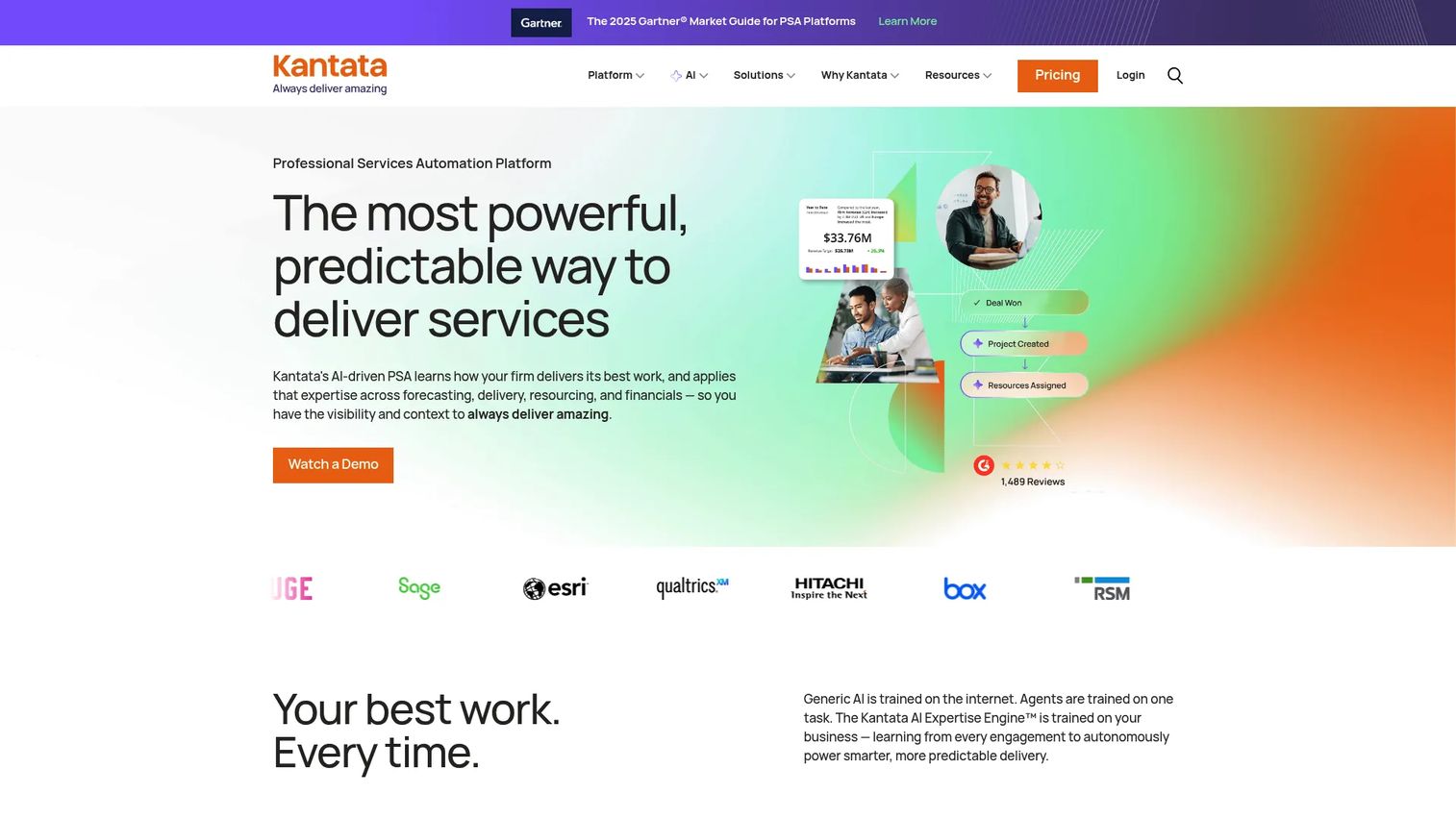
Kantata is an AI-powered professional services automation platform purpose-built for services organizations. It combines resource management, project delivery, and financial management in one system, with a strong focus on utilization, forecasting, and centralized visibility across the delivery organization. The platform is widely used by consulting, technology, and managed services firms that need to connect project performance to financial outcomes.
Best for: Professional services firms and enterprise delivery teams that need utilization tracking, margin protection, and cross-project resource visibility in a single platform.
Key features
- Resource management and centralized forecasting across projects
- Utilization planning with scheduled data exports
- Financial management tied to project delivery
- Cross-project scheduling and demand visibility
- Integration with CRM, ERP, and systems of record
Why choose Kantata: Kantata performs best when resource forecasting needs to connect directly to financial and delivery outcomes. If your team manages billable utilization targets and needs forecasting tied to project profitability, Kantata's PSA architecture covers both in a way that standalone scheduling tools do not.
Kantata pricing: Kantata builds pricing based on company size, team needs, and product requirements. Contact the team directly through the pricing page at kantata.com/pricing for a tailored quote. There is no self-serve free tier, but Kantata typically offers demo access for prospective customers.
Kantata on G2: A current G2 rating was not available from Kantata's listing at the time of writing. Check the G2 profile for updated reviewer scores before making a final decision.
2. Saviom
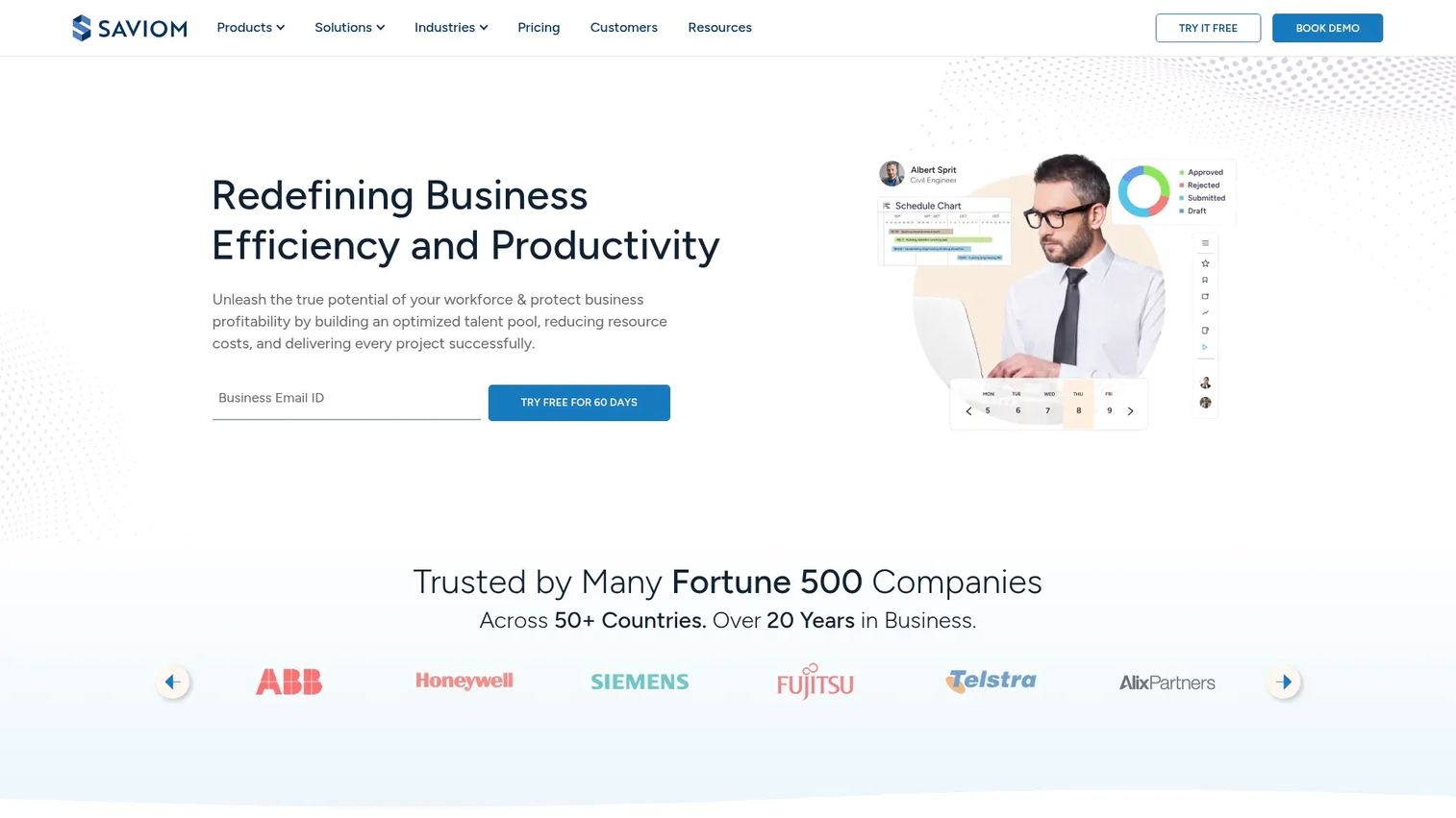
Saviom is an enterprise resource management and workforce planning platform with a distinct focus on multidimensional forecasting. Where many tools forecast capacity as a single metric, Saviom models demand across pipeline, skills, utilization, bench time, and financial impact simultaneously. This makes it a strong fit for large organizations running complex multi-project portfolios with diverse skill requirements.
Best for: Large organizations that need to connect pipeline demand forecasting to skills availability, capacity planning, and financial outcomes in one governed system.
Key features
- Multidimensional forecasting: Pipeline, skills, utilization, capacity, and financial
- Real-time business intelligence dashboards
- Resource scheduling with workflow automation
- Bench and vacancy management
- Configurable modules for enterprise governance
Why choose Saviom: Saviom suits organizations where forecasting is a business-critical function rather than a planning convenience. When decisions about hiring, retraining, or project staffing need to be grounded in quantifiable demand data across multiple dimensions, Saviom's depth sets it apart from lighter scheduling tools.
Saviom pricing: Saviom uses a quote-based model with Power License, Lite License, and Non User License tiers. The price depends on the number of each license type and the product modules required. Request a quote at saviom.com/pricing.
Saviom on G2: Rated 4.0/5 on G2, with a Capterra score of 4.3/5 for cross-reference.
3. Epicflow
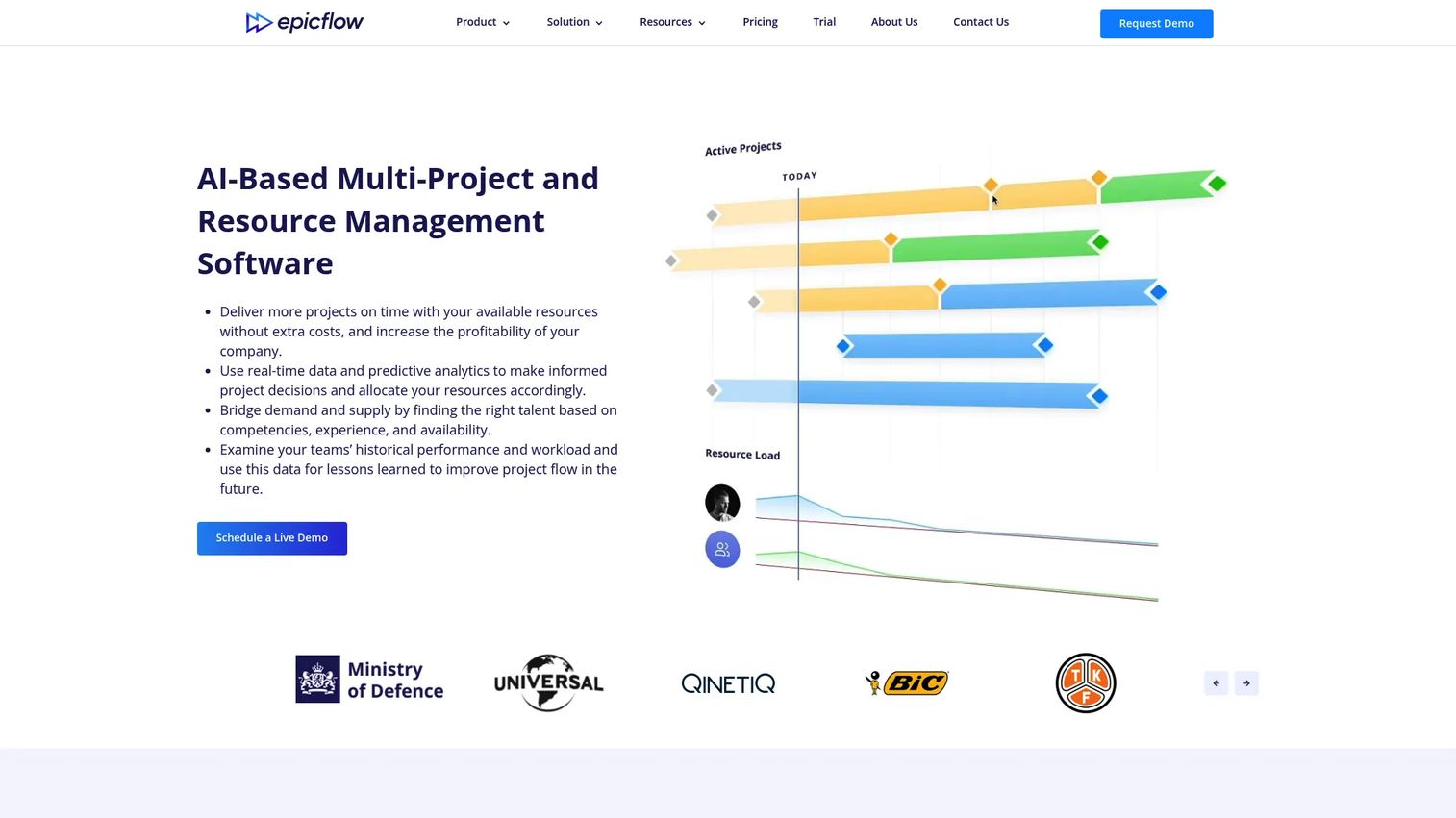
Epicflow is an AI-driven multi-project resource and portfolio management platform built for teams managing overlapping projects with shared resources. It focuses on workload balancing, capacity planning, and what-if scenario analysis, with the goal of helping resource managers and PMOs prevent bottlenecks before they stall delivery. The platform handles the complexity of shared-resource environments where a single engineer or specialist is split across several projects simultaneously.
Best for: Midsize to large teams managing multiple concurrent projects with shared resources, where cross-project workload visibility and scheduling conflicts are the main pain point.
Key features
- AI-driven workload balancing across projects
- Capacity planning with project-level forecasting
- What-if analysis for scenario planning
- Skills matching and resource allocation
- Portfolio-level reporting and dashboards
Why choose Epicflow: Epicflow excels when the primary challenge is not scheduling a single project but managing shared resources across a portfolio. The what-if analysis module is particularly useful for PMs and PMOs who need to model the impact of adding or removing a project before committing to a decision.
Epicflow pricing: The Growth plan is priced at €22.50 per person per month billed annually, or €25 per person per month billed monthly. Enterprise pricing is available on request. A 30-day free trial is available on the Growth plan.
Epicflow on G2: Rated 4.4/5 on G2.
4. Adobe Workfront
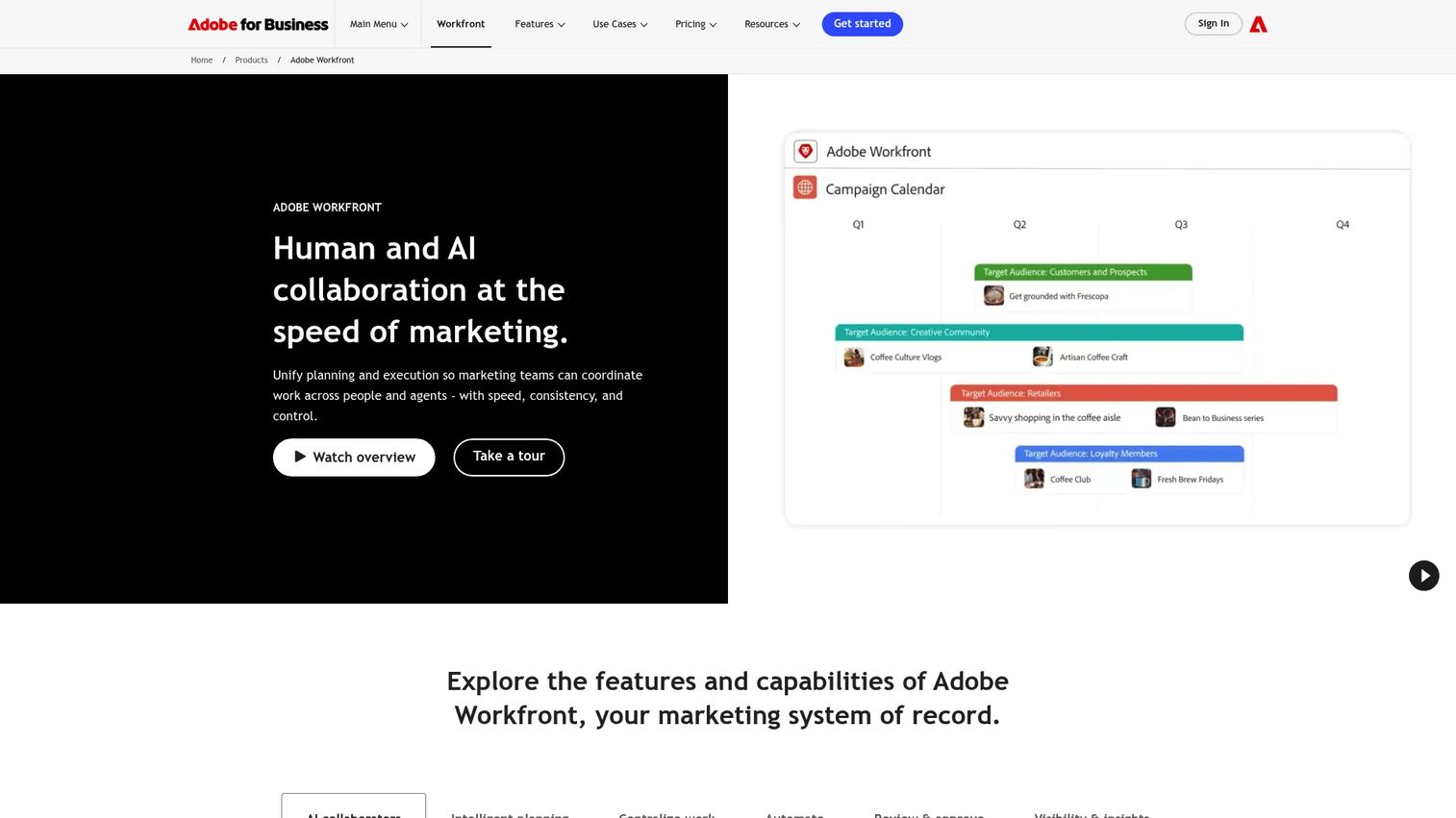
Adobe Workfront is an enterprise work management platform that handles project planning, resource allocation, work intake, and reporting at scale. It is most commonly used by large marketing, creative, and product organizations that need to coordinate high volumes of work across teams. The resource management module includes workload views, resource pools, forecasting reports, and capacity dashboards, sitting inside a broader work execution layer.
Best for: Large organizations, particularly marketing and creative teams, that need resource forecasting to live inside a governed enterprise work management system rather than a standalone planning tool.
Key features
- Resource pools with role-based capacity planning
- Workload views and forecasting reports
- Work intake automation and approval workflows
- AI collaborators for project and task management
- Dashboards and analytics across portfolios
Why choose Adobe Workfront: Workfront makes most sense when your team is already embedded in the Adobe ecosystem or when resource forecasting is one piece of a larger work governance challenge. Standalone forecasting tools will typically offer more depth on capacity modeling alone, but Workfront covers the full delivery lifecycle in one place.
Adobe Workfront pricing: Adobe offers three plan tiers (Select, Prime, and Ultimate), all priced on a custom quote basis. No entry-level or per-seat price is posted publicly. Contact Adobe via the Workfront pricing page at business.adobe.com/products/workfront/pricing.html for a quote.
Adobe Workfront on G2: Rated 4.1/5 on G2.
5. Forecast
Forecast is an AI-powered project, resource, and financial management platform designed for professional services teams. It combines resource and capacity planning with project scoping, time tracking, and financial reporting, which makes it particularly useful when teams need forecasting and delivery management to work from the same data set. The AI layer assists with resource allocation recommendations and project scoping estimates.
Best for: Professional services teams and delivery-focused organizations that want AI-assisted forecasting, time tracking, and financial management in one platform without maintaining separate tools for each function.
Key features
- AI-assisted resource and capacity planning
- Project scoping and forecasting with budget tracking
- Time tracking and invoicing
- Reporting on utilization, margins, and delivery progress
- Scenario planning for staffing decisions
Why choose Forecast: Forecast works well when planning, execution, and financials need to stay connected. PMs who have experienced the overhead of reconciling data across separate project management and forecasting tools will find the consolidated approach reduces that maintenance burden significantly.
Forecast pricing: Forecast routes prospective customers to a demo and quote flow rather than publishing plan prices directly. Contact the team at forecast.app/pricing for current pricing. G2 reviewers report that Forecast targets mid-market professional services teams, with pricing generally discussed during the sales process.
Forecast on G2: Rated 4.2/5 on G2.
6. Resource Guru
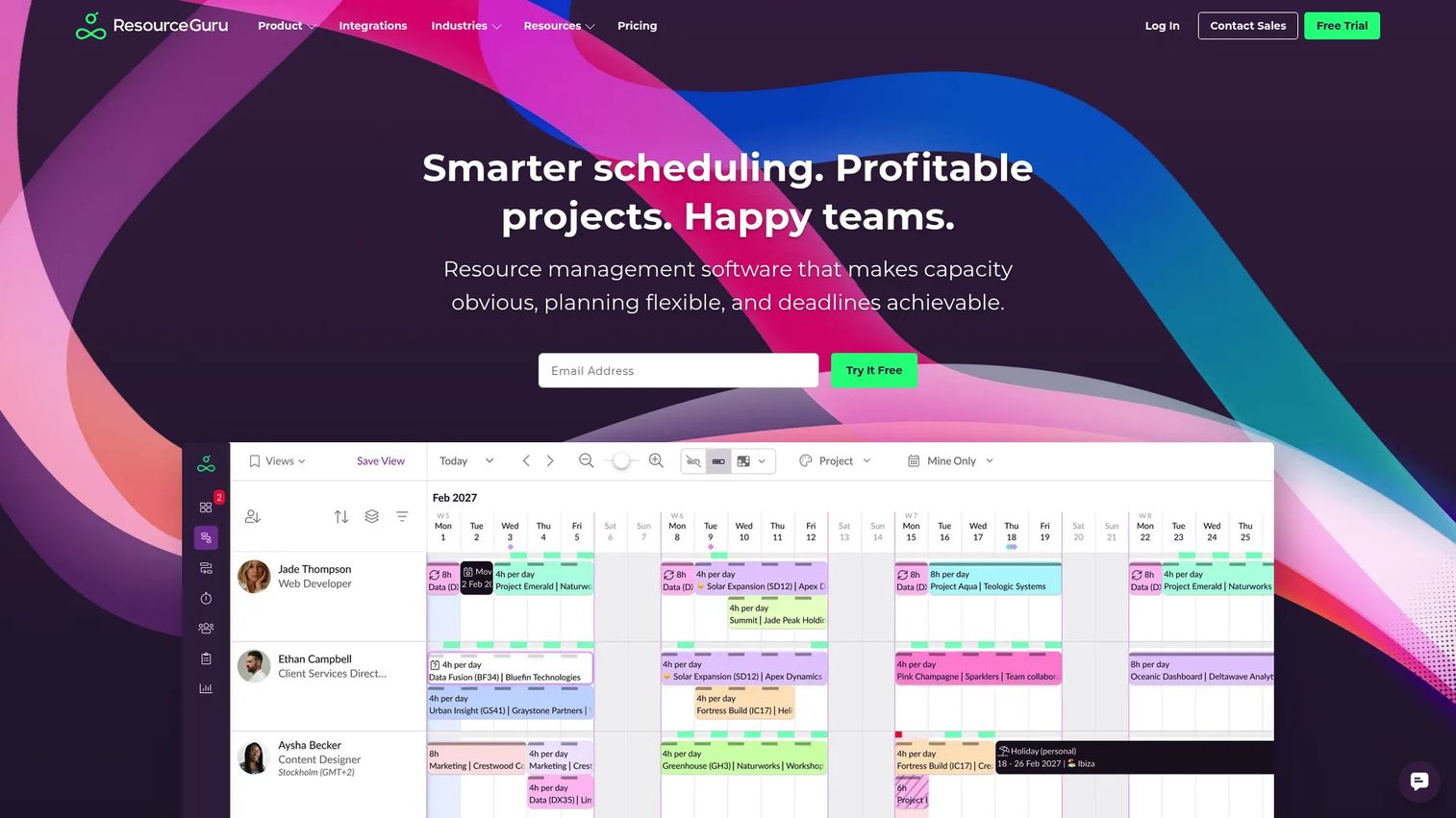
Resource Guru is a resource planning and scheduling platform for teams that need to manage people, equipment, and project assignments clearly. It focuses on visual scheduling, availability tracking, clash management, and utilization reporting without the complexity of a full PSA platform. Timesheets and capacity reports are included across paid plans, making it a practical option for teams that want forecasting utility without enterprise pricing or lengthy implementation.
Best for: Teams that need visual resource scheduling, straightforward utilization tracking, and transparent per-seat pricing, particularly agencies, consultancies, and internal delivery teams at smaller scale.
Key features
- Visual scheduling with heatmaps and clash management
- Availability tracking with leave and overtime visibility
- Timesheets integrated with scheduling data
- Utilization and capacity reports
- Project-level resource allocation
Why choose Resource Guru: Resource Guru suits teams that want to get running quickly on a clear, maintainable scheduling system. The pricing is transparent and scales predictably per person, which addresses one of the most common objections PMs raise when evaluating planning tools: The risk of costs scaling unpredictably as the team grows.
Resource Guru pricing: The Grasshopper plan starts at $5 per person per month. Blackbelt is $8 and Master is $12 per person per month, all billed monthly. Enterprise pricing is available on request. A fully featured free trial is offered with no card required.
Resource Guru on G2: Rated 4.6/5 on G2, the highest rating among tools in this list.
7. Float
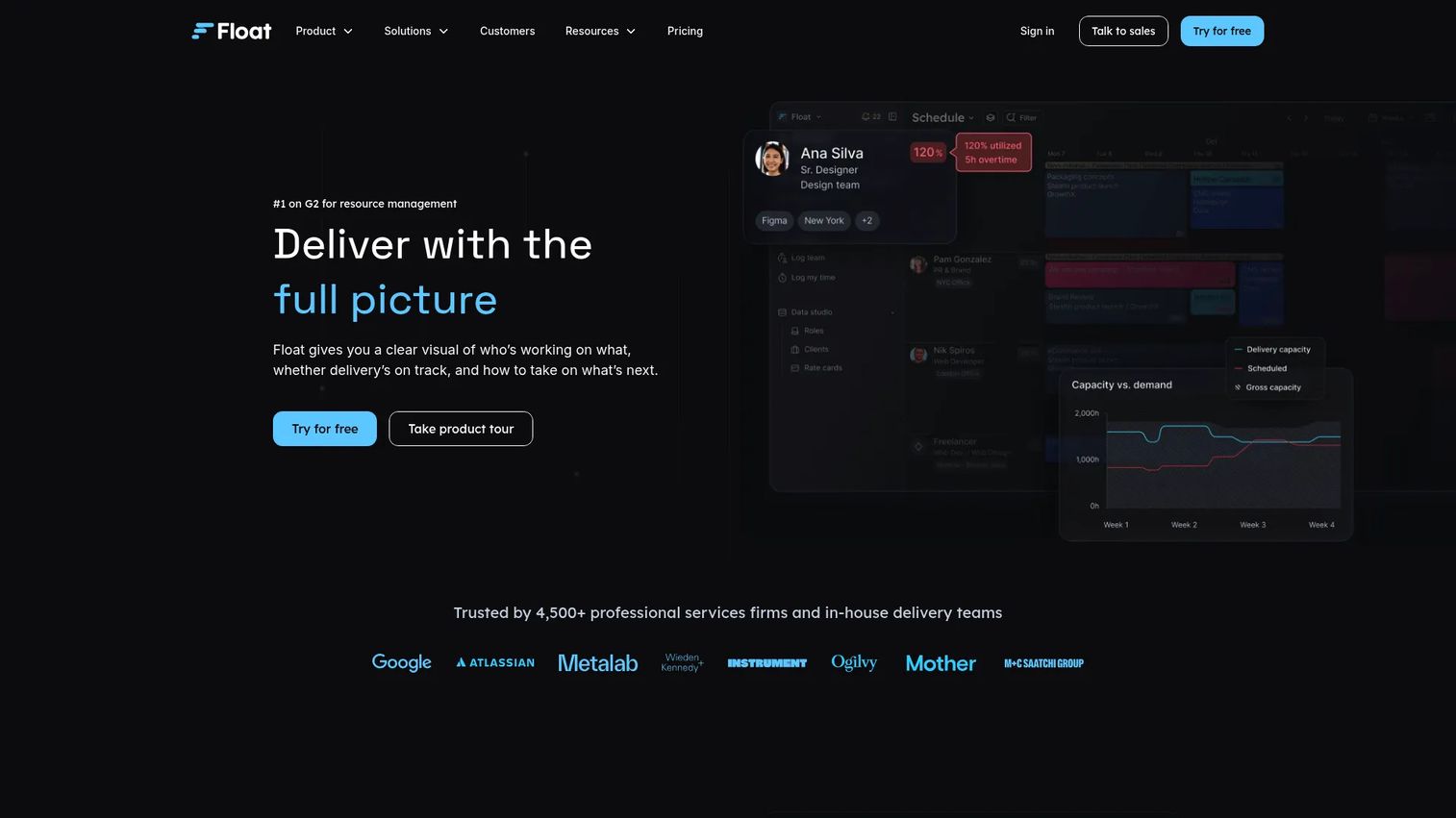
Float is a resource scheduling and planning platform that combines visual capacity management with project margin tracking. Teams can plan and assign work on a drag-and-drop timeline, track utilization against targets, and monitor project budgets and margins without switching tools. Float is particularly well-regarded for its clean interface and the speed at which teams can get accurate visibility into who is working on what and when.
Best for: Teams that want visual resource planning with profitability tracking built in, particularly agencies and product delivery teams that need to monitor margins alongside schedules.
Key features
- Drag-and-drop visual scheduling with utilization views
- Project margin and budget tracking
- Capacity management with time-off integration
- Workload views across teams and projects
- Reporting on utilization and project performance
Why choose Float: Float excels for teams where scheduling clarity and financial visibility need to coexist without significant admin overhead. The margin tracking feature is a meaningful differentiator for teams that need to connect scheduling decisions to project profitability without a full PSA system.
Float pricing: The Starter plan begins at $7 USD per scheduled person per month. Pro is $12 per person per month. Enterprise pricing is available on request. A 30-day free trial is available on the Pro plan.
Float on G2: Rated 4.3/5 on G2.
Considerations
Forecasting depth vs. scheduling coverage
There is a meaningful difference between a tool that schedules confirmed work and one that forecasts future demand from pipeline or intake data. Before shortlisting, confirm whether the platform models anticipated demand or only manages work already in the queue. For PMs managing intake from multiple sources, forecasting depth matters far more than scheduling polish.
Skills and role-based allocation logic
Check whether the platform supports skills-based assignment, not just role-based. For teams with specialists (senior engineers, domain experts, certified practitioners), matching work to the right person based on competency prevents the common pattern of overloading top performers while others stay underutilized. Saviom and Epicflow offer stronger skills-matching depth than lighter scheduling tools.
Reporting, export options, and integration fit
Forecasting data loses value if it cannot flow into your BI stack, CRM, or financial system. Evaluate whether the tool supports scheduled exports, API access, and native integrations with the platforms your team already runs on. Kantata and Adobe Workfront have broader enterprise integration ecosystems; Resource Guru and Float are simpler but connect to common project and accounting tools.
Scenario planning capabilities
PMs and ops leaders regularly need to answer "what happens if we add this project" before committing. Scenario planning features, sometimes called what-if analysis, let you model demand shifts, bench changes, and project additions without affecting the live schedule. Epicflow includes this natively; other tools handle it to varying degrees.
Maintenance burden and adoption risk
A forecasting system that requires a dedicated admin to stay current will either be maintained by one person at risk of becoming a bottleneck, or quietly stop being updated. Evaluate how easy it is to keep data current as team composition, project mix, and priorities change. Lighter tools like Resource Guru and Float tend to see higher ongoing adoption because the maintenance burden stays low.
Conclusion
The right resource forecasting tool depends on where your current planning breaks down.
If the problem is connecting staffing to financial outcomes in a professional services context, Kantata is the strongest fit. For large organizations running multidimensional forecasting across pipeline, skills, and headcount, Saviom covers more surface area than any other tool on this list. Epicflow is the choice when cross-project scheduling conflicts and shared resources are the core pain, especially when what-if modeling matters for portfolio decisions.
For teams embedded in the Adobe ecosystem, Workfront keeps resource planning inside an existing governance layer. Forecast suits delivery teams that need planning and financials in one place. For straightforward scheduling with honest, transparent pricing, Resource Guru is hard to beat. Float stands out when visual clarity and margin awareness need to work together without the overhead of a full PSA platform.
A practical next step: Pick two tools from this list that match your team's size and forecasting depth requirements, then test each against one live project scenario before committing. Most of the tools here offer a trial or demo, so the evaluation cost is low.
Start your journey with Guideflow today!
FAQs
Resource forecasting software predicts future demand for people, skills, and capacity by pulling in data from project pipelines, intake systems, and current assignments. Teams use it to plan staffing before work begins, identify upcoming overload, and make allocation decisions while there is still time to act. The goal is replacing reactive firefighting with proactive planning grounded in real demand data.
Scheduling assigns people to confirmed work already in the system. Forecasting models anticipated demand, often from pipeline or intake data, before that work is formally scoped or assigned. Stronger tools support both: They let you forecast incoming demand weeks or months out, then convert those forecasts into actual assignments as projects are confirmed. Teams that rely on scheduling alone tend to discover capacity problems at the moment they become urgent.
The primary users are project managers, PMO leads, resource managers, and operations leaders at organizations where work is project-based or capacity-constrained. Professional services firms, consulting practices, agencies, and product delivery teams are the most common buyers. Finance and HR leadership also use the outputs, particularly utilization data and bench forecasts, to inform hiring and compensation decisions.
The highest-impact features depend on the team's planning maturity. For most teams starting out, workload visibility and utilization reporting matter most. As complexity grows, skills-based allocation, scenario planning, and API or export integrations become critical. Reporting quality is often underestimated: A tool that forecasts well but surfaces data poorly will see low adoption from the managers who need to act on it.
It can, provided the team acts on the output. Forecasting software identifies idle capacity and overload before they become permanent patterns. Managers who use that data to rebalance assignments, shift project timelines, or adjust hiring plans will see utilization improve. Teams that treat forecasting reports as read-only dashboards rarely see the benefit. The tool creates the visibility; the operational response determines the outcome.
Start with the planning model: Does the tool forecast from pipeline data or only schedule confirmed work? Then check reporting depth, export options, and whether the platform integrates with your CRM or ERP. Skills-based allocation logic matters if your team has specialists. Finally, assess how much ongoing maintenance the system requires and who will own that work day-to-day. A capable tool with high maintenance overhead often gets abandoned within a quarter.
Services firms are the most common users, but the category is relevant to any team managing project-based work with shared resources. Internal product teams, PMOs at SaaS companies, marketing operations, and IT delivery teams all face the same core challenge: More demand than visible capacity, with no system connecting the two. The tools built for services firms often apply directly to these contexts, particularly when billable utilization and margin tracking are less important than workload visibility and delivery reliability.