Your marketing VP just asked for updated business cards, event banners, and a new postcard run before next week. You don't have a designer on staff. The last time someone tried to produce these in-house, it took three rounds of back-and-forth with a freelancer and still came back wrong.
Print shop software exists to solve exactly this. It gives small business teams a way to produce print-ready collateral without outsourcing every job or learning professional design from scratch. The market reflects real demand: According to The Business Research Company (2025), the print shop management software market was valued at approximately $1.3 billion in 2023 and is projected to reach roughly $2.8 billion by 2032, growing at about 9% CAGR.
The buying decision is trickier than it looks. Most searches land on product pages that push a specific edition or version without explaining what actually differs between them. This guide cuts through that and gives you a clear, comparable view of 8 tools, from the lightest template-first options to full desktop publishing software for more demanding print workflows.
What's inside
This guide covers 8 print shop software options evaluated for small business and home office use in 2026. Tools were selected based on:
- Template and asset depth: How many ready-made designs and royalty-free assets come included
- Output and publishing options: Support for PDF, HTML, email, and social sharing
- Ease of use vs. layout control: Whether the tool fits a non-designer or a more experienced operator
- Fit for recurring small business print projects: Business cards, banners, labels, posters, greeting cards, postcards, and calendars
TL;DR
- Best overall for recurring print projects: The Print Shop 5.0 Deluxe delivers the broadest template library at the most accessible price for teams that need consistent, repeatable collateral
- Best for business cards and small business collateral: The Print Shop Deluxe (any version) keeps things fast, template-driven, and affordable for high-frequency print jobs
- Best for more advanced page layout and print publishing: The Print Shop Professional adds master pages, font embedding, and PDF controls for users who need more polish
- Best if you need print and shareable digital output: Any Print Shop edition supports PDF, HTML, email, and social publishing alongside direct printing
- Deluxe vs. Professional decision: Go Deluxe if you want speed and simplicity; choose Professional if you need layered Photoshop import, embedded fonts, or finer print controls
- Best for deeper desktop publishing: Adobe InDesign suits design-mature teams with complex, multi-page layout needs and a subscription budget
What is print shop software
Print shop software is desktop publishing software designed to help individuals and small business teams create print-ready layouts and digital design projects without professional design training.
At its core, it combines page layout tools, template libraries, photo editing, and asset management into a single application. Users select a project type, customize a template, and export or send the result directly to a printer, PDF file, or digital channel.
Key capabilities to expect from print shop software include:
- Template libraries: Pre-built designs for business cards, greeting cards, banners, calendars, labels, posters, and postcards, often numbering in the thousands
- Clip art and photo assets: Royalty-free images and illustrations bundled with the software, typically ranging from 100,000 to 200,000 assets
- Page layout and text tools: Drag-and-drop composition, text formatting, font controls, and multi-page project support
- Print and PDF output: Direct-to-printer workflows, PDF export, and in some editions font embedding for commercial printing
- HTML, email, and social sharing: Publishing projects beyond paper, including web pages, email attachments, and social media posts
- Photo editing: Basic adjustments like cropping, color correction, and one-click enhancements built into the design workflow
What separates print shop software from raw desktop publishing tools is the emphasis on templates and guided workflows. The design work is largely done for you. You're customizing, not building from scratch.
The category splits broadly into two groups. Template-first tools (Deluxe editions, PrintMaster) prioritize speed and accessibility. Layout-first tools (Professional editions, Adobe InDesign) offer finer control over typography, master pages, and print-production standards.
When to use
Create recurring business collateral
Print shop software earns its place when your team produces the same categories of materials repeatedly: Updated business cards each quarter, event banners for trade shows, seasonal postcards to clients, or product labels with changing SKUs. Template reuse is the core value here. Once a layout is set, future runs take minutes instead of hours, and whoever is handling the task doesn't need design expertise.
Produce one-off event and marketing pieces
Event signage, holiday greeting cards, conference handouts, and promotional posters are all strong candidates. These jobs come up unpredictably, require fast turnaround, and don't justify a designer's time for routine execution. The built-in template catalogs cover most formats, and the export options mean you can send files to a commercial printer or run them in-house.
Replace ad hoc design requests with a repeatable workflow
If your team currently routes every print request through a single person, a bottleneck forms every time. Print shop software gives more team members the ability to produce compliant, on-brand output independently. PDF, HTML, and email sharing options extend that further, so a finished piece can be sent digitally without an additional production step.
Print shop software comparison
The 8 tools below cover the full range of the print shop software category, from the lightest entry-level options to full desktop publishing environments. Use this table to match your priority to the right pick.
| # | Product | Best for | Key differentiator | Pricing | G2 rating |
|---|---|---|---|---|---|
| 1 | The Print Shop Deluxe | Template-first small business collateral | Fast, accessible design without layout expertise | $49.99 one-time | 3.9/5 |
| 2 | The Print Shop Professional | Home office users needing polished print output | Master pages, Photoshop import, font embedding | $99.99 one-time | 3.9/5 |
| 3 | The Print Shop 5.0 | Broad template library at an entry price | 4,800+ templates, 193,000+ assets | $49.99 (Deluxe) / $99.99 (Pro) one-time | N/A |
| 4 | The Print Shop 6.0 | Desktop publishing with digital sharing | PDF, HTML, email, and Facebook publishing | $69.99 (Deluxe) / $99.99 (Pro) one-time | 3.9/5 |
| 5 | The Print Shop 8 | Current-generation small business print design | Broad deliverable coverage, modern workflow | $69.99 (Deluxe) / $99.99 (Pro) one-time | 3.9/5 |
| 6 | PrintShop 8 | Individual and small team print layout | Straightforward desktop design tool | Pricing not confirmed on official site | 3.9/5 |
| 7 | PrintMaster | Personal and small business print projects | 4,800+ templates, 165,000+ images, Avery support | From $39.99 one-time | N/A |
| 8 | Adobe InDesign | Design-mature teams with complex layouts | Professional typography, multi-page publishing | From $22.99/mo | 4.6/5 |
8 best print shop software options for 2026
1. The Print Shop Deluxe
The Print Shop Deluxe is the entry-level edition of Broderbund's long-running print software line, aimed at home office users and small business owners who need to produce print and digital collateral quickly. It ships with a broad template library covering business cards, banners, greeting cards, labels, posters, postcards, and calendars, so most common print jobs have a starting point built in. The tool handles both printed output and digital publishing, including PDF export and HTML.
Best for: Small business owners and home office users who want fast, template-driven print output without a learning curve.
Key strengths
- 4,800+ ready-made templates across common print formats
- 193,000+ clip art images and royalty-free photos included
- PDF export and HTML publishing alongside direct printing
- Duplex printing support for two-sided jobs
Why choose The Print Shop Deluxe: This edition fits teams that prioritize speed over fine control. If your print jobs are recurring and format-consistent, the template library removes most of the production work. It's the right call when the goal is done-and-correct, not custom-designed.
The Print Shop Deluxe pricing: The Print Shop Deluxe is a one-time purchase at $49.99, verified on the official printshop.com store. No subscription is required and no free tier is available.
G2 rating: 3.9/5 (The Print Shop product line, sourced from G2)
2. The Print Shop Professional
The Print Shop Professional is the higher-tier edition from the same product line, built for users who need more output control and design capability. Where the Deluxe edition focuses on template speed, the Professional edition adds master pages for consistent multi-page layouts, Photoshop PSD file import with layer support, and font embedding into PDF files for commercial printing requirements.
Best for: Home office power users and small businesses that send files to a commercial printer and need print-production-ready PDF output.
Key strengths
- Import layered Photoshop PSD files into projects
- Embed fonts into PDF output for commercial printing
- Master pages for consistent headers, footers, and layout elements
- Full text, photo editing, and page layout toolset
Why choose The Print Shop Professional: The font embedding and Photoshop import capabilities matter if you're producing materials that go to a commercial printer rather than a desktop device. Master pages also save significant time on multi-page projects like newsletters or catalogs where the frame repeats.
The Print Shop Professional pricing: The Professional edition is a one-time purchase at $99.99, per the printshop.com store. No subscription and no free tier.
G2 rating: 3.9/5 (The Print Shop product line, sourced from G2)
3. The Print Shop 5.0
The Print Shop 5.0 is a version-named release in the Print Shop line, positioned around its large template count and asset library. The Deluxe edition at version 5.0 ships with 4,800+ design templates and 193,000+ clip art and photo assets, making it one of the more asset-rich releases in the family. It covers the full range of print deliverables alongside PDF export, HTML publishing, and duplex printing.
Best for: Users who want the deepest asset library available in the Print Shop line at the Deluxe price point.
Key strengths
- 4,800+ design templates across print and digital formats
- 193,000+ bundled clip art and photo assets
- PDF export, HTML publishing, and duplex printing
- Available in both Deluxe and Professional editions
Why choose The Print Shop 5.0: If asset volume is your primary selection criterion, version 5.0 makes the case directly. The template and clip art counts are among the highest across Print Shop releases, which means fewer situations where you need to bring in outside assets or build from scratch.
The Print Shop 5.0 pricing: Version 5.0 is available in two editions: Deluxe at $49.99 and Professional at $99.99, both one-time purchases per the official product page. No free tier is available.
G2 rating: A dedicated version 5.0 G2 listing was not found during research; the Print Shop product line holds a 3.9/5 rating on G2.
4. The Print Shop 6.0
The Print Shop 6.0 builds on the version line with expanded sharing and publishing options alongside the standard print deliverables. The notable addition at this version level is explicit support for sharing finished projects via email, HTML web pages, and Facebook, in addition to PDF and direct printing. Template coverage spans cards, brochures, newsletters, calendars, posters, and more, with photo editing and advanced text tools included.
Best for: Home offices and small businesses that produce collateral for both print distribution and digital sharing in the same workflow.
Key strengths
- Sharing and publishing via PDF, HTML, email, and Facebook
- Templates for brochures, newsletters, cards, calendars, and posters
- Photo editing and clip art editing tools built in
- Advanced text formatting and layout controls
Why choose The Print Shop 6.0: The digital publishing options are the differentiator here. If your team regularly needs the same piece in both a printed format and a shareable digital version, version 6.0 handles that in one step rather than requiring a separate export workflow.
The Print Shop 6.0 pricing: Current store pricing from printshop.com shows the Deluxe edition at $69.99 and the Professional edition at $99.99, both one-time. No free tier.
G2 rating: 3.9/5 (The Print Shop product line, sourced from G2)
5. The Print Shop 8
The Print Shop 8 is the current-generation release in the Print Shop product line, representing the most up-to-date version of the software available from the brand in 2026. It covers the same broad range of print deliverables as earlier versions, including business cards, flyers, banners, cards, labels, and newsletters, with page layout, photo editing, and graphic design tools included.
Best for: Users who want the current release of Print Shop software with modern system compatibility and the full deliverable range.
Key strengths
- Page layout and graphic design tools
- Photo editing built into the project workflow
- Broad deliverable coverage: Cards, flyers, banners, labels, newsletters
- Current-generation release with up-to-date system support
Why choose The Print Shop 8: Choosing the current version matters for system compatibility and ongoing usability. If you're setting up a print workflow that your team will use for the next few years, starting on the most recent release avoids the friction of running older software on newer hardware.
The Print Shop 8 pricing: The official site showed Deluxe at $69.99 and Professional at $99.99 one-time during research for version 8. Pricing could not be confirmed from a live page load on the official domain during this run; the figures above reflect what was found across the product line at the 6.0 and 8 release levels.
G2 rating: 3.9/5 (The Print Shop product line, sourced from G2)
6. PrintShop 8
PrintShop 8 appears on the official Print Shop brand site as an alternate naming variant alongside The Print Shop 8. For buyers, this is primarily a naming clarity issue: PrintShop 8 and The Print Shop 8 refer to the same product family and share the same feature set, template library, and output capabilities.
Best for: Individuals and small teams who found this product through the alternate brand naming and want to confirm they're buying the right thing.
Key strengths
- Page layout and design tools consistent with the Print Shop 8 line
- Photo editing and graphic design integrated into project workflow
- Template-based creation for print and digital outputs
- Same deliverable coverage as the main Print Shop 8 product
Why choose PrintShop 8: The practical answer is that you're choosing the current Print Shop product. The naming variants on the official site can create confusion, but the underlying product is the same. What matters is confirming you're on the current release rather than an older version, and that the deliverable types you need are covered.
PrintShop 8 pricing: Pricing was not confirmed from a live page load on the official domain during this run. Based on the Print Shop product line structure, current editions run $69.99 (Deluxe) and $99.99 (Professional) as one-time purchases. Verify current pricing directly at theprintshop.com before purchasing.
G2 rating: 3.9/5 (The Print Shop product line, sourced from G2)
7. PrintMaster
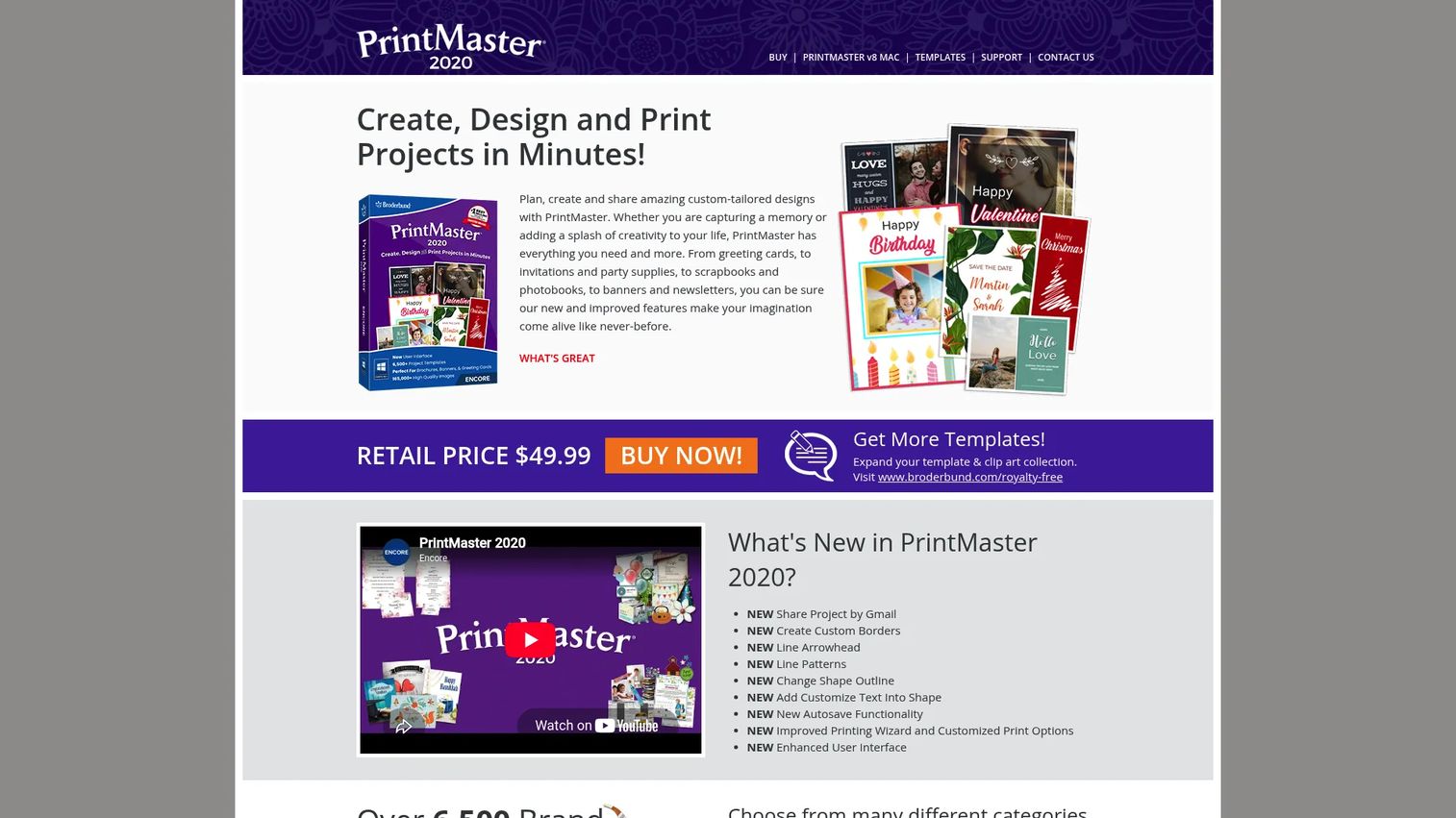
PrintMaster is a standalone print design software option aimed at personal and small business users who want a template-rich tool without the Print Shop brand. It ships with over 4,800 ready-made templates and more than 165,000 images and photographs, covering standard print categories like cards, calendars, labels, newsletters, and banners. A notable practical feature is built-in Avery template support, which matters for label printing workflows.
Best for: Users who need straightforward print design for personal or small business projects, especially those who print labels on Avery stock regularly.
Key strengths
- 4,800+ ready-made templates across print formats
- 165,000+ bundled images and photographs
- Avery template support for label printing
- One-click photo editing built into projects
Why choose PrintMaster: The Avery template integration is the clearest differentiator for anyone running regular label jobs. If your workflow includes product labels, address labels, or shipping labels on standard Avery sheets, PrintMaster removes a formatting step that other tools handle awkwardly.
PrintMaster pricing: PrintMaster Platinum v8 is priced at $39.99 as a one-time retail purchase. PrintMaster 2020 is listed at $49.99 one-time, per the official printmaster.com site. No subscription model and no free tier are available.
G2 rating: A verified G2 rating for PrintMaster was not found during research.
8. Adobe InDesign
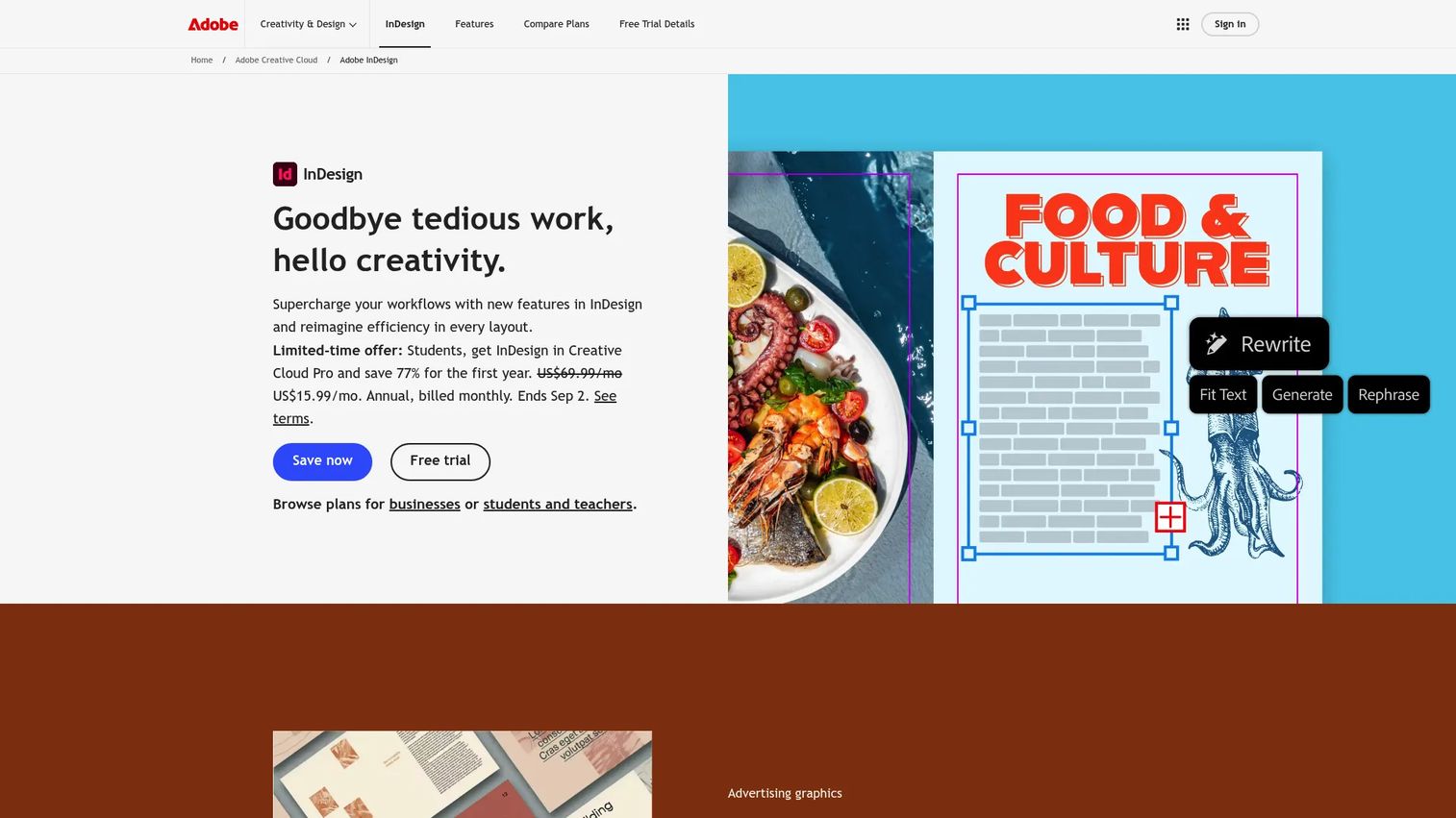
Adobe InDesign is a professional desktop publishing tool for teams that have outgrown template-based software and need precise control over typography, multi-page layout, and print production. It's the standard in commercial publishing, agency work, and any organization producing magazines, catalogs, books, or polished branded materials at scale. Unlike the Print Shop line, InDesign requires design knowledge to use effectively, and the learning investment is real.
Best for: Design-mature teams producing complex, multi-page layouts where typographic control and production-quality output are non-negotiable.
Key strengths
- Professional page layout and multi-page publishing tools
- Advanced typography and typesetting controls
- Collaboration and review tools for team-based projects
- Integration with Adobe Creative Cloud for cross-app workflows
Why choose Adobe InDesign: InDesign is the right call when template-based tools create more friction than they save, typically when your layouts are highly customized, your output goes to commercial printers with strict specification requirements, or your team already works in the Adobe ecosystem.
Adobe InDesign pricing: InDesign as a standalone plan costs $22.99/month (billed annually). Creative Cloud Pro for individuals is $69.99/month. The student and teacher plan runs $15.99/month. Team plans start at $37.99/month per license for InDesign alone, or $99.99/month per license for Creative Cloud Pro for teams. A 7-day free trial is available. All prices are billed annually and sourced from adobe.com/products/indesign/plans.html.
G2 rating: 4.6/5 (graphic design category on G2)
Considerations
Template depth and reuse
Count total templates and check how many apply to the specific formats you need. A library of 4,800 templates sounds large, but if only 200 cover your categories (labels, business cards, event banners), the usable depth is much smaller. Ask whether templates are editable enough to reuse across seasons or clients without starting over.
Output formats and publishing options
PDF export is a baseline requirement for any print job going to a commercial printer. Beyond that, consider whether you need font embedding (critical for commercial printing), HTML publishing, or email and social sharing. Not all editions include all of these, so check the specific version's export spec before buying.
Ease of use vs. layout control
Template-first tools get you to a finished piece faster but limit how far you can deviate from the preset design. Layout-first tools like the Professional editions or Adobe InDesign give you more control but require more time to build proficiency. Match the tool to your team's existing skills and how often you'll need custom layouts versus standard formats.
Asset library quality
Asset quantity matters less than asset relevance. A library of 193,000 images is only useful if those images fit your industry, audience, and brand aesthetic. Before committing to a tool, preview the asset categories and check whether the style matches what you'd actually use.
Fit for small business vs. more advanced design work
Print shop software at the Deluxe level is a strong fit for recurring, format-consistent small business collateral. When projects become more complex, multi-page, or typography-dependent, the Professional edition or InDesign is worth the added cost and learning investment. The key question is whether your design needs are likely to stay simple or grow more demanding over the next 12 to 24 months.
Conclusion
The decision here comes down to two clear paths. For most small business and home office print needs, The Print Shop Deluxe or Print Shop 5.0 Deluxe covers the ground well: Fast template access, a deep royalty-free asset library, PDF and HTML output, and a one-time cost under $50. PrintMaster is worth a look specifically if label printing on Avery stock is a regular workflow.
For teams that need more production-quality output, master pages, or Photoshop import, The Print Shop Professional edition adds those capabilities at $99.99 one-time. That's a reasonable investment if it replaces recurring freelance design requests.
Adobe InDesign sits in a separate tier entirely. It makes sense when template-based software has become the constraint rather than the shortcut, and your team has the design maturity to operate without guardrails.
Start with the simplest tool that covers your actual deliverable list. Upgrade when the constraints are costing you more time than the upgrade would.
Start your journey with Guideflow today!
FAQs
Print shop software is used to create print-ready design projects for small business and home office use. Common outputs include business cards, greeting cards, banners, calendars, labels, posters, and postcards. Most tools also support digital publishing via PDF, HTML, and email.
They overlap significantly. Desktop publishing software is the broader category, covering everything from simple template tools to professional layout applications like Adobe InDesign. Print shop software typically refers to the more accessible, template-driven end of that category, aimed at non-designers who need print-ready output quickly.
The Print Shop 5.0 Deluxe or Print Shop 8 Deluxe are the strongest picks for most small business use cases. Both offer the core template library and output options at $49.99 to $69.99 one-time. The Professional edition adds value specifically when you need commercial printing compatibility, master pages, or Photoshop file import.
Most print shop software supports business cards, greeting cards, banners, posters, labels, calendars, postcards, newsletters, flyers, and brochures. The higher-end editions and templates often extend into letterhead, envelopes, invitations, and event programs. Digital output formats (PDF, HTML, email) mean finished pieces can also go directly to recipients without printing.
Yes. PDF export is a standard feature across the Print Shop product line and PrintMaster. The Professional editions add font embedding into PDF files, which is a requirement for sending files to commercial printers. Adobe InDesign offers the most control over PDF output specifications.
Both are well-supported categories. Business card templates are among the most common in any print shop library. Label support varies: Most tools handle standard label formats, while PrintMaster specifically includes Avery template integration for more reliable alignment on Avery label stock.
They refer to the same product. PrintShop 8 and The Print Shop 8 are naming variants that appear on the official brand site, but they describe the same software release with the same feature set. The naming can create confusion when searching, but the product itself is consistent.
Start with the deliverable types you actually produce and confirm the template library covers those formats well. Check the output options (PDF, print, HTML, email) match how you distribute finished work. Factor in whether you need a one-time purchase or can accommodate a monthly subscription. And be honest about your team's design skill level, because the right tool is the one your team will actually use, not the one with the most features.