
A lead calls at 7pm asking for a quote. Your estimator is offline. By the time someone follows up the next morning, they have booked with the company that answered first. Meanwhile, a crew sits idle because dispatch double-booked a truck, and your bookkeeper is reconciling deposits in a spreadsheet that hasn't matched the calendar in weeks.
That is what running a moving company on disconnected tools looks like. A generic CRM here, a scheduling app there, invoicing in accounting software that knows nothing about your jobs. Every gap between systems is a place where revenue leaks and hours disappear.
The market has noticed. The global moving company software market reached USD 1.54 billion in 2024 and is projected to grow at a 12.7% CAGR through 2033, according to Growth Market Reports (2025). Adoption is following: MarketIntelo (2025) found that 73% of mid-to-large moving companies had implemented a digital management system by 2025, up from 42% in 2020. The operators who consolidated are outbooking the ones still stitching tools together.
If you have built a business on referrals and hustle, the same instinct that recognizes a scaling problem in any company applies here: fragmented data, operational bottlenecks, and workflows that only run when you personally push them. The right platform removes the founder from the middle of every job. The same pattern shows up when teams evaluate any operational system, which is why frameworks like a structured best crm software comparison translate cleanly to this category.
What's inside
This guide compares four purpose-built moving company software platforms: SmartMoving, Supermove, Movegistics, and MovingCRM. Each one bundles some combination of CRM, estimates, dispatch, invoicing, storage, reporting, and automation, but they weight those modules differently.
We evaluated them on five criteria that matter when you are trying to scale without adding headcount:
- Workflow coverage across lead-to-cash
- Usability for office staff and crews
- Onboarding and support quality
- Automation depth, including AI and after-hours capture
- Fit for scaling teams that need reporting and visibility
No affiliate ranking games. The best pick depends on whether your biggest bottleneck is CRM, automation, estimates, or dispatch.
TL;DR
- Best all-in-one platform: SmartMoving covers CRM, estimates, dispatch, accounting, storage, and reporting in one system, with a strong onboarding motion for operators who want breadth.
- Best for AI automation: Supermove leads on AI voice agents, after-hours call capture, and workflow automation across scheduling, dispatch, and invoicing.
- Best for estimates and inventory: Movegistics goes deep on AI virtual surveys, QR inventories, digital warehouse, and dispatch for operationally complex moves.
- Best CRM-led option: MovingCRM centers on AI lead management, intelligent booking, and a unified inbox for teams that want a focused sales-and-booking core.
Pick based on your bottleneck, not the feature count. The comparison table below maps each tool to the operation style it fits.
What is moving company software?
Moving company software is an industry-specific platform that manages the full lifecycle of a move, from lead capture and estimating through dispatch, billing, storage, and reporting, in a single system instead of a stack of disconnected tools.
The strongest platforms combine these capabilities:
- CRM and lead management: Captures inbound leads from your website, phone, and lead marketplaces, then tracks each opportunity through booking. A moving company CRM keeps follow-up organized so hot leads do not go cold.
- Estimates and booking: Generates quotes with auto-pricing, tariffs, and digital forms, then converts an accepted estimate into a booked job without re-entering data.
- Dispatch and crew scheduling: Assigns crews and trucks against capacity, publishes the day's schedule, and gives movers a mobile view of their jobs.
- Invoicing, payments, and revenue tracking: Turns completed jobs into invoices, collects deposits and balances, and rolls everything into revenue reporting.
- Storage and inventory management: Tracks stored items, warehouse locations, and recurring storage billing, often with barcode or QR-based inventory.
- Reporting and automation: Surfaces sales, operations, and revenue metrics, and automates repetitive follow-up, status updates, and data entry.
The point of moving software is not to add features. It is to reduce manual follow-up, speed up quote-to-book, and give leadership one clear view of the business. When those three things work, the operation runs without you touching every job.
When to use moving company software
Centralizing leads and quotes
If leads live in email, voicemail, a spreadsheet, and three lead-marketplace inboxes, you are losing bookings to slow response. The trigger is simple: you can no longer tell which leads have been quoted and which have gone quiet. A moving CRM with lead aggregation and estimate tracking closes that gap by putting every opportunity in one pipeline.
Reducing dispatch chaos
Double-booked trucks, crews waiting on addresses, and last-minute reshuffles by text are the signs you have outgrown a shared calendar. Moving dispatch software assigns crews and trucks against real capacity and pushes the schedule to a crew app, so the office and the field see the same plan.
Improving follow-up and after-hours capture
Most quote requests arrive outside business hours, and the first company to respond usually wins. When you cannot staff the phones around the clock, moving company automation, including AI voice and automated follow-up, captures and books those leads while your team is offline.
Managing storage and move-day operations
Once you hold customer goods in a warehouse, spreadsheets stop working. You need to track what is stored, where, for whom, and bill it on a recurring basis. Moving storage software with QR or barcode inventory and digital warehouse management keeps custody clear and revenue billed.
Comparison table
Use this table as a fast filter. Match the "Intent" and "Key use case" columns to your biggest operational bottleneck, then read the full section for that tool. Pricing for this category is largely demo-led, so several vendors do not publish public numbers; ratings are shown as verified on the listed source.
| # | Product | Intent | Key use case | Pricing | G2 rating |
|---|---|---|---|---|---|
| 1 | SmartMoving | All-in-one operations | CRM, estimates, dispatch, accounting, storage, and reporting in one platform | Demo-led; Growth plan billed monthly, quarterly, or annually | 0.0/5 (no reviews yet) |
| 2 | Supermove | AI and automation | AI voice agents, after-hours booking, and workflow automation | Demo-led; no public pricing | 4.8/5 |
| 3 | Movegistics | Operational depth | AI virtual surveys, QR inventory, dispatch, and digital warehouse | Demo-led; plan names public, no base price shown | 4.9/5 (Capterra) |
| 4 | MovingCRM | CRM-led sales and booking | AI lead management, intelligent booking, and unified inbox | Free trial; flexible plans, no public price | Not published |
1. SmartMoving
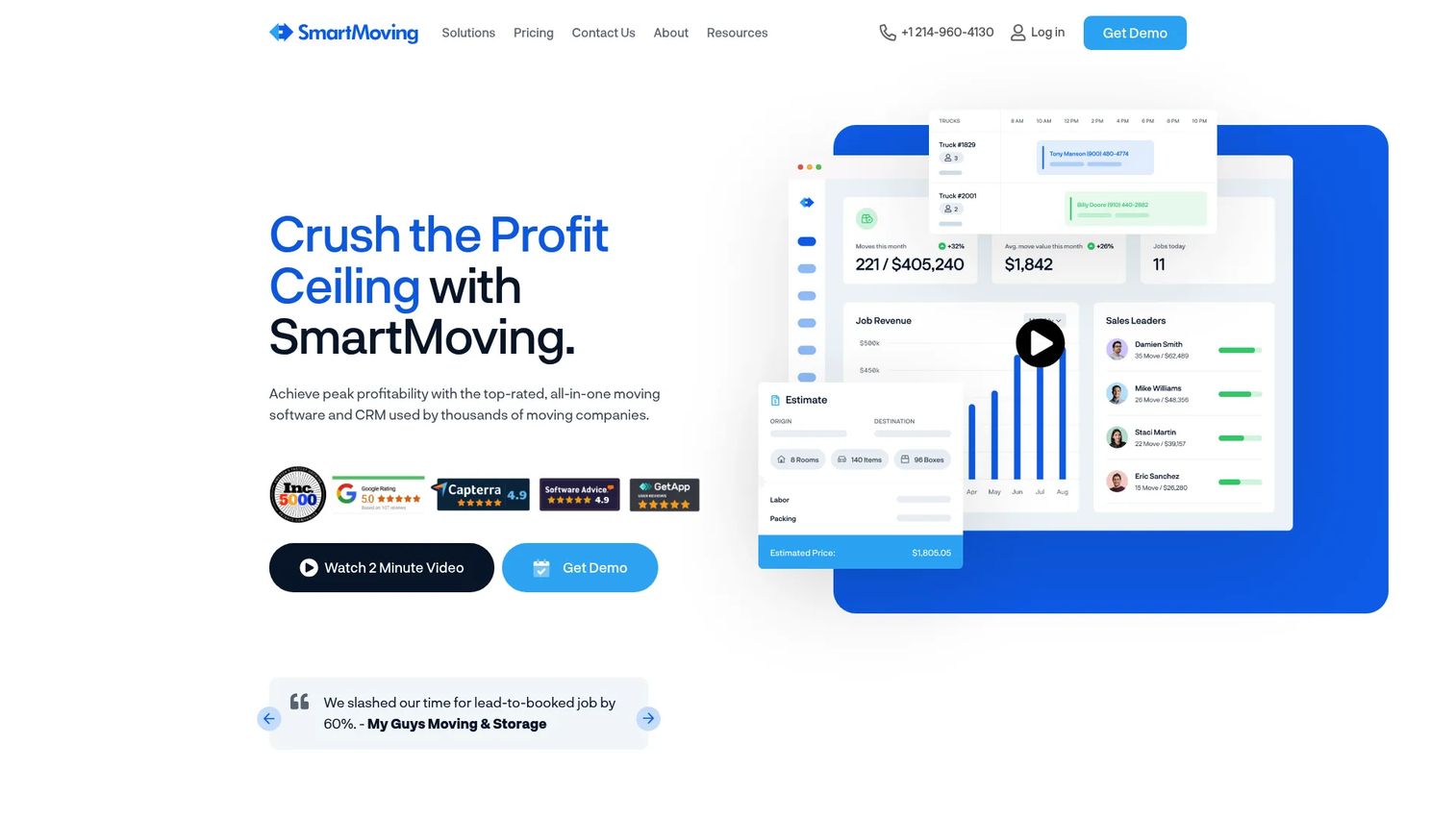
SmartMoving is an all-in-one moving company software and CRM that spans the full operation: sales, estimates, dispatch, accounting, storage, and reporting. Instead of asking you to bolt a scheduling tool onto a generic CRM, it treats the lead, the estimate, the booked job, the crew assignment, the invoice, and the report as one connected record. For operators tired of re-keying the same job into four systems, that single source of truth is the whole pitch.
Best for: Moving companies that want an all-in-one CRM, estimating, and operations platform in a single system.
Key strengths
- CRM for leads, sales, and clients: One pipeline captures inbound leads and tracks them through booking, so follow-up stops falling through the cracks.
- Estimates with auto-pricing and digital forms: Quotes generate from your pricing rules and convert into booked jobs without duplicate data entry.
- Scheduling and dispatch with crew and truck capacity: Assigns crews and trucks against real availability, replacing the guesswork of a shared calendar.
Why choose SmartMoving: Choose it when your bottleneck is fragmentation itself. If the pain is that nothing talks to anything, a broad platform that covers CRM, estimating, dispatch, accounting, storage, and reporting removes the handoffs where revenue leaks. SmartMoving also emphasizes onboarding and support, which matters when you are moving an entire office off spreadsheets and cannot afford a stalled rollout. It fits owners who value completeness over specialization and want fewer vendors to manage.
SmartMoving pricing: SmartMoving uses a demo-led model. Its pricing page shows a Growth plan with the option to be billed monthly, quarterly, or annually, but no public plan price was visible when we checked. You will need to book a demo to get a quote for your operation size. No free tier is published.
2. Supermove
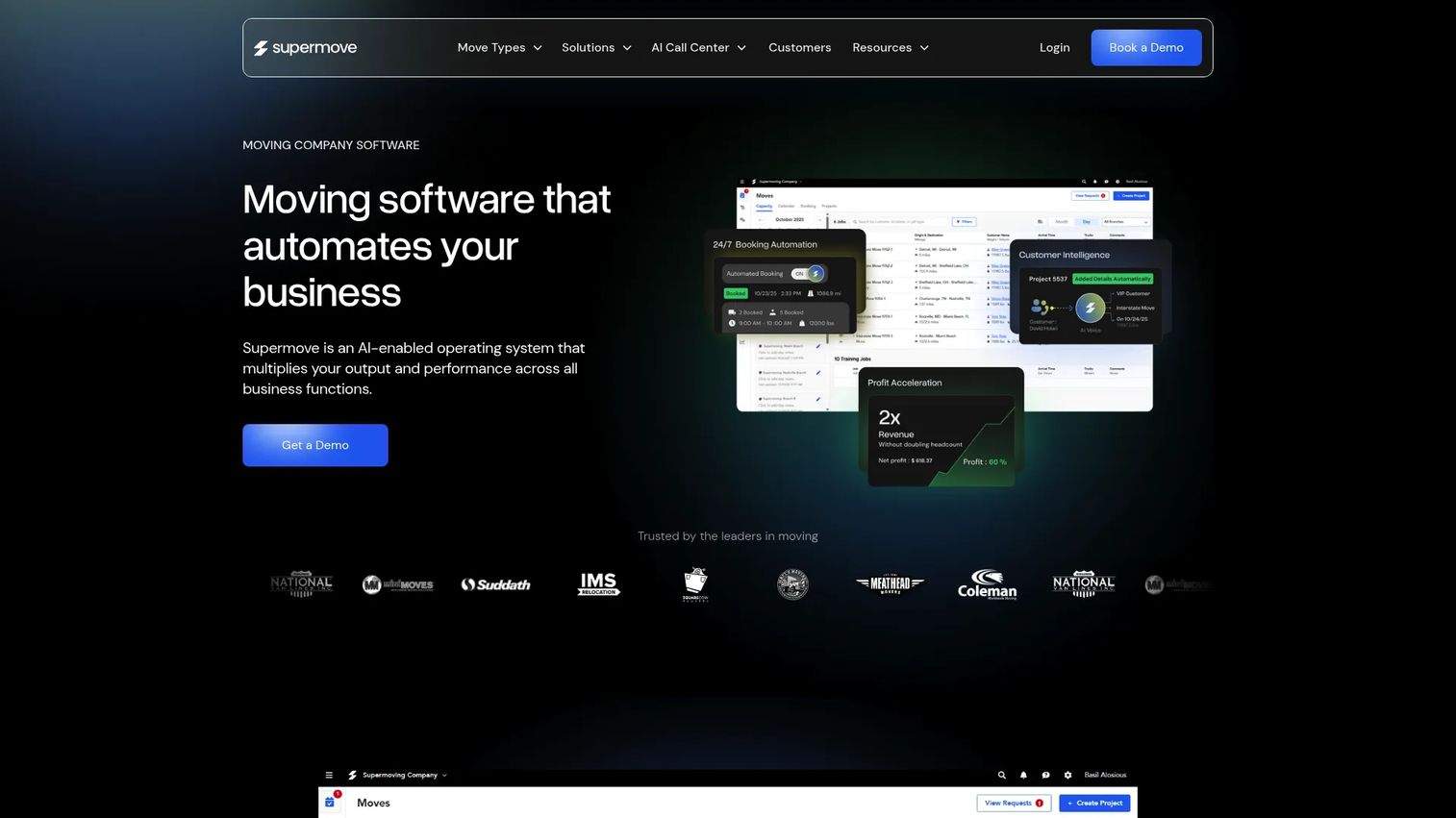
Supermove is an AI-enabled operating system for moving companies, built around the idea that a large share of revenue-relevant work can be automated. Its signature capability is AI voice agents that answer inbound calls and book jobs after hours, so the phone stops going to voicemail when a ready-to-book customer calls at night. Around that sits workflow automation across data entry, scheduling, dispatch, invoicing, and CRM updates, plus customer-facing tools like real-time communication, digital signatures, GPS tracking, and payments.
Best for: Enterprise and scaling moving companies that want an all-in-one operations platform with an aggressive AI and automation core.
Key strengths
- AI voice agents for inbound and after-hours booking: Answers calls and captures bookings around the clock, so leads convert instead of going cold overnight.
- Workflow automation across the operation: Automates data entry, scheduling, dispatch, invoicing, and CRM updates, cutting the manual admin that eats staff hours.
- Customer-facing tools: Real-time communication, digital signatures, GPS tracking, and payments keep the customer informed without manual outreach.
Why choose Supermove: Choose it when your bottleneck is labor and after-hours leakage, not features. If you are losing bookings because nobody answers the phone at 8pm, or your team spends hours on repetitive data entry that automation could handle, Supermove is built to attack exactly that. Its role-based framing for owners, operations, finance, and customer experience means each function gets automation aimed at its own work. It is the strongest pick here for teams that want to grow revenue without proportionally growing headcount. Supermove holds a 4.8/5 rating on G2.
Supermove pricing: Supermove uses a demo-led, sales-led model. No public plan names or prices were visible on the site when we checked, so expect a scoped quote based on your operation. Book a demo to get pricing for your team size and volume.
3. Movegistics
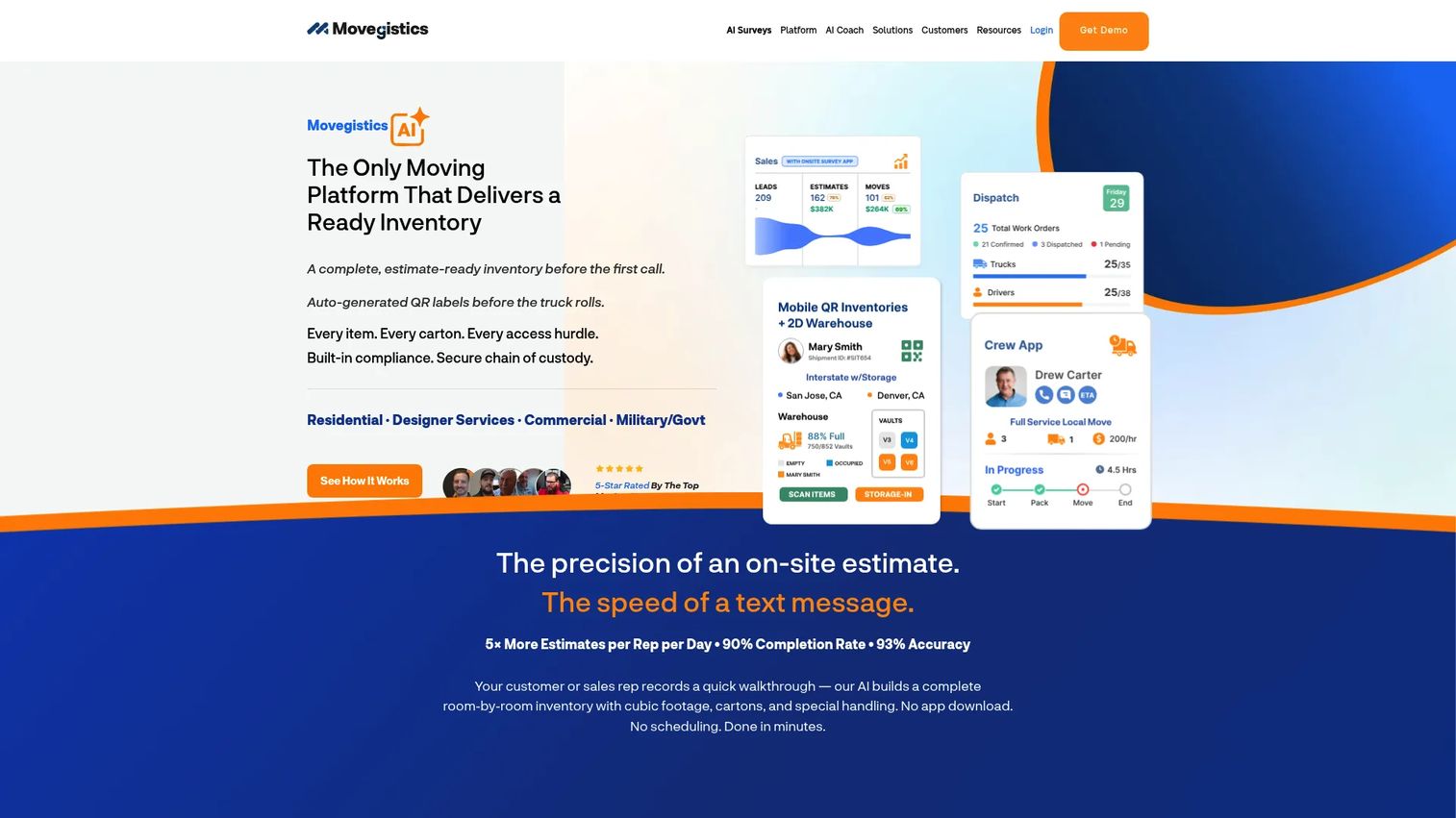
Movegistics is a moving CRM built for moving and storage companies that need real operational depth. It is the most feature-dense option on this list, combining an all-in-one moving CRM with AI virtual surveys, QR inventories, a crew mobile app, dispatch and operations, invoicing and payments, a digital warehouse, and lead and estimate automation. Where lighter tools stop at the sales pipeline, Movegistics keeps going into the parts of the business that get complicated at scale: inventory, storage, and move-day execution.
Best for: Moving companies that want CRM, dispatch, estimates, and warehouse workflows in one system.
Key strengths
- AI virtual surveys and QR inventories: Customers complete a text or video survey, and QR-based inventory tracks items with less manual counting on move day.
- Digital warehouse and storage management: Tracks stored goods, locations, and recurring billing, so storage revenue is captured instead of estimated.
- Dispatch, crew mobile app, and estimate automation: Connects office scheduling to the crew in the field, with automation that speeds quote-to-book.
Why choose Movegistics: Choose it when your bottleneck is operational complexity: high move volume, meaningful storage, and inventory that has to be accurate. The AI survey and QR inventory workflows are the standout here, and they matter most for companies where estimating accuracy and item tracking directly affect margin and claims. Movegistics rewards teams willing to use its depth. It holds a 4.9 rating on Capterra, and the site mentions free sandbox access so you can explore the workflows before committing.
Movegistics pricing: Movegistics uses a demo-led model. Its pricing page publicly lists plan names, including AI Survey Packs and a Full CRM plan billed month to month with a 30-day expiration, along with add-on details, but the main subscription prices were not visible when we checked. There is no published free tier, though free sandbox access is offered.
4. MovingCRM
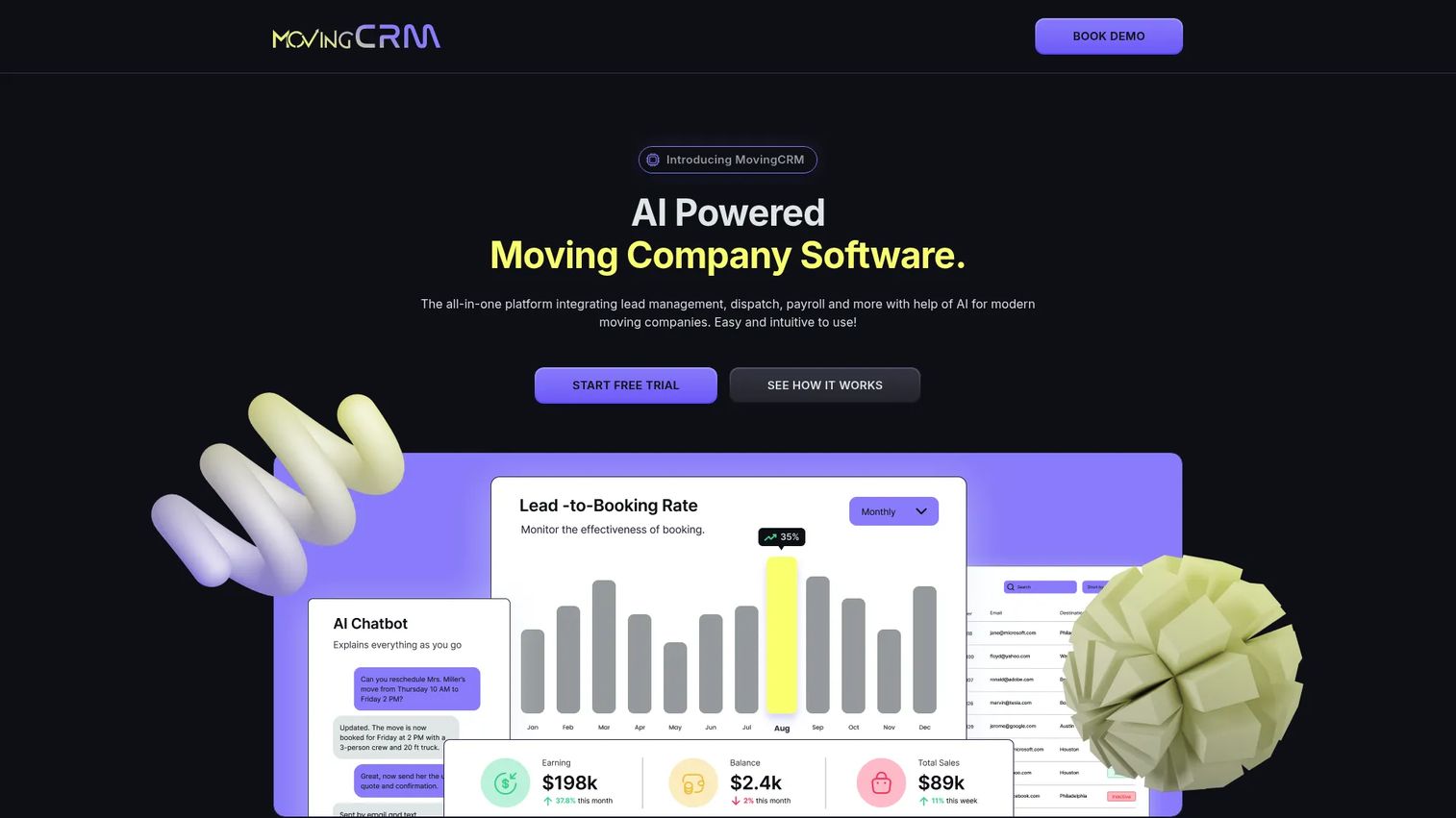
MovingCRM is AI-powered software that combines lead management, booking, dispatch, payroll, and customer communication with a CRM-first center of gravity. It leads with AI-powered lead management and intelligent booking through a unified inbox, then extends into crew dispatch and scheduling, digital contracts, a customer portal, team payroll, and revenue tracking. The result is a focused sales-and-booking core with enough operations coverage to run day to day, without the sprawl of a full enterprise platform.
Best for: Moving companies that want an all-in-one CRM for sales, dispatch, and operations with a lean, sales-led feel.
Key strengths
- AI-powered lead management and scoring: Ranks and routes incoming leads so your team works the opportunities most likely to book.
- Intelligent booking with a unified inbox: Consolidates customer messages in one place, so nothing gets lost across channels.
- Digital contracts, customer portal, and revenue tracking: E-signatures and a self-serve portal reduce back-and-forth, while revenue tracking and payroll keep the money side clear.
Why choose MovingCRM: Choose it when your bottleneck is the top of the funnel: lead response, booking speed, and keeping the sales conversation organized. Smaller or CRM-led teams that want a sharp lead-to-booking flow, rather than a broad operations suite, will find it easier to adopt because it is not trying to be everything. The customer portal and e-signature story also make it a fit for owners who want a modern buyer experience without heavy setup.
MovingCRM pricing: MovingCRM uses a demo-led model. The site mentions a free trial and flexible plans, but no public plan prices were visible in the accessible content when we checked. Start with the free trial, then request a quote scoped to your team size.
Considerations before you buy
Before you commit to any moving software, run each option through this checklist. The goal is to verify fit against your actual bottleneck, not the longest feature list.
How complete is the workflow coverage?
Map your lead-to-cash flow and check that the platform covers every step you actually use: lead capture, estimating, booking, dispatch, invoicing, storage, and reporting. A gap in one module means you are back to a second system and manual re-entry. If you run storage, confirm the storage and inventory workflows are genuinely built out, not an afterthought.
Will the team actually adopt it?
The best platform is the one your office staff and crews will use every day. Test the crew mobile app and the estimator workflow with the people who will live in them. If the interface fights them, adoption stalls and you are paying for software nobody opens. Ask for a sandbox or trial so real users can try it before you sign.
How strong is onboarding and support?
Migrating an office off spreadsheets is where rollouts die. Ask exactly how data migration, configuration, and training work, and what support looks like after go-live. A vendor that invests in onboarding, as SmartMoving emphasizes, materially changes your odds of a clean cutover.
Does it improve speed to quote and book?
The mechanism that wins moving jobs is speed. Time the quote-to-book flow in a demo, and evaluate after-hours capture through AI voice or automated follow-up, which is where Supermove is strong. Faster, more responsive booking is the clearest path to more revenue from the leads you already generate.
Can it scale with storage, dispatch, and reporting?
Buy for where you are heading, not just where you are. Confirm dispatch handles your peak-season truck and crew volume, storage billing scales with your warehouse, and reporting gives leadership the revenue and operations visibility to make weekly decisions without stitching dashboards together.
Conclusion
There is no single best moving company software. There is the platform that best removes your biggest bottleneck. If the problem is fragmentation and you want one connected system, SmartMoving is the broad all-in-one pick. If it is after-hours leakage and manual admin, Supermove's AI voice and automation core is built for it. If it is estimating accuracy, inventory, and storage, Movegistics has the operational depth. If it is lead response and booking speed, MovingCRM's CRM-led design keeps the top of the funnel tight.
The test is the same one you would apply to any operational system: does it remove manual work, speed up quote-to-book, and make the business easier to run without you personally pushing every job through? Pick the platform that answers that question for your specific constraint, then pressure-test it in a demo or sandbox with the people who will actually use it. The right choice pays for itself in booked jobs and reclaimed hours, not feature counts. If you want a broader framework for evaluating pipeline tools, a structured crm comparison is a useful companion read.
FAQs
For a small or CRM-led team, a focused sales-and-booking platform usually beats a sprawling suite you will not fully use. MovingCRM's lead management, intelligent booking, and unified inbox fit smaller operations that need fast lead response without heavy setup. Prioritize speed to quote and ease of adoption over module count.
A strong moving company CRM should capture leads from every source, track each opportunity through booking, and automate follow-up so hot leads do not go cold. Look for auto-pricing estimates, digital forms, and a unified inbox. The core job is turning more of the leads you already pay for into booked jobs.
Moving estimates software generates quotes from your pricing rules and tariffs, often with AI virtual surveys that let customers submit inventory by text or video. That reduces on-site survey time and manual data entry. When an estimate is accepted, it converts straight into a booked job without re-keying, which shortens quote-to-book.
Once you are running multiple crews and trucks, yes. Moving dispatch software assigns crews and trucks against real capacity and pushes the schedule to a crew mobile app, so the office and field see the same plan. It replaces the double-bookings and last-minute texting that a shared calendar cannot prevent.
Look for reporting that surfaces sales, operations, and revenue metrics in one place, so leadership can make weekly decisions without stitching dashboards together. Prioritize revenue tracking, job profitability, and lead-source performance. Good moving company reporting turns scattered data into a clear view of what is actually driving bookings and margin.
Moving company automation lets you grow revenue without adding proportional headcount. AI voice agents capture after-hours calls, automated follow-up keeps leads warm, and workflow automation handles repetitive data entry, scheduling, and invoicing. The result is more booked jobs and fewer staff hours per move, which is the core of scaling profitably.
If you hold customer goods, yes. Moving storage software tracks what is stored, where, and for whom, and bills it on a recurring basis, often using QR or barcode inventory and a digital warehouse. Without it, storage revenue gets estimated instead of captured, and custody disputes get harder to resolve.
Start with your biggest bottleneck rather than the feature list. If it is fragmentation, choose the broadest platform; if it is after-hours leakage, choose the strongest automation; if it is inventory and storage, choose the most operationally deep; if it is lead response, choose the sharpest CRM. Then verify workflow coverage, team adoption, onboarding quality, and scalability in a live trial before you commit.