A lead fills out your form. Marketing counts the conversion, an SDR finds a duplicate, and the account executive receives a meeting without qualification notes.
By the time someone resolves ownership, the buyer has moved on.
Lead management software should make that sequence accountable. Every inquiry needs an owner, relevant context, a clear status, and a next action. Adding another database won’t fix a handoff nobody has defined.
The category keeps growing. Research and Markets’ 2026 report valued the global lead management software market at $11.06 billion in 2025. That spending reflects a substantial market, but it doesn’t tell you which purchase will improve your sales process.
Start with the operational question instead. Where does captured interest stop becoming owned pipeline?
For one team, the answer is lead assignment. Another needs better qualification before booking meetings. Your choice should address that specific gap while preserving the information the next person needs.
What’s inside
This guide compares 15 lead management tools, including core CRMs and specialist products that support particular handoffs.
- Who it’s for: Sales leaders and RevOps teams, plus SDR managers and marketing operations buyers evaluating a shared process.
- Selection criteria: Workflow fit, ownership visibility, automation capabilities, and integration requirements.
- What’s compared: Best fit, key differentiator, starting prices, and available G2 ratings, with billing details in each entry.
- How to use it: Choose your system of record first, then evaluate supporting tools against a documented gap.
“Best” means the closest fit for your operating model. A scheduling platform and a CRM can both improve lead conversion, but they perform different jobs.
TL;DR
- Best for complex CRM lead management: Salesforce Sales Cloud suits organizations needing configurable workflows and management reporting across revenue teams.
- Best free CRM starting point: HubSpot gives growing teams shared customer records before they invest in broader sales and marketing capabilities.
- Best for pipeline visibility: Pipedrive connects lead qualification to rep activity and deal progression.
- Best for marketing-led nurture: Brevo and Mailchimp fit teams whose main challenge is keeping captured demand engaged.
- Best for connecting existing tools: Zapier handles workflow automation; Calendly addresses the handoff from interest to a booked meeting.
- Best for outbound preparation: Clay supports enrichment and account research before sellers begin outreach.
What is lead management software?
Lead management software captures and tracks potential customers, then supports qualification and follow-up until they become sales opportunities.
A useful lead management system combines records with operating rules. Contact storage tells you who someone is. The workflow establishes who acts next and what happens if that action never occurs.
This distinction matters across the sales organization. Marketing needs source visibility, while SDRs need a workable queue. Account executives require qualification context before discovery. Managers need reporting that exposes stalled handoffs.
Lead tracking software should therefore make progress visible without forcing everyone to reconstruct activity from separate inboxes.
Core capabilities of lead management software
Evaluate these capabilities across the full stack, rather than expecting every individual tool to provide everything.
- Capture: Collect inquiries from forms, chat, events, calls, email, and advertising.
https://app.guideflow.com/embed/1pzvm7qcmr
- Shared records: Keep contact details and account context accessible.
- Source tracking: Preserve campaign information through opportunity creation.
- Qualification: Combine customer fit with relevant engagement signals.
- Assignment: Route leads to an accountable owner.
- Data quality: Detect duplicates and maintain consistent fields.
- Follow-up: Schedule actions and flag missed service commitments.
- Nurture: Continue relevant communication before sales readiness.
- Reporting: Measure conversion between defined stages.
- Integrations: Move information between capture channels and the CRM.
Lead management software vs CRM software
CRM lead management provides these workflows inside a broader customer database. Specialist tools handle narrower jobs, such as scheduling or enrichment.
| Category | Lead management software | CRM software |
|---|---|---|
| Main job | Move captured interest toward qualification | Manage customer relationships and commercial activity |
| Primary users | Marketing operations, SDRs, RevOps, sales managers | Sales, customer success, operations, leadership |
| Typical workflows | Assignment, scoring, nurture, follow-up | Account history, opportunities, forecasting, reporting |
| Buying priority | Prevent missed or mishandled inquiries | Maintain a shared customer system of record |
The categories overlap. A CRM can anchor your lead process while other applications supply information or execute channel-specific actions.
Define where each field belongs before connecting tools. Otherwise, conflicting updates can leave reps unsure which status to trust.
When to use lead management software
Route inbound leads before they go cold
Use sales lead management software when inquiries arrive faster than your team can assign them consistently. Document how source and account ownership affect distribution, including what happens when the expected rep is unavailable.
Speed to lead needs a timestamp and an accountable person. An alert without a fallback owner leaves the same operational gap.
Keep handoffs clean from marketing to sales
A form submission should reach sales with its source and campaign attached. Qualification should add the buyer’s objective, relevant notes, expected timeline, and agreed next step.
Define what an AE must receive before accepting an opportunity. Evaluate sales handoff software against that acceptance rule rather than notification volume.
Prioritize the leads sales should work first
Introduce qualification workflows when sellers spend too much time researching contacts that don’t match your target accounts. Separate customer fit from engagement, then make the reason for prioritization visible.
SDRs need a defensible work queue. Sales managers need to understand exceptions, while RevOps needs rules that remain understandable as volume grows.
Lead management software comparison
The first four products can serve as your lead management CRM. The remaining options support specific stages, from nurture and conversations to proposals.
Choose a lead tracking system around ownership first. Add a specialist application when it closes a measurable gap that your existing stack doesn’t handle well.
Prices below are starting points in USD. Annual billing applies where indicated; advanced workflows can require different plans or additional usage charges.
Ratings also need context. Some available G2 scores describe a vendor rather than one product. Google Forms’ score comes from a G2 comparison article. Intercom’s score is omitted.
| # | Product | Best for | Key differentiator | Pricing | G2 rating |
|---|---|---|---|---|---|
| 1 | Salesforce Sales Cloud | Complex sales organizations | Configurable CRM workflows and forecasting | From $25/user/month | 4.4/5 |
| 2 | HubSpot | Growing CRM-led teams | Shared marketing and sales platform | Free; Starter from $7/seat/month | 4.4/5, vendor |
| 3 | Pipedrive | Activity-led sales teams | Visual pipeline and sales automation | From $14/seat/month, annually | 4.3/5 |
| 4 | Vtiger CRM | Cross-functional SMB teams | CRM spanning sales and customer operations | Free; paid from $12/user/month, annually | 4.3/5, vendor |
| 5 | Brevo | Marketing-led nurture | Multichannel messaging and automation | Free; Starter from $9/month | 4.5/5, vendor |
| 6 | Mailchimp | Email-centered small teams | Audience segmentation and marketing flows | Free; Essentials from $13/month | 4.3/5 |
| 7 | Intercom | Website conversations | Messenger and shared customer inbox | Essential $29/seat/month, annually | Not included |
| 8 | Zapier | Connecting lead workflows | Automation across existing applications | Free; Professional from $19.99/month | 4.5/5, vendor |
| 9 | Calendly | Converting interest into meetings | Scheduling and team routing | Free; Standard $10/seat/month, annually | 4.7/5 |
| 10 | SimpleTexting | SMS follow-up | Campaigns and two-way texting | $39/month for 500 credits | 4.8/5 |
| 11 | Dealfront | B2B visitor intelligence | Company identification and prospecting | Free; Discover $79/month, annually | 4.3/5, current vendor |
| 12 | Clay | Outbound research and enrichment | Data workflows and AI research | Free; Launch $167/month, annually | 4.6/5, vendor |
| 13 | lemlist | Outbound engagement | Personalized multichannel outreach | Email $55/month, annually | 4.6/5 |
| 14 | PandaDoc | Proposal-stage conversion | Documents and signing workflows | Free; Starter $19/user/month, annually | 4.7/5, vendor |
| 15 | Google Forms | Basic lead collection | Forms connected to spreadsheets | Free personal option | 4.6/5, G2 article |
Best 15 tools for lead management
1. Salesforce Sales Cloud
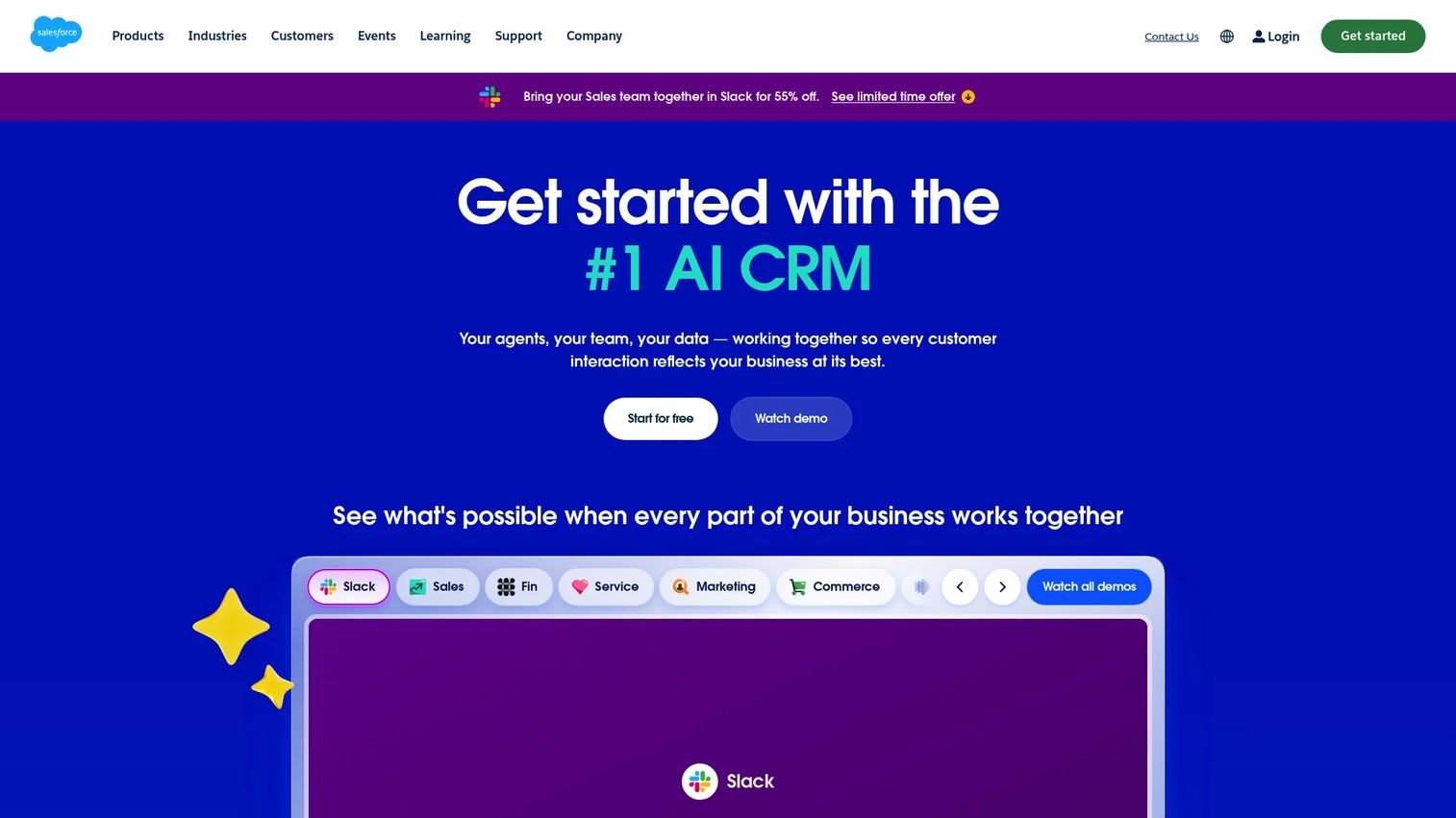
Salesforce Sales Cloud suits organizations that need lead management connected to a configurable sales process. Its platform covers prospect records through forecasting, with commercial workflows extending into quotes and contracts. For a cross-role organization, that breadth supports continuity between SDR qualification and the opportunity an AE later manages.
Best for: Sales organizations with complex processes and a dedicated owner for CRM governance.
Key features
- Lead and opportunity management
- Forecast and pipeline management
- Workflow and process automation
- Reports and dashboards
- Quoting and contract approvals
Evaluate it using the handoff that creates the most disagreement today. Have an SDR record qualification, then ask an AE to continue without requesting a separate briefing.
Next, let a manager inspect the resulting pipeline view. The test should show whether your proposed configuration preserves useful context without requiring unnecessary fields.
RevOps should also document who can change automation and how those changes will be tested. A configurable CRM deserves an explicit operating model.
Why choose Salesforce Sales Cloud
Choose it when reporting depth and process control matter across revenue teams. Budget implementation planning and ongoing administration alongside licenses.
Salesforce Sales Cloud pricing
Starter Suite costs $25/user/month, billed monthly or annually. A 30-day free trial is available; Pro Suite costs $100/user/month, billed annually.
G2 rating
2. HubSpot

HubSpot combines CRM with products for marketing and sales, alongside broader customer operations capabilities. It gives teams a free starting point for shared records before they purchase more advanced functionality. Sales pipeline management and reporting make it relevant beyond campaign execution.
Best for: Growing teams that want marketing and sales working from shared customer information.
Key features
- Free CRM tools
- Sales pipeline management
- Marketing automation
- Reporting dashboards
- Prospecting and guided selling
For sales lead tracking software, adoption is a practical test. Ask an SDR to find the next action and an AE to explain the account history.
Then bring marketing operations into the evaluation. Have them trace a captured inquiry through qualification, using the same definitions sales intends to enforce.
This exercise exposes disagreements about lifecycle stages before you automate them. Keep the initial rollout focused on the records and actions both teams need.
Price the proposed configuration across hubs rather than treating the entry seat price as the total budget. Include onboarding and usage where applicable.
Why choose HubSpot
Choose HubSpot when shared visibility matters more than assembling separate applications. Costs can expand with additional hubs, seats, advanced functionality, and usage.
HubSpot pricing
Free supports up to two users. Sales Hub Starter starts at $7/seat/month, with monthly or annual billing available.
G2 rating
3. Pipedrive
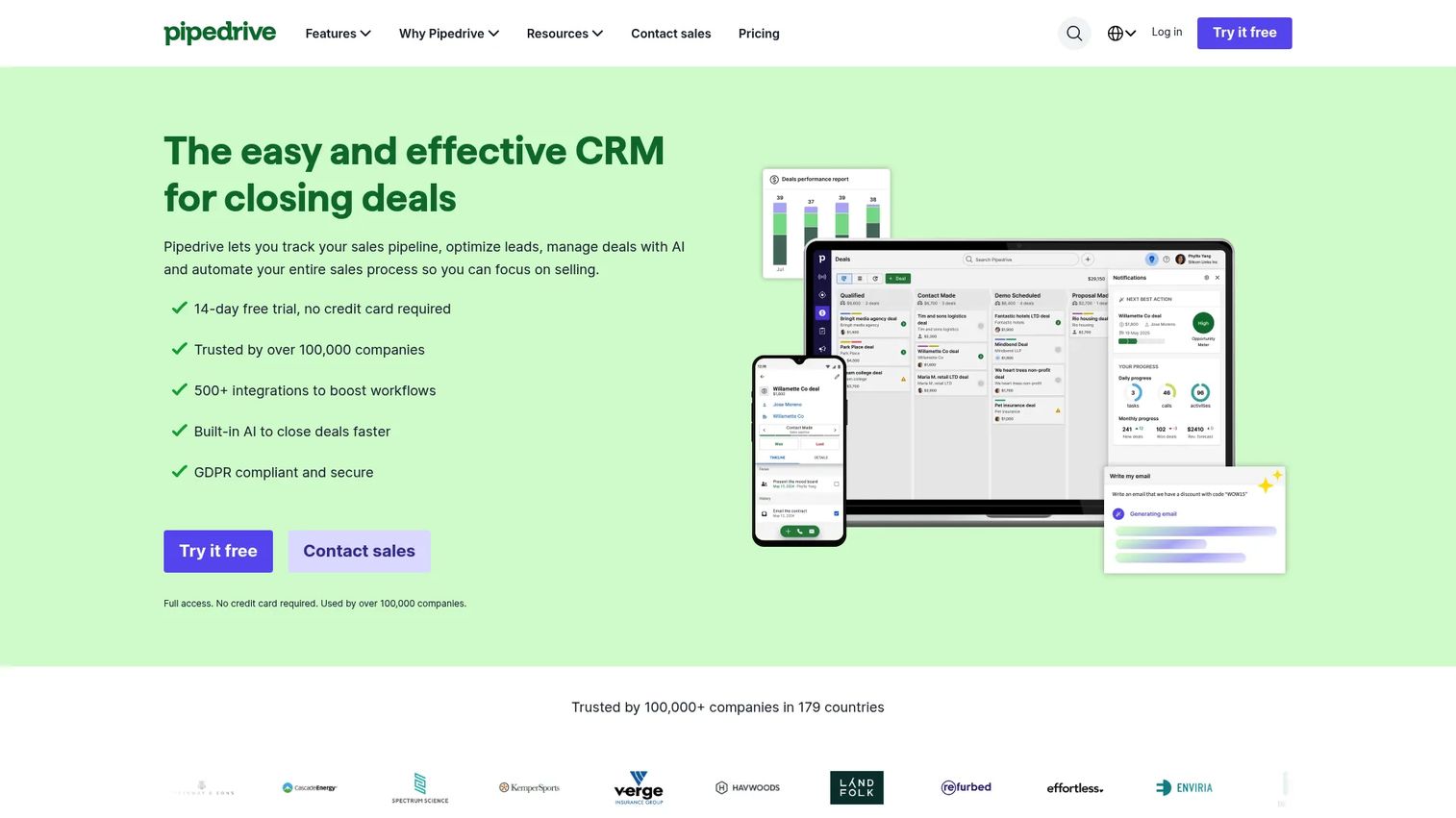
Pipedrive organizes sales work around leads and deal progression. Its visual CRM connects pipeline management with email activity and automation. This makes it a relevant choice when sellers think in next actions and stage changes rather than marketing campaigns.
Best for: Small and midsize sales teams that want qualification closely connected to pipeline movement.
Key features
- Lead and pipeline management
- Email synchronization and tracking
- Automations and nurturing sequences
- Meeting scheduler
- Contact activity timeline
Evaluate Pipedrive using an inquiry that isn’t ready to become an opportunity. Decide what the rep should record and what evidence permits conversion.
Then test a stalled deal. Your sales lead tracking software should help the owner identify a useful next action, while management sees why progress stopped.
Keep stage definitions specific enough that two reps classify the same situation consistently. A visual pipeline is most useful when its stages represent buyer progress.
Before purchasing, separate core subscription requirements from optional capabilities. Ask for the complete configuration your intake and qualification process will use.
Why choose Pipedrive
Choose it when rep activity and visible deal movement drive your sales motion. Evaluate required add-ons as part of the total purchase.
Pipedrive pricing
Lite starts at $14/seat/month, billed annually. Pipedrive offers a 14-day free trial and no free tier.
G2 rating
Pipedrive has a 4.3/5 G2 rating.
4. Vtiger CRM
Vtiger CRM brings sales and marketing together with support and operational functions. Its scope includes lead pipeline management alongside projects and inventory. That makes it relevant when customer context needs to remain accessible after a deal leaves the sales team.
Best for: Small and midsize organizations seeking broad CRM coverage across customer-facing departments.
Key features
- Sales automation and pipelines
- Campaigns and webforms
- Help desk workflows
- Forecasting and dashboards
- Project and inventory management
Start the evaluation with a customer that has both an active opportunity and an open service issue. Ask each department what information it needs before contacting that account.
This creates a more useful buying test than reviewing sales features alone. Shared records should support coordinated communication without giving everyone an overloaded workspace.
Migration deserves attention early. Map existing statuses and duplicate records before deciding which information to carry forward.
Also test the interface with daily users, including someone who doesn’t administer the current CRM. Their ability to locate relevant information matters as much as the feature inventory.
Why choose Vtiger CRM
Choose Vtiger when your team wants customer operations connected to sales records. Validate interface fit and migration requirements before committing to broader adoption.
Vtiger CRM pricing
One Pilot is free for up to 10 users and 3,000 records. One Growth costs $12/user/month annually or $15/user/month with monthly billing.
G2 rating
Vtiger’s vendor rating on G2 is 4.3/5.
5. Brevo
Brevo combines marketing communication with contact management and CRM sales tools. It supports email-led nurture while extending into SMS and other messaging channels. For lead management, its role is especially relevant between initial capture and sales readiness.
Best for: Marketing-led teams that need to develop interest before assigning active sales follow-up.
Key features
- Email campaigns and templates
- Marketing automation workflows
- Contact segmentation
- SMS and transactional messaging
- CRM sales tools
Begin with a readiness rule. Decide which engagement warrants a sales conversation and which response should keep someone in an educational sequence.
The operational test is what happens when a prospect replies. Ensure a named person receives the conversation and knows whether automated communication should continue.
Keep sales acceptance separate from campaign engagement. A contact who reads an email still needs a documented qualification decision.
For teams seeking free lead management software, Brevo offers an accessible nurture starting point. Evaluate its sales tools against your reporting requirements before treating it as the entire revenue stack.
Why choose Brevo
Choose Brevo when communication workflows are the main gap between capture and qualification. Compare its CRM coverage with your opportunity management requirements.
Brevo pricing
Free includes 300 daily email sends and up to 100,000 contacts. Starter begins at $9/month; Standard begins at $18/month.
G2 rating
6. Mailchimp

Mailchimp is an email and SMS marketing platform with audience management and automation. Its value in a lead process centers on segmentation and continued communication. Small teams can use it to organize nurture while maintaining a separate process for sales-owned opportunities.
Best for: Businesses whose lead follow-up primarily consists of email campaigns and automated marketing flows.
Key features
- Email templates
- Marketing automation flows
- Audience segmentation
- Behavioral targeting
- Campaign analytics
Evaluate Mailchimp by following a subscriber who becomes ready for a conversation. Decide how that change reaches sales and which information accompanies it.
Your audience categories should distinguish marketing engagement from an accepted sales opportunity. Otherwise, campaign reporting and pipeline reporting will describe different versions of progress.
Also define what happens when a seller begins direct outreach. Marketing and sales should agree on message timing rather than contact the buyer independently.
For a small operation, this can begin as a documented manual handoff. Add automation when the team can explain the rule consistently.
Why choose Mailchimp
Choose Mailchimp when email nurture is the primary job. Teams needing accountable sales routing and opportunity management should pair it with a CRM.
Mailchimp pricing
Free supports up to 250 contacts. Essentials starts at $13/month and Standard at $20/month, with pricing dependent on contact count.
G2 rating
7. Intercom
Intercom is primarily a customer service platform with messaging and shared inbox capabilities. Its lead-management relevance comes from conversations that begin on your website. Evaluate it as a conversational entry point, particularly when support and sales inquiries arrive through the same channel.
Best for: Teams that need to turn website conversations into accountable follow-up.
Key features
- Messenger and live chat
- Shared inbox and ticketing
- Workflow automation
- Outbound messaging
- Reporting
A chat transcript needs an operational destination. Decide when an inquiry belongs with support and when it should enter a sales qualification process.
Then test how the receiving person gets context. An AE should understand the visitor’s question without asking the customer to repeat the exchange.
Include out-of-hours coverage in your evaluation. Document who reviews conversations that arrive when the intended team is unavailable.
Intercom’s support-centered packaging also deserves attention. Buy it because the conversation workflow fits your organization, rather than assuming it replaces broader CRM lead management.
Why choose Intercom
Choose Intercom when conversations are an important intake channel and shared inbox ownership matters. Evaluate its customer service scope against your sales-specific requirements.
Intercom pricing
Essential costs $29/seat/month with annual billing; a $19 new-customer promotional price is also offered. A 14-day free trial is available.
8. Zapier
Zapier connects applications through automated workflows. It fits lead management when the missing step sits between tools you already use. Rather than replacing your CRM, it can move information and trigger actions across the existing process.
Best for: Teams that need lead sources and downstream systems to work together.
Key features
- Multistep automated workflows
- Filters and conditional paths
- Webhooks and formatting
- Tables and Forms
- Scheduling and looping
Start with one explicit transaction, such as sending a submitted inquiry into the CRM. Define the destination fields and the condition that triggers the next action.
Then test a repeat submission. Decide whether the process should update an existing record or create a new one.
Exception handling matters as much as the successful path. Assign someone to review failed runs and establish how missed records will be recovered.
Avoid automating a handoff that sales and marketing haven’t agreed on. Otherwise, the workflow will repeat conflicting rules more consistently.
Why choose Zapier
Choose Zapier when your existing applications are adequate but their handoffs require manual work. Keep the CRM as the authoritative record for sales ownership.
Zapier pricing
Free includes 100 tasks per month. Professional starts at $19.99/month; Team starts at $69/month.
G2 rating
9. Calendly
Calendly handles scheduling and meeting coordination. Its lead-management role is the transition from an interested prospect to the appropriate conversation. Team scheduling and routing make it relevant when availability and rep assignment affect inbound conversion.
Best for: Sales teams whose qualified prospects need a meeting with the right representative.
Key features
- Calendar synchronization
- Routing and round-robin distribution
- Automated meeting reminders
- Scheduling workflows
- Team scheduling
Test scheduling against your sales rules before sharing links widely. An existing account and a new inbound inquiry may need different treatment.
Have RevOps define the expected destination for each scenario. Include unavailable owners and prospects who need a different meeting type.
A booking also needs context. Decide where qualification notes belong and how the receiving rep finds them before the call.
Measure meetings held and accepted opportunities alongside bookings. Those outcomes show whether scheduling supports qualification rather than simply filling calendars.
Why choose Calendly
Choose Calendly when coordination delays the next sales conversation. Connect scheduling to your CRM process so booked meetings retain account history.
Calendly pricing
A free plan is available; Standard costs $10/seat/month, billed yearly. Teams costs $16/seat/month, billed yearly, and adds lead routing.
G2 rating
Calendly has a 4.7/5 G2 rating.
10. SimpleTexting
SimpleTexting supports business messaging through SMS and MMS. It combines campaigns with two-way conversations, making it relevant for leads who have agreed to communicate by text. Treat it as a channel within your lead process rather than the central customer database.
Best for: Teams that need consent-based SMS follow-up and shared visibility into replies.
Key features
- Mass SMS and MMS campaigns
- Two-way messaging
- Scheduled and automated texts
- Text-to-join keywords
- Shared inbox collaboration
Before launching, document how consent is recorded and how opt-outs reach other systems. Have the appropriate internal team review messaging practices.
Next, determine who owns replies. A text campaign creates operational work when a prospect responds with a question or asks to speak with someone.
Give sellers a clear escalation path for those conversations. The CRM should reflect meaningful next steps rather than leaving them inside a channel-specific inbox.
Test the shared workflow with a handoff between colleagues. That reveals whether a prospect will receive consistent communication when the original responder is unavailable.
Why choose SimpleTexting
Choose it when SMS fits the buyer’s expectations and your consent process is established. Maintain customer ownership and opportunity reporting in your CRM.
SimpleTexting pricing
The usage-based plan costs $39/month for 500 credits, with additional carrier fees possible. A 14-day free trial is available.
G2 rating
11. Dealfront
Dealfront, now Leadfeeder following its March 2026 rebrand, supplies B2B visitor and account intelligence. It connects website activity with company discovery and prospecting. Its role is to inform which accounts deserve attention, rather than treating every anonymous visit as a qualified lead.
Best for: B2B teams with website traffic that can inform account-level sales prioritization.
Key features
- B2B visitor identification
- Company and contact prospecting
- Firmographic and intent filters
- CRM integrations and automations
- Marketing attribution
Define what makes website activity actionable before sending it to sellers. Specify which accounts fit your market and which page visits justify research.
Company-level identification should initiate investigation, not an assumption about a particular person. Ask reps to validate relevance before choosing an outreach approach.
Also establish whether an identified company already belongs to an account owner. Your activation workflow should respect existing relationships.
For management, measure accepted accounts and resulting opportunities. Raw visitor volume provides context, but it doesn’t establish whether sales received useful targets.
Why choose Dealfront
Choose it when account discovery can improve a B2B sales process. Pair visitor intelligence with qualification rules and an established CRM workflow.
Dealfront pricing
Current Leadfeeder plans include free Lite. Discover costs $79/month and Activate costs $369/month, both billed annually.
G2 rating
12. Clay
Clay supports enrichment and account research through data workflows. Revenue teams can use it to prepare targets before outreach or improve existing CRM information. Its AI research capabilities are relevant when qualification depends on information beyond basic contact details.
Best for: Outbound teams that need researched accounts and better inputs for prioritization.
Key features
- Data enrichment waterfalls
- Claygent AI research
- Custom research data points
- Signals and intent tracking
- CRM and webhook integrations
Begin with the decision a rep needs to make. For example, define the evidence required to determine whether an account matches a particular campaign.
Only then choose the enrichment steps. Collecting additional fields without an intended action creates more information for sellers to interpret.
For lead scoring software workflows, Clay can supply inputs. Sales still needs to agree on how those inputs affect priority.
Test the destination as carefully as the research itself. Decide whether new information updates a record, enters a sequencer, or waits for review.
Why choose Clay
Choose Clay when research and incomplete data slow outbound preparation. Assign an operational owner to maintain enrichment logic and review output quality.
Clay pricing
Free includes 500 actions and 100 data credits monthly. Launch costs $167/month billed annually or $185/month with monthly billing.
G2 rating
13. lemlist
lemlist combines lead sourcing with outbound engagement. Its platform supports personalized communication across email and additional channels. For lead management, the relevant job is moving an approved prospect list into conversations that sales can qualify.
Best for: B2B teams running structured outbound campaigns with defined ownership rules.
Key features
- Lead sourcing and enrichment
- Personalized email sequences
- Multichannel outreach
- Deliverability tools
- CRM integrations and reporting
The evaluation should include what happens after someone replies. Define which responses require a seller, which should stop outreach, and how the CRM receives the outcome.
Account coordination matters too. An outbound campaign should respect active opportunities and existing customer relationships.
Ask the campaign owner to explain how overlapping lists are handled. Then have an AE inspect the context available when an interested prospect is handed over.
Measure qualified conversations rather than sequence activity alone. Message volume helps describe execution, but opportunity acceptance shows whether targeting and follow-up align.
Why choose lemlist
Choose lemlist when personalized outbound execution is the main requirement. Pair it with CRM ownership rules to keep prospecting connected to pipeline.
lemlist pricing
Email costs $55/month billed yearly or $69/month billed monthly. A free trial is available; Multichannel costs $87/month yearly or $109/month monthly.
G2 rating
lemlist has a 4.6/5 G2 rating.
14. PandaDoc
PandaDoc handles business documents from creation through signing. It belongs near the end of this lead-management shortlist because its main contribution follows qualification. Proposals and approvals become relevant once an interested contact is a serious commercial opportunity.
Best for: Sales teams whose qualified opportunities slow down during proposal preparation or approval.
Key features
- Document editor and templates
- Pricing tables and quotes
- Electronic signatures
- Approval workflows
- CRM integrations
Evaluate it using a proposal that requires an internal pricing decision. Trace the work from the AE’s request through approval and customer signature.
Document who owns each step, including what happens when terms change. The handoff should remain understandable to sales management and whoever takes over after signing.
Also decide which commercial fields belong in the CRM. A signed document and an opportunity record should tell a consistent story.
PandaDoc doesn’t replace intake or initial qualification. Its value in the extended workflow is helping an already-qualified buyer move through the document stage.
Why choose PandaDoc
Choose PandaDoc when commercial paperwork is the bottleneck after qualification. Keep early lead capture and assignment in the CRM-led process.
PandaDoc pricing
A free plan is available; Starter costs $19/user/month, billed annually. Business costs $49/seat/month, billed annually, and includes CRM integrations and approval workflows.
G2 rating
PandaDoc’s vendor rating on G2 is 4.7/5.
15. Google Forms
Google Forms collects structured responses through online forms. Its connection to Google Sheets makes it a practical starting point for straightforward intake. Use it for lead collection when a clearly assigned person can manage the follow-up process.
Best for: Early-stage teams collecting inquiries before they need a dedicated CRM workflow.
Key features
- Multiple question types
- Branching logic
- Response collection
- Real-time response charts
- Google Sheets export
Design the form around the next decision. Ask for enough information to understand the request without collecting fields nobody will use.
Then assign responsibility for reviewing submissions. A spreadsheet containing names needs an operating process around it before it becomes useful sales lead tracking.
Record a status and next action consistently. If several reps begin working the same responses, evaluate whether a CRM should become the destination.
For free lead management software searches, the distinction is important. Google Forms covers capture; scoring and accountable sales handoffs require additional processes or connected tools.
Why choose Google Forms
Choose Google Forms for basic intake when volume and ownership remain manageable. Move beyond spreadsheet-led follow-up when coordination becomes a recurring problem.
Google Forms pricing
Google Forms has a free personal option. It is also included with Google Workspace.
G2 rating
Considerations when choosing lead management software
Start with the handoff that breaks most often
Document the point where inquiries lose momentum. Determine whether the gap concerns intake, assignment, qualification, or a later commercial step.
Choose a pilot around that failure. Give it an owner and a measurable outcome before comparing features.
Identify your system of record
Decide which application owns contact status and opportunity history. Supporting tools should read or update those records according to explicit rules.
A lead management CRM should reduce ambiguity about where sellers find the next action. Avoid competing definitions across applications.
Evaluate routing and ownership rules
Test existing-account ownership and territory exceptions, along with unavailable reps. Ask how reassignment works and what happens after a repeat submission.
Include lead deduplication in the evaluation. Duplicate records should trigger a defined resolution process rather than competing outreach.
Measure speed to lead and follow-up quality
Your lead tracking system should expose intake time, assignment time, first action, and outcome. Review exceptions rather than relying only on averages.
Inspect whether follow-up addressed the buyer’s request. An immediate generic message is different from a useful sales response.
Price the full workflow
Build the budget around required functionality and expected usage. Include seats and contact volume, plus relevant automation charges and add-ons.
Run the same sample process during each evaluation. Compare what it costs to operate, not simply what it costs to subscribe.
Conclusion
Choose software to manage sales leads by deciding where customer ownership should live.
Salesforce Sales Cloud fits organizations that need configurable processes and reporting depth. HubSpot offers a free CRM starting point, while Pipedrive emphasizes visible deal progression. Vtiger deserves consideration when customer operations need to stay connected.
Then address the remaining workflow gaps. Brevo and Mailchimp support nurture; Clay prepares outbound targets, and lemlist executes engagement. Zapier connects applications, while Calendly handles scheduling. The other specialist tools belong where their specific channel or commercial function improves your process.
You don’t need every category in this list. Pick a system of record, document the handoff, and test one improvement against accepted opportunities or follow-up completion.
Once ownership is clear, improve the product-interest signals entering that process. Guideflow supports interactive demos for website education, outbound outreach, sales follow-ups, and customer onboarding. Those experiences can complement CRM workflows with engagement information while giving audiences a guided way to explore the product.
Start your journey with Guideflow today!
FAQs
Lead management software organizes prospective customer information and supports the work required to turn inquiries into qualified opportunities. Its scope can include capture, assignment, nurture, and conversion tracking, depending on the product. CRM platforms can anchor the process, while specialist applications handle narrower stages such as enrichment or scheduling. Evaluate the entire journey so information remains usable when responsibility moves between teams.
Small businesses should choose around their operating model rather than a universal ranking. HubSpot and Vtiger offer free CRM entry points, while Pipedrive suits teams focused on rep activity and pipeline movement. Brevo or Mailchimp fit email-centered nurture, and Google Forms covers basic collection. Test whether the team can maintain ownership and useful follow-up without creating additional administrative work.
Lead management software focuses on progressing potential buyers from initial interest toward qualification. CRM software covers broader customer relationships, including account history and opportunities, with many platforms supporting both jobs. The distinction matters when comparing a full customer database with a channel-specific application. Choose the authoritative record first, then decide which supporting workflows require another product.
Look for capture and shared records, source tracking, qualification rules, assignment, and follow-up visibility. Evaluate deduplication and integrations alongside reporting so sellers can trust the information they receive. Ask the vendor to demonstrate exceptions, including repeated submissions and unavailable owners, rather than showing only a successful new-lead flow. Each capability should prevent a specific form of leakage or reduce work the team currently performs manually.
Free lead management software can work when lead volume is manageable and responsibility remains clear. Evaluate the required workflow rather than assuming a free plan includes every automation or reporting capability. Paid plans become relevant when coordination and governance requirements exceed the available tools. Include manual effort in the decision, especially if someone must repeatedly reconcile records or remind colleagues to respond.
Lead scoring assigns priority using evidence about customer fit and engagement. Fit criteria can include company characteristics, while behavior can include relevant form submissions or sales activity. Keep the underlying reasons visible so reps understand why a contact appears near the top of their queue. Review scores against accepted opportunities and revisit the model when sellers consistently reject highly ranked leads.
Sales teams prevent leakage by combining accountable ownership with visible follow-up rules. Define statuses and acceptance criteria, then establish how missed actions and duplicate records are handled. Review the exceptions regularly, including unassigned inquiries and handoffs that the receiving team hasn’t accepted. Lead tracking software provides visibility, but the organization still needs someone responsible for resolving gaps and improving the process.
Replace spreadsheet-led tracking when multiple people need coordinated ownership or managers can no longer trust the follow-up history. Other warning signs include duplicate outreach, unclear statuses, and recurring manual reconciliation before reporting. A dedicated lead tracking system should make responsibility and the next action visible to everyone involved. Before migrating, agree on field definitions and remove obsolete records rather than transferring the same confusion into a new application.