Getting telemetry from a prototype device to a cloud endpoint takes a weekend. Turning that prototype into a maintainable connected product is a different problem entirely.
Production introduces a set of decisions your architecture review cannot defer: Secure device identity, firmware update pipelines, intermittent connectivity handling, data retention, customer-facing dashboards, edge processing, and long-term ownership of the stack. Each decision made too late creates migration debt that competes directly with roadmap capacity.
The global IoT devices market reached 21.1 billion connected devices at the end of 2025, up 14% year over year, according to IoT Analytics (2025). Behind that number are product teams who chose platforms early, sometimes well and sometimes not. The IoT development tools category includes cloud device services, all-in-one platforms, connected-product clouds, low-code orchestration tools, open-source frameworks, and rapid-prototyping environments. Choosing among them is an architecture decision first, a vendor decision second.
This guide cuts through that decision for product managers who own the roadmap and need to get the platform selection right before engineering commits.
What's inside
This guide covers eight active IoT development tools evaluated across cloud deployment, device lifecycle management, edge support, and prototyping speed. Items were selected and ordered based on four criteria:
- Deployment model fit: Cloud-native, self-managed, or hybrid
- Device lifecycle coverage: Provisioning, telemetry, OTA updates, and diagnostics
- Engineering ownership cost: What the team must build and maintain themselves
- Pricing transparency: Usage-based, tiered SaaS, open-source, or quote-based
Protocols like MQTT and connectivity options like LTE-M are discussed as architecture components, not ranked as standalone platforms.
TL;DR
- Best overall cloud foundation: AWS IoT Core for teams already standardized on AWS
- Best for Microsoft environments: Azure IoT Hub for products built around Azure services and enterprise identity
- Best all-in-one platform: ThingsBoard for teams that want device management, dashboards, and rule chains without assembling every layer
- Best for connected-product operations: Particle for hardware teams that need device cloud, OTA workflows, and fleet visibility together
- Best low-code orchestration: Node-RED for rapid flow logic, edge experimentation, and integration prototyping
- Best industrial platform: ThingWorx for programs centered on equipment data and digital-twin workflows
What is IoT development software?
IoT development software is the set of platforms, frameworks, and services used to connect devices, collect telemetry, manage device state, process data, and deliver connected applications.
The category is broader than most comparison articles suggest. Before scanning a tool list, it helps to know which type you are actually looking for.
The six categories of IoT development tools
Cloud device services connect devices securely, route messages, manage state, and feed telemetry into cloud infrastructure. They do not provide dashboards or application logic out of the box. AWS IoT Core and Azure IoT Hub sit here.
All-in-one IoT platforms combine device management, rule engines, alarms, dashboards, and deployment options in a single product. ThingsBoard is the clearest example in this list.
Connected-product clouds pair device connectivity with firmware lifecycle management, fleet observability, and OTA workflows. Particle is built specifically for this layer.
Low-code flow tools let teams connect APIs, device data streams, and automation logic without building every integration from code. Node-RED is the most widely deployed option.
Open-source IoT frameworks provide modular building blocks covering messaging clients, edge gateways, and digital-twin services. Eclipse IoT is an umbrella for several of these projects.
Rapid-prototyping environments help teams move from embedded experimentation to cloud-connected proof of concept work quickly. Arduino Cloud is the most accessible option in this category.
Key capabilities to look for
- Device authentication and secure provisioning
- Telemetry ingestion with MQTT and HTTP protocol support
- Device shadows or state synchronization
- Remote commands and lifecycle management
- OTA firmware updates and fleet observability
- Rule-based alerts and workflow automation
- Edge deployment and offline resilience
- APIs, dashboards, and integration options
- Role-based access and auditability
- Data retention controls and cost visibility
Category boundary note
MQTT is a messaging protocol. LTE-M and NB-IoT are cellular connectivity standards. REST APIs and HTTPS are integration patterns. Each plays a role in an IoT architecture but none replaces a platform that handles device lifecycle and product operations.
When to use IoT development tools
Build a connected-product prototype
A team validating sensor behavior, connectivity, and application value needs fast iteration more than governance. The right tool at this stage provides quick device pairing, visible telemetry, and a clear path to something more production-ready. Choosing a full enterprise platform before validating the customer workflow usually slows the team down without adding protection.
Operate a growing device fleet
At some point, dashboards, remote commands, device identity, alerting, and firmware updates become product requirements, not nice-to-haves. The inflection point usually comes when a support ticket requires manual intervention on a specific device. Without a proper fleet-management layer, that support load scales with the device count, which directly affects reliability commitments and customer trust.
Connect edge systems to cloud applications
Industrial environments, intermittent-connectivity scenarios, and privacy-constrained deployments all require a clear answer to one question: What happens when the cloud is unreachable? That architecture decision, what runs at the edge versus in the cloud, determines platform fit more than any feature comparison. Get it wrong and you are rewriting the edge layer mid-flight.
IoT development tools comparison
The table below covers all eight tools in the order they appear in this article. Pricing reflects the lowest available paid entry point or the free-tier status. G2 ratings are sourced from each tool's live G2 listing as of October 2026.
| # | Product | Best for | Key differentiator | Pricing | G2 rating |
|---|---|---|---|---|---|
| 1 | AWS IoT Core | AWS-native connected products | Managed device connectivity and message routing inside AWS | Usage-based, free tier available | 4.7/5 |
| 2 | Azure IoT Hub | Microsoft-centric enterprise IoT | Bidirectional device messaging across Azure with per-device identity | Free tier available; paid tiers listed per unit | 4.3/5 |
| 3 | ThingsBoard | All-in-one platform teams | Device management, rule chains, dashboards, and flexible deployment | Free; paid from $49/month | 4.5/5 |
| 4 | Particle | Connected-product hardware teams | Device cloud, OTA firmware, and fleet operations together | Free up to 100 devices; paid from $299/month/block | 4.5/5 |
| 5 | Node-RED | Low-code IoT automation | Visual event-driven flows with a large community node library | Free, open source | 4.5/5 |
| 6 | Eclipse IoT | Modular open-source architecture | Portfolio of frameworks for messaging, edge gateways, and digital twins | Open source (membership fees vary) | 4.3/5 |
| 7 | Arduino Cloud | Rapid prototypes and education | Device, code editor, dashboards, and cloud in one maker-friendly environment | Free up to 2 Things; Maker from $72/year | Not listed on G2 |
| 8 | ThingWorx | Industrial IoT programs | Industrial application development, digital twins, and enterprise integrations | Custom pricing | 3.9/5 |
Pricing and ratings verified October 2026 from each vendor's official pricing page and G2 listing.
Best IoT development tools for 2026
1. AWS IoT Core
AWS IoT Core is a managed cloud service for securely connecting IoT devices and routing their messages into AWS infrastructure. It handles device authentication, message brokering, state management through Device Shadow, and rules-based routing to downstream services. Teams already using AWS for storage, compute, or analytics can wire device data directly into that existing stack without standing up additional infrastructure.
Best for: Product teams building cloud-native connected products who have standardized on AWS.
Key features
- Device Gateway supporting MQTT, HTTP, and WebSockets
- Rules Engine for filtering, transforming, and routing device messages
- Device Shadow for persistent online and offline state synchronization
- Per-device authentication and authorization
- Integration with AWS compute, storage, and analytics services
Why choose AWS IoT Core: It removes the need to build and operate a message broker, device registry, or state-management service. The trade-off is that you will assemble several AWS services to cover the full stack, and costs across connectivity, messaging, shadow operations, and rules engine usage accumulate separately.
AWS IoT Core pricing: AWS IoT Core uses usage-based billing with no mandatory service fee. The free tier covers 2,250,000 connection minutes, 500,000 messages, and 250,000 rules actions per month for the first 12 months. After that, you pay separately for each component: Connectivity is billed per million connection minutes, messaging per million messages, and so on. Model your expected device count, message frequency, and payload size before committing to a cost projection.
G2 rating: 4.7/5 (verified October 2026).
2. Azure IoT Hub
Azure IoT Hub is Microsoft's managed service for connecting, monitoring, and managing IoT devices at scale. It supports bidirectional device-to-cloud and cloud-to-device communication, per-device identity and authentication, device twins for state management, and message routing into Event Grid and other Azure services. Teams that already operate inside Microsoft's cloud and identity stack will find the security model and procurement path more familiar than any alternative.
Best for: Enterprise product teams whose cloud and identity infrastructure runs on Azure and Microsoft services.
Key features
- Per-device identity and authentication
- Cloud-to-device command delivery
- Device-to-cloud telemetry ingestion
- Device twins for state synchronization
- Device Provisioning Service and IoT Edge support
Why choose Azure IoT Hub: It fits cleanly when the broader architecture already depends on Azure Active Directory, Azure security tooling, and enterprise procurement workflows. Successful use requires careful tier selection and message-capacity planning, particularly when scaling beyond the free unit limits.
Azure IoT Hub pricing: A free Standard tier is available with up to 8,000 messages per day and limited feature set. Paid Basic and Standard tiers are priced per IoT Hub unit per month, though Microsoft does not display numeric amounts on the pricing page. Contact Azure or review your enterprise agreement to get current unit prices for the B1, B2, B3, S1, S2, and S3 tiers before committing to a capacity estimate.
G2 rating: 4.3/5 (verified October 2026).
3. ThingsBoard
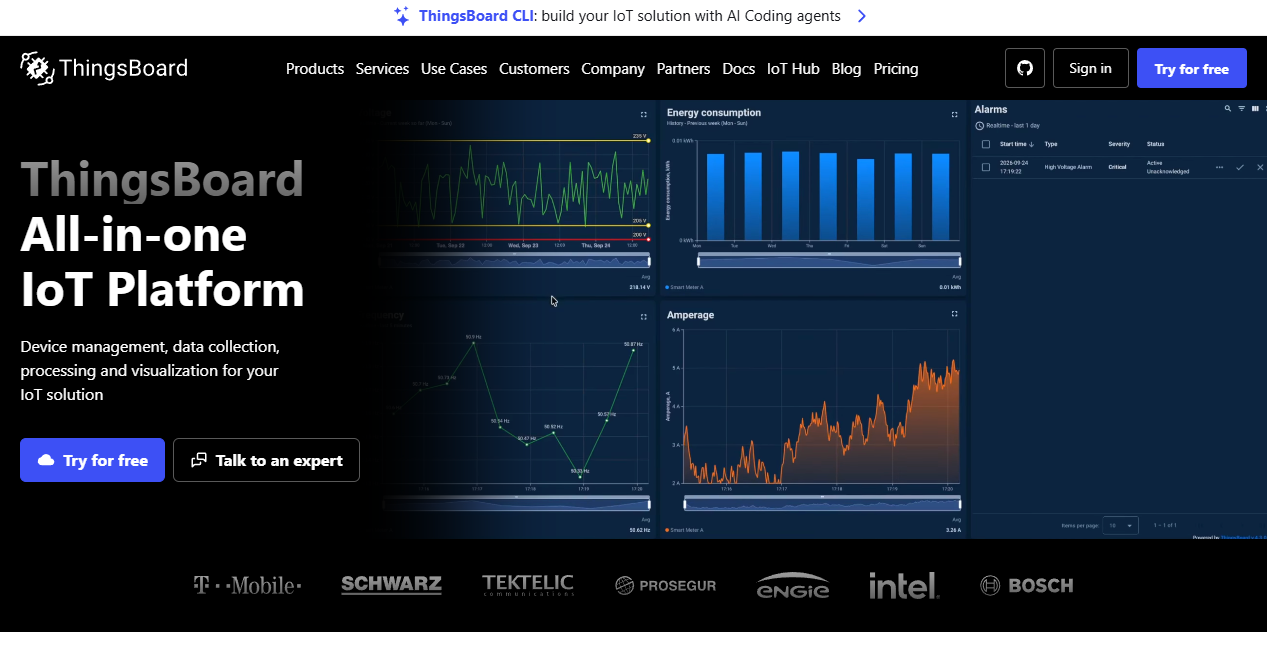
ThingsBoard is an all-in-one IoT platform that combines device connectivity, asset management, a configurable rule engine, alarm workflows, custom dashboards, and multi-tenant access in a single product. It supports cloud deployment, private cloud, and self-managed on-premises installation, which gives product teams flexibility when data residency or operational control matters. A REST API covers platform automation and integration with external systems.
Best for: Product teams that want to ship device operations and customer-facing dashboards without assembling every platform layer from separate services.
Key features
- Device and asset management with telemetry ingestion
- Rule Engine for data processing, alerting, and workflow automation
- Custom dashboards with white-label options
- Cloud, private cloud, and on-premises deployment
- Edge computing and IoT gateway support
Why choose ThingsBoard: PMs who need to deliver a productized operations layer quickly, particularly one with customer-facing dashboards and multi-tenant hierarchy, will find this faster than composing cloud-native services. Evaluate governance controls, deployment ownership, data-point volume limits per plan, and white-label requirements before finalizing the tier.
ThingsBoard pricing: The Cloud offering starts at a free tier, then Prototype at $49/month, Pilot at $149/month, Startup at $399/month, and Business at $749/month. On-premises and private-cloud options use separate perpetual-license or custom pricing. Verify current plan limits for devices, data points, and dashboards on the ThingsBoard pricing page before modeling costs at your target fleet size.
G2 rating: 4.5/5 (verified October 2026).
4. Particle
Particle is a connected-product platform that pairs development hardware with a device cloud, fleet operations tooling, data automation, OTA firmware management, and remote lifecycle workflows. Unlike a generic cloud device service, Particle is built around the reality that connected products have physical devices that need to be provisioned, updated, diagnosed, and managed at scale over their entire lifespan. The platform covers edge ML, multi-radio transport across Wi-Fi, Ethernet, cellular, and LoRaWAN, and supports data pipelines and integrations through its Data Automation layer.
Best for: Teams bringing a connected hardware product from prototype into a managed fleet with firmware release cycles and remote diagnostics.
Key features
- Device cloud and fleet management
- OTA firmware updates with edge computing and Edge ML support
- Data Pipeline, Ledger, Logic, and REST API for data automation
- Multi-radio connectivity: Wi-Fi, Ethernet, cellular (EtherSIM), and LoRaWAN
- Remote diagnostics, control, and device protection
Why choose Particle: It reduces handoffs between hardware experimentation, cloud connectivity, and ongoing fleet operations. Rather than composing separate services for firmware delivery, diagnostics, and telemetry, you work within an opinionated device lifecycle layer. This matters most to PMs who need to model the full cost of ownership across firmware releases, support diagnostics, and remote recovery, not just the initial prototype.
Particle pricing: The Free plan covers up to 100 devices and 100,000 Data Operations per month. Basic costs $299/month per block and includes 100 devices and 720,000 Data Operations. Plus costs $599/month per block and raises the Data Operations limit to 5 million. Professional and Enterprise tiers use custom pricing. Verify current Data Operations definitions and block structure on the Particle pricing page before estimating costs at fleet scale.
G2 rating: 4.5/5 (verified October 2026).
5. Node-RED
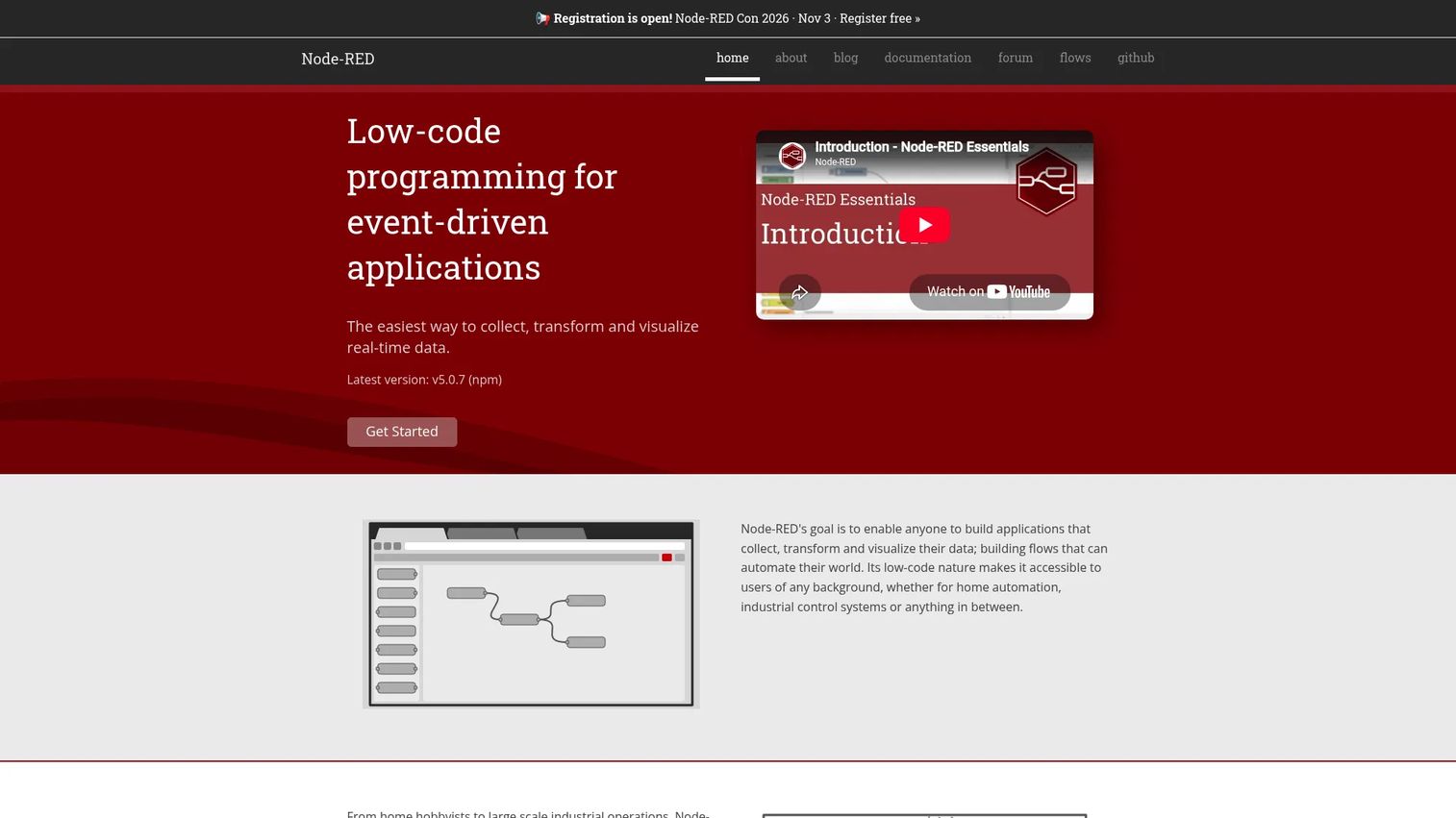
Node-RED is a low-code, event-driven programming tool built on Node.js. It lets teams collect, transform, and route data using a browser-based visual flow editor without writing every integration from scratch. Flows can connect MQTT brokers, HTTP endpoints, databases, dashboards, and external APIs using a palette of community-created nodes. Node-RED runs locally, on edge devices, or in a cloud environment, which makes it useful for both rapid prototype work and production-grade edge logic.
Best for: Teams that need rapid integration work, edge automation, proof-of-concept flow logic, and internal operational workflows.
Key features
- Browser-based visual flow editor
- MQTT and HTTP integration nodes
- JavaScript Function nodes for custom logic
- Edge deployment on low-cost hardware including Raspberry Pi
- Extensible palette with community-created nodes and Git-backed project management
Why choose Node-RED: It shortens the distance between "we have telemetry" and "we can test an automation." Engineers and technical PMs can validate workflow ideas without building a dedicated service. The open-source model means zero licensing cost, but teams should plan for hosting, source control, environment management, and production support before treating it as a standalone operations layer.
Node-RED pricing: Node-RED is free and open source. Hosting, managed deployment services, and operational tooling introduce costs depending on the infrastructure choices your team makes. There are no paid tiers in the core project itself.
G2 rating: 4.5/5 (verified October 2026).
6. Eclipse IoT
Eclipse IoT is an open-source portfolio rather than a single packaged product. It brings together modular projects covering MQTT client libraries, edge gateway frameworks, digital-twin services, device APIs, and protocol handling. Prominent projects include Eclipse Paho (MQTT clients across multiple languages), Eclipse Kura (an edge gateway framework), and Eclipse Ditto (a digital-twin framework). Teams select and combine the components they need rather than adopting a predefined stack.
Best for: Engineering-led teams that need architectural control, interoperability, and open-source components they can assemble into a tailored IoT architecture.
Key features
- Eclipse Paho MQTT client libraries (multiple languages)
- Eclipse Kura edge gateway framework
- Eclipse Ditto digital-twin framework
- Open-source protocol and integration projects
- Broad language and deployment flexibility
Why choose Eclipse IoT: It supports teams that require interoperability, long-term control over their architecture, and freedom from vendor lock-in. The trade-off is that it requires stronger engineering ownership than a managed platform. Your team needs to handle hosting, integration patterns, observability, security reviews, support, and long-term maintenance for every component you adopt.
Eclipse IoT pricing: The individual open-source projects are free to use. Eclipse Foundation working-group membership carries annual fees that vary by member class and corporate revenue, ranging from no fee for Supporter and Guest members to between €2,000 and €50,000 for contributing members. For most teams, the relevant cost is infrastructure and engineering time rather than membership fees.
G2 rating: 4.3/5 based on comparative G2 data (verified October 2026).
7. Arduino Cloud
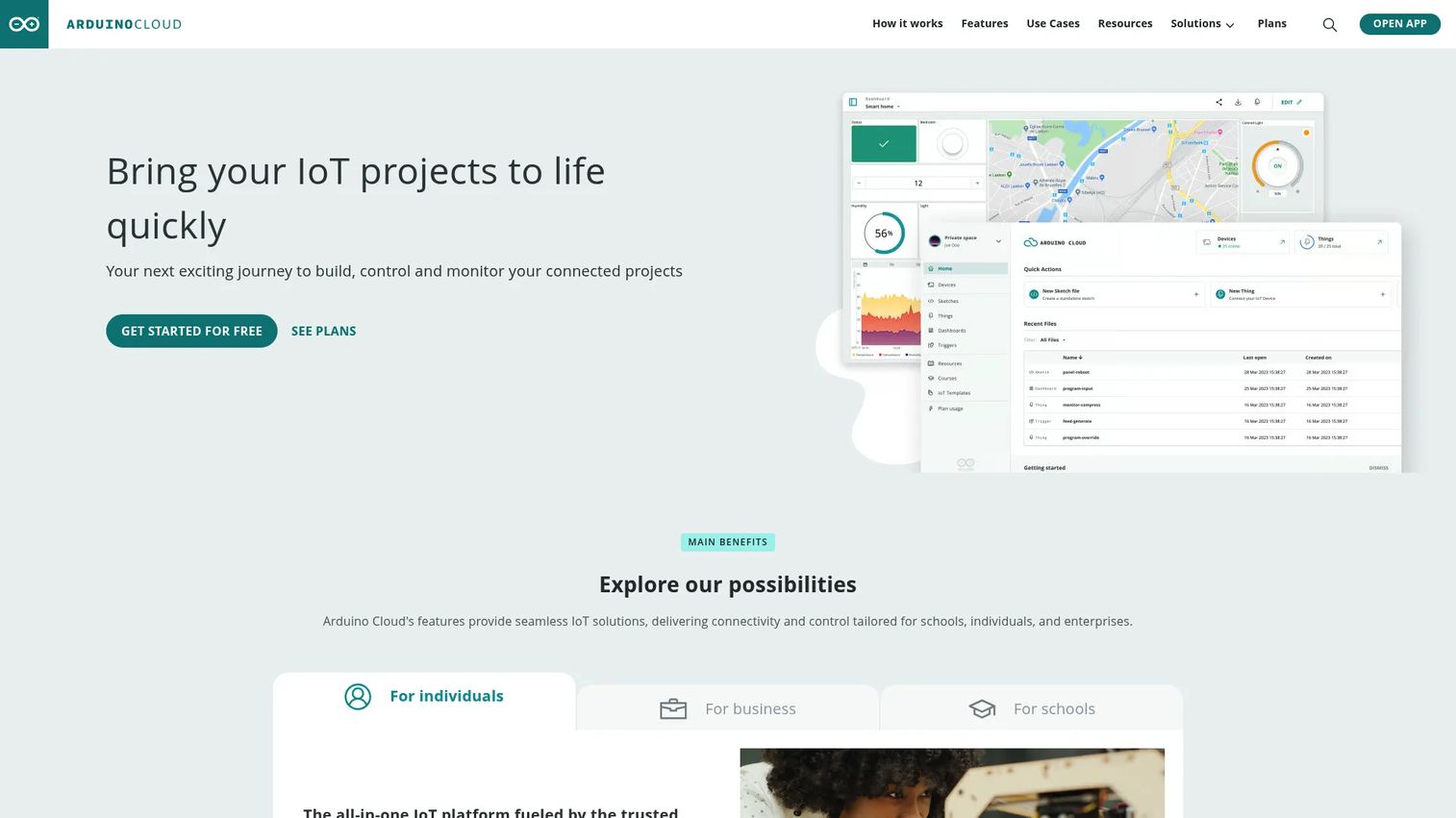
Arduino Cloud is a cloud-based IoT platform for connecting compatible Arduino hardware, writing and deploying code through a browser-based editor, creating dashboards for real-time monitoring, and managing firmware remotely. It reduces the gap between a working embedded sketch and a cloud-connected project that someone else can monitor and control. The IoT Remote mobile app and REST APIs extend access beyond the browser. OTA firmware updates are supported on eligible paid plans.
Best for: Fast prototyping, proof-of-concept validation, education programs, and small connected-product experiments where getting to a working demo quickly matters more than deep fleet customization.
Key features
- Cloud-connected Arduino Things with real-time dashboards
- Browser-based Cloud Editor for coding and deployment
- OTA firmware updates on eligible plans
- Device-to-device communication
- REST APIs and Cloud CLI for automation
Why choose Arduino Cloud: It is the fastest path from a working sketch to a shared, monitored connected experience. The question to answer before committing is whether your production fleet needs more specialized device operations, governance, and enterprise-grade access controls. Use it to prove the product experience first, then assess graduation to a more specialized platform.
Arduino Cloud pricing: A free plan covers up to 2 Things. Maker costs $72/year and expands device and data limits significantly. Team costs $1,000/year and adds collaboration features. Enterprise uses custom pricing. A 30-day trial is available for paid plans. Verify current Thing limits and data retention periods per tier at cloud.arduino.cc/plans before building a cost model.
8. ThingWorx
ThingWorx is PTC's enterprise industrial IoT platform for building connected applications around equipment, operations, field service workflows, and digital twins. It targets manufacturing environments, industrial assets, and operational technology programs where the connected product is not a consumer device but a piece of capital equipment that serves operational users and enterprise systems. Core capabilities cover industrial connectivity, rapid IoT application development, real-time analytics, and custom dashboards tied to asset hierarchies.
Best for: Industrial product teams that need enterprise-grade connected applications for equipment monitoring, digital-twin programs, and operational workflows.
Key features
- Industrial connectivity across devices and applications
- Rapid development of IoT applications with custom dashboards
- Digital-twin capabilities for asset modeling
- Real-time analytics and asset visualization
- Enterprise integration support across ERP, MES, and operational systems
Why choose ThingWorx: It fits organizations where the connected product is tied to physical operations, equipment uptime, field service, and enterprise back-office systems. The implementation commitment is heavier than a lightweight prototype environment. PMs evaluating ThingWorx should plan for operational stakeholder alignment, industrial data modeling, integration with existing enterprise systems, rollout governance, and realistic time-to-value expectations.
ThingWorx pricing: PTC does not display ThingWorx pricing on its product pages. Contact PTC sales for a quote. Pricing reflects deployment scope, user types, integration requirements, and enterprise support terms. G2 reviewers report this as an enterprise-tier investment; confirm current ranges with PTC or through G2's pricing tab before beginning a formal evaluation.
G2 rating: 3.9/5 from 33 reviews (verified October 2026).
Considerations when choosing IoT development tools
Match the platform to the product stage
A prototype needs fast connectivity and visible telemetry. A production fleet needs identity, remote operations, security controls, and predictable ownership. Avoid selecting an enterprise platform before validating the customer workflow. Equally, avoid shipping a successful prototype with no path to device lifecycle management. The migration cost is measured in engineering sprints, not configuration changes.
Model data volume before pricing the platform
IoT platform costs typically reflect a combination of connected devices, message volume, Data Operations, connection minutes, data retention, and automation runs. Before accepting a vendor's estimate, calculate your expected telemetry frequency, payload size, command volume, and fleet size at launch and at the first meaningful scale milestone. The difference between a $49/month plan and a $399/month plan is usually a specific data-point or device threshold, not a feature gap.
Decide where device logic runs
What executes on-device, at an edge gateway, and in the cloud are three separate design decisions. This split affects latency, offline resilience, privacy, cloud cost, and the roadmap for behavior when connectivity drops. Clarify these boundaries before evaluating platforms, because edge support varies significantly across the tools in this list.
Plan for the full device lifecycle
Telemetry ingestion is the beginning of the lifecycle, not the whole thing. Evaluate provisioning, device identity, firmware update pipelines, remote diagnostics, configuration management, decommissioning, and customer support workflows. A platform that only ingests telemetry will force your team to build or buy every other lifecycle layer separately.
Check integration and governance fit
Verify API coverage, authentication models, role-based permissions, auditability, data export formats, and compatibility with your existing analytics, CRM, and support systems. For application performance monitoring tools already in your stack, confirm whether the IoT platform can feed data into those observability pipelines without a custom adapter.
Conclusion
Platform selection in IoT locks in more than a vendor relationship. It defines which decisions your team owns forever and which the platform handles for you.
AWS IoT Core and Azure IoT Hub fit teams already committed to their respective cloud ecosystems, where the architecture around device data is built from native services. ThingsBoard is the strongest choice when you need a productized operations layer with dashboards, rule chains, and deployment flexibility without assembling every component separately. Particle is purpose-built for connected-product teams that need to manage the device lifecycle, not just ingest telemetry.
Node-RED and Eclipse IoT suit engineering-led teams that want architectural control and open-source components. Arduino Cloud gets you to a working prototype faster than any other option in this list. ThingWorx is built for industrial programs with enterprise requirements around equipment data and operational workflows.
Start with the architecture constraint that is hardest to undo: Cloud commitment, firmware lifecycle ownership, offline behavior, or customer-facing dashboard requirements. Run a narrow proof of concept against that constraint before committing to a production platform.
Start your journey with Guideflow today!
FAQs
IoT development tools are software platforms, frameworks, and connected-product services used to build device connectivity, collect telemetry, manage device state, automate workflows, and create IoT applications. The category spans cloud platforms like AWS IoT Core and Azure IoT Hub, all-in-one platforms like ThingsBoard, open-source frameworks like Eclipse IoT, low-code tools like Node-RED, and rapid-prototyping environments like Arduino Cloud. Each type covers a different slice of the stack, so most production deployments combine more than one.
The best choice depends on three drivers: Your hardware, your cloud preference, and how quickly you need remote device operations. For most startups, beginning with Arduino Cloud or Node-RED to validate the connected experience, then migrating to Particle or ThingsBoard for fleet management, avoids over-investing in enterprise infrastructure before product-market fit. Prioritize a clear migration path over a platform that covers every use case on day one.
A platform manages workflows: Device identity, telemetry storage, rule execution, dashboards, and lifecycle operations. A protocol like MQTT defines how messages move between devices and systems. MQTT is often the transport layer inside a platform, not an alternative to one. Choosing MQTT does not replace the need for a device registry, state management service, or fleet operations layer.
Yes, but open-source components shift responsibility to your team. Hosting, security patching, observability, integration maintenance, and operational support all become internal engineering work. Eclipse IoT components and Node-RED are mature and widely deployed in production, but teams adopting them should budget for the infrastructure and the people who own it, not just the software license.
Edge support varies significantly. ThingsBoard includes an edge computing layer for local processing and gateway management. Node-RED runs directly on low-cost edge hardware and is widely used for local automation. Eclipse Kura is a dedicated edge gateway framework. Particle supports edge ML and local logic on its hardware modules. AWS IoT Core and Azure IoT Hub both offer edge extensions, though those add configuration overhead. Map your offline requirements before selecting the platform, since edge capability ranges from a dedicated framework to an optional add-on.
Start by identifying the billing drivers: Connected devices, messages per day, Data Operations, connection minutes, storage retention, and automation runs. Model your expected usage at two points: Launch scale and the first meaningful fleet milestone (often 10x launch volume). Platforms with usage-based billing like AWS IoT Core can be cost-efficient at low scale and expensive at high frequency. Tiered platforms like ThingsBoard have predictable monthly costs but may require jumping to the next plan tier as the fleet grows.
Prove the full value loop before building anything else: Device data appears reliably, the user can act on it, the product records the outcome, and the team can recover from a connectivity loss. Avoid building dashboards first if the device data path is still unreliable. A working telemetry pipeline with a single actionable trigger is a more useful proof of concept than a polished UI sitting on top of an unstable data stream.
Many platforms support or integrate with OTA workflows, but implementation differs significantly. Particle includes OTA as a core feature across its supported hardware. Arduino Cloud supports OTA on eligible paid plans. AWS IoT Core and Azure IoT Hub both offer OTA mechanisms through additional services. Before relying on any platform's OTA capability, validate hardware compatibility, firmware signing requirements, rollout control options, rollback behavior, and how failed updates surface in the fleet management console.