Ideas die between tools. A product insight surfaces in a retro, gets pasted into Slack, turns into a Notion comment, and disappears before anyone prioritizes it. The problem is not the quality of ideas. It's that there's no single place where ideas stay visible, get discussed, and move toward a decision.
The market reflects how seriously teams are taking this. The visual collaboration platform market was valued at $1.17 billion in 2026 and is forecast to reach $5.09 billion by 2035, at 17.79% compound annual growth, according to Business Research Insights (2026). That growth is driven by over 73% of global enterprises now operating in hybrid work models, where async idea capture is no longer optional.
For Product Managers specifically, the stakes are higher than for most roles. You're not just brainstorming. You're building a system where ideas from engineering, design, sales, and CS all land somewhere structured enough to prioritize and hand off to delivery. A blank whiteboard that never connects to your backlog is only solving half the problem.
This guide compares seven tools across that full range, from visual creative boards to structured idea management platforms.
What's inside
This guide is for Product Managers and cross-functional teams evaluating idea board software in 2026. Tools were selected based on four criteria:
- Visual organization: Does the canvas support the way your team actually thinks?
- Collaboration depth: Can distributed contributors add, comment, and vote in real time?
- Prioritization support: Does the tool help you sort, score, and move ideas forward?
- Integration fit: Does it connect to the delivery tools your team already uses?
TL;DR
- Best for visual creative boards: Milanote suits design-adjacent product work, research capture, and moodboarding
- Best for whiteboard workshops: Miro handles large cross-functional sessions with 7,000+ templates and AI features
- Best for structured facilitation: Mural excels at guided workshops with built-in facilitation controls
- Best for diagramming plus ideation: Creately covers flowcharts, visual planning, and lightweight project management in one canvas
- Best for lightweight brainstorming teams: Stormboard works well for structured sticky-note sessions without heavy setup
- Best for mind mapping: MindMeister is the go-to for hierarchical thought organization and idea branching
- Best for moving ideas to action: Ideawake suits organizations running formal innovation programs with scoring, workflow stages, and ROI tracking
What is idea board software
Idea board software is a digital workspace for capturing, organizing, discussing, and prioritizing ideas visually, so teams can move from raw inspiration to structured decision-making without losing context.
Unlike a basic notes app or a task manager, idea board tools treat spatial layout as meaningful. Where something sits on the canvas, how it relates to adjacent cards, and what tags or votes it has all carry information.
Common elements across idea board platforms:
- Sticky notes and cards: The basic unit of an idea, movable and groupable
- Images and links: Visual context attached directly to the idea
- Comments and @mentions: Discussion that stays with the idea, not in a separate thread
- Voting and reactions: Lightweight prioritization input from the whole team
- Tags and categories: Structured grouping for sorting by theme, status, or owner
- Templates: Pre-built formats for brainstorming sessions, retrospectives, and prioritization frameworks
- Action items and tasks: Conversion from idea to next step without leaving the board
- Export and integrations: Moving ideas into Jira, Slack, Notion, or your project management stack
The most important distinction inside this category is between visual ideation tools (Milanote, Miro, Mural, Stormboard) and idea management platforms (Ideawake). Visual tools are optimized for the creative and collaborative phase. Idea management platforms add structured evaluation, scoring, and governance for organizations running formal innovation programs.
MindMeister sits in its own lane: A mind mapping tool where the structure itself is the output, ideal for individual and small-team thought organization.
Creately overlaps both worlds by combining diagramming and visual planning with database-style project management views.
When to use idea board software
Capture early ideas before they disappear
Ideas generated in retros, customer calls, or hallway conversations have a short half-life. A shared idea board gives the team one place to drop raw concepts immediately, with enough structure (a tag, a column, a section) to retrieve them later. This is especially valuable for PMs who collect feedback across engineering, design, and CS but have no neutral ground where all of it lives.
Run collaborative brainstorming sessions
Remote and hybrid teams cannot replicate the physical whiteboard. Idea board software gives distributed contributors a shared canvas where they can add sticky notes, respond to each other's ideas, and vote, all without waiting for a meeting. For Product Managers running discovery workshops or cross-functional planning sessions, this is the difference between a meeting that produces a clear signal and one that produces a transcript.
Prioritize ideas before they enter delivery
The hardest moment in product work is the sorting step: Which of the 40 ideas from last week's brainstorm actually belongs on the roadmap? Idea boards with voting, scoring, and grouping features make that conversation visible and auditable. The best tools let you move from "here are all the ideas" to "here are the top five, here's why, and here's who owns what" without leaving the canvas.
Idea board software comparison
The table below covers all seven tools ranked by fit for Product Managers and cross-functional teams. Pricing reflects verified figures from each vendor's pricing page as of August 2026.
| # | Product | Best for | Key differentiator | Pricing | G2 rating |
|---|---|---|---|---|---|
| 1 | Milanote | Visual creative boards and research capture | Freeform canvas with nested boards and image-first organization | Free; $9.99/mo per person | 4.5/5 |
| 2 | Miro | Large-scale whiteboard workshops and cross-functional collaboration | 7,000+ templates, AI-powered workspace, 250+ integrations | Free; from $8/member/mo (billed yearly) | 4.6/5 |
| 3 | Mural | Structured facilitation and guided workshops | Facilitation Superpowers: Timer, summon, private mode | Free; from $9.99/member/mo (billed annually) | 4.6/5 |
| 4 | Creately | Diagramming plus visual project planning | Combines flowcharts, whiteboards, and database views | Free; paid plans available | 4.4/5 |
| 5 | Stormboard | Structured sticky-note brainstorming with reporting | Data-first storms with export and reporting built in | Free; $8.33/user/mo (billed annually) | 4.4/5 |
| 6 | MindMeister | Mind mapping and hierarchical idea organization | Purpose-built for branching thought structures | Free; from $6.50/user/mo | 4.2/5 |
| 7 | Ideawake | Formal innovation and idea management programs | Structured evaluation with voting, scorecards, and ROI comparison | From $300/mo | 4.6/5 |
Best 7 idea board software tools for 2026
1. Milanote
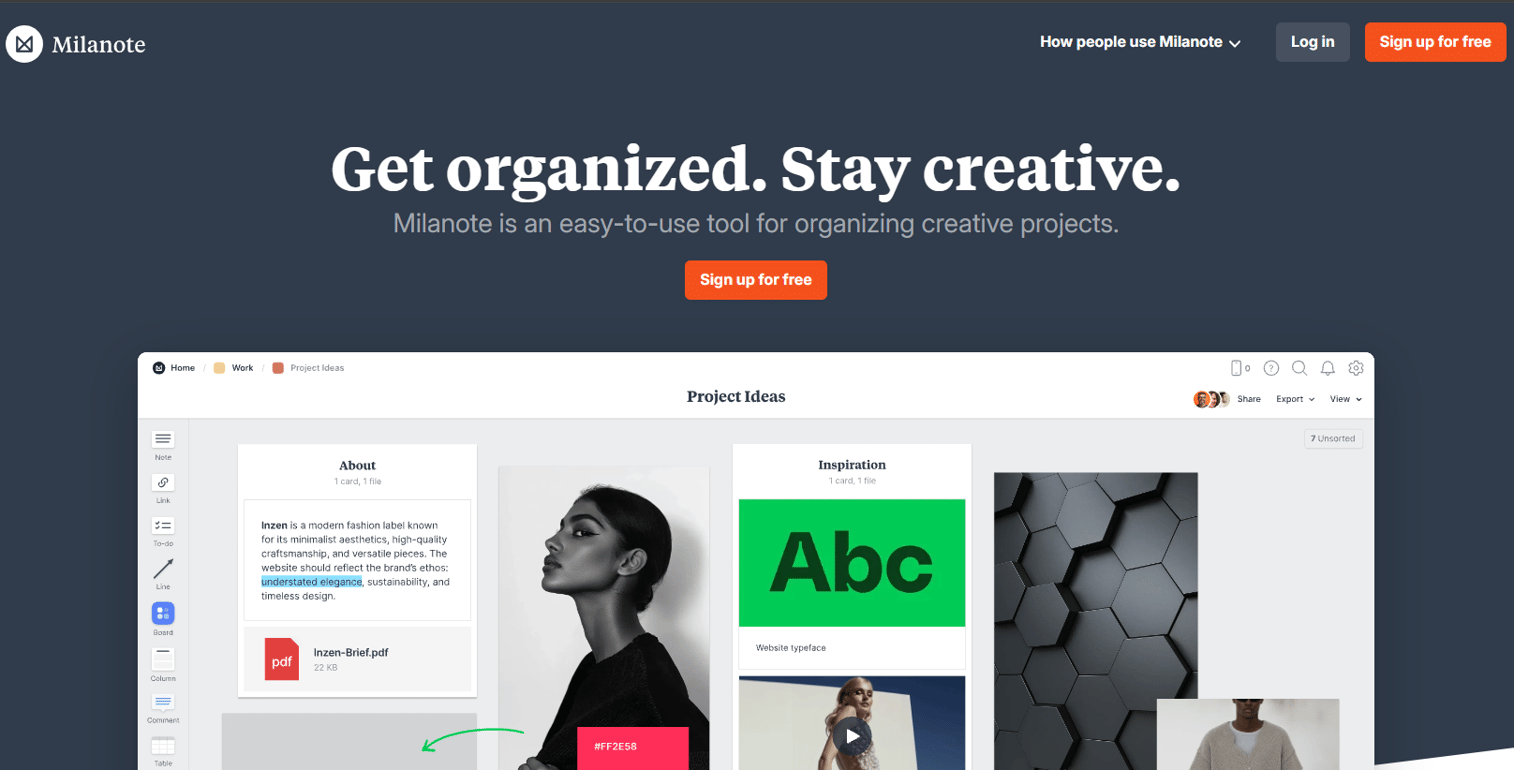
Milanote is a freeform visual workspace built for organizing creative projects, research, and inspiration. Unlike grid-based tools, Milanote's canvas lets you place notes, images, links, files, and tasks anywhere on the board, then group them into nested sub-boards for deeper organization. It's used heavily in design, content strategy, and early-stage product research where the thinking is still nonlinear.
For Product Managers, Milanote works best at the front end of discovery: Capturing competitive screenshots, user interview quotes, design inspiration, and rough concepts in a way that's visual enough to share with design and marketing without requiring everyone to parse a spreadsheet.
Best for: Creative teams and PMs doing visual research, moodboarding, or early-stage concept organization.
Key strengths
- Freeform canvas: Place any content type anywhere without grid constraints
- Nested boards: Organize complexity with boards inside boards
- Collaborative sharing: Share boards with teammates or clients with view or edit access
- Content types: Notes, images, links, files, and tasks all supported natively
Why choose Milanote: If your team's ideation process is still highly visual and the output is closer to a creative brief than a prioritized backlog, Milanote's spatial freedom fits better than a structured whiteboard tool. It's less suited for teams that need voting, scoring, or direct integration with project management systems.
Milanote pricing: Free plan covers 100 notes, images, and links plus 10 file uploads. Paid individual plan is $9.99 per person per month (billed annually) or $12.50 billed monthly, with unlimited notes and file uploads. Team plan starts at $49 per month (billed annually) for multiple seats.
Milanote holds a 4.5/5 rating on G2.
2. Miro
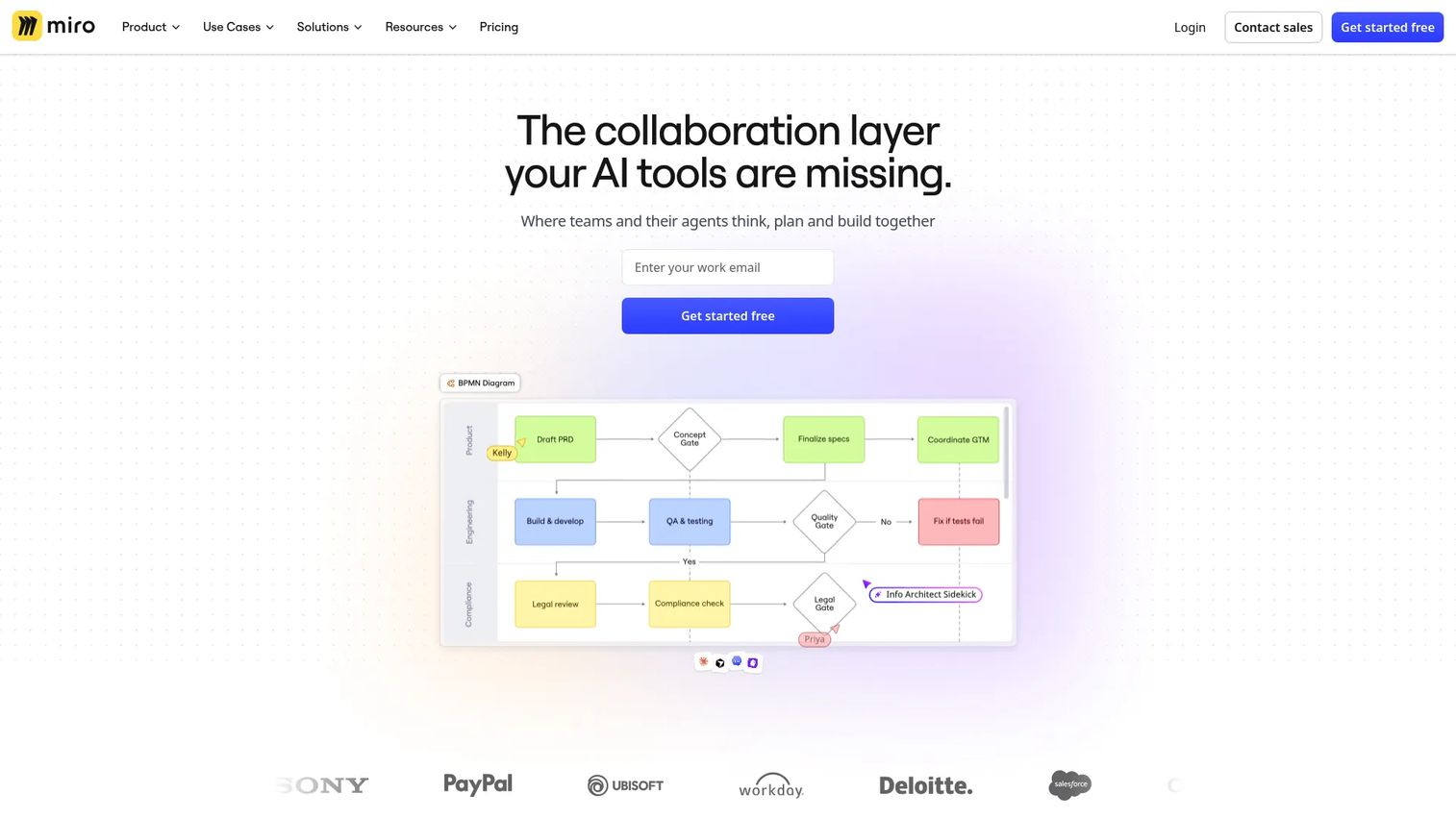
Miro is an AI-powered visual workspace built for distributed teams running workshops, planning sessions, and cross-functional collaboration at scale. It's the most feature-complete tool in this category, with over 7,000 templates covering everything from user story mapping to sprint retrospectives, plus AI tools that can summarize sticky notes, generate diagrams, and synthesize content across the board.
For Product Managers, Miro's breadth is its main advantage. You can run a discovery workshop, move into affinity mapping, export to a prioritization matrix, and hand off action items, all without leaving the canvas. The 250+ integrations mean ideas generated in Miro can flow directly into Jira, Confluence, Slack, or your analytics stack.
Best for: Distributed product teams that run regular workshops and need a whiteboard that connects directly to delivery tools.
Key strengths
- 7,000+ templates: Sprint planning, user journey maps, prioritization frameworks, and more
- AI workspace features: Summarize clusters, generate diagrams, synthesize content
- 250+ integrations: Jira, Confluence, Slack, Azure DevOps, Google Workspace
- Real-time collaboration: Multiplayer canvas with cursor tracking and comments
Why choose Miro: Miro is the right call when your team runs multiple types of collaborative sessions across the product lifecycle and needs one tool that handles all of them. The learning curve is real for new users, and some advanced AI features require paid plans, but for teams already invested in Jira or Confluence workflows, the integration depth pays off quickly.
Miro pricing: Free plan available with three editable boards. Starter plan is $8 per member per month (billed yearly) or $25 per member per month (billed monthly). Business plan is $20 per member per month (billed annually). Enterprise pricing requires contacting sales.
Miro holds a 4.6/5 rating on G2.
3. Mural
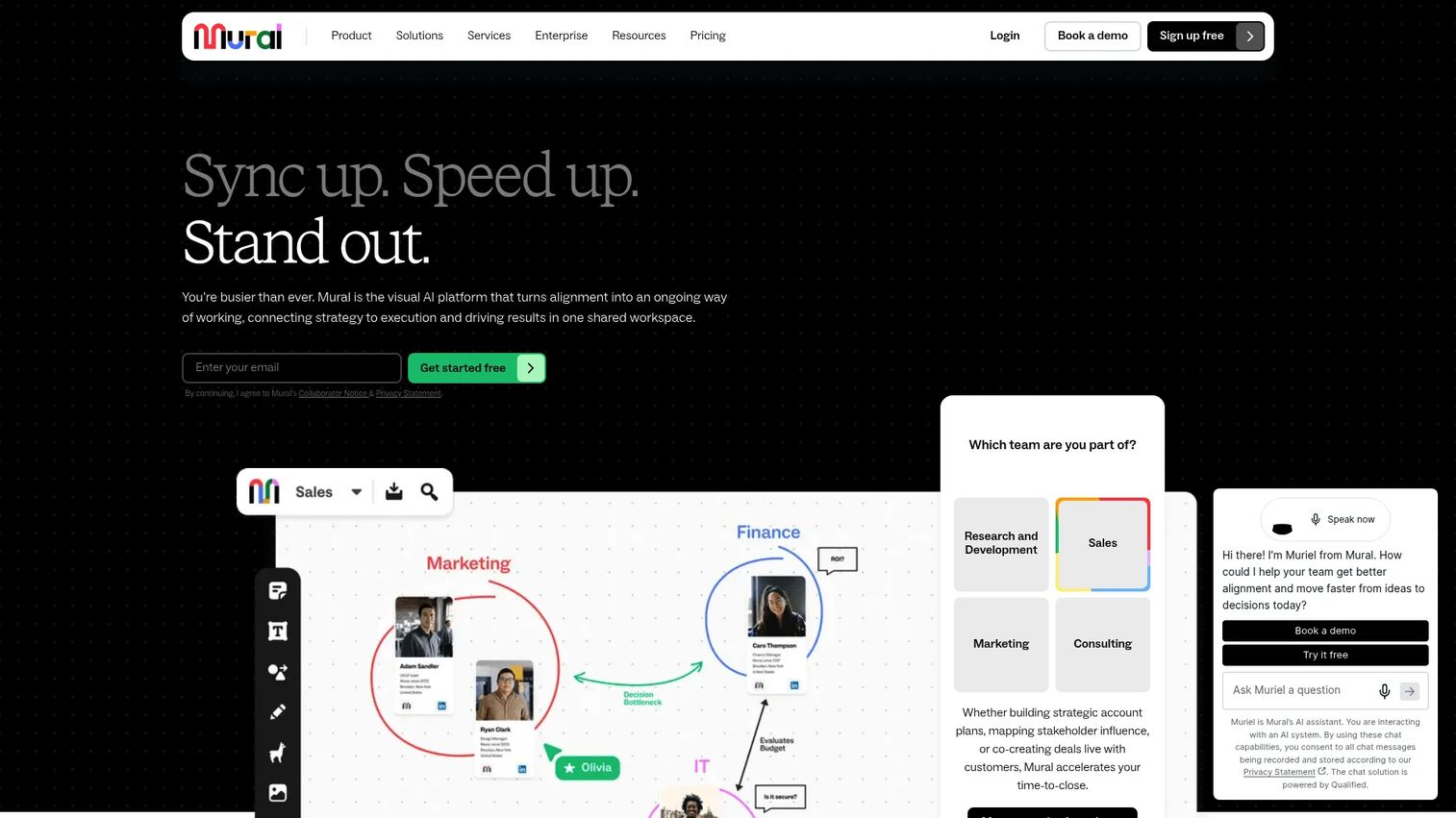
Mural is a visual collaboration and online whiteboarding platform with a specific focus on structured facilitation. Where Miro goes wide on integrations and templates, Mural goes deep on the facilitation experience itself. Its "Facilitation Superpowers" feature set includes a built-in timer, the ability to summon all participants to a specific area of the canvas, private mode for individual reflection before group sharing, and a super-lock to prevent accidental edits during presentations.
For PMs running discovery workshops, design sprints, or cross-functional alignment sessions, those facilitation controls make a material difference. You can run a timed ideation round, collect responses privately, reveal them simultaneously, and move straight into dot voting without switching tools or losing momentum.
Best for: PMs and team leads who facilitate structured workshops and need facilitation controls built directly into the canvas.
Key strengths
- Facilitation Superpowers: Timer, summon, private mode, and super-lock
- Infinite resizable canvas: Scale from small team to large enterprise workshop
- Sticky notes and text: Core ideation elements with grouping and voting support
- Template library: Pre-built formats for common workshop and planning formats
Why choose Mural: Choose Mural over Miro when facilitation quality matters more than integration depth. If you regularly run sessions where you need to control pacing, manage participant attention, and structure the group's thinking in real time, Mural's purpose-built facilitation tools justify the choice.
Mural pricing: Free plan available. Team+ plan is $9.99 per member per month (billed annually). Business plan is $17.99 per member per month (billed annually). Enterprise pricing is available on request.
Mural holds a 4.6/5 rating on G2.
4. Creately
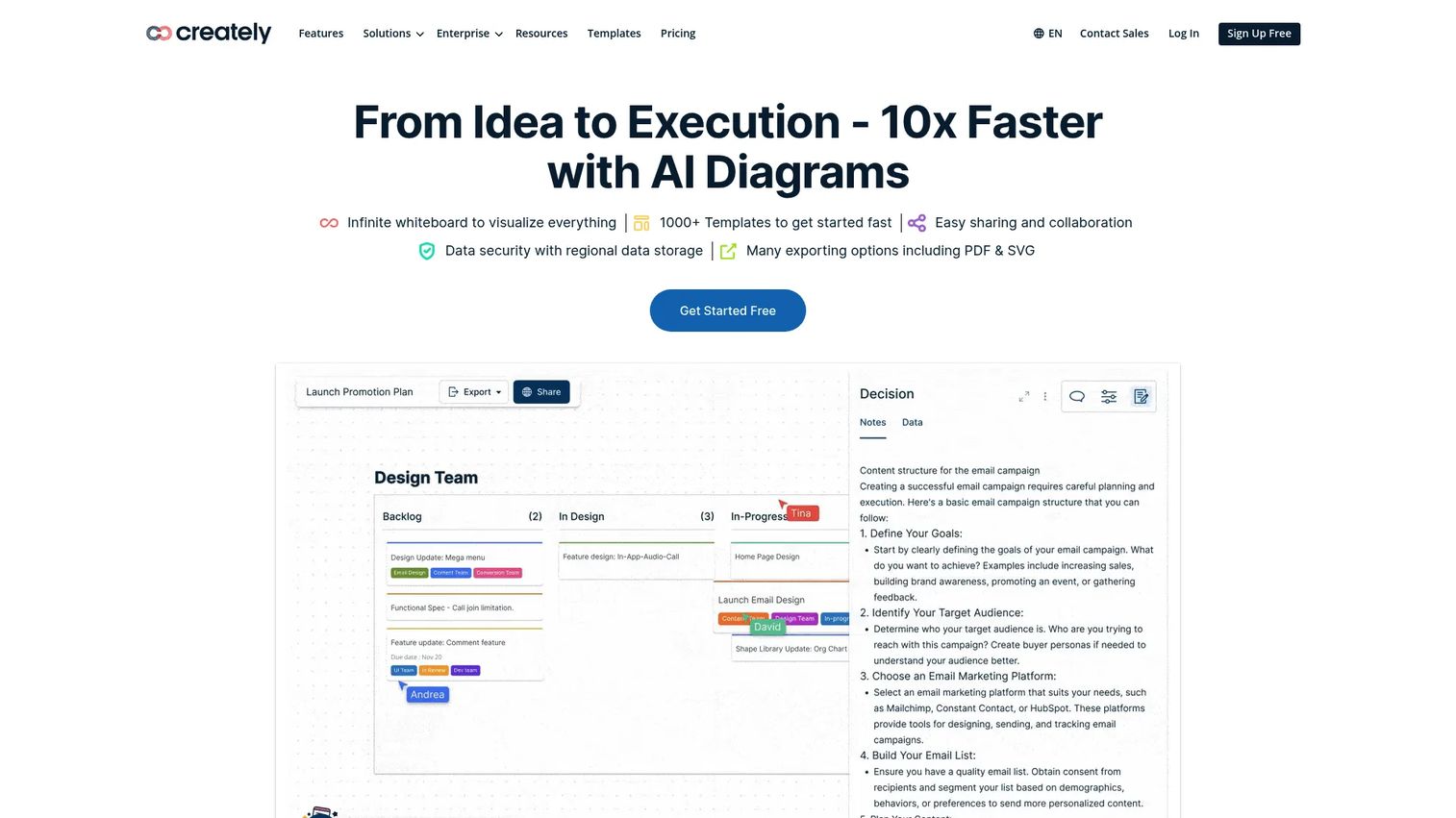
Creately is a visual collaboration and diagramming platform that covers more ground than a standard whiteboard tool. Alongside a freeform canvas for brainstorming and sticky-note ideation, it includes a full diagramming engine for flowcharts, entity-relationship diagrams, wireframes, and org charts. On top of that, it adds database views and project management functionality, letting teams move from an idea on the canvas to a structured task with assignees and due dates without switching tools.
For Product Managers who regularly need to map flows, document architecture decisions, or create visual specs alongside the ideation work, Creately removes the context-switching cost of maintaining separate tools for diagramming and whiteboarding.
Best for: Product teams that combine visual ideation with workflow diagramming and want lightweight project management in the same workspace.
Key strengths
- Diagramming engine: Flowcharts, wireframes, ERDs, org charts, and more
- Infinite visual canvas: Whiteboarding and sticky-note brainstorming alongside diagrams
- Database and project views: Task management with assignees, dates, and status tracking
- Integrations: Microsoft Teams, Slack, Jira, Google Sheets, and more
Why choose Creately: Creately fits teams where the line between "ideation" and "documentation" blurs frequently. If your discovery process regularly produces flow diagrams, architectural sketches, or lightweight specs alongside raw ideas, having both capabilities in one canvas reduces the overhead of managing multiple tools.
Creately pricing: Free plan available (forever free). Paid plans for Starter, Team, and Business tiers are available with a monthly/annual billing toggle, though specific tier prices were not displayed in the current pricing page view. Enterprise pricing requires contacting sales. Check Creately's pricing page directly for current per-seat figures.
Creately holds a 4.4/5 rating on G2.
5. Stormboard
Stormboard is a data-first collaborative whiteboard and workflow platform focused on structured brainstorming, planning, and team collaboration. The core unit in Stormboard is a "storm" (the platform's term for a workspace), where teams add sticky notes, organize them into sections, and generate reports directly from the session content. That reporting capability is what separates Stormboard from more open-ended whiteboard tools.
For Product Managers who need to document brainstorm outputs and share them with stakeholders who weren't in the room, Stormboard's built-in export and reporting features reduce the post-session cleanup work significantly. The platform also includes templates for common planning formats including agile retrospectives, SWOT analysis, and meeting agendas.
Best for: Teams that need structured brainstorming sessions with built-in reporting and lightweight prioritization, without the complexity of enterprise whiteboard platforms.
Key strengths
- Structured "storms": Organized workspaces with sections for categorized idea capture
- Built-in reporting: Export session content to formatted reports automatically
- Templates: Retrospectives, planning sessions, SWOT, and meeting formats
- Real-time collaboration: Multiplayer sticky-note input with voting support
Why choose Stormboard: Stormboard works well when your team runs recurring brainstorming formats (weekly retros, quarterly planning) and you want the output to arrive in a shareable report format without manual reformatting. It's simpler and more structured than Miro or Mural, which makes it faster to adopt for teams that don't need a full workshop facilitation platform.
Stormboard pricing: Personal plan is free. Business plan is $10 per user per month (billed monthly) or $8.33 per user per month (billed annually). Enterprise pricing requires contacting sales.
Stormboard holds a 4.4/5 rating on G2.
6. MindMeister
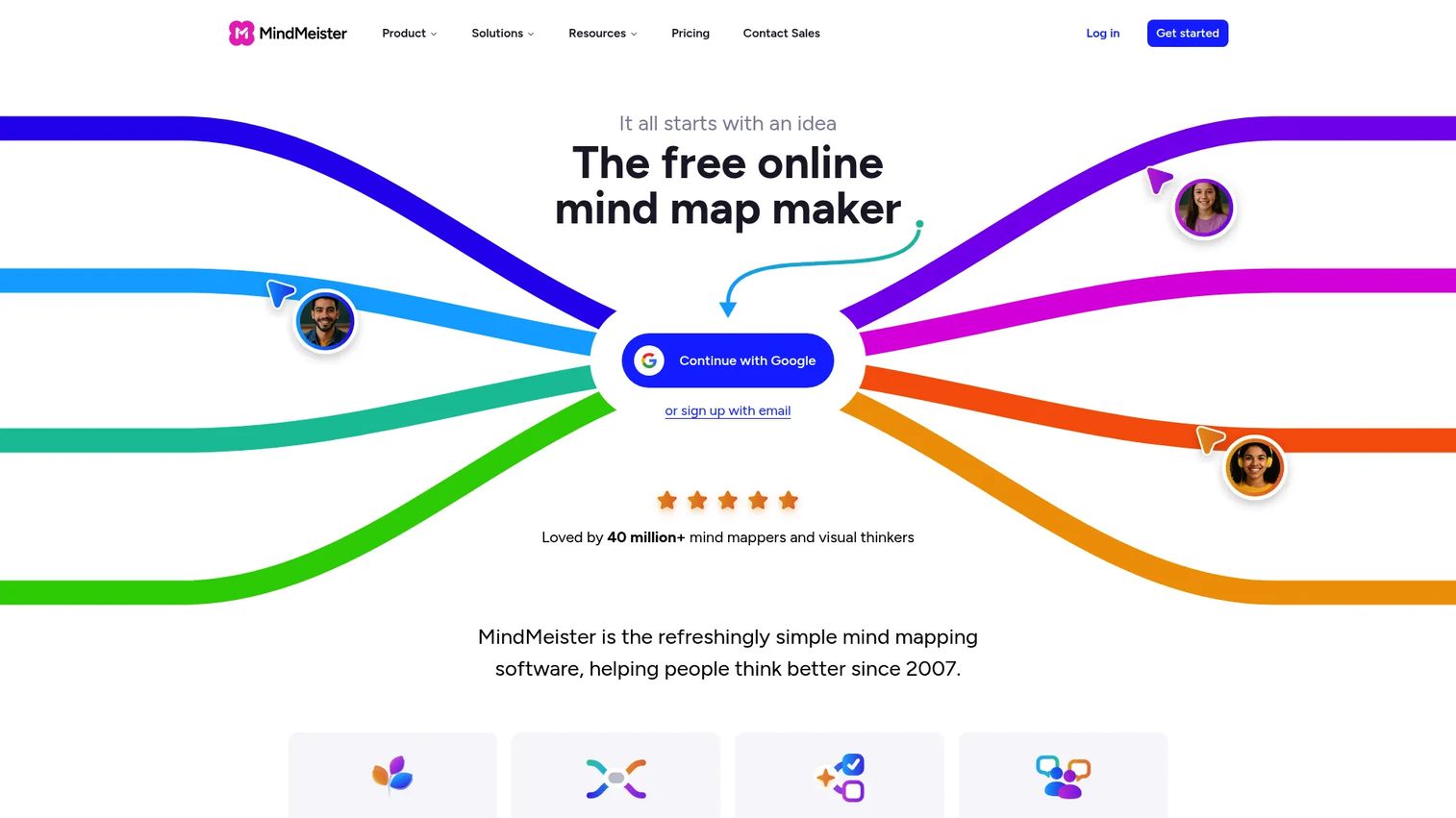
MindMeister is purpose-built online mind mapping software for visual brainstorming, idea organization, and collaborative thought structuring. Unlike freeform whiteboards, MindMeister's canvas is built around hierarchical relationships: A central idea branches into sub-ideas, which branch further into supporting details, creating a structured map of how concepts connect.
For Product Managers, mind mapping is most useful during early discovery and problem framing, when you're trying to understand the full scope of a user problem or map the dependencies between features before prioritizing. MindMeister supports real-time collaboration, so multiple contributors can build the map simultaneously, and paid plans include unlimited maps and export options.
Best for: PMs and individuals who need to organize complex, branching ideas into a clear hierarchical structure before moving into prioritization or planning.
Key strengths
- Hierarchical mind mapping: Central idea with unlimited branching sub-nodes
- Real-time collaboration: Multiple editors building the map simultaneously
- Unlimited maps on paid plans: No cap on the number of active maps
- Exports and integrations: Export to PDF, Word, and other formats; integrates with MeisterTask for action tracking
Why choose MindMeister: MindMeister is the right tool when the thinking you need to do is fundamentally about structure and relationships, not spatial layout. If you're mapping a feature dependency tree, a user problem hierarchy, or a competitive landscape, MindMeister's format produces a cleaner output than a freeform whiteboard. The tradeoff is that it doesn't support the open-ended, spatial ideation that tools like Miro or Milanote handle well.
MindMeister pricing: Free plan available (forever). Personal plan is $6.50 per user per month. Pro plan is $10.50 per user per month. Business plan is $15.50 per user per month. All prices are excluding VAT.
MindMeister holds a 4.2/5 rating on G2.
7. Ideawake
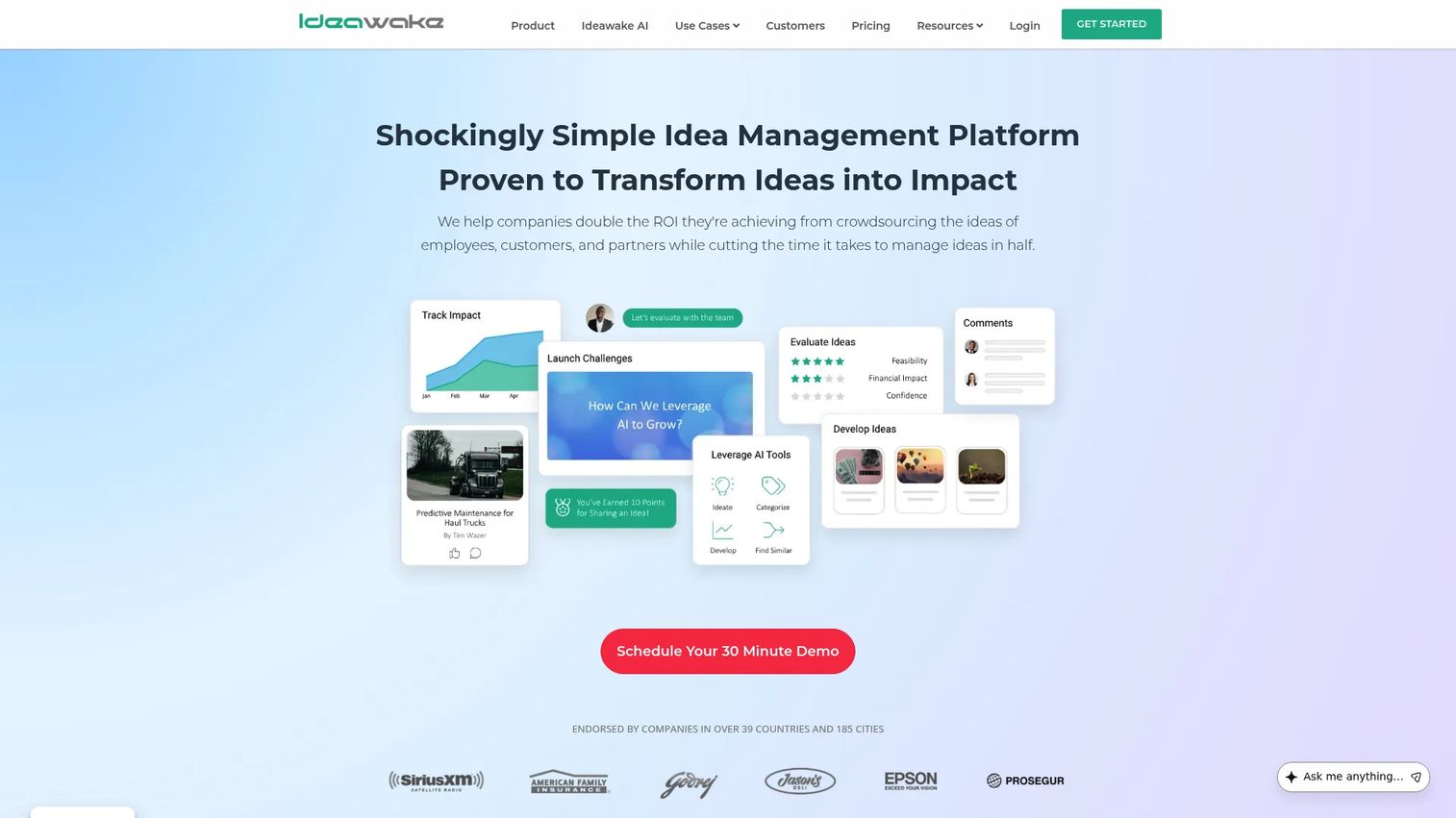
Ideawake is structured idea and innovation management software designed for organizations that run formal programs to collect, evaluate, and act on ideas at scale. Where the other tools in this list support the creative and collaborative phases of ideation, Ideawake adds governance: Challenges to focus idea collection, scorecards to evaluate submissions, ROI comparison tools to prioritize investment, and stage-gate workflows to move ideas through defined approval steps.
For Product Managers at larger organizations or those embedded in innovation programs, Ideawake solves a problem that freeform whiteboards cannot: What happens to ideas after the brainstorm? With Ideawake, every idea has a submitter, a review stage, evaluation scores, and an audit trail. That accountability layer is critical when ideas need to survive handoffs across departments or secure budget approval.
Best for: Organizations running structured innovation challenges, product improvement programs, or cross-departmental ideation with formal evaluation and ROI tracking.
Key strengths
- Idea challenges: Focused prompts that direct submissions toward specific problems or opportunities
- Collaborative evaluation: Voting, scorecard assessment, and ROI comparison for submitted ideas
- Stage-gate workflow: Move ideas through defined review and approval stages
- Analytics and reporting: Track submission volume, engagement, and outcome metrics
Why choose Ideawake: Ideawake fits when idea management is a business process, not just a brainstorming session. If your organization needs to demonstrate the ROI of an innovation program, manage hundreds of employee or customer submissions, or connect idea evaluation to budget decisions, Ideawake's structured approach handles that in a way that freeform boards cannot.
Ideawake pricing: Flex plan starts at $500 per month. Business plan ranges from $300 to $2,250 per month. Enterprise pricing requires contacting sales. Support plans (Standard, Premium, Enterprise) are priced separately at $250, $500, and $1,000 per month respectively. No free tier is available.
Ideawake holds a 4.6/5 rating on G2.
Considerations
Before committing to a tool, evaluate these four areas against your team's actual working patterns.
How visual does your team's thinking need to be
Spatial layout matters more for some teams than others. Design-adjacent product teams working on discovery, research synthesis, or creative planning benefit from tools like Milanote or Miro where visual arrangement carries meaning. Teams doing more structured analysis or problem decomposition often find that MindMeister's hierarchical format or Stormboard's section-based structure produces clearer outputs. Choose the format that matches how your team already thinks, not the one with the most features.
Do you need brainstorming only, or prioritization too
Most idea board tools handle the capture and discussion phases well. Fewer handle the transition from "here are all our ideas" to "here is the ranked shortlist." If your process needs voting, scoring, or ROI comparison built into the same tool where ideas were generated, that narrows the field considerably. Ideawake is the strongest option for structured prioritization. Miro and Mural both support voting and prioritization templates, but without the governance layer that Ideawake adds.
How much integration overhead can your team absorb
An idea board that doesn't connect to your delivery stack creates a manual handoff step that will be skipped under deadline pressure. Check whether the tool integrates directly with Jira, Linear, or whatever system your engineers work from. Miro's 250+ integrations cover the most ground. Creately's Jira and Google Sheets connections are well-suited for teams already in that ecosystem. MindMeister's integration with MeisterTask provides a lightweight path from mind map to task without leaving the Meister product family.
How much process overhead does the team actually have capacity for
Enterprise idea management platforms like Ideawake require setup, administration, and ongoing program management. For a 10-person product team, that overhead often outweighs the governance benefits. For a 200-person organization running quarterly innovation challenges, it's the only way to manage submissions at scale. Match the tool's complexity to the actual size and structure of the problem you're solving.
What happens to ideas after the board session
The most common failure mode in brainstorming is the session that ends with a full board and zero next steps. Before choosing a tool, decide whether you need the idea board itself to support action tracking (Creately and Stormboard handle this), whether you'll export to a dedicated project management system (most tools support this), or whether you need a formal review workflow (Ideawake). That downstream question should shape the upstream tool decision.
Conclusion
The right idea board software depends on where in the ideation-to-delivery cycle you need the most support.
For visual research and creative planning, Milanote's freeform canvas handles inspiration capture without forcing structure too early. Miro is the strongest choice for teams running regular cross-functional workshops, especially where integrations into Jira or Confluence matter. Mural earns its place when facilitation quality is the priority and you need built-in controls to run structured sessions with distributed groups.
Creately fits product teams that need to diagram and plan alongside their ideation. Stormboard works well for teams that want structured brainstorm sessions with exportable outputs but don't need enterprise facilitation features. MindMeister is the clearest choice for individual and small-team work that is fundamentally about mapping relationships and structure.
Ideawake sits in a different category: It's not a brainstorm tool, it's a program. Choose it when your organization needs to manage idea evaluation at scale with governance, scoring, and accountability built in.
Start with the tool that fits your next session, not the one with the longest feature list. Most teams find clarity by testing one visual board alongside one more structured tool and seeing which produces better signal for the decisions you actually need to make.
Start your journey with Guideflow today!
FAQs
A whiteboard is a general-purpose blank canvas for drawing, writing, and diagramming. An idea board is a more structured format optimized for capturing discrete ideas (usually as cards or sticky notes), organizing them, and supporting discussion and prioritization. Many tools offer both modes, but the distinction matters when you're choosing a format: Use a whiteboard for open exploration and sketching, and an idea board when you need ideas to stay findable and actionable after the session ends.
Yes, and it's often more useful for remote teams than for co-located ones. In-person teams can use physical whiteboards and sticky notes, which have low friction for quick ideation. Remote and hybrid teams need a shared digital surface where contributors across time zones can add ideas async, react to each other's input, and vote without coordinating a live session. Tools like Miro and Mural are specifically built for this model, supporting both real-time and async collaboration on the same canvas.
Product Managers should prioritize four things: Async collaboration support (can contributors add ideas outside of a live session?), prioritization tools (voting, scoring, or grouping by effort and impact), integration with delivery systems (Jira, Linear, or your project management stack), and export quality (can you get a clean summary of session outputs without manual reformatting?). The ability to segment ideas by theme, status, or owner becomes increasingly important as idea volume grows.
They can, but not all tools handle it equally. Basic voting and dot-marking are available in most whiteboard tools and provide a lightweight signal for what the team values. Structured prioritization, where ideas are scored across multiple criteria or compared on estimated ROI, requires more purpose-built tools. Ideawake handles formal scoring and ROI comparison. Miro and Mural both include prioritization templates like impact/effort matrices that work well for workshop settings.
Milanote is the strongest fit for creative teams, particularly those doing visual research, moodboarding, storyboarding, or early-stage concept work. Its freeform canvas and support for images, links, and nested boards match the nonlinear way creative projects develop. Miro is a close second for creative teams that also need workshop facilitation or cross-functional collaboration with non-design stakeholders.
Make the switch when idea volume exceeds what a team can review and discuss in a single session, when ideas need to survive formal review processes (budget approval, executive sign-off, compliance review), or when you need to track the outcome of ideas over months rather than days. Tools like Ideawake are built for that operational scale. For most product teams running discovery and planning at the squad or tribe level, a well-organized whiteboard or visual board remains the right instrument.
Not directly, but the gap is narrower than it used to be. Creately adds database views and task management on top of its visual canvas, and Stormboard generates structured reports from session content. That said, idea boards are optimized for the generative and evaluative phases of work, while project management tools handle execution, accountability, and delivery tracking. The most effective setup for most product teams is a pairing: Idea board for discovery and prioritization, project management tool for sprint planning and delivery. The integrations that connect them (Miro to Jira, Creately to Jira and Google Sheets) are where the handoff happens without manual copying.