



You write out a riff by hand, get the timing wrong on playback, then lose the file when you switch from your laptop to your phone. Do it a few times and the appeal of dedicated software becomes obvious.
The right tab editor fixes three things at once. It captures what you play accurately, it plays the tab back so you hear mistakes before a bandmate does, and it exports in formats other people can actually open. That is the difference between a scratch text file and a score you can share, teach from, or sell.
The market backing these tools is real, too. The global guitar learning software market was worth USD 935.9 million in 2024 and is projected to hit USD 2.5 billion by 2035, growing at a 9.3% CAGR, according to WiseGuyReports (2025). More players are writing, transcribing, and sharing tabs than ever.
This guide compares seven options on the criteria that decide the choice.
What's inside
This guide is for guitarists, teachers, and arrangers picking a tool to write, edit, play back, and share tablature in 2026. It covers free and paid options across desktop, browser, and mobile.
We compared each tool on four things:
- Editing precision: How fast and accurate note, chord, and bar entry feels
- Playback quality: Whether the tab plays back with usable sound, tempo, and looping
- Import and export: Which formats each tool reads and writes (Guitar Pro, MusicXML, MIDI, PDF)
- Platform and price: Which operating systems it supports and what it costs
No affiliate ranking games here. Picks are sorted by how well each fits a specific job.
TL;DR
- Best overall: Guitar Pro is the deepest editor for arrangers who need multi-instrument tab, notation, and practice tools in one desktop app.
- Best for browser use: Soundslice runs in any browser and syncs notation with audio or video, so nothing gets installed.
- Best free desktop option: TuxGuitar is open-source, multi-track, and reads Guitar Pro and Power Tab files across Windows, macOS, Linux, and Android.
- Best for mobile editing: Guitar Tabs X handles tab creation and export on iPhone and iPad.
- Best for tab-to-sheet-music workflows: MuseScore moves between staff notation and tablature with MusicXML import and export.
- Best for licensed content: Musicnotes gives you official sheet music and tab with playback, looping, and transposition.
What is guitar tab software?
Guitar tab software is an application that lets you write, edit, play back, and share guitar tablature, usually with standard notation support and file export. It replaces hand-drawn tab and text files with an editor that understands notes, timing, and instruments.
Most tools in this category share a core set of features. Here is what to expect:
- Tab editing: Enter notes on a fret-and-string grid, add chords, bends, slides, and time signatures
- Notation support: View or edit standard staff notation alongside the tab
- Playback: Hear the tab with adjustable tempo, looping, and a metronome
- Import: Open Guitar Pro (.gp, .gpx), Power Tab (.ptb), MusicXML, and MIDI files
- Export: Save to PDF for printing, MIDI for other software, or audio for sharing
- Multi-instrument tracks: Write for guitar, bass, drums, piano, and more on separate tracks
The category splits along two axes worth knowing before you choose. Some tools lead with tablature and treat notation as secondary, which suits players who think in frets. Others lead with notation and add tab as a view, which suits composers and anyone who reads sheet music. A second split is platform: Desktop apps offer the deepest editing, browser tools remove installation, and mobile apps trade depth for portability. Price ranges from free and open-source to one-time licenses and subscription libraries.
Knowing which axis matters most to you narrows the list fast.
When to use guitar tab software
Write tabs faster than editing a text file
Typing dashes and numbers into a plain text file falls apart the moment you need timing, a bend, or a second instrument. A real editor snaps notes to a grid and keeps everything aligned. You spend time on the music, not on formatting rows of characters.
Transcribe songs from audio, PDF, or MusicXML
When you are learning a song by ear, tab software lets you slow the tempo, loop a bar, and enter what you hear one note at a time. Tools that import MusicXML or scan a PDF turn existing scores into editable tab. That saves hours over transcribing from scratch.
Share playable tabs with students, bandmates, or an audience
A text tab tells someone the notes. A playable file lets them hear the rhythm, loop a tricky section, and slow it down to practice. Export to PDF for a clean printout, or share a Guitar Pro file so another player can open it in their own tool.
Comparison table
Here is how the seven tools stack up on fit, differentiator, price, and rating. Pricing reflects each vendor's current published plans as of August 2026. G2 ratings are listed where a current, verified G2 profile exists.
| # | Product | Best for | Key differentiator | Pricing | G2 rating |
|---|---|---|---|---|---|
| 1 | Guitar Pro | Serious arrangers and multi-instrument users | Deep editing plus practice tools and mySongBook library | $69.95 one-time | Not listed |
| 2 | Soundslice | Teachers and self-learners in a browser | Notation synced to audio and video | Free, paid from $5/mo | Not listed |
| 3 | Guitar Tabs X | Mobile tab creation on iOS | iPhone and iPad editing with PDF, MIDI, HTML export | Free with paid tiers | Not listed |
| 4 | Power Tab Editor | Windows users who want a simple editor | Free .ptb tab authoring | Free | Not listed |
| 5 | TuxGuitar | Free multi-track editing across platforms | Open-source, reads Guitar Pro and Power Tab files | Free | Not listed |
| 6 | MuseScore | Moving between staff notation and tab | Notation-first with MusicXML import and export | Free | Not listed |
| 7 | Musicnotes | Players who want licensed sheet music and tab | Official catalog with playback and transposition | Free, Pro from $1.99/mo | Not listed |
Read the full breakdown below to see which fits your workflow.
Best 7 tools for guitar tab software in 2026
1. Guitar Pro
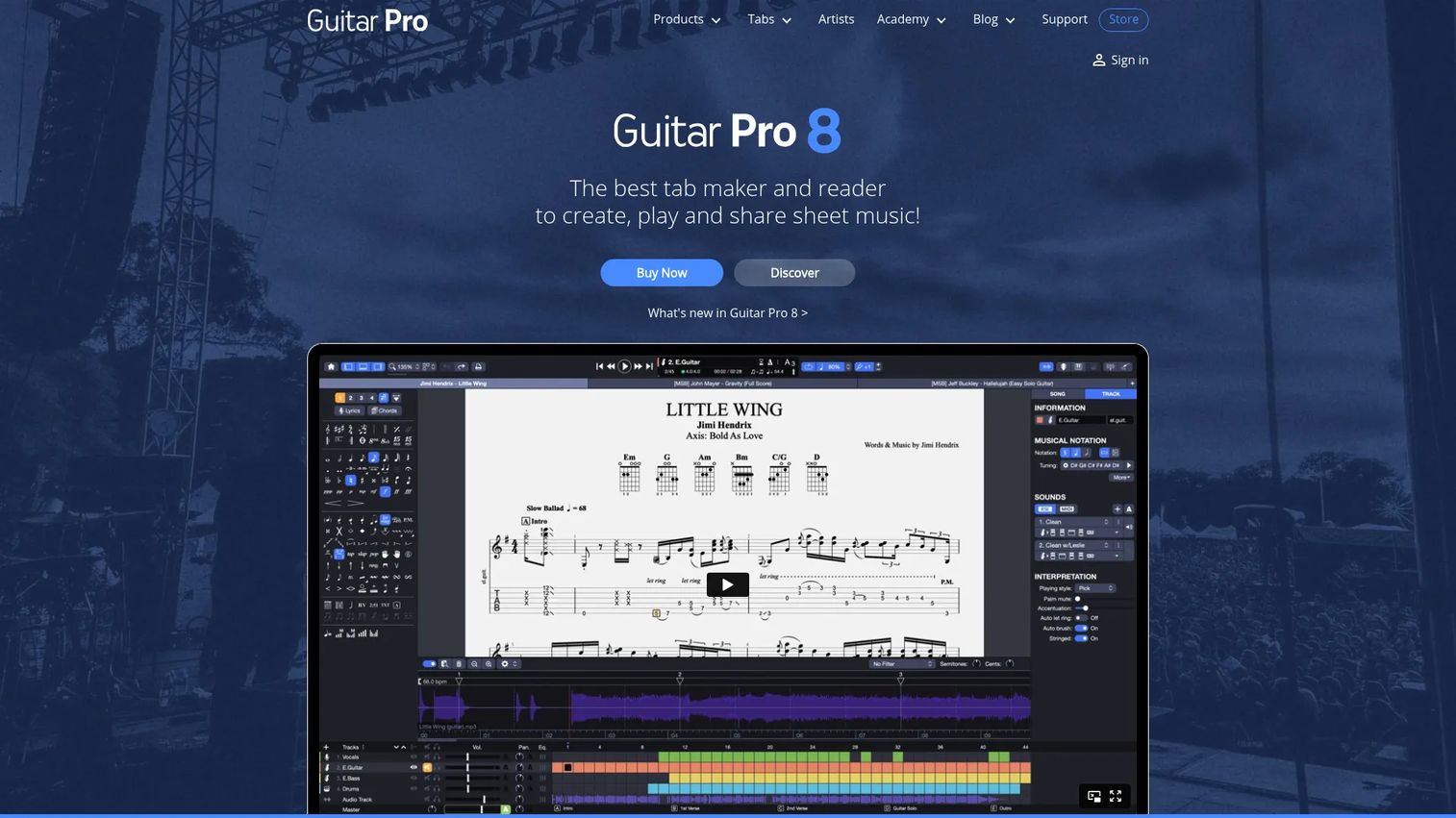
Guitar Pro is the desktop standard for tab and score editing across guitar, bass, drums, and piano. It pairs deep editing with realistic audio rendering, so a tab you write actually sounds like the part. The mySongBook add-on gives access to a large library of officially transcribed tabs, which sets it apart from tools that only edit your own files.
Best for: Arrangers and multi-instrument writers who need editing depth, playback, and practice tools in one app.
Key features
- Edit tab and score for multiple instruments
- Realistic audio rendering with RSE soundbanks
- Playback with metronome, looping, and tempo control
- mySongBook library of officially transcribed tabs
- 7-day free demo before purchase
Why choose Guitar Pro: If you arrange for a full band or need accurate playback to check your work, no free tool matches its editing and sound engine. Casual players writing single-line riffs may find it more than they need.
Guitar Pro pricing: A new-user license for Guitar Pro 8 costs $69.95 as a one-time purchase, and existing users can upgrade for $34.95. The mySongBook tab library is sold separately, starting at $5.00 per month or $40.00 per year. A free 7-day demo is available.
A verified G2 rating for Guitar Pro was not available at the time of writing.
2. Soundslice
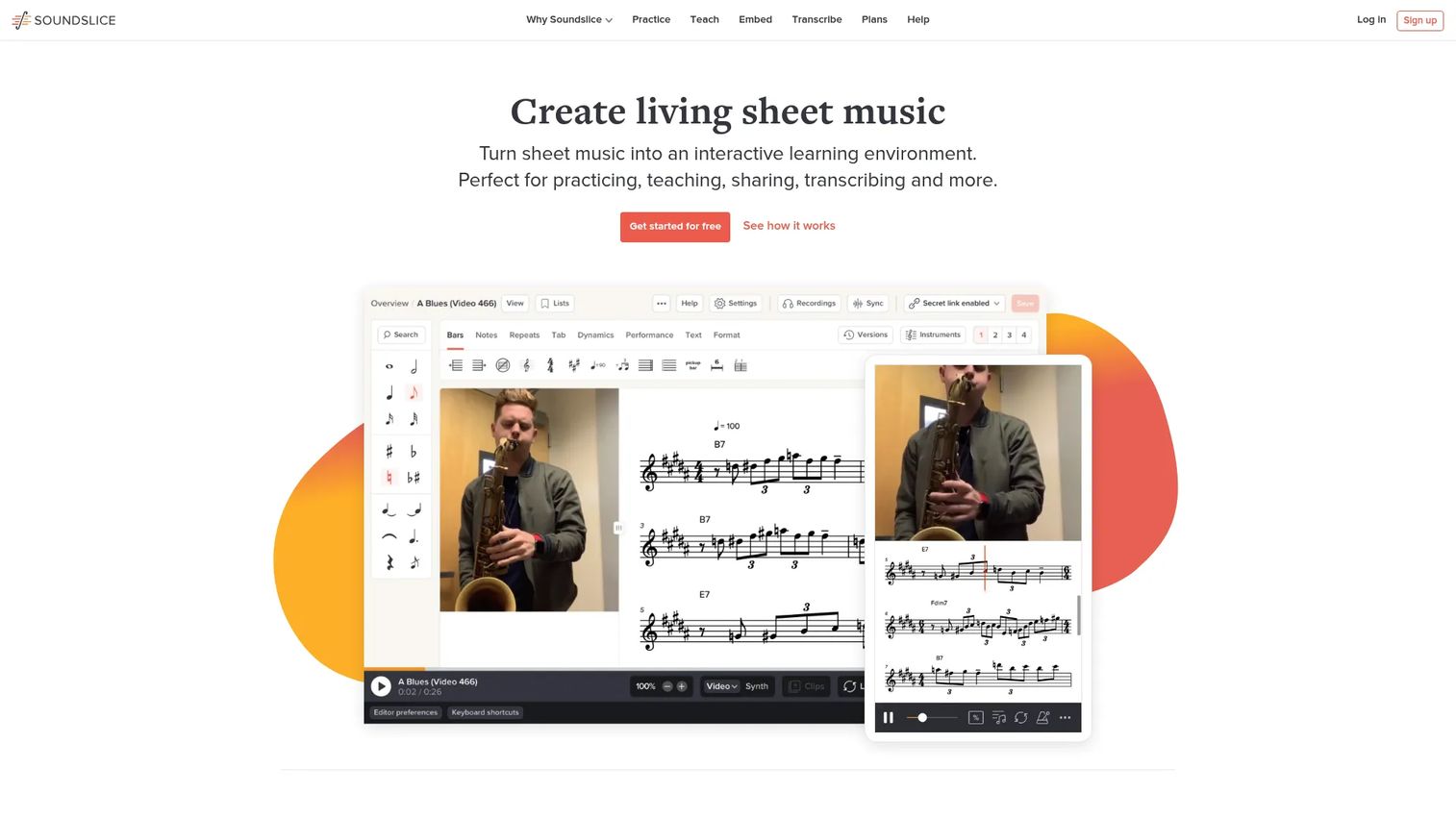
Soundslice runs entirely in the browser, so there is nothing to install on any machine you sit down at. It syncs notation and tab with audio or video, which makes it strong for practice and teaching. You can slow the tempo, loop a passage, transpose, and isolate parts while the notation scrolls in time.
Best for: Teachers and self-learners who want synced playback and practice tools without installing software.
Key features
- Browser-based editor, no install required
- Notation and tab synced with audio or video
- Import and scanning tools for existing scores
- Practice tools: Tempo change, looping, transposition
- Part isolation for focused practice
Why choose Soundslice: Web access makes it a natural fit for lessons and for anyone switching between machines. Players who want offline desktop editing or a large content marketplace will look elsewhere.
Soundslice pricing: The Free plan covers basic use. Paid plans start at $5 per month for Plus, $20 per month for Teacher, and $100 per month for Licensing. Yearly billing lowers the monthly cost.
A verified G2 rating for Soundslice was not available at the time of writing.
3. Guitar Tabs X
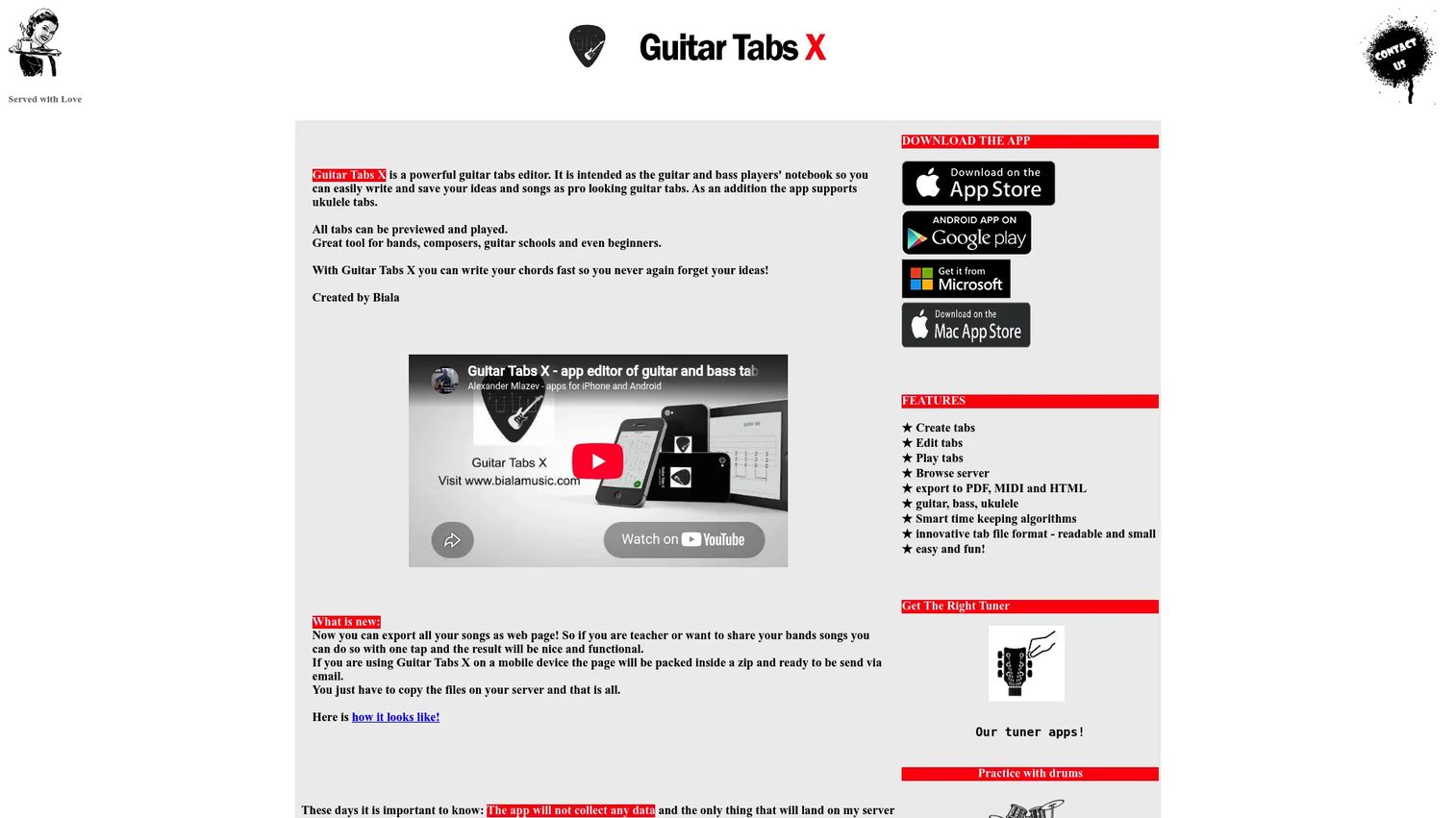
Guitar Tabs X is an iOS tab editor built for writing and editing on iPhone and iPad. It handles guitar, bass, and ukulele, with playback to check your work and export options for sharing. For players who capture ideas on the go, mobile-first editing beats reaching for a laptop.
Best for: Guitarists who want to write and edit tabs on an iPhone or iPad.
Key features
- Tab editing on iPhone and iPad
- Support for guitar, bass, and ukulele
- Tab playback and preview
- Export to PDF, MIDI, and HTML
- Fast chord and bar entry
Why choose Guitar Tabs X: If most of your writing happens on a phone or tablet, this fits the Apple ecosystem better than a ported desktop app. Players who need multi-track band arrangements will want a desktop tool instead.
Guitar Tabs X pricing: The app is available free on the App Store with paid tiers for expanded features. Pricing was not verifiable from the vendor's own site at the time of writing, so check the current App Store listing before committing.
A verified G2 rating for Guitar Tabs X was not available at the time of writing.
4. Power Tab Editor
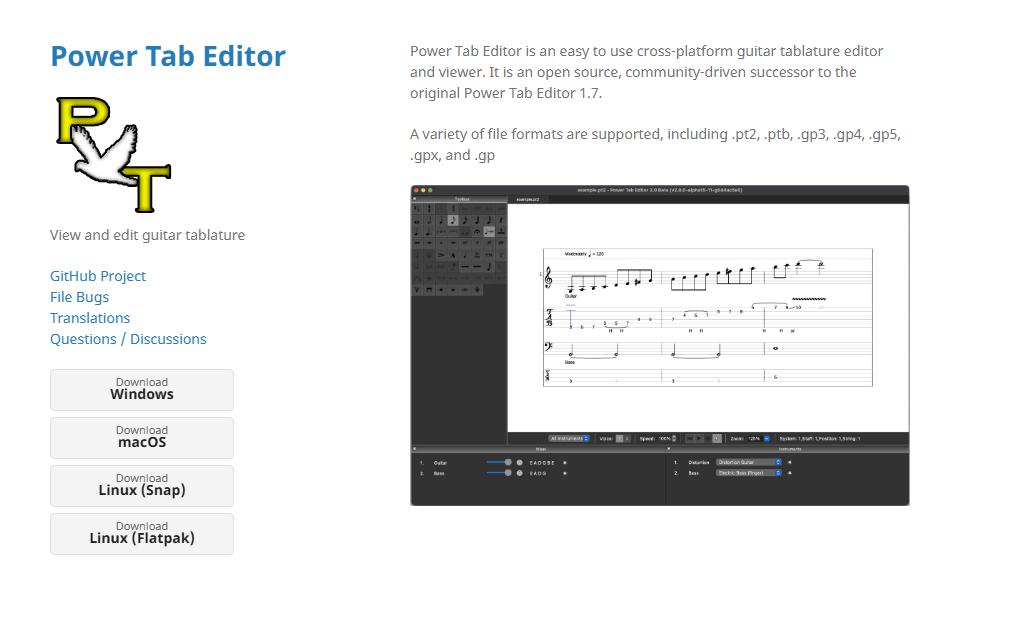
Power Tab Editor is a long-running Windows tool for authoring guitar tablature in the .ptb format. It focuses on straightforward tab creation and viewing, without the wider feature set of newer apps. For Windows users who want a no-frills editor and file ownership, it remains a familiar option.
Best for: Windows users who want a simple tool to create or view tablature files.
Key features
- Create tablature files in .ptb format
- View existing .ptb files
- Straightforward note and bar entry
- Windows desktop application
- Reference articles on the official site
Why choose Power Tab Editor: Its simplicity and long history make it a comfortable pick for players who want a plain editor they control. Anyone needing macOS, Linux, or mobile support, or modern playback, should look at TuxGuitar or Guitar Pro.
Power Tab Editor pricing: The official site states the software and services are free, with no paid plans listed. That makes it a zero-cost entry point for basic Windows tab work.
A verified G2 rating for Power Tab Editor was not available at the time of writing.
5. TuxGuitar
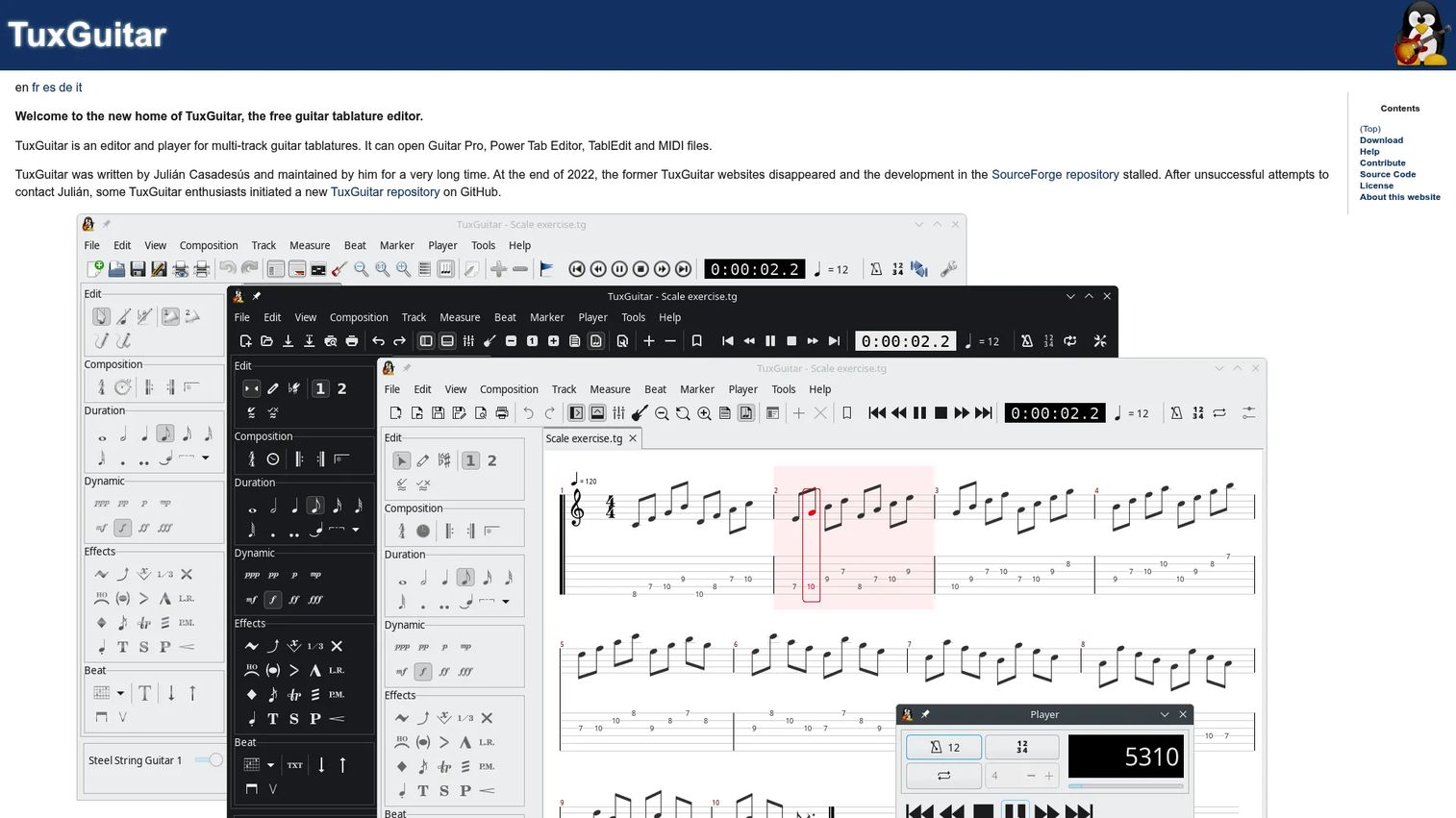
TuxGuitar is a free, open-source multi-track tablature editor and player. It opens Guitar Pro, Power Tab, TablEdit, and MIDI files, which makes it a practical bridge between tools and formats. It runs on Windows, macOS, Linux, and Android, so a mixed setup is no obstacle.
Best for: Players who want a free desktop editor and player that reads other tools' files.
Key features
- Open Guitar Pro, Power Tab, TablEdit, and MIDI files
- Multi-track tab editing and playback
- Cross-platform: Windows, macOS, Linux, Android
- Plugin support for added features
- Import and export across multiple formats
Why choose TuxGuitar: It gives you multi-track editing and broad file compatibility at zero cost, which is rare. The trade-off is a plainer interface and less polished playback than a paid app like Guitar Pro.
TuxGuitar pricing: TuxGuitar is free software with no paid plans. You download it and start editing without a license or subscription.
A verified G2 rating for TuxGuitar was not available at the time of writing.
6. MuseScore
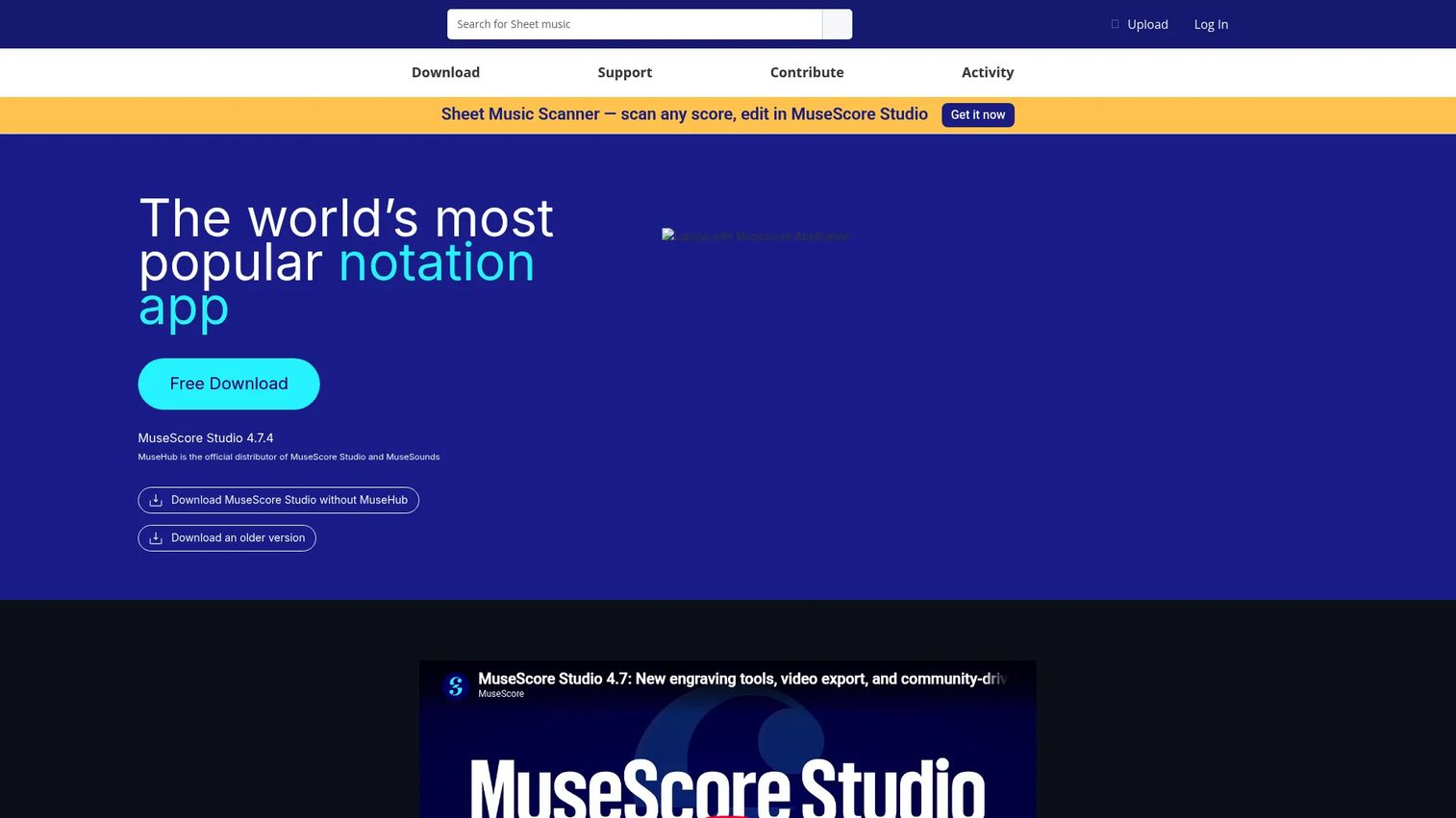
MuseScore is open-source notation software that also handles tablature well. It leads with staff notation and adds guitar-plus-tab templates, so it suits anyone who reads sheet music and wants tab alongside. MusicXML and MIDI import and export make it a strong hub for moving scores between programs.
Best for: Musicians who move between staff notation and tablature and want both in one free tool.
Key features
- Guitar and tablature templates
- Unlimited score length and staves
- Import and export MIDI and MusicXML
- Export to PDF and audio formats
- Online score sharing and a large community
Why choose MuseScore: For composers and readers who think in notation first, it converts between staff and tab and imports MusicXML cleanly. Pure tab players who never touch notation may prefer a tab-first editor.
MuseScore pricing: The desktop notation software is free and open-source. A separate Pro subscription exists for the online score-sharing site, so confirm current plan details on the MuseScore site before subscribing.
A verified G2 rating for MuseScore was not available at the time of writing.
7. Musicnotes
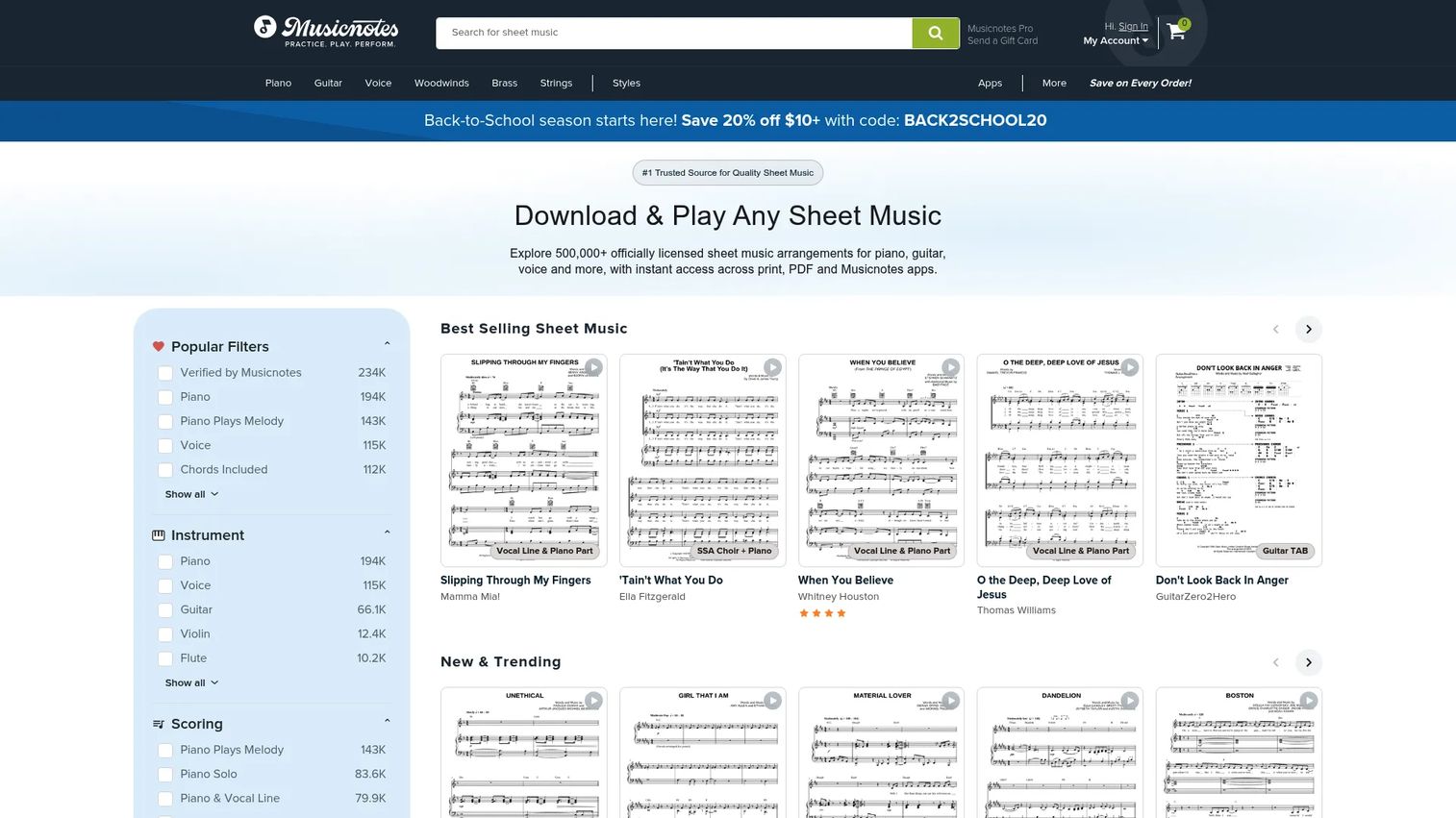
Musicnotes is a digital sheet music marketplace with officially licensed scores and guitar tablature you can buy, print, and play across devices. Its apps add playback, looping, tempo control, and transposition for practice. If you want accurate, licensed transcriptions rather than user-submitted tabs, this is the trustworthy source.
Best for: Players who want licensed sheet music and tab with practice features built in.
Key features
- Officially licensed sheet music and tab
- Download, print, and digital access after purchase
- Playback with loop, tempo, and transpose
- Transpose and mark up in Musicnotes apps
- Desktop and mobile app access
Why choose Musicnotes: When you want reliable, licensed transcriptions and practice tools rather than building tab yourself, it saves time and guesswork. Arrangers who need to write original multi-track scores will want an editor instead.
Musicnotes pricing: A free membership is available, with Musicnotes Pro at $1.99 per month or $14.99 per year, and Pro Premium at $7.99 per month or $49.99 per year. A free Education option is also listed on the Pro page.
A verified G2 rating for Musicnotes was not available at the time of writing.
Considerations
Before you commit, run the shortlist through these checks against your actual workflow.
Platform support
Confirm the tool runs on every device you use. Guitar Pro and Power Tab Editor are desktop-first, TuxGuitar spans Windows, macOS, Linux, and Android, Soundslice runs in any browser, and Guitar Tabs X is iOS-only. A tool that skips your main machine is a non-starter.
File compatibility
Check which formats the tool imports and exports. If you collaborate, you need to open Guitar Pro or Power Tab files and export MusicXML, MIDI, or PDF. TuxGuitar's broad format support makes it a useful bridge when your bandmates use different apps.
Editing versus library needs
Decide whether you mainly write your own tabs or consume existing ones. Editors like Guitar Pro, TuxGuitar, and MuseScore are built for creating. Musicnotes and Guitar Pro's mySongBook lean toward accessing ready-made, licensed transcriptions.
Playback and practice tools
If you learn songs by ear or teach, prioritize looping, tempo change, and transposition. Soundslice and Musicnotes are built around practice playback. A plain editor without good sound will slow down transcription work.
Cost model
Match the pricing to how you work. Free and open-source tools like TuxGuitar, MuseScore, and Power Tab Editor cover most needs at no cost. A one-time Guitar Pro license or a Soundslice or Musicnotes subscription buys depth, synced playback, or licensed content.
Conclusion
The best pick comes down to your workflow, not a single winner. Guitar Pro is the deepest editor for arrangers who need multi-instrument tab, playback, and practice tools in one place. Soundslice is the best browser-based option for teaching and transcription. TuxGuitar delivers free, multi-track, cross-platform editing that reads almost anyone's files.
If you write on a phone, Guitar Tabs X keeps editing on iOS. If you move between staff notation and tab, MuseScore handles both and imports MusicXML cleanly. If you want licensed transcriptions with practice playback, Musicnotes is the trustworthy library.
Start free where you can. Try TuxGuitar or MuseScore first to see how much editing depth you actually need, then step up to a Guitar Pro license or a Soundslice subscription if your work demands more. The right next step is downloading one tool and writing a single tab end to end this week.
Start your journey with Guideflow today!
FAQs
TuxGuitar and MuseScore are strong starting points because they are free and support multi-track editing. Beginners who want the deepest editing and accurate playback often move to Guitar Pro once they outgrow the basics. Start free, then upgrade only if your projects demand more.
Yes, notation-first tools like MuseScore can display staff notation as tablature and import MusicXML scores to convert between the two. Guitar Pro also shows both notation and tab for the same part. Scanned PDFs vary in accuracy, so expect to clean up the result.
Common formats include Guitar Pro (.gp, .gpx), Power Tab (.ptb), MusicXML, MIDI, PDF, and audio. TuxGuitar stands out for reading Guitar Pro, Power Tab, TablEdit, and MIDI files. Check each tool's supported formats if you collaborate with players using different software.
Yes. TuxGuitar runs on Windows, macOS, Linux, and Android, and MuseScore is free on Windows and macOS. Both handle tab and playback at no cost. Power Tab Editor is free but Windows-only.
Guitar Tabs X is built for iPhone and iPad tab creation, with export to PDF, MIDI, and HTML. TuxGuitar also runs on Android for editing on the go. For pure mobile writing on Apple devices, Guitar Tabs X is the focused choice.
Most editors handle more than guitar. Guitar Pro supports guitar, bass, drums, and piano on separate tracks, and Guitar Tabs X covers guitar, bass, and ukulele. Multi-track tools like TuxGuitar let you write full-band arrangements.
Tablature software leads with a fret-and-string grid that shows exactly where to place your fingers. Notation software leads with the standard staff and pitch. Many tools do both, so the difference is which view they prioritize and how well they convert between the two.
Soundslice is built for transcription because it syncs notation with audio or video and lets you slow tempo and loop passages. Guitar Pro also supports slowed playback and note-by-note entry for transcribing by ear. Pick the one whose editing flow feels fastest to you.










