Most people searching Guideflow vs Vidyard are sitting at a real decision point: Do I need a platform for hosting and distributing video, or a platform where buyers click through a product themselves? Both tools show up in GTM stacks, and both can play a role in how a product gets explained. Vidyard records, hosts, and tracks marketing and sales video with a branded player, viewer analytics, and CRM integrations. Guideflow turns your product into a clickable interactive demo that buyers navigate at their own pace, with step-level engagement data and lead capture built in. If your goal is a hosted video library or personalized outreach clips a rep records on camera, Vidyard is built for that job. If you want buyers to explore a product experience before talking to sales, that is Guideflow's core function. This guide compares both categories fairly, names the scenarios where each wins, and shows where PMMs run them together.
TL;DR
- Vidyard hosts, shares, and measures video. Guideflow builds clickable product demos buyers navigate themselves. The outputs are different formats, not different versions of the same thing.
- For personalized sales video outreach, branded video pages, and hosted marketing video campaigns, Vidyard is purpose-built.
- Choose Guideflow when buyers need to explore a product on their own terms, whether on a launch landing page, in a sales leave-behind, or inside an enablement hub.
- Guideflow has a free plan; Solo starts at $35/user/month, billed yearly. Vidyard has a free plan; Starter is $59/user/month billed annually, or $89/user/month billed monthly, with Teams and Enterprise quoted on request.
- Both track engagement, but the signals differ: Vidyard measures who watched and how far. Guideflow tracks which steps a buyer clicked, where they dropped off, and which company they came from.
- Many PMM teams run both formats in the same funnel: Video for broad reach and storytelling, interactive demos for evaluation and qualification.
- One scope difference to state: Vidyard is built around a hosted video library and clips a rep records on camera. Guideflow generates narration, voice cloning, and avatar presenters inside the demo itself, so a self-guided demo still carries audio.
Guideflow vs Vidyard at a glance
Vidyard is a video platform built for revenue teams. Guideflow is an interactive demo platform built for showing a product without a live call. The split below covers the capabilities that matter most for a PMM evaluating both.
| Capability | Vidyard | Guideflow |
|---|---|---|
| Primary job | Host, share, and track sales and marketing video | Build interactive, clickable product demos |
| Output type | A linear video viewers watch | A demo viewers navigate step by step |
| Formats | Webcam and screen recording, hosted video, AI personalized video | Interactive demo, demo page, sandbox, demo center, live demo, mobile demo |
| Editing | Video trimming, AI video creation, personalized video workflows | HTML capture with post-recording edits, branching paths, tooltips, forms |
| Analytics | Viewer identity, watch time, CTA clicks, CRM sync | Step-level engagement, drop-off, viewer flow, account enrichment |
| Lead capture | Built-in forms, CRM integrations | Forms inside the demo, visitor and account identification |
| CRM integrations | Yes, including Salesforce and HubSpot | Yes, including Salesforce, HubSpot, and Marketo |
| Entry price | Free plan; Starter $59/user/month billed annually ($89 billed monthly) | Free plan; Solo from $35/user/month, billed yearly |
| Free plan | Yes | Yes |
| G2 rating | 4.5 (832 reviews) | 5.0 (141 reviews) |
Vidyard wins the rows around video hosting, library management, and personalized clips a rep records on camera. Guideflow wins on interactivity: The buyer clicking through a product experience rather than watching it. Both handle lead capture and CRM integrations, so the differentiation for PMMs comes down to the format of the experience itself. Pricing and ratings in this table were checked against each vendor's pricing page and G2 profile in November 2026.
What is Vidyard?
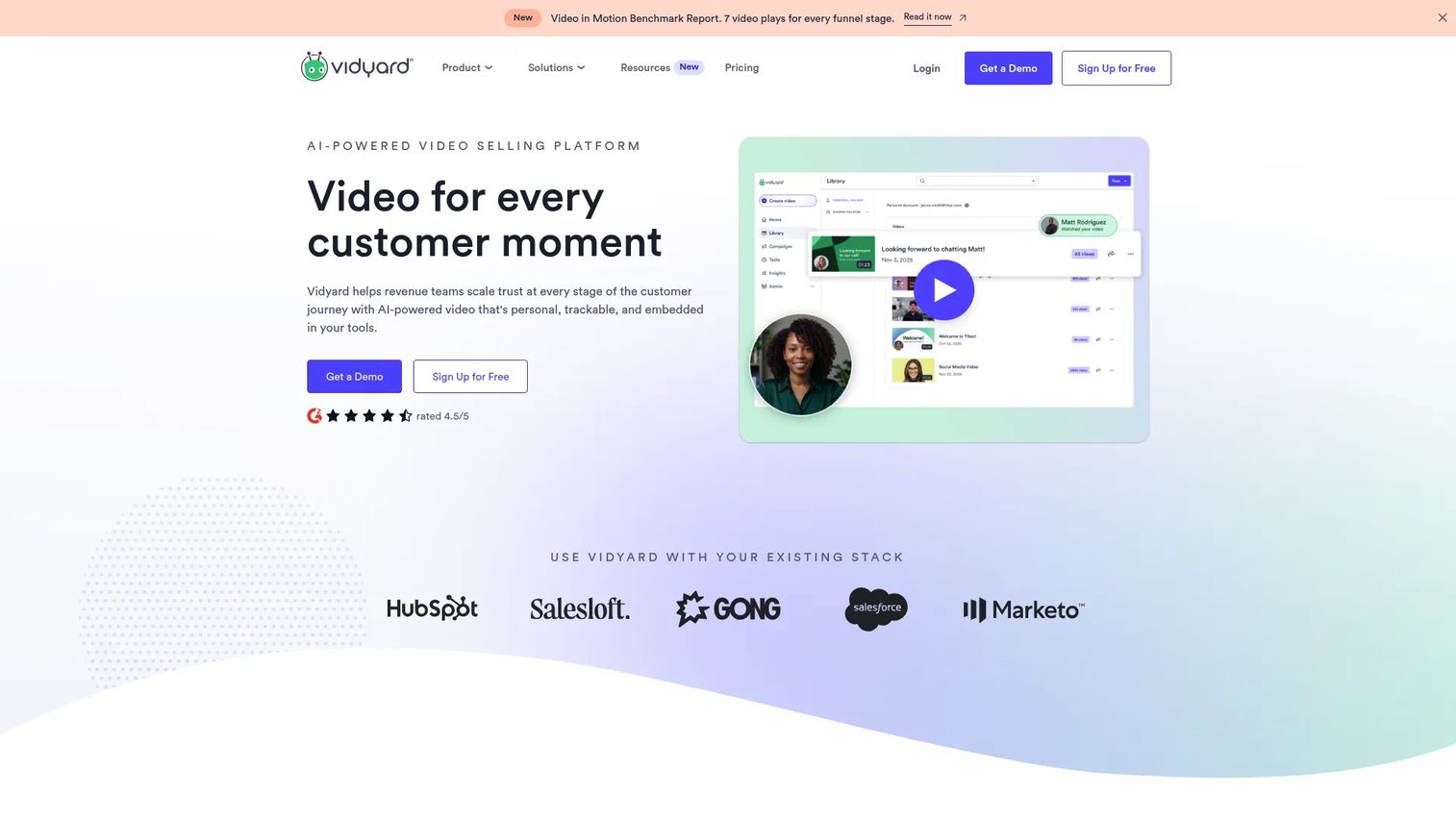
Vidyard is a video platform designed for sales and marketing teams that need to record, host, distribute, and measure video content at scale. Its core job is getting the right video in front of the right buyer, with analytics on who watched, how much, and what they clicked afterward. The platform supports webcam and screen recording for personalized sales outreach, hosted video pages with branded players, AI-assisted video creation, and integrations with major CRM and marketing automation tools. PMMs use Vidyard to power product explainer videos, launch campaign assets, personalized prospecting sequences, and gated video content behind forms. The analytics layer tracks viewer identity and engagement at the video level, which feeds into pipeline scoring and follow-up. Vidyard holds a 4.5 rating on G2 across 832 reviews and is widely used for revenue-focused video use cases across B2B SaaS teams.
What is Guideflow?
Guideflow is an interactive demo automation platform. You capture your product directly in the browser, and Guideflow converts that capture into a step-by-step clickable experience a buyer can navigate without a rep on the call. The platform covers six formats: Interactive demo, demo page, sandbox, demo center, live demo, and mobile demo. Because captures are HTML-based, you can edit content, images, and data after recording, add branching paths, and update the demo when the product changes without starting over. Step annotations, narration with voice cloning, avatar presenters, and translations are generated automatically, so a self-guided demo can carry audio without a second tool. Its account identification layer enriches viewers with company data and routes that signal to your CRM or Slack. PMMs use it for launch landing pages, sales enablement libraries, post-call leave-behinds, and partner portals. Published customer results include a 20% lift in website signups at Amplitude and 10x faster demo creation at PandaDoc. Guideflow holds a 5.0 rating on G2 across 141 reviews, and over 500,000 guideflows have been created on the platform. The interactive demo below is a Guideflow demo you can click through yourself, the same experience a buyer gets from a shared link or an embed.
Interactive demos vs marketing video: The core difference
The distinction that matters for a PMM is what the buyer does with the asset. A Vidyard video is linear: The viewer presses play, watches a recorded walkthrough, and receives whatever message was scripted. A Guideflow demo is navigable: The viewer clicks real product interface elements, follows the path relevant to their role, and controls the pace. Both show a product, and that overlap is why the two get compared. The experience they create for the buyer is fundamentally different.
Video works well when the goal is storytelling, brand impression, or a personal sales touch. An outbound clip that puts a rep's face on a message, or a brand video on a paid social campaign, delivers a message a viewer receives. Interactive demos work differently: They let a buyer evaluate the product by using it, even before a sales call. According to Gartner's March 2026 sales survey of 646 B2B buyers, 67% prefer a rep-free experience for part of their evaluation. A clickable demo serves that preference directly. A video does not, because the buyer watches rather than explores.
For PMMs, the practical implication is positioning control. A video can be watched passively and partially. A demo step is either completed or not, which gives PMMs step-level data on where the message landed and where it lost the buyer. Favikon reported 35% higher conversions and 50% more qualified leads after putting interactive demos in front of buyers. Passive video still holds its ground for launch announcements, brand storytelling, and any moment where a human voice or face carries the message better than a click.
When to choose Vidyard
Vidyard is the right tool when the job is distributing and measuring video content across your GTM motion. Several scenarios belong clearly to this category.
For personalized sales outreach, where a rep records a clip with their face in the corner addressing a specific prospect, Vidyard is built around that workflow with templates and CRM triggers.
For hosted marketing video campaigns, including gated assets behind a form, branded video landing pages for launches, and embedded product explainers that autoplay on a page, Vidyard handles delivery, branding controls, and viewer analytics.
For a PMM managing a video library across a marketing site, customer communications, and internal training, the hosting infrastructure and organized analytics in Vidyard serve that catalog management need.
For content that benefits from a real person on camera, such as executive announcements, founder-led launch messages, or customer story video, that is the format for it. These moments call for a viewer relationship with a presenter, not a self-guided click experience.
When to choose Guideflow
Choose Guideflow when you want the buyer to explore the product rather than watch a description of it. Four jobs for PMMs favor an interactive demo over video.
First, self-serve product tours on launch landing pages. A buyer who lands on your launch page and clicks through a guided interactive demo of the new feature gets a product experience, not a pitch. Guideflow's personalize capabilities let PMMs tailor that demo by persona or industry without rebuilding the asset.
Second, sales enablement leave-behinds. After a discovery call, a rep can share a Guideflow demo specific to the workflows discussed. The champion uses it to present internally without a live rep. The PMM sees which steps the extended buying committee explored and can confirm whether the message reached them.
Third, always-current demo assets. When the product ships a UI change, a Guideflow demo updates without a re-record. Vidyard video would need to be reshot. For PMMs managing a launch cadence, that difference is meaningful in maintaining proof point accuracy across channels.
Fourth, account-level intent data. Guideflow's analyze layer identifies which company viewed a demo, which steps they clicked, and where they dropped off. Amplitude reported a 20% lift in website signups after adding Guideflow demos to its site. These are signals PMMs can route directly into pipeline scoring.
Can you use Guideflow and Vidyard together?
Many PMM teams run both, and the split is cleaner than it looks. Vidyard covers the video layer: Hosted explainers, personalized outreach clips, launch campaign video assets, and gated video with form capture. Guideflow covers the interactive layer: Click-through product tours, demo center libraries, and qualification-ready experiences that buyers navigate on their own.
In a typical launch motion, a PMM might publish a Vidyard-hosted feature explainer for broad distribution on the launch page, and embed a Guideflow interactive demo below it for buyers who want to see the feature in action themselves. The video reaches people who want context; the demo qualifies the ones who want to evaluate. The funnel benefits from both formats when they serve different buyer moments rather than competing for the same slot.
Whether a Guideflow demo can be embedded inside a Vidyard page or vice versa depends on each platform's embed support. Both support embed codes, so the technical path exists, but verify the specific configuration against each tool's current documentation.
Why teams pick Guideflow for interactive demos
For PMMs whose job includes proof points, positioning consistency, and enablement that sales actually uses, Guideflow's design pays off in specific places.
The capture and edit loop means a PMM can build a launch demo from a product flow, add persona-specific branching, and publish without engineering involvement. Updates stay in the PMM's hands rather than queuing behind a re-record or a design cycle.
Account-level enrichment turns a demo view into a pipeline signal. When a buyer from a target account clicks through the launch demo and drops off at step four, that is positioning feedback and a sales trigger at the same time. The integrate layer routes those signals into Salesforce or HubSpot automatically.
The demo center format consolidates multiple demos into a single branded destination, organized by persona, use case, or product line. For PMMs managing enablement across several segments, this removes the version-control problem of scattered links.
One scope boundary to name plainly: Guideflow is not a video hosting library. If the asset is a rep recording their own face and voice for outbound, or a video catalog that lives across your site and customer communications, a video platform handles that job. Inside a demo, narration with voice cloning and avatar presenters are generated in Guideflow, so audio guidance does not require a second tool.
For the interactive use cases, the published numbers are consistent: PandaDoc reached 10x faster demo creation after moving to Guideflow, Gorgias has built 150+ demos on the platform, and MailTracker improved onboarding time efficiency by 55%.
Start your journey with Guideflow today!
FAQs
The answer depends on the demo format. Vidyard is the stronger tool for video-based product walkthroughs where a presenter appears on camera and guides the viewer through a recorded experience. Guideflow is purpose-built for interactive demos where the buyer clicks through the product themselves, with step-level tracking and lead capture built into the experience. Guideflow also generates narration and avatar presenters inside a demo, so a self-guided demo can include audio.
Vidyard produces video, including screen recordings and AI-generated clips, but not clickable, interactive demos that a viewer navigates. Its output is a linear video a buyer watches. Guideflow is the tool designed for the interactive format, where buyers control the path and the platform tracks step-by-step behavior.
For interactive product tours and click-through demo experiences, yes. PMMs who want buyers to explore the product before a sales call often add Guideflow alongside or instead of video for that specific use case. For a hosted video library, personalized outreach clips a rep records, and on-camera marketing content, Vidyard serves a different function that Guideflow does not replace.
Guideflow's entry paid tier is lower. Guideflow has a free plan and Solo at $35/user/month, billed yearly. Vidyard has a free plan and Starter at $59/user/month billed annually, or $89/user/month billed monthly. Guideflow publishes its higher tiers on its pricing page; Vidyard quotes Teams and Enterprise on request. Both sides were checked against each vendor's pricing page in November 2026, so confirm current rates before budgeting.
Yes. A common PMM setup uses Vidyard for video assets, launch campaign clips, and sales outreach video, and Guideflow for the self-serve product demo experience on landing pages and in enablement libraries. The two formats serve different buyer moments and complement each other in the same funnel.
Vidyard fits launch video content: Brand-led feature announcements, on-camera explainer clips, and video embedded on campaign pages. Guideflow fits the interactive demo layer of a launch: A clickable interactive demo of the new feature that buyers explore directly, with engagement data that shows which parts of the messaging land. Many launch pages use both formats.
Both platforms capture leads, but the mechanism differs. Vidyard captures viewer data through gated video forms and CRM integrations. Guideflow captures intent signals at the step level, identifying which company explored the demo, which flows they completed, and where they exited. For PMMs who want qualification data tied to specific product moments in the buying journey, Guideflow's step-level attribution is more granular.