Freelance income looks manageable until you open your return and find a 1099-NEC from consulting work, a 1099-K from a payment platform, home-office expenses, estimated quarterly payments you may have underpaid, and a state return you forgot costs extra. For founders who also draw a W-2 from their own company or earn advisory income on the side, the complexity compounds fast.
More than 95% of individual U.S. tax returns were filed electronically in 2025, according to IRS data. Yet most filers still pick tax software based on brand familiarity rather than whether it actually handles Schedule C, Schedule SE, and self-employment tax correctly. That gap costs time, accuracy, and sometimes money when the wrong tier is chosen.
This guide cuts through the noise. The seven tools below were evaluated on Schedule C support, 1099 handling, pricing transparency across federal and state returns, and available expert help. It is not tax advice. Consult a CPA for entity-level complexity, equity events, or multi-state situations.
What's inside
This guide is for U.S.-based freelancers, contractors, side-business operators, and founders who earn self-employment income and want a clear comparison before choosing 1099 tax software for 2026.
Tools were selected based on:
- Support for Schedule C, Schedule SE, and 1099 forms (NEC, MISC, K)
- Transparent federal and state filing pricing
- Availability of expert help or audit-related add-ons
- Practical fit for W-2 plus freelance income scenarios
TL;DR
- Best overall for self-employed filing: H&R Block Self-Employed Online, for Schedule C coverage, deduction guidance, and optional expert review
- Best for multiple income streams: TurboTax Premium, for guided workflows, 1099 imports, and the ability to upgrade to assisted filing
- Best free federal filing: FreeTaxUSA, with $0 federal and $15.99 per state, covering all self-employed forms
- Best budget option with self-employed forms: TaxAct Self-Employed Online, at $109.99 federal plus $64.99 per state
- Best for straightforward contractor returns: TaxSlayer Self-Employed, at $74.99 federal plus state additional
- Best when investment or rental income complicates the return: H&R Block Premium Online or TaxAct Premier
What is freelance tax software?
Freelance tax software helps self-employed people prepare and e-file tax returns that include 1099 income, business expenses, Schedule C, Schedule SE, and related federal or state forms.
When you work as a contractor, consultant, gig worker, or solo business owner, your income does not come with withholding. That means you owe both the employee and employer share of Social Security and Medicare taxes, calculated on Schedule SE once your Schedule C profit is determined. The combined self-employment rate is 15.3% on net earnings up to the annual threshold, with the Medicare portion applying above that.
A freelance return typically flows like this: 1099 income and business expenses land on Schedule C to produce net profit or loss. Net profit feeds Schedule SE for self-employment tax. Both flow into Form 1040. If you use part of your home exclusively for business, Form 8829 may also apply. State returns add another layer, often priced separately.
The forms that determine your software choice:
- Schedule C: Business income and expense reporting
- Schedule SE: Self-employment tax calculation
- 1099-NEC: Contractor compensation (the most common for freelancers)
- 1099-MISC: Certain miscellaneous payments
- 1099-K: Third-party payment network transactions (Venmo, Stripe, PayPal)
- Form 8829: Home office deduction, if applicable
- Form 1040: The base individual return everything flows into
Key capabilities to verify before choosing:
- Schedule C income and expense entry
- 1099 form support across NEC, MISC, and K variants
- Business deduction guidance, including home office and vehicle
- Federal and state e-filing
- Expert help or full-service filing options
- Accuracy guarantees and audit-related support
Most tools in this list support all of these. The differences come down to cost, guided experience depth, and what you pay for state filing or expert help.
When to use freelance tax software
File 1099 income without missing Schedule C
If you received any 1099-NEC this year, a basic W-2 filing tool is not enough. Freelance-specific software walks you through business income, categorizes expenses, calculates your net profit, and routes it into Schedule SE so self-employment tax is computed correctly. Skipping Schedule C or entering 1099 income as ordinary income produces an inaccurate return.
Track deductions without spending a week on receipts
Home office, mileage, software subscriptions, and professional services are all deductible if properly documented. Good self employed tax software prompts you to enter each category and applies the correct method, whether that is the simplified home office deduction or actual expense tracking. The prompting matters: Most filers miss deductions not because they are ineligible, but because no one asked.
Combine W-2 income with a side business
Many founders, operators, and consultants receive both employee wages and freelance income in the same year. The right contractor tax software handles both on a single return without pushing you into full-service pricing you do not need. Verifying that your chosen plan supports mixed income before filing saves a re-platforming mid-season.
Freelance tax software comparison
Pricing, form support, and G2 ratings shift between filing seasons. The figures below reflect each vendor's official pricing page as of November 2026. State filing typically costs extra regardless of tool. Federal pricing listed here is the federal-only base unless otherwise noted.
| # | Product | Best for | Key differentiator | Pricing | G2 rating |
|---|---|---|---|---|---|
| 1 | H&R Block Self-Employed Online | Freelancers wanting guided filing plus optional expert | Schedule C, deductions, and Tax Pro Review add-on | $130 federal + $49/state | 4.0/5 |
| 2 | TurboTax Premium | Multiple income streams and 1099 imports | Polished DIY flow with upgrade path to assisted filing | $139 federal + state additional | N/A |
| 3 | TaxAct Self-Employed Online | Budget-conscious filers needing self-employed forms | Xpert Assist and audit defense available as add-ons | $109.99 federal + $64.99/state | N/A |
| 4 | FreeTaxUSA | Low-cost federal filing with full self-employed form support | Free federal filing for all tax situations | $0 federal / $15.99/state | 4.5/5 |
| 5 | TaxSlayer Self-Employed | Contractors with straightforward 1099 income | Lower cost Self-Employed plan with Schedule C support | $74.99 federal + $47.99/state | N/A |
| 6 | H&R Block Premium Online | Freelancers with investment or rental income | Covers rental, stocks, and crypto alongside 1099 income | $105 federal + $49/state | 4.0/5 |
| 7 | TaxAct Premier | Investors and property owners with some freelance income | Covers investments, rental, home sale, and FBAR filing | $99.99 federal + $64.99/state | 3.6/5 |
Best 7 freelance tax software tools for 2026
1. H&R Block Self-Employed Online

H&R Block Self-Employed Online is built specifically for freelancers, contractors, and sole proprietors who need more than a basic W-2 return. It covers Schedule C income and expense reporting, self-employment tax calculation, home office and vehicle deductions, and 1099 form entry. An AI Tax Assist feature and access to live tax professionals are included, with an optional Tax Pro Review upgrade for expert sign-off before filing.
Best for: Freelancers and contractors who want structured self-employed filing plus the option to have a tax professional review the return.
Key features
- Schedule C income and expense entry
- Home-office and vehicle deduction workflows
- AI Tax Assist and live tax-professional access
- Optional Tax Pro Review add-on
- Real-time refund tracking
Why choose H&R Block Self-Employed Online: This is the clearest fit for founders or operators who have consulting income, business expenses, and a state return, and want a guided experience without committing to full-service pricing. The Tax Pro Review option gives confidence without handing over the entire return.
H&R Block Self-Employed Online pricing: The base plan runs $130 for federal filing plus $49 per state return. Upgrading to Self-Employed with Tax Pro Review costs $225 federal plus $49 per state. State filing costs extra on every tier.
G2 rating: H&R Block holds a 4.0/5 on G2 based on overall company reviews.
2. TurboTax Premium
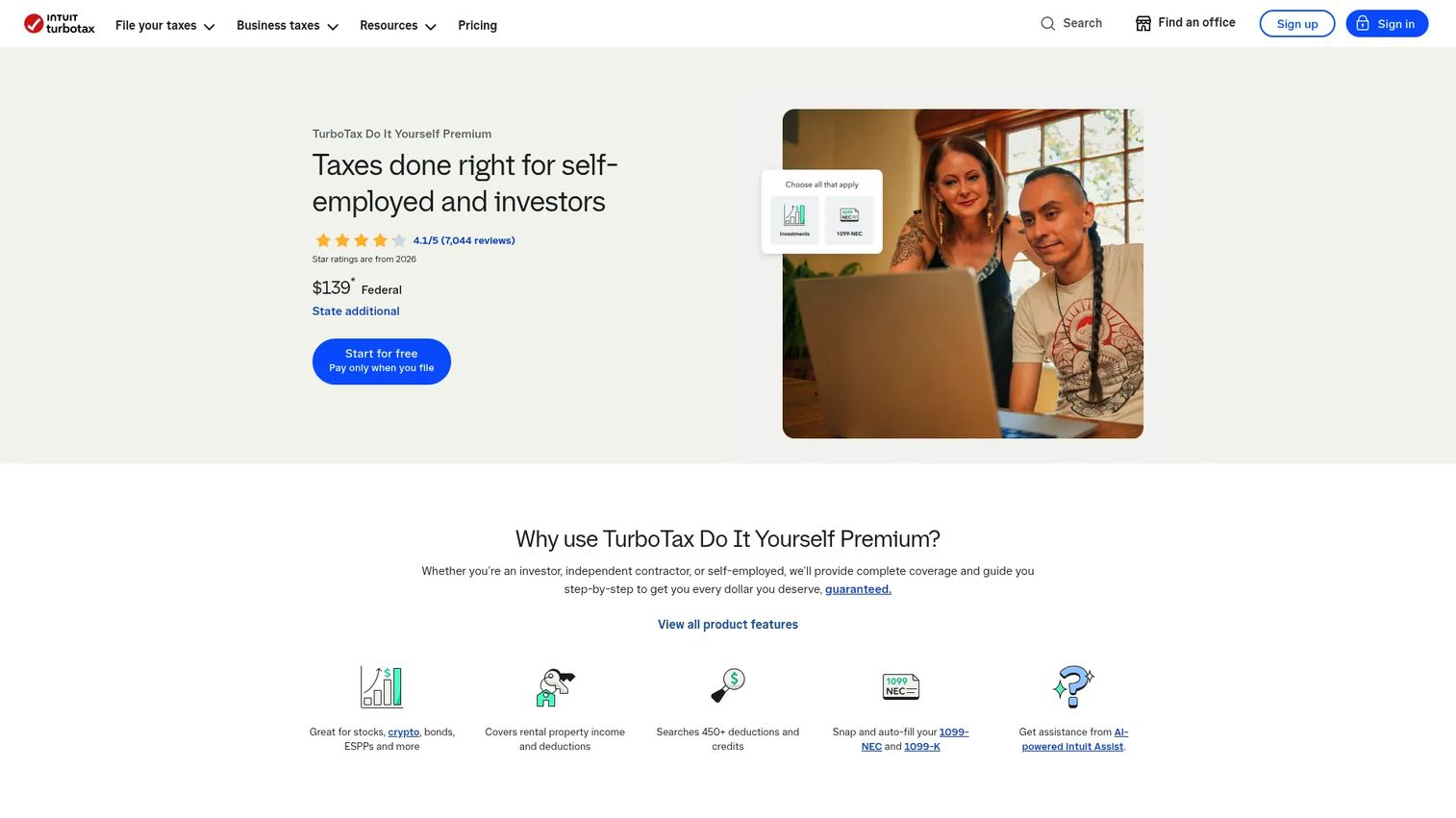
TurboTax Premium targets investors, rental-property owners, and freelancers who want a polished guided filing experience with strong document import. The platform supports 1099-NEC and 1099-K import, self-employment deductions, mileage, vehicle, startup costs, and home-office entries. It also covers stock and investment income alongside freelance profit, making it a practical choice when the return mixes several income types.
Best for: Freelancers and founders with multiple income sources who want structured deduction prompts and the option to upgrade to assisted filing.
Key features
- 1099-NEC and 1099-K import
- Self-employment deductions including mileage, home office, and startup costs
- Investment and rental income support in the same product
- Schedule C filing
- Mobile filing access
Why choose TurboTax Premium: The guided experience is thorough, and the upgrade path to live expert assistance is clear for filers who want a professional to review their return. Keep in mind that state filing and expert upgrades add to the base cost, so calculate total spend before committing.
TurboTax Premium pricing: Federal filing is $139, with state returns priced additionally. Expert-assisted and full-service options carry higher pricing verified at filing time. Payment is due when you file, not when you start.
3. TaxAct Self-Employed Online
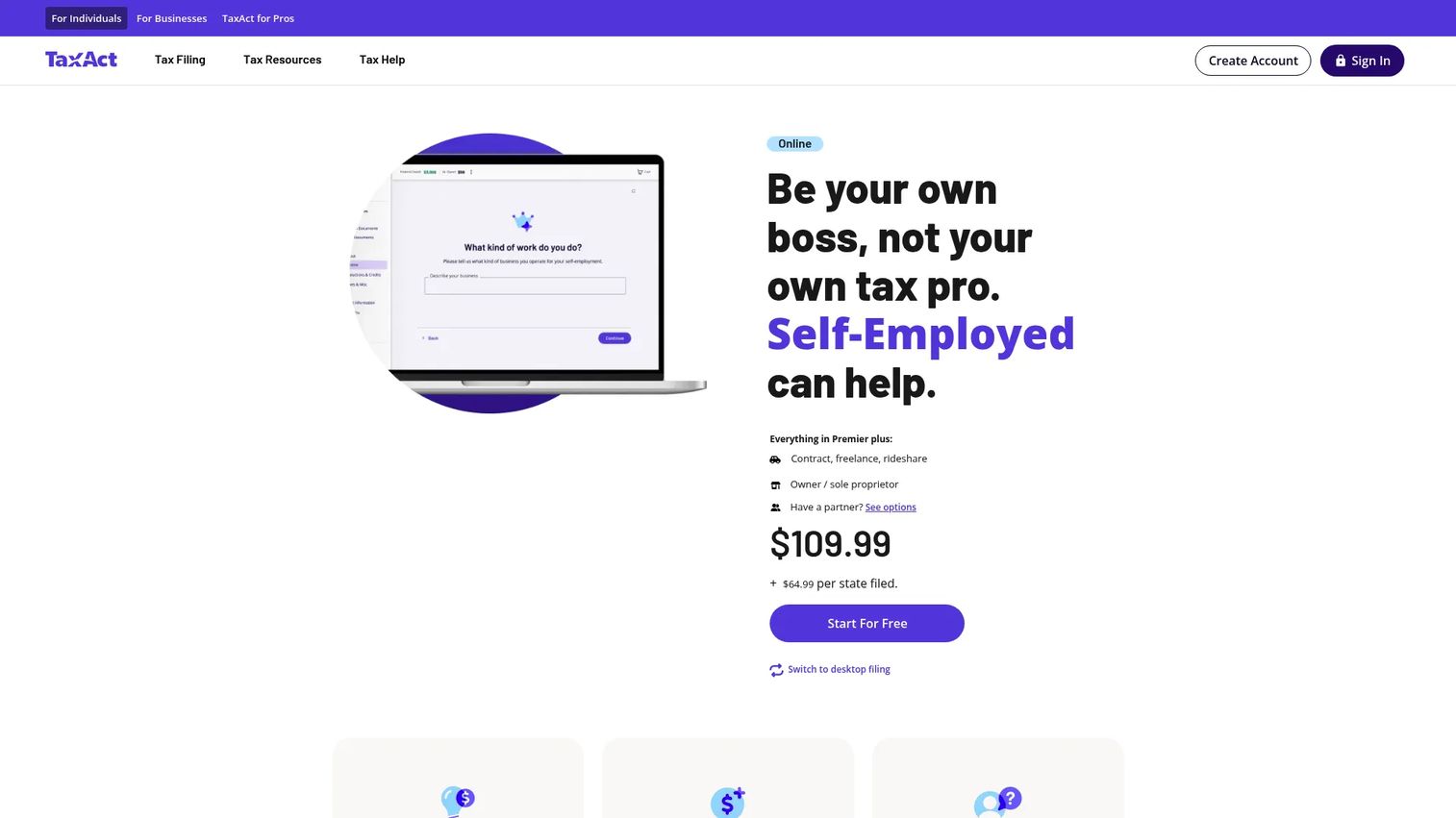
TaxAct Self-Employed Online is designed for independent contractors, freelancers, gig workers, and sole proprietors. It supports Schedule C income and expenses, Schedule SE self-employment tax, Form 8829 for home office, and 1099 form entry. The platform includes TaxAct Alerts to flag common filing risks before submission. Expert assistance is available through Xpert Assist, and audit defense can be added separately.
Best for: Cost-conscious freelancers and contractors who need full self-employed form coverage without paying for features they will not use.
Key features
- Schedule C income and expense reporting
- Schedule SE self-employment tax calculation
- Form 8829 home office support
- TaxAct Alerts for pre-submission risk review
- Xpert Assist for live credentialed expert help
Why choose TaxAct Self-Employed Online: For a founder or operator whose freelance return is straightforward (consulting income, a few deduction categories, one state), TaxAct Self-Employed hits the right balance between form coverage and cost. The Xpert Assist option makes expert help available without requiring a full-service plan.
TaxAct Self-Employed Online pricing: Federal filing starts at $109.99 plus $64.99 per state. Xpert Assist with unlimited access to credentialed experts is $154.99 federal plus state additional. Audit defense is a separate add-on.
4. FreeTaxUSA

FreeTaxUSA stands out for a simple reason: Federal filing is free for all tax situations, including self-employed returns with Schedule C, Schedule SE, 1099-NEC, 1099-MISC, 1099-K, Schedule E, and Form 8829. The platform covers more than 350 credits and deductions and supports W-2 plus freelance income on a single return. State filing, support upgrades, and audit defense are paid add-ons priced clearly on the site.
Best for: Confident DIY filers who want full self-employed form support at the lowest possible cost.
Key features
- Free federal filing for all tax situations, including Schedule C
- 1099-NEC, 1099-MISC, and 1099-K support
- W-2 and 1099 import
- Over 350 credits and deductions
- Optional audit defense add-on
Why choose FreeTaxUSA: If you know your way around a tax return and want to avoid paying $100 or more for federal filing alone, this is the clearest value option on the list. The trade-off is that the guided experience is lighter than TurboTax or H&R Block, so it rewards filers who already understand Schedule C and self-employment tax basics.
FreeTaxUSA pricing: Federal filing is free. State returns cost $15.99 each. The Deluxe Support upgrade is $7.99, Pro Support runs $64.99, and Audit Defense is $19.99 per return.
G2 rating: FreeTaxUSA holds a 4.5/5 on G2.
5. TaxSlayer
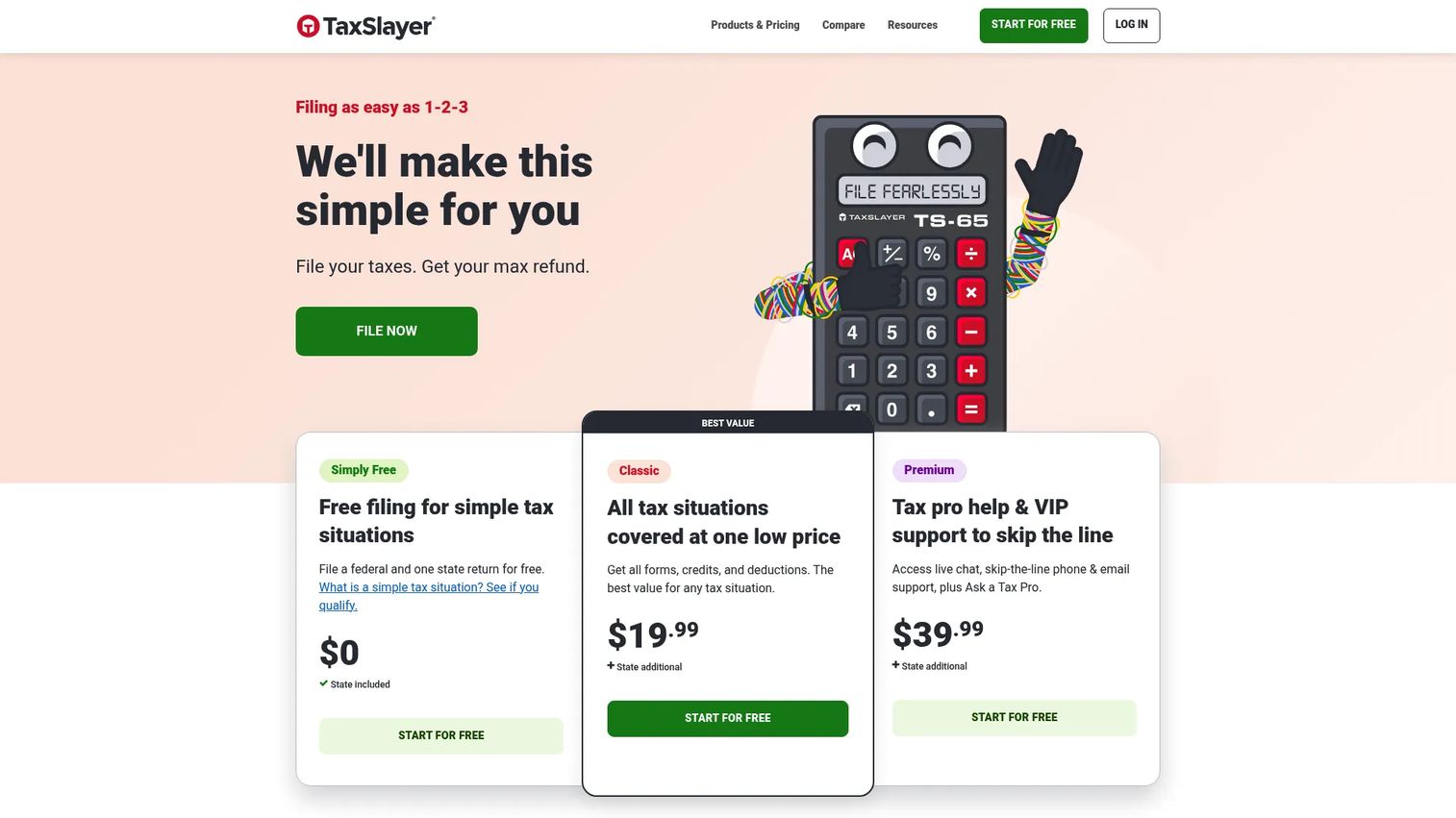
TaxSlayer offers a tiered filing structure with a Self-Employed plan designed for contractors, 1099 earners, and small-business owners. The Self-Employed tier adds Schedule C guidance and self-employment-specific deduction prompts on top of the core Classic filing experience. W-2 and 1099 import, prior-year return upload, and federal e-file are all included. State filing costs extra.
Best for: Independent contractors with straightforward 1099 income and basic business deductions who want a lower-cost self-employed filing option.
Key features
- Self-Employed plan with Schedule C guidance
- W-2 and 1099 import
- Prior-year return upload
- Federal e-file included
- Ask a Tax Pro feature on Premium and above
Why choose TaxSlayer: The Self-Employed plan at $74.99 federal is the lower-cost end for tools that actually support Schedule C and self-employment tax. For a contractor with one or two deduction categories and a single state return, this keeps total filing cost below most alternatives. TaxSlayer notes that final pricing is confirmed at print or e-file.
TaxSlayer pricing: Simply Free covers qualifying simple returns. Classic is $44.99 federal, Premium is $64.99 federal, and Self-Employed is $74.99 federal. State returns are $47.99 each. Expert-assisted filing is not available as an add-on on this plan.
6. H&R Block Premium Online

H&R Block Premium Online is the right tier when a freelance return overlaps with investment income, rental property, or cryptocurrency sales. It covers stock, bond, and crypto reporting alongside rental deductions. If your freelance income also includes Schedule C business expenses, verify at filing time whether the Self-Employed Online tier is required, since Premium is primarily built for investment and rental situations rather than self-employment income.
Best for: Freelancers whose return also includes rental property, significant investment income, or crypto sales that require more than basic reporting.
Key features
- Rental income and property expense deductions
- Stock, bond, and cryptocurrency reporting
- Unlimited AI Tax Assist and live tax-professional support
- Document upload and real-time refund tracking
- Online filing for federal and state
Why choose H&R Block Premium Online: For a founder who earned advisory income plus had stock sales or rental income in the same year, Premium Online keeps everything in one return. Know the boundary: If the main complexity is Schedule C business income, Self-Employed Online is the more appropriate tier.
H&R Block Premium Online pricing: Federal filing is $105 plus $49 per state return. The Self-Employed tier ($130 federal) is the step up if Schedule C self-employment income is the primary driver of complexity.
7. TaxAct Premier

TaxAct Premier covers returns with investment income, home sales, rental property, and foreign bank account reporting. It sits one tier below TaxAct Self-Employed in the product lineup. If your situation is primarily investment and rental income with minimal freelance earnings, Premier may be enough. If Schedule C self-employment income is a material part of your return, the Self-Employed tier at $109.99 federal is the correct choice, since Premier is not specifically structured around Schedule C business expenses.
Best for: Individuals with investment income, rental property, or home-sale proceeds who have limited or no self-employment income to report.
Key features
- Selling stocks, crypto, and other investments
- Home-sale income reporting
- Rental income and deductions
- Foreign Bank Account Report (FBAR) filing
- TaxAct Xpert Assist option
Why choose TaxAct Premier: Premier is a practical fit when the return complexity comes from capital gains and rental deductions rather than freelance business expenses. TaxAct Alerts review the return before submission, and Xpert Assist is available if you want expert review without a full-service plan.
TaxAct Premier pricing: Federal filing is $99.99 plus $64.99 per state return. Free federal filing is available on TaxAct's base tier for simpler situations. Xpert Assist pricing applies as an add-on.
G2 rating: 3.6/5
Considerations when choosing freelance tax software
Match the tool to your actual forms
Schedule C, Schedule SE, Form 8829, and your 1099 form types determine the right product tier. A tool that supports W-2 returns but not Schedule C will produce an incomplete or incorrect self-employed return. Check the supported forms list on the vendor's website before you start, not after you are halfway through entry.
Calculate total cost, not just the federal headline price
Federal filing prices are almost always advertised separately from state filing. Add the state return cost, any expert help you plan to use, and audit defense if relevant, before comparing tools side by side. A $0 federal product that costs $15.99 per state plus $64.99 for Pro Support may still be cheaper than a $130 federal filing with no add-ons.
Decide how much human help you want before the filing deadline
There is a meaningful difference between a live chat with a support agent, an expert review of your completed return, and full-service filing where a professional prepares everything. If you want expert review, verify that the product tier you are buying includes it, not just access to a help center. Some tools charge separately for each level of assistance.
Understand what audit support actually covers
Audit support and audit defense are not the same service. Audit support may mean access to guidance if you are contacted by the IRS. Audit defense may involve a third party representing you in an audit. Read the terms before adding either service, since coverage scope and cost vary significantly across products.
Think about next year's filing workflow, not just this year's return
For a SaaS founder whose financial situation is likely to become more complex (payroll, equity events, entity elections, additional states), choosing software that makes document export and record access straightforward reduces friction when you eventually hand this off to a CPA or finance lead. Some tools store prior-year data in ways that make year-over-year comparison easy; others do not.
Conclusion
The right freelance tax software comes down to two questions: Which forms does your return actually require, and what is the realistic total cost once state filing and expert help are included?
H&R Block Self-Employed Online is the strongest overall pick for freelancers and contractors who want guided Schedule C filing with an optional expert review. TurboTax Premium is the choice for filers managing multiple income types who value a polished guided experience. FreeTaxUSA is the value pick for confident DIY filers who want full self-employed form support at a fraction of the cost of branded competitors. TaxAct Self-Employed Online is the practical middle path when you need self-employed forms without paying for features you will skip.
For returns driven primarily by investment or rental income rather than Schedule C business expenses, H&R Block Premium Online and TaxAct Premier are worth evaluating.
Verify current pricing, state filing costs, and form coverage directly on each vendor's site before filing. Prices change between seasons and sometimes mid-season.
If your team also needs to show complex SaaS product workflows clearly to buyers, Start your journey with Guideflow today!
FAQs
The answer depends on how complex your return is. H&R Block Self-Employed Online is a strong starting point for most freelancers because it covers Schedule C, 1099 forms, common deductions, and includes optional expert review. TurboTax Premium is worth considering when multiple income types (investments, rental income, and freelance earnings) appear on the same return. FreeTaxUSA is the best value option if you are a confident DIY filer and federal filing cost is the primary concern.
Most freelance returns require Form 1040, Schedule C for business income and expenses, and Schedule SE for self-employment tax calculation. If you received payments through a platform like PayPal or Stripe, you may also receive a 1099-K. If you use part of your home exclusively for business, Form 8829 may apply. State forms vary by state.
Most major self employed tax software products support both on a single return, but the tier matters. A tool's free or basic plan may only handle W-2 income, while the self-employed or premium tier adds Schedule C and 1099 support. Verify the supported income types for your specific plan before you start.
It can be. FreeTaxUSA, for example, supports Schedule C, Schedule SE, and all major 1099 form types at no cost for the federal return. Free tools are a reasonable fit for self employment tax filing online when the return is straightforward and you understand the forms involved. State filing, expert help, and audit defense will cost extra regardless of tool.
The IRS uses 1099-NEC to report nonemployee compensation, which is the most common form freelancers receive for contractor work. Form 1099-MISC covers certain other payments, such as rent or prizes, that do not qualify as nonemployee compensation. Form 1099-K reports payment card and third-party network transactions, commonly issued by platforms like Stripe, Venmo, or PayPal when transaction thresholds are met. Check IRS guidance for the current 1099-K reporting threshold, which has changed in recent years.
Yes. Once you enter business income and expenses on Schedule C, self employed tax software uses Schedule SE to calculate the self-employment tax owed. This covers both the employee and employer share of Social Security and Medicare taxes. Verify that the plan you choose supports Schedule C and Schedule SE, since not every tier of every product does.
Audit defense is optional and not necessary for every filer. The distinction matters: Audit support typically provides guidance if you receive an IRS notice, while audit defense may involve a third party representing you during an IRS exam. For most freelancers with straightforward returns, audit support is sufficient. Filers with higher income, significant deductions, or complex 1099 situations may find audit defense worth the cost. Read the terms before purchasing, since coverage differs by provider.
For a simple 1099 consulting income scenario with one state return, tax software is often sufficient. The calculus changes when the return includes equity events (ISOs, RSUs, QSBS), K-1 income from partnerships or S-corps, payroll from the company, multi-state obligations, or entity-level tax decisions. Those situations generally warrant a CPA who can coordinate across the business and personal return. Tax software and a CPA are not mutually exclusive: Some founders use software for straightforward years and engage a CPA when complexity increases.