You had an incident last week. The dashcam caught it. Now you are staring at a memory card full of files with names like REC_20260714_083112.MP4, no map, no timeline, no easy way to find the ten seconds that matter.
The camera is only half the system. The software you use to read the footage decides whether that clip becomes usable evidence in twenty minutes or a lost afternoon of scrubbing.
This is where most buyers get stuck. They compare cameras on resolution and price, then discover the companion software is an afterthought. Some brands ship a polished desktop viewer. Others lean on a phone app. A few point you at third-party tools because their own downloads were quietly retired.
The stakes are not trivial. A 2024 survey found 72% of US consumers own or plan to buy a dashcam, up from 58% in 2022, according to Gitnux. More cameras means more footage, and more footage means the read-and-manage layer matters more than it used to. A dash cam viewer that surfaces GPS overlays, trip logs, and clean exports turns raw files into something you can actually act on. A weak one leaves you fighting the file browser.
So which dashcam software should you actually run? That depends on your camera, your operating system, and whether you want to review footage at a desk or manage it from your phone.
What's inside
This guide is for anyone who already owns a dashcam, or is about to, and needs software that makes the footage readable, sortable, and exportable. We chose tools based on four criteria that map to how people actually use them:
- Model compatibility: which cameras and file formats the software reads
- Playback and GPS tools: overlays, route maps, trip lists, timeline scrubbing
- Footage management: clip export, trimming, merging, and organizing sessions
- Platform support: Windows, Mac, iOS, Android, or cloud access
We separated broad desktop viewers from brand-specific apps and cloud ecosystems so you can match the tool to your setup, not the other way around.
TL;DR
- Best broad compatibility (Mac and Windows): Dashcam Viewer reads 140+ camera models and layers GPS route maps over your footage. The strongest general-purpose dash cam viewer.
- Best mobile companion app: Viidure connects over Wi-Fi for live preview, download, and editing straight from your phone. Free to use.
- Best for Thinkware owners: Thinkware PC Viewer pairs footage with speed, location, and time overlays plus device settings.
- Best for cloud and remote access: BlackVue Cloud Plans add remote live view and playback from anywhere, with fleet-friendly tiers.
- Best for legacy Garmin footage: Garmin Dash Cam Player still opens older files, though new downloads have been discontinued.
Dashcam viewer software
Dashcam software is a category of dashboard camera view applications that read the video and sensor data recorded by a dash cam, then present it as playable footage with synchronized GPS, speed, and time information. The category spans desktop dashcam video playback software, mobile companion apps, and cloud-connected viewers.
At its core, a dash cam viewer does one job: it turns raw memory-card files into footage you can read. But the useful ones go further. They map where you were, when you were there, and how fast you were going, all synced to the frame on screen.
Key features to expect from dashcam viewer software:
- Playback and download: frame-accurate scrubbing, multi-channel view for front and rear cameras, and pulling files off the card
- GPS overlays and route maps: an animated map that tracks your position alongside the video, drawn from embedded geotags
- Trip logs: automatic grouping of recordings into sessions so you can find a specific drive fast
- GPS data export: pulling coordinates out as CSV, GPX, KML, or GeoJSON for mapping tools or reports
- Clip export and trimming: cutting the ten seconds that matter and saving them as a standalone file
- Audio event detection: flagging moments where sound spikes, useful for finding an impact in a long recording
- Video merging: stitching sequential clips into one continuous file
How to choose comes down to three questions. First, does it run on your operating system, since Windows and Mac support is not universal. Second, does it read your specific camera model, because file formats and metadata differ by brand. Third, does it export in the formats you need, whether that is a trimmed clip for an insurer or a GPX file for a mapping workflow.
When to use dashcam software
Turn footage into accident evidence
After a collision, you need the clip fast and you need context around it. Dashcam software with synchronized GPS and timestamps lets you show not just what happened, but where and how fast. Trip logs help you jump to the right session instead of scrubbing hours of routine driving. A clean clip export gives you a file you can hand to an insurer or attorney without sharing your entire card.
Review and organize routine trips
If you drive for work or log long distances, footage piles up fast. A dash cam app that auto-groups recordings into trips and draws route maps turns a wall of files into a browsable history. This matters for ride-share drivers documenting fares and for anyone reconstructing a drive weeks later.
Manage a fleet remotely
Fleet managers rarely have physical access to every card. Cloud-connected software with remote live view and playback lets you check footage without touching the vehicle. Pair that with GPS tracking and event alerts, and you get visibility across the fleet from one screen.
Dashcam software comparison
The five tools below split into three groups: broad desktop viewers, mobile companion apps, and cloud ecosystems. Ratings from third-party review platforms were not consistently available for this software category, so the table focuses on what each tool reads, does, and costs.
| # | Product | Best for | Key use case | Pricing |
|---|---|---|---|---|
| 1 | Dashcam Viewer | Mac and Windows users with mixed camera brands | Broad model support with GPS route maps and data export | Free; Plus $35, Pro $75 (one-time) |
| 2 | Viidure | Drivers who manage footage from a phone | Wi-Fi live preview, download, and editing | Free |
| 3 | Thinkware PC Viewer | Thinkware dash cam owners | Footage review with speed, location, and time overlays | Free download |
| 4 | BlackVue Cloud Plans | Drivers and small fleets needing remote access | Cloud live view, remote playback, and storage | Free; Lite $3.99/mo, Smart $7.99/mo |
| 5 | Garmin Dash Cam Player | Existing Garmin owners with legacy footage | Local playback, trimming, and GPS export | Discontinued download |
Note that Dashcam Viewer and Garmin Dash Cam Player are desktop-first, Viidure is a mobile companion, and BlackVue Cloud Plans sit on top of a hardware ecosystem rather than replacing local playback.
Best 5 dashcam software tools for 2026
1. Dashcam Viewer
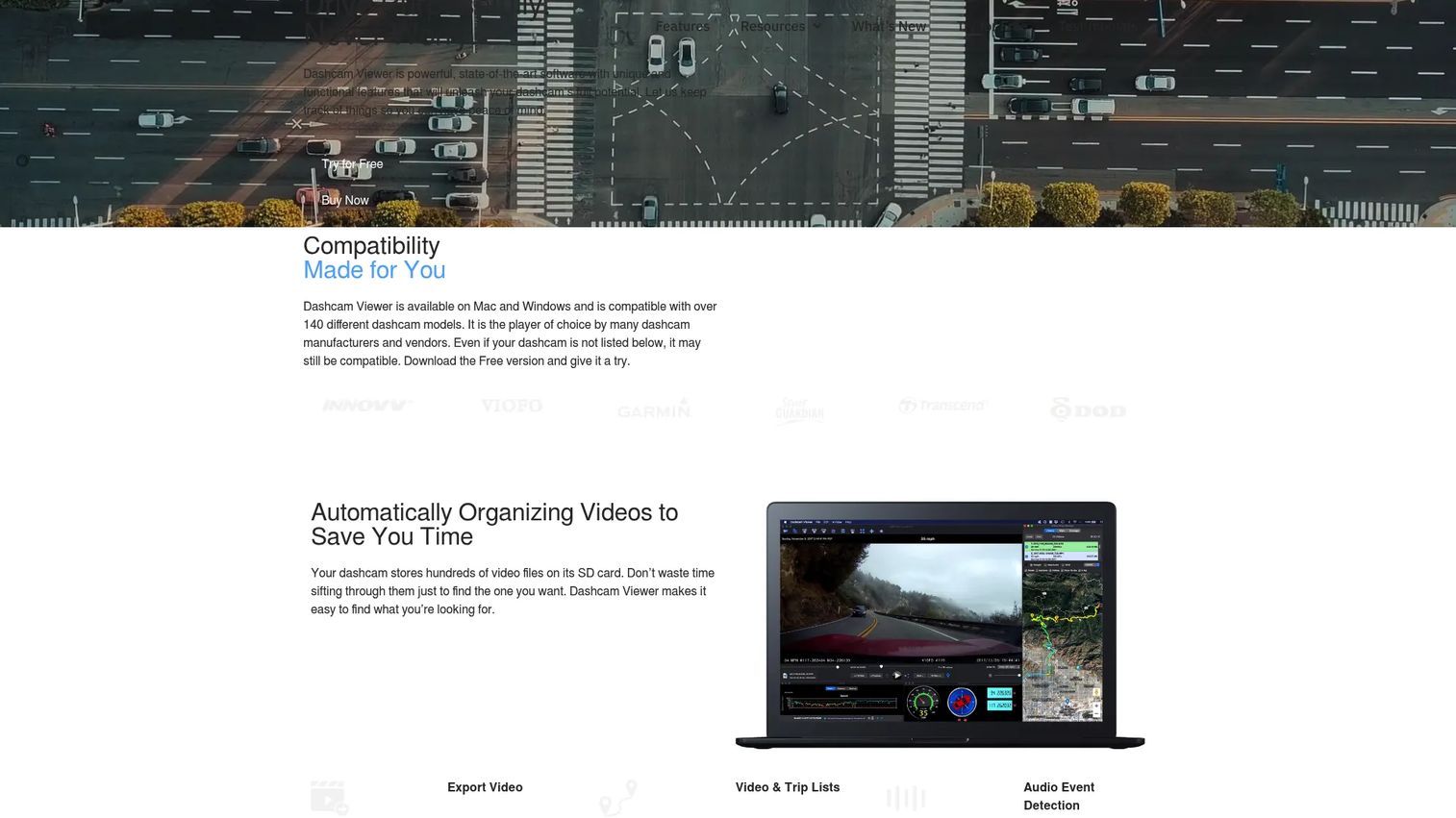
Dashcam Viewer is the broadest general-purpose option on this list. It runs on both Windows and macOS and reads footage from more than 140 dashcam models, which is the reason it earns the top spot. If you own cameras from different brands, or you switched brands and still have old footage, one tool reads all of it. That breadth is exactly what a generic viewer buys you: you are not locked to whichever app your latest camera happened to ship with.
The software leans hard into GPS. It plays your video next to an animated map that tracks your route in real time, drawing position from the geotags embedded in each recording. You can export that GPS data as CSV, GPX, KML, or GeoJSON, which matters if you feed coordinates into a mapping tool or attach a route to an incident report. Audio event detection flags spikes in the soundtrack, so you can jump to a likely impact instead of scrubbing blind, and the export and merge tools let you cut or stitch clips into a single file.
Best for: Drivers and fleet users on Mac or Windows who want one viewer that reads many camera brands with full GPS route maps and trip data.
Key strengths
- Reads 140+ dashcam models on Windows and macOS
- Animated route map with GPS overlay
- GPS data export: CSV, GPX, KML, GeoJSON
- Audio event detection to find impacts fast
- Clip export and video merging
Why choose Dashcam Viewer: If your setup spans more than one camera brand, or you simply want a viewer that will still work after your next camera upgrade, broad model compatibility is the deciding factor. It is the closest thing this category has to a universal dashcam video playback software.
Dashcam Viewer pricing: A free plan is available. The Plus plan is a one-time $35, Pro is a one-time $75, and Business is custom priced.
2. Viidure
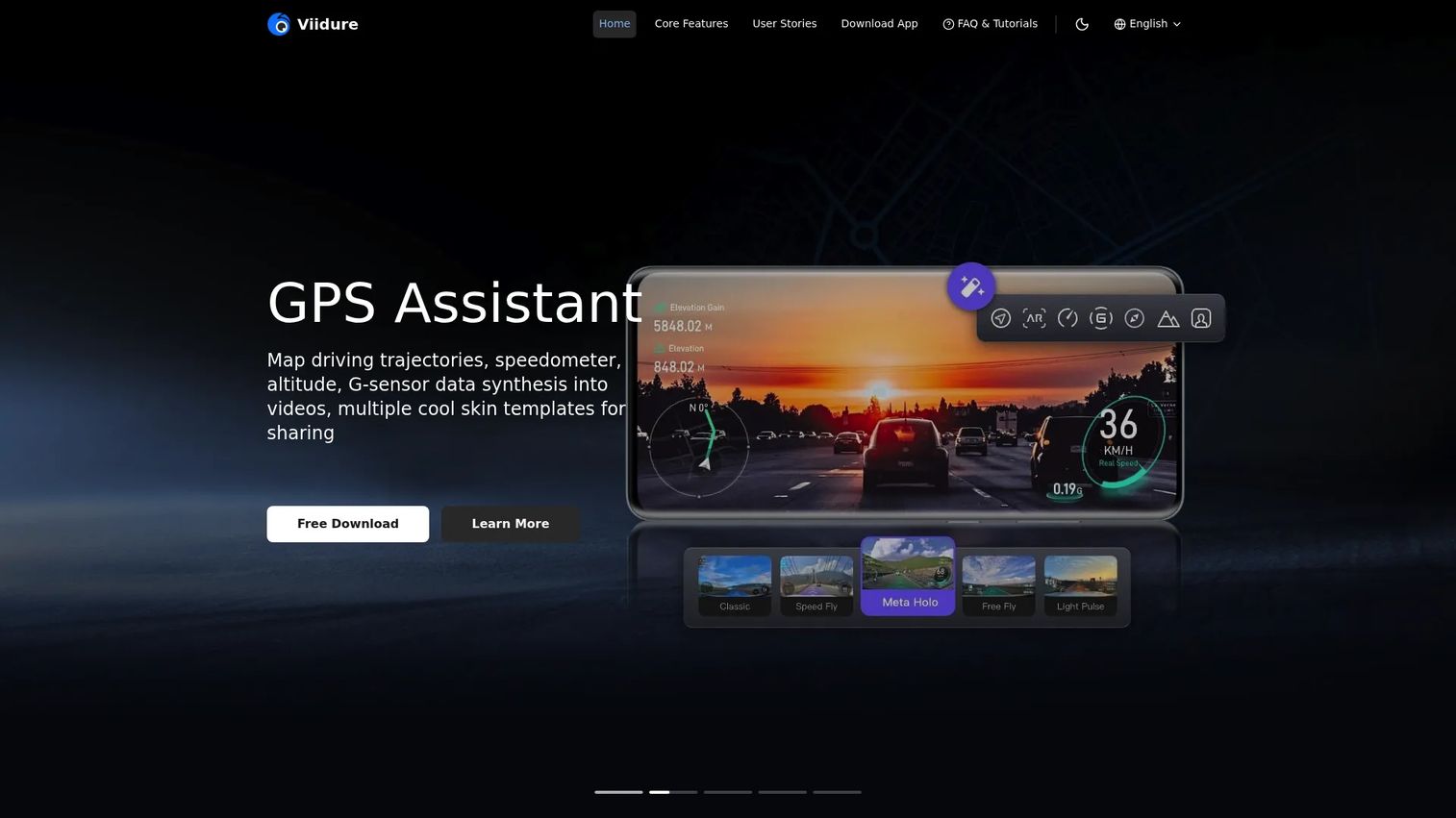
Viidure is the mobile answer to the desktop viewers above. It is a dash cam mobile app that connects to your camera over Wi-Fi, so you review footage on your phone instead of pulling the card and sitting at a computer. For anyone who wants to check a clip in the parking lot right after something happens, this is the fastest path.
The app handles real-time preview and online playback, which means you can watch recorded video without downloading it first. When you do want a file, you download and then trim, crop, or edit it in the same app, then share it directly. It supports GPS trajectory and timeline playback, so your route and geotags travel with the footage, and it works across common dashcam chipsets including Novatek, Hisilicon, SigmaStar, and mStar. That chipset coverage is why one app pairs with a wide range of Wi-Fi cameras rather than a single brand.
Best for: Drivers who want to preview, download, edit, and share dashcam footage from their phone without a desktop.
Key strengths
- Wi-Fi connection with real-time live preview
- Online playback without downloading first
- Download, trim, crop, and edit clips in-app
- GPS trajectory and timeline playback
- Supports Novatek, Hisilicon, SigmaStar, mStar chipsets
Why choose Viidure: If your priority is speed and mobility over deep desktop analysis, a companion app that lives on your phone beats any workflow that requires a card reader. It fits drivers who want mobile preview and quick sharing more than exhaustive GPS reporting.
Viidure pricing: The app is free to download and use. The App Store listing shows it as free with in-app purchases available.
3. Thinkware PC Viewer
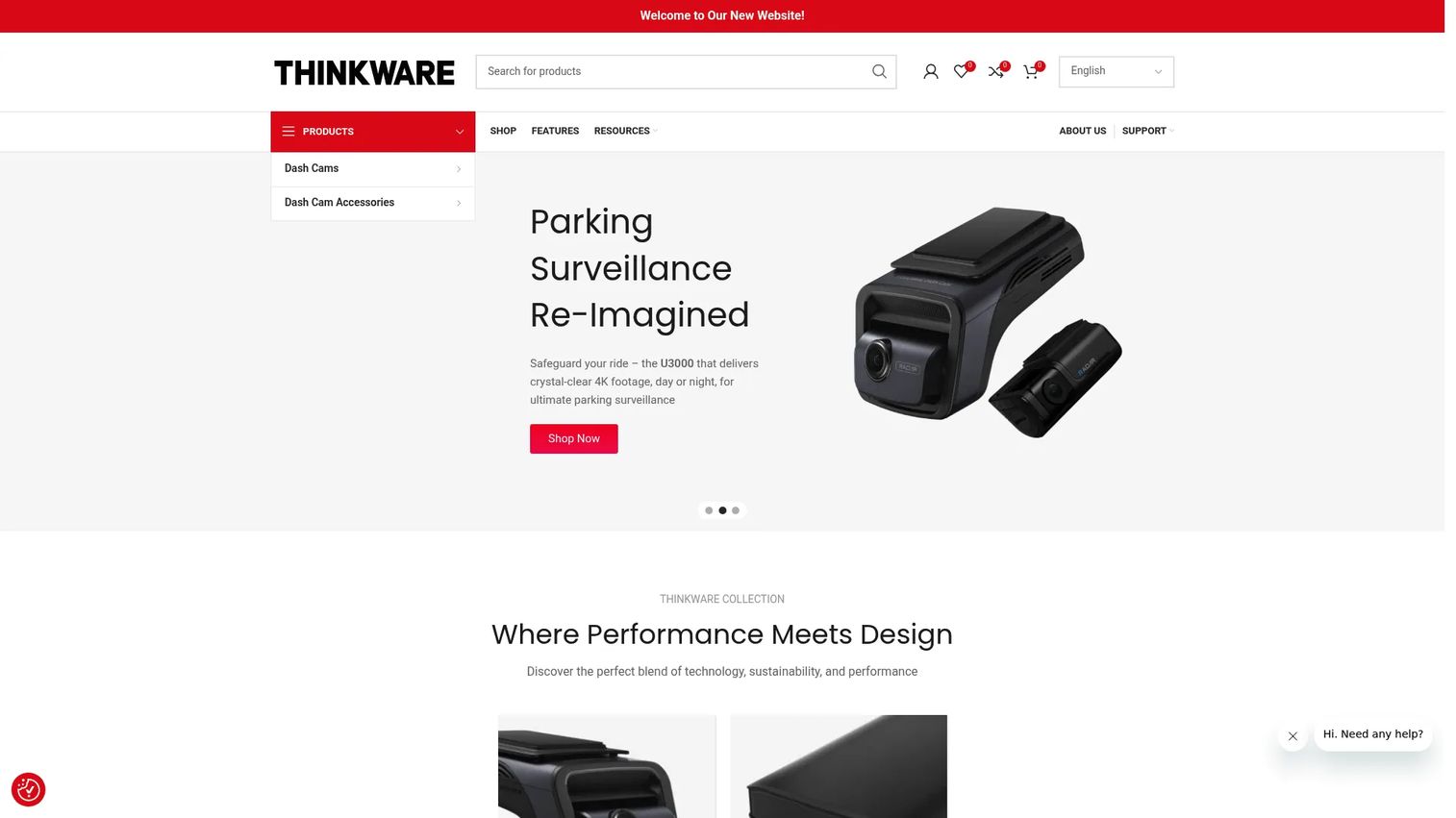
Thinkware PC Viewer is the brand-specific desktop viewer for anyone running Thinkware hardware. It is Windows software built to read Thinkware footage and the driving data that camera records, then present both together. Because it is tuned to one brand's file format and metadata, the overlays line up cleanly with the video.
The viewer plays your footage with speed, location, and time information layered on top, drawn straight from the camera's own data. Beyond review, it lets you change dash cam settings from the computer, so you configure the device without navigating a tiny on-camera menu. The software is a free download from Thinkware's support site.
Best for: Thinkware dash cam owners who want a PC viewer matched to their camera plus the ability to adjust device settings.
Key strengths
- Footage review tuned to Thinkware cameras
- Speed, location, and time overlays
- Change dash cam settings from your PC
- Free download from Thinkware support
- Windows desktop playback
Why choose Thinkware PC Viewer: A brand-specific viewer wins when your camera writes proprietary metadata that a generic tool may not fully read. If you own Thinkware and want the tightest match between footage and driving data, this is the natural pick over a general viewer.
Thinkware PC Viewer pricing: The software is a free download. No paid plan is listed.
4. BlackVue Cloud Plans
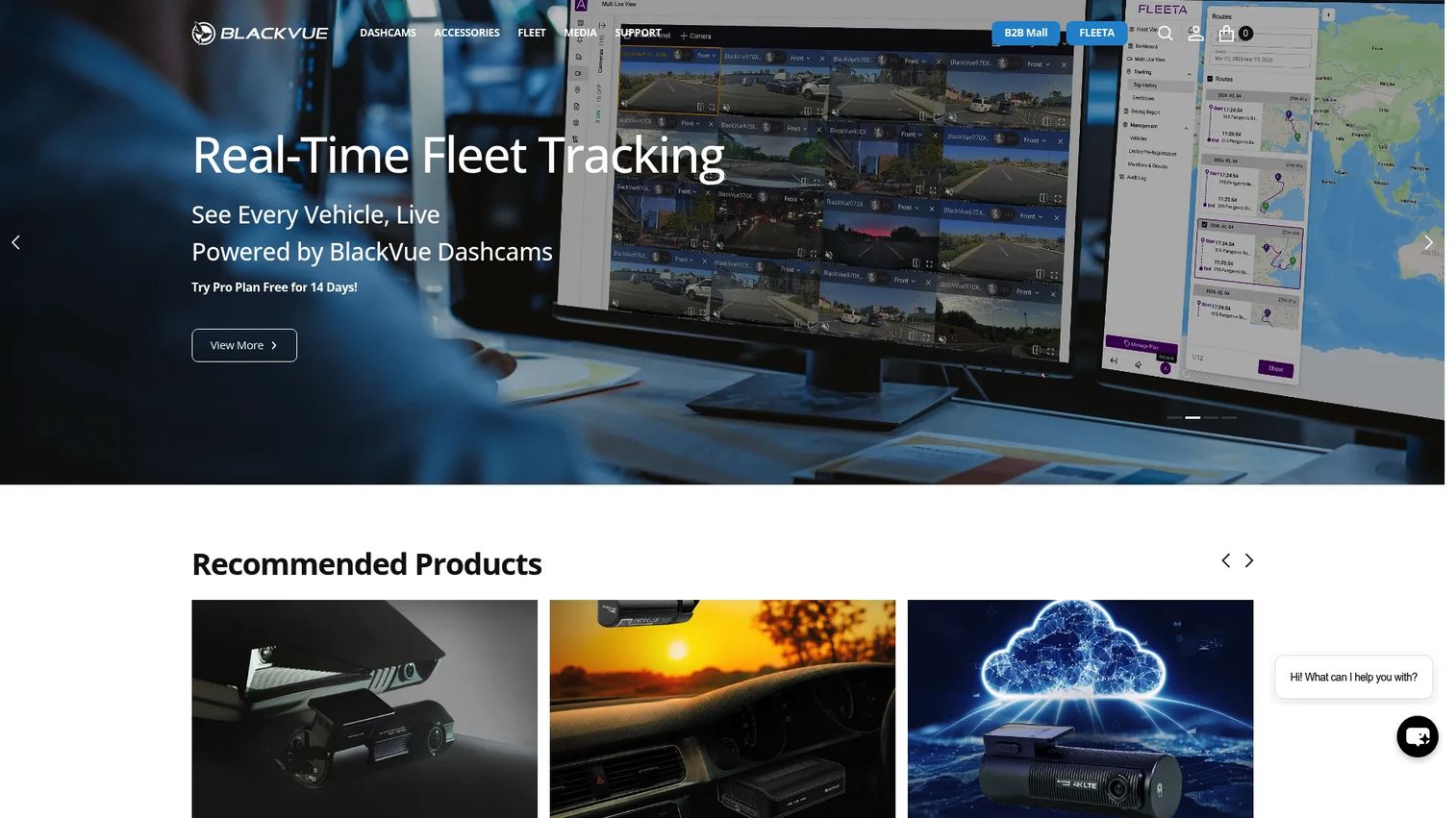
BlackVue Cloud Plans are a different kind of dashcam software. Instead of a local viewer you open after pulling the card, this is a cloud subscription that connects your BlackVue camera to an app and web dashboard for remote access. The camera stays in the vehicle; you watch from anywhere.
The plans layer remote live view, remote video playback and download, and cloud storage on top of the hardware, plus push notifications, GPS tracking, and live event upload. For a driver who wants to check on a parked car, or a small fleet operator who cannot physically reach every vehicle, remote access is the whole point. Local playback still exists on the card, but the cloud tier is what unlocks the "watch from your desk" workflow that fleets and multi-vehicle owners actually need.
Best for: BlackVue owners and small fleets who need remote live view, remote playback, and cloud storage rather than card-based review.
Key strengths
- Remote live view from anywhere
- Remote video playback and download
- Cloud storage for recordings
- Push notifications and live event upload
- GPS tracking across vehicles
Why choose BlackVue Cloud Plans: If you manage more than one vehicle, or you want eyes on a parked car without walking to it, cloud access changes the workflow entirely. It fits remote monitoring and fleet visibility more than one-off desktop review.
BlackVue Cloud Plans pricing: A free tier is available. The Lite plan is $3.99/month and the Smart plan is $7.99/month, with additional charges per connected camera on the paid tiers.
5. Garmin Dash Cam Player
Garmin Dash Cam Player is the legacy desktop tool for Garmin dashcam owners. It opens recorded video from Garmin cameras, lets you trim and edit imported clips, and exports GPS data as GPX while showing map-data overlays alongside the footage. For anyone sitting on a library of older Garmin recordings, it still does the job of turning those files into readable, exportable evidence.
There is one important caveat to know before you rely on it. Garmin has discontinued new downloads of Dash Cam Player. If you already have it installed, it continues to work; if you do not, you cannot get it fresh from Garmin. That reality pushes newer Garmin owners toward third-party playback software, which is worth planning for rather than discovering after an incident.
Best for: Existing Garmin owners who already have the player installed and need to view or export legacy dashcam footage.
Key strengths
- Plays recorded Garmin dashcam video
- Trim and edit imported clips
- GPS data export as GPX
- Map-data overlays synced to footage
- Local desktop playback
Why choose Garmin Dash Cam Player: If you own a Garmin camera and already have the software, it is the most direct match for your files. New owners should note the discontinued download and plan to lean on a broad third-party viewer like Dashcam Viewer instead.
Garmin Dash Cam Player pricing: Garmin has discontinued new downloads, and no current price is listed. Existing installations continue to function.
What to check before you buy
Operating system support
Not every viewer runs everywhere. Some are Windows-only, some cover both Windows and Mac, and companion apps live on iOS and Android. Confirm the tool matches the machine you will actually use before anything else. A viewer you cannot install is worse than no plan at all.
Model compatibility
File formats and embedded metadata differ by brand and even by camera generation. A generic viewer that lists your model, or the right chipset for a Wi-Fi app, saves you from footage that plays without its GPS or timestamp data. If you run mixed brands, prioritize broad model compatibility over any single-brand feature.
GPS and export formats
Decide what you need out of the footage. If you only watch clips, basic playback is enough. If you build reports or feed mapping tools, confirm the software supports GPS data export in the formats you use, such as CSV, GPX, KML, or GeoJSON, and that trip logs and route maps are included.
Local versus cloud access
A local viewer reads the card at your desk. A cloud plan lets you watch remotely but usually carries a subscription and depends on connectivity. Match this to your reality: solo drivers often want local playback and download, while fleet operators lean toward remote access.
Editing and evidence workflow
Look at how the tool handles clip export, trimming, and merging. The goal is a clean, standalone file you can hand to an insurer or attorney without sharing your whole card. Audio event detection and geotags speed up finding the exact moment that matters.
Conclusion
The right dashcam software depends less on ranking and more on your setup. If you want one viewer that reads many camera brands on Mac or Windows with full GPS route maps, Dashcam Viewer is the broad-compatibility pick. If you would rather manage footage from your phone, Viidure gives you Wi-Fi live preview, editing, and sharing for free. Thinkware PC Viewer and Garmin Dash Cam Player make the most sense when you already own that brand's hardware, with the caveat that Garmin's download is discontinued. For remote monitoring across one or many vehicles, BlackVue Cloud Plans move you from card-based review to watch-from-anywhere access.
Your next step: match the tool to the camera and platform you actually use. Owners of mixed or unbranded cameras should start with a broad desktop viewer. Phone-first drivers should try a companion app. Fleet operators should weigh a cloud plan. Pick for compatibility and export needs first, and the rest of the workflow falls into place.
FAQs
Dashcam software reads the video and sensor data from a dash cam and turns it into readable footage with synchronized GPS, speed, and timestamps. People use it to review incidents, pull accident evidence, organize trip logs, and export clips or GPS data for insurers, attorneys, or mapping tools.
You can open raw dashcam video in a standard media player, but you lose the GPS overlays, route maps, timestamps, and trip organization that make footage useful. A dedicated dash cam viewer syncs the driving data to the video, which is what turns a clip into usable evidence.
Dashcam Viewer runs on both macOS and Windows and reads more than 140 camera models, making it the strongest cross-platform choice. Many brand-specific viewers, including Thinkware PC Viewer, are Windows-only, so confirm operating system support before you commit.
A dash cam app like Viidure connects to your camera over Wi-Fi and lets you preview, download, and edit footage on your phone without a card reader. A desktop viewer reads files from the memory card on a computer and usually offers deeper GPS analysis, larger playback, and more export options. Many drivers use both, an app for quick checks and a desktop tool for detailed review.
Yes. Tools like Dashcam Viewer export GPS data as CSV, GPX, KML, or GeoJSON and display animated route maps drawn from the geotags in each recording. Garmin Dash Cam Player exports GPS as GPX. Confirm the specific export formats your reporting or mapping workflow needs before buying.
Some cameras write proprietary file formats or embed metadata that only the brand's own viewer reads fully. Brand-specific tools like Thinkware PC Viewer are tuned to that camera's data, so overlays and settings line up cleanly. Broad viewers cover many models, but if your camera uses an unusual format, the matched brand app can be the safer read.
Garmin has discontinued new downloads of Dash Cam Player. If you already have it installed, it continues to work, but new Garmin owners cannot download it fresh and should plan to use a broad third-party dashcam video playback software instead.
Confirm four things: that it runs on your operating system, that it supports your specific camera model or chipset, that it exports GPS data and clips in the formats you need, and whether you want local playback or cloud-based remote access. Matching compatibility and export needs first prevents footage that plays without its GPS or timestamp data.